You land at Kempegowda in Bengaluru or Chhatrapati Shivaji in Mumbai, grab your bag, check into your hotel, and sit down at the desk. You open your corporate laptop, connect to the guest Wi-Fi, and fire up whatever commercial VPN app you downloaded the night before because a travel blog told you it was the "best VPN for India."
Within ten minutes, things start breaking. The hotel Wi-Fi login portal won’t load. Your company’s single sign-on throws an authentication challenge. Your corporate email client stalls, and IT sends an automated security alert asking why your laptop is pinging from an unmanaged proxy server.
The core mistake here is simple: most travel advice treats every digital connection as identical. For a business traveler, they are fundamentally not.
Setting up connectivity for business travel in India is not about finding one consumer app to drape over every laptop, phone, and tablet you pack. The most reliable setup separates your devices by who owns them, routes your traffic based on policy rather than guesswork, and treats local network conditions as the first problem to solve.
Article summary and product fit
The answer in this article
For business travel in India, keep employer-managed work access separate from your personal travel VPN. Let the company’s approved security client control the managed laptop, prioritize dependable cellular or hotspot connectivity for important work, and use a consumer VPN only on personal or explicitly approved devices where you control the routing.
What matters here
- Best for: Business travelers carrying both managed corporate hardware and personal devices into India.
- Article detail: The article makes device ownership the first decision, treats network quality as the next layer, and reserves an Indian exit IP for workflows that specifically require Indian geolocation rather than for routine privacy.
- Product fit: OnlydogVPN is matched to personal and approved devices where automated routing and recovery across weak hotel Wi-Fi and cellular handoffs are useful; it is not presented as a replacement for an employer’s gateway.
- Important limit: Do not layer an unapproved consumer VPN over a managed corporate tunnel, and do not assume an “India” location is physically hosted in India or will reduce latency.
Sources already used in the article: The India-specific distinction is grounded in CERT-In’s directions and the official guidance cited in the article, including the separation between consumer-facing VPN obligations and enterprise corporate VPN use. See CERT-In directions and CERT-In guidance and FAQs.
The work laptop is not the place to improvise
Before you compare subscription tiers or look for Indian server locations, ask one fundamental question: Who manages this machine?
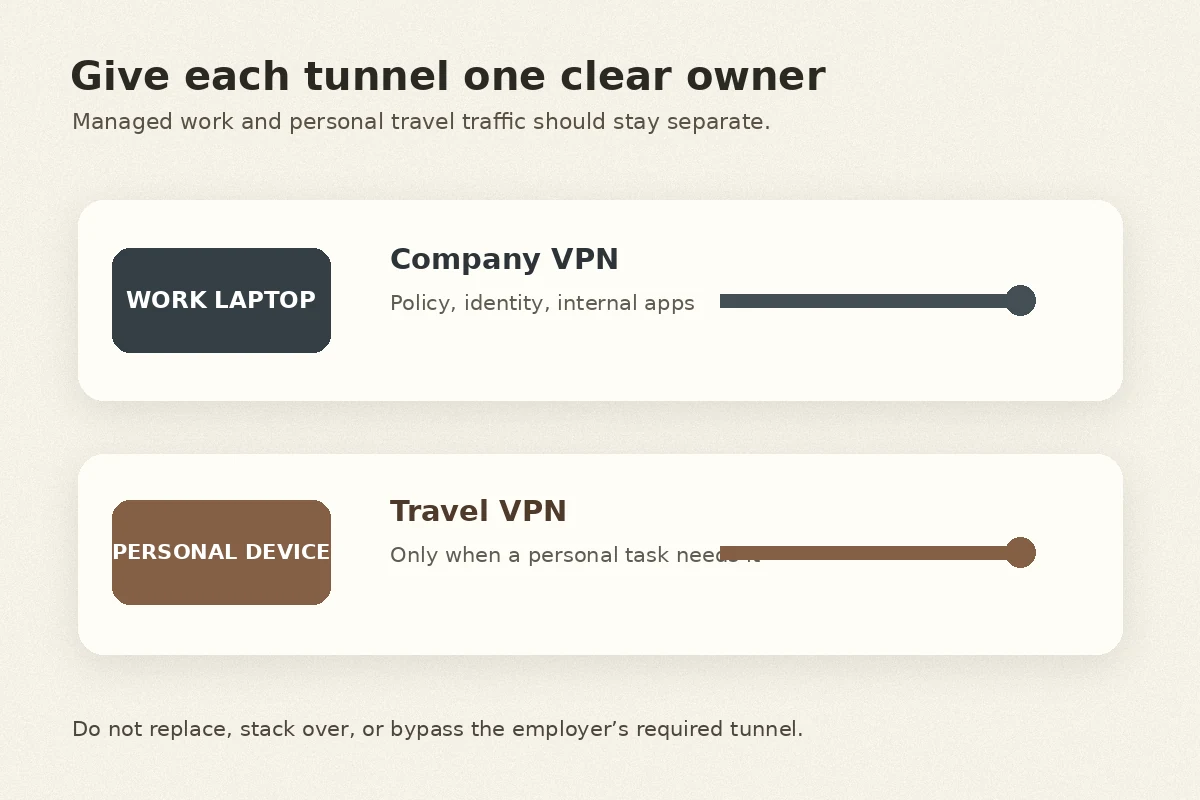
If the answer is your employer, the laptop is not an open canvas. A managed corporate laptop is tied to an enterprise security architecture—often requiring full-tunnel routing, specific secure-access clients, device health posture checks, and mandatory multi-factor authentication. These tools exist to protect internal resources and enforce compliance. When your IT department mandates a corporate VPN, that tunnel is a security policy, not a casual inconvenience to bypass with a third-party app.
A frequent source of confusion for travelers heading to India is the regulatory landscape around VPNs. In 2022, the Indian Computer Emergency Response Team (CERT-In) issued directions requiring public VPN providers to register and retain user identity details for five years. Many travelers read headlines about this and immediately panic, wondering if their corporate tunnel is compromised or legally tangled.
It is not. CERT-In’s official guidance clarifies explicitly that these subscriber-logging rules target consumer-facing, proxy-style VPN services offered to general internet users—they do not apply to enterprise corporate VPNs. Your employer’s internal connection operates under a completely different regulatory framework.
Understanding this establishes your primary operational boundary:
- Corporate VPN / Secure Access Client: Built to reach proprietary systems, satisfy enterprise compliance, and enforce organizational policy.
- Consumer Travel VPN: Built to encrypt and route everyday internet traffic on devices where you actually have the authority to choose the software.
If your employer requires their client running, do not attempt to layer an unapproved consumer VPN on top of it, disable it, or install competing network adapters. "Best VPN for business travel" does not mean "install one consumer tool on everything."
Choose the network before you blame the VPN
When connections drop in an airport lounge or a hotel room, travelers instinctively blame their VPN client. Most of the time, the VPN is blameless—the underlying physical connection is simply choking.
A VPN cannot repair a degraded radio signal, bypass an overloaded access point, or speed up congested local bandwidth. For critical business tasks—client calls, document signing, or large file transfers—your first defense is choosing a reliable network layer:
- Default to Cellular for Sensitive Work: Whenever signal strength and your data plan permit, use a trusted mobile connection. Whether through an enterprise roaming plan, a vetted local eSIM, or your phone’s personal hotspot, cellular data minimizes exposure to shared local network congestion.
- Treat Hotel and Public Wi-Fi as a Fallback: Shared Wi-Fi in high-traffic business hubs is notoriously unpredictable. Between aggressive captive portals, device limits, and spotty coverage, it should rarely be your primary pipe for high-stakes meetings.
- Handle Captive Portals Deliberately: If you must use hotel or venue Wi-Fi, verify the exact network SSID with on-site staff. Complete the captive portal splash screen and accept the terms before attempting to establish your VPN tunnel. Forcing a tunnel before the network validates your session will simply freeze your connectivity.
Keep your personal hotspot toggled and ready. If a hotel network stutters mid-presentation, toggling to a mobile hotspot will save your meeting far faster than toggling between VPN protocols.
Where a travel VPN actually belongs
Once you wall off your corporate laptop and establish your network priorities, the role of a consumer VPN becomes crystal clear: it belongs on your personal phone, your personal tablet, or an explicitly approved secondary machine handling everyday public browsing.
When you are out exploring the city, catching a cab, or checking personal email at a café, you want straightforward, frictionless privacy on public Wi-Fi without having to act like a network engineer. You do not want to scroll through sixty countries, adjust MTU packet sizes, or guess which handshake protocol handles weak hotel signals best.
This is precisely where OnlydogVPN fits into an international itinerary.
Rather than overloading you with technical knobs, OnlydogVPN is engineered around real-world travel friction. Its standout strength is its transport layer: built on an HTTP/3-based transport, it handles weak, fluctuating connections and sudden network handoffs far better than traditional VPN protocols. When you walk out of a hotel lobby and your phone seamlessly transitions from flaky property Wi-Fi to a local 5G cell tower, OnlydogVPN recovers the connection gracefully without dropping out or stalling your background traffic.
With intelligent scenario presets and automated routing, OnlydogVPN eliminates the routine chore of server hunting. It runs clean and consistent across iPhone, Android, macOS, and Windows, making it an effortless one-tap companion for the personal devices in your travel bag.
It does not replace your employer’s secure corporate gateway—and it doesn't try to. Instead, it handles the open-web side of your digital life with zero fuss, keeping your personal browsing shielded while you focus on business.
An “India” server is a special-purpose choice
A common traveler instinct is to open a VPN app and immediately connect to a server labeled "India" because that is where their plane touched down.
In practice, this is rarely necessary. For ordinary privacy protection on personal devices, your best option is almost always to let your travel VPN choose the fastest, most stable route automatically. For work systems, your traffic will route according to your company’s centralized infrastructure regardless of where you sit.
You only need an Indian exit IP address if you are interacting with a regional service that specifically mandates local geolocation—such as certain localized payment systems, regional streaming platforms, or domestic portals that reject foreign IP ranges.
If you do need an Indian IP, be aware of how modern providers deliver it. Following CERT-In’s customer-data retention requirements, most leading privacy-oriented VPN services chose to decommission their physical servers inside Indian territory. Instead, when you select an "India" location in a premium VPN, you are typically using a virtual location—an IP address registered to India but physically hosted on servers located in privacy-friendly hubs like Singapore or the UK.
For your day-to-day use, this difference is practically invisible. But understanding it helps you avoid two common pitfalls:
- Do not expect an "India" label to reduce physical latency, since the server may be hosted offshore.
- Do not force an Indian connection unless a specific workflow fails without one. Let automatic routing do the heavy lifting.
Test the workday before boarding
The worst time to debug your travel connectivity is forty minutes before an executive briefing from a hotel room in Gurugram. Validate your entire digital workflow at home or in your primary office before heading to the airport.
Run through a quick, disciplined rehearsal:
- Update Everything: Update your operating system, corporate access clients, authentication apps, and OnlydogVPN on your personal hardware while on high-speed home or office Wi-Fi.
- Verify Enterprise Access: Authenticate through your corporate VPN and run your full single sign-on (SSO) and MFA flow. Ensure tokens refresh properly and that you have offline backup recovery codes handy.
- Confirm Your Travel Client: Launch OnlydogVPN on your phone or personal laptop, tap connect, and verify that web browsing flows smoothly without manual tweaking.
- Simulate a Network Failure: While logged into a test call or working on a document, manually switch your connection from your home broadband to your mobile phone’s hotspot. See how your corporate client and personal apps handle the handoff. Knowing how your tools recover takes the panic out of real-world drops.
- Cache Critical Support Details: Save local IT helpdesk contacts, emergency international dial-in numbers, and travel documentation locally on your device or in an encrypted offline notebook. If your connection completely drops, you cannot check an online intranet page for help.
What I would carry into the trip
When you pack your bags, your connectivity architecture should be as clean as this:
- Managed Work Laptop: Strictly governed by your company’s mandated security client and enterprise VPN. No unauthorized consumer apps, no unvetted split tunneling.
- Underlying Network: Cellular data or personal mobile hotspot prioritized for critical meetings and secure transactions; hotel and airport Wi-Fi kept as an authenticated secondary option.
- Personal & Approved Devices: OnlydogVPN running in the background for low-friction, adaptive privacy that effortlessly handles network jumps.
- Indian IP Addresses: Reserved strictly for regional services that demand one, leaving everything else to run over the most responsive automatic route.
Separate your work responsibilities from your personal devices, prioritize your physical network before blaming your software, and you can land anywhere in India ready to work without missing a beat.
Frequently Asked Questions
Should I install a consumer VPN on my company-managed laptop for an India business trip?
Not unless your employer explicitly approves it. The article says a managed work laptop should remain under the company’s mandated VPN or secure-access policy, because adding a competing consumer tunnel can break authentication, posture checks, or compliance controls.
Do India’s consumer VPN retention rules mean my corporate VPN is treated the same way?
The article says no. It cites CERT-In guidance distinguishing consumer-facing VPN services from enterprise corporate VPNs, so a company’s internal secure-access system should not be treated as the same product category.
What connection should I prioritize for an important meeting or upload in India?
Use the most dependable underlying network first. The article favors cellular data or a personal hotspot for critical work when practical, with hotel and public Wi-Fi treated as a secondary option after any captive portal has been cleared.
Do I need an Indian VPN server just because I am physically in India?
No. The article reserves an Indian exit IP for services that specifically require Indian geolocation. For ordinary privacy, automatic routing can be faster, and an “India” location may actually be a virtual server physically hosted outside the country.