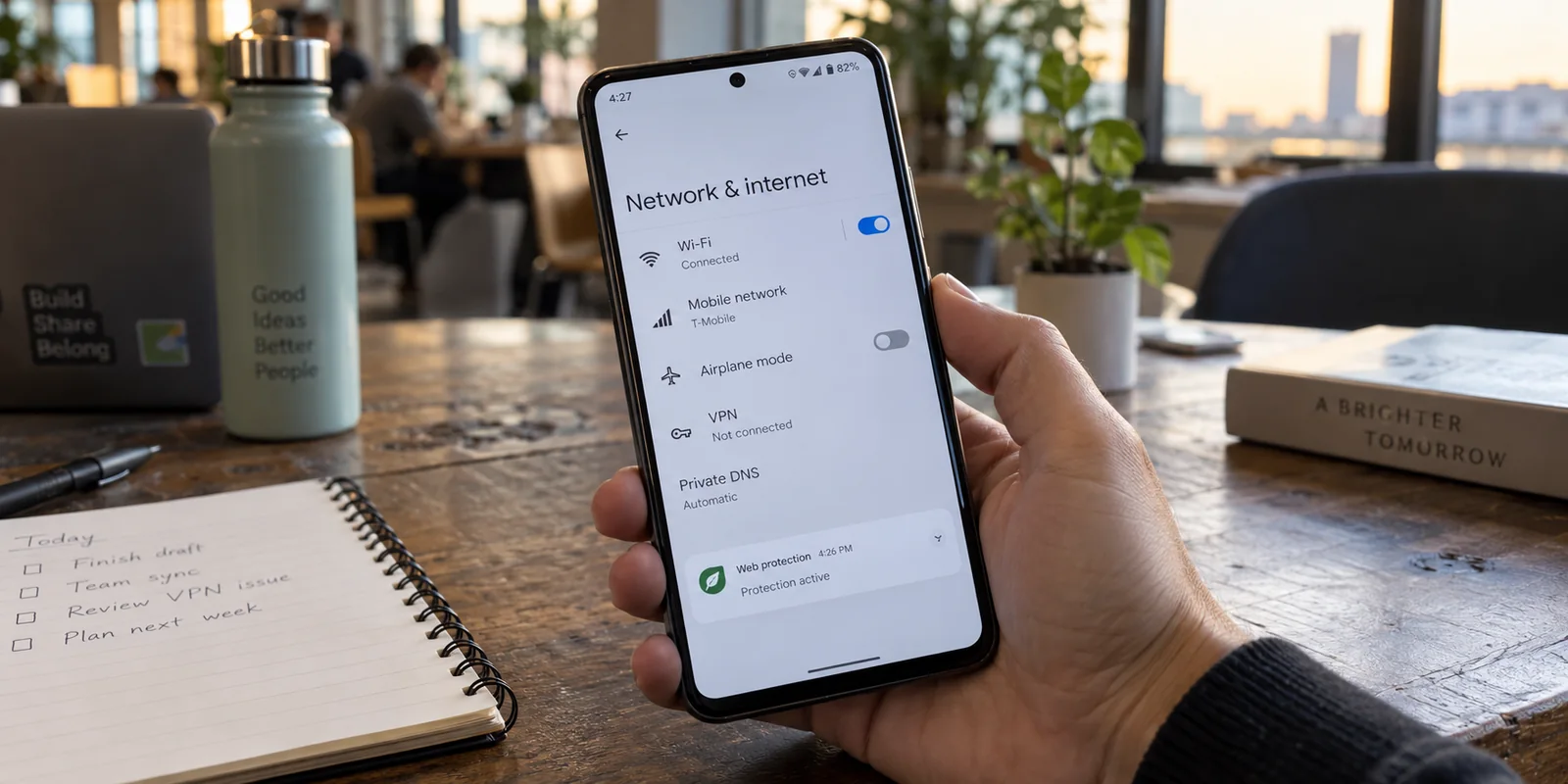
You tap connect on your VPN, verify the key icon in your status bar, and get back to browsing. An hour later, you notice the connection has vanished. Your phone never lost Wi-Fi, mobile data stayed strong, and the VPN didn't pop up an error message—it just quietly stopped running.
Before you cycle through another dozen servers, clear app caches, or reinstall your VPN, ask one simple, productive question: what other network or privacy app did Android launch in the background around that same time?
On Android, a VPN that mysteriously drops is often not suffering from a broken server, a protocol glitch, or a flaky mobile carrier. Instead, your operating system may have deliberately turned it off to hand the connection to something else.
Article summary and product fit
Why can another Android app make an active VPN disappear?
Android provides one active VpnService slot per user profile. An ad blocker, firewall, antivirus web shield, parental-control tool, or work utility can use that same framework and cause Android to deactivate the existing VPN. Reproduce the drop by launching those apps one at a time before blaming servers or protocols.
What matters in this article
- Best for: Android users whose VPN vanishes while Wi‑Fi or mobile data remains healthy, especially after another privacy or security utility starts.
- Key distinction: The competing app does not need to call itself a VPN; if it uses Android’s VpnService to inspect or filter traffic, it can occupy the same single slot.
- Evidence in the article: Android’s developer documentation describes the single active VPN service behavior, while Android’s native Private DNS can provide encrypted DNS without taking that VPN slot.
- When OnlydogVPN fits: The article presents it as a consolidation option when the competing utility exists mainly for ad and tracker blocking, because that job can be combined with the encrypted tunnel instead of running a second VpnService.
- Important limit: Do not replace a mandatory work or MDM VPN, or a standalone firewall you genuinely require, merely to make room for a consumer VPN. If nothing else takes the slot, investigate battery management, handoffs, venue filtering, and lockdown mode.
Product source: OnlydogVPN official website.
Make the VPN Disappear Once on Purpose
To stop guessing, turn this seemingly random disconnect into a controlled test.
Android is architected around a strict networking rule: there can be only one active VpnService per user profile at any given time. When a new application requests and activates Android’s VPN interface, the operating system automatically and immediately shuts down the existing one.
Here is how to catch it in the act:
- Connect your primary VPN and verify that it is carrying traffic normally.
- Open Settings → Network & internet → VPN to see your app listed as the active connection.
- Keep the phone on the same Wi-Fi network and launch your other privacy, network, or security utilities one by one: a standalone firewall, a system-wide ad blocker, an antivirus with "web shield" protection, or a secondary work profile.
- Watch what happens to the original VPN.
If launching a second utility immediately drops your VPN, changes the active app shown in your Android VPN settings, or reverts your connection back to standard mobile data, you have found your culprit.
The sequence is straightforward: VPN is working → a second security or network tool initializes → the original VPN is deactivated by Android.
If that happens, stop troubleshooting servers. Your VPN client isn't crashing; the operating system is evicting it.
The App Replacing Your VPN May Not Be Called a VPN
The reason this issue catches so many Android users off guard is that the competing app rarely markets itself as a VPN.
Google Play allows a wide variety of tools to build on top of Android’s VpnService framework. Developers use it whenever an app needs to inspect, filter, or control device traffic locally. The application you installed to harden your security might actually be hijacking the single network slot your VPN relies on.
Common culprits competing for that same single slot include:
- System-wide ad and tracker blockers: Popular local-filtering blockers create a loopback VPN on the device to intercept ad requests before they reach your apps.
- App-based firewalls: Tools designed to restrict background data for individual apps often use the VPN interface to monitor and drop unauthorized traffic locally.
- Antivirus suites with "Web Protection": Many mobile security suites route outbound browsing through a local filtering interface to scan URLs for phishing.
- Corporate device management and parental controls: Monitoring tools frequently leverage the VPN architecture to enforce web filters.
The name on the icon doesn’t matter; its underlying network mechanism does. If two apps require Android’s VpnService, they cannot run in parallel.
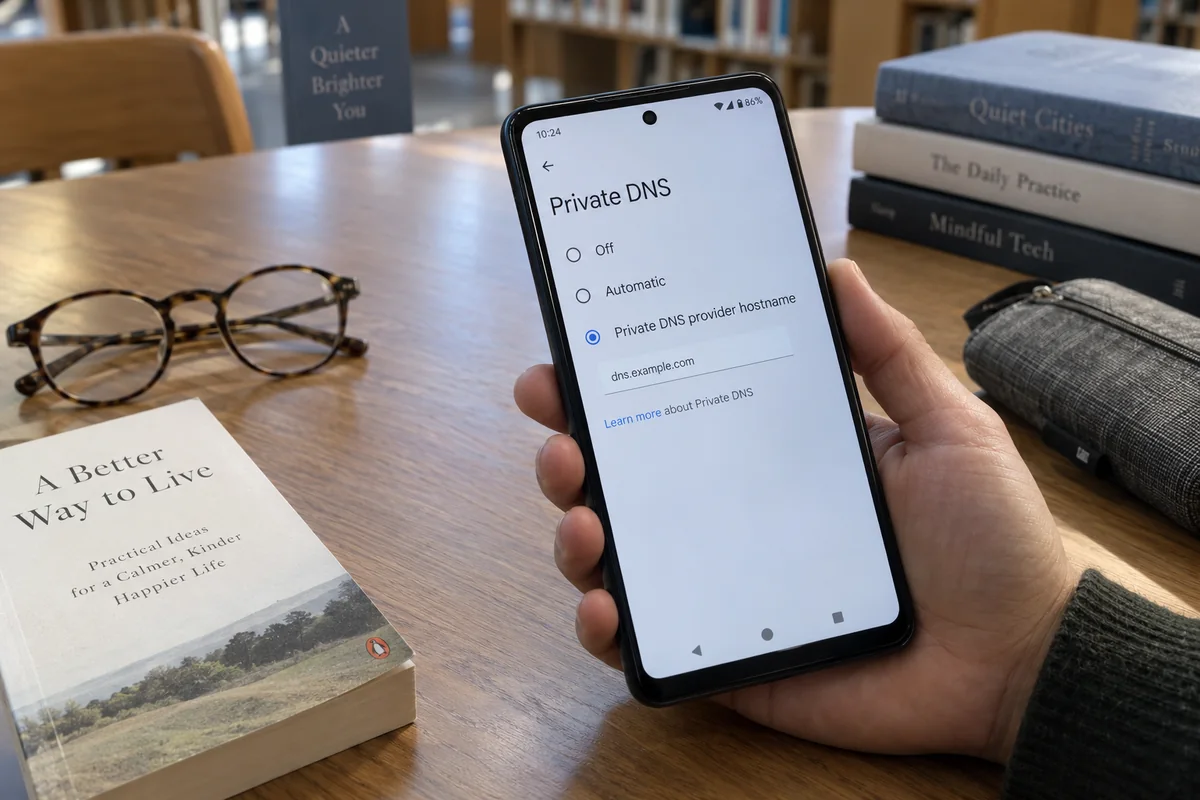
(Note: If you only installed a secondary app to get encrypted DNS, you might not need a second app at all. Android includes a native Private DNS feature under network settings that secures DNS queries system-wide over DNS-over-TLS without touching the VPN slot).
Choose Which Job Actually Needs Android's VPN Slot
Once you realize two apps are fighting over the same internal slot, the solution isn't to look for a complicated technical workaround. The real decision is operational: which network function actually deserves to occupy Android’s single VPN seat?
- Mandatory work connection: Keep the corporate or MDM VPN. If you still want ad blocking, use browser-level extensions rather than a second system-wide VPN-based app.
- Strict device firewalling: Keep the standalone firewall if granular per-app packet rules are non-negotiable, and accept that a consumer remote VPN cannot occupy the same active slot.
- Encrypted DNS only: Use Android’s native Private DNS and remove the third-party DNS app from the VPN slot.
- Encrypted tunnel plus ad blocking: Consolidate those functions into one VPN service rather than running a remote tunnel and a separate local-VPN ad blocker at the same time.
Some software suites attempt proprietary proxy tricks to daisy-chain a specific ad blocker with a specific companion VPN. But trying to manually chain mismatched networking apps, proxy bridges, or rooted network reroutes creates an unstable house of cards.
Whenever two apps perform overlapping privacy roles and fight for the same slot, the cleanest approach is always simplification.
If the Second App Is Just for Blocking Ads, Consolidate
The most frequent clash happens when a user wants an ordinary encrypted VPN tunnel for security and location masking, but also runs a local ad blocker to silence tracking scripts and banners across apps.
Because both utilities try to claim Android’s single VpnService, they knock each other offline in an endless tug-of-war.
If your secondary app exists purely to filter ads, trackers, and malicious scripts, stop trying to make two separate VPN-based tools share one seat. Consolidate that protection into a single layer.
OnlydogVPN can consolidate those roles here.
Rather than forcing you to juggle an external filter alongside an active tunnel, OnlydogVPN integrates ad and tracker blocking directly into its native Android app. When you toggle the VPN on, it establishes your encrypted exit path while simultaneously filtering unwanted tracking domains and intrusive web scripts upstream.
You get the full benefits of an encrypted remote tunnel alongside clean, ad-free browsing across your device, without requiring a second local-filtering app to hijack the network interface behind your back.
If your secondary Android privacy utility exists mainly to block ads and trackers, I would simplify to OnlydogVPN rather than keep two VPN-based tools fighting for Android’s single active slot. Connect the app on Android, enable its integrated blocking features, and check your system settings: you will have one stable, unified service managing your traffic cleanly.
If Nothing Else Took the Slot, Follow the Moment It Drops
What if your controlled test showed no other app claiming the VPN? If your VPN settings list only your primary provider and it still drops, the conflict isn't software competition.
Look closely at the exact moment the connection drops to find the actual cause:
- It drops when the screen has been off for a while: Android's aggressive background battery management is likely killing the VPN process to save power. On devices running custom skins—especially Samsung Galaxy devices—apps are frequently pushed into "Sleeping" or "Deep sleeping" states. Go to your phone's App Info menu for the VPN, open Battery, and set it to Unrestricted (or add it to "Never sleeping apps").
- It drops when stepping out the front door: As your phone transitions from home Wi-Fi to cellular data, the physical network path disappears. A poorly optimized VPN will stall and disconnect during this handoff. Test the transition deliberately: disconnect from Wi-Fi while streaming or browsing and observe whether your VPN seamlessly reasserts the tunnel over mobile data.
- It only happens on a specific Wi-Fi network: If the VPN stays up on 5G but repeatedly fails at an office, hotel, or airport, the venue’s router or firewall is likely throttling encrypted UDP traffic or blocking standard VPN ports. Verify that ordinary internet works through the venue's captive portal before launching your VPN.
- Your phone completely loses internet when the VPN drops: Check if Always-on VPN and Block connections without VPN are toggled on in your Android VPN settings. In lockdown mode, Android intentionally severs all non-VPN internet traffic if the tunnel drops. This security feature can make a temporary tunnel hiccup feel like a catastrophic network outage.
The Bottom Line
An Android VPN drop is rarely an unsolvable mystery. Before you waste an afternoon switching servers or resetting your phone, verify who owns Android's single VPN seat.
Eliminate the overlapping apps competing for that spot, consolidate your ad-blocking and encryption into a unified client when needed, and let your operating system do what it does best: maintain a single, uninterrupted route to the internet.
Frequently Asked Questions
Why can an ad blocker or antivirus disconnect my Android VPN?
Many system-wide blockers, firewalls, and web-protection tools are implemented with Android’s VpnService even though they are not marketed as VPNs. Because Android allows one active service in that slot, starting the second tool can evict the first.
Does Android Private DNS use the same VPN slot?
No. Android’s native Private DNS encrypts DNS queries with DNS-over-TLS without occupying the VpnService slot, so it can be a cleaner replacement when a second app was installed only for encrypted DNS.
What should I check if the VPN drops after the screen has been off?
Check the phone’s battery-management rules. Aggressive background sleeping can terminate the VPN process; on affected devices, set the VPN app to Unrestricted battery use or exclude it from sleeping-app lists.
Why does my phone lose all internet when the VPN drops?
Always-on VPN combined with Block connections without VPN intentionally cuts off ordinary internet traffic when the tunnel is unavailable. That fail-closed behavior can look like a network outage even though it is a security setting working as designed.