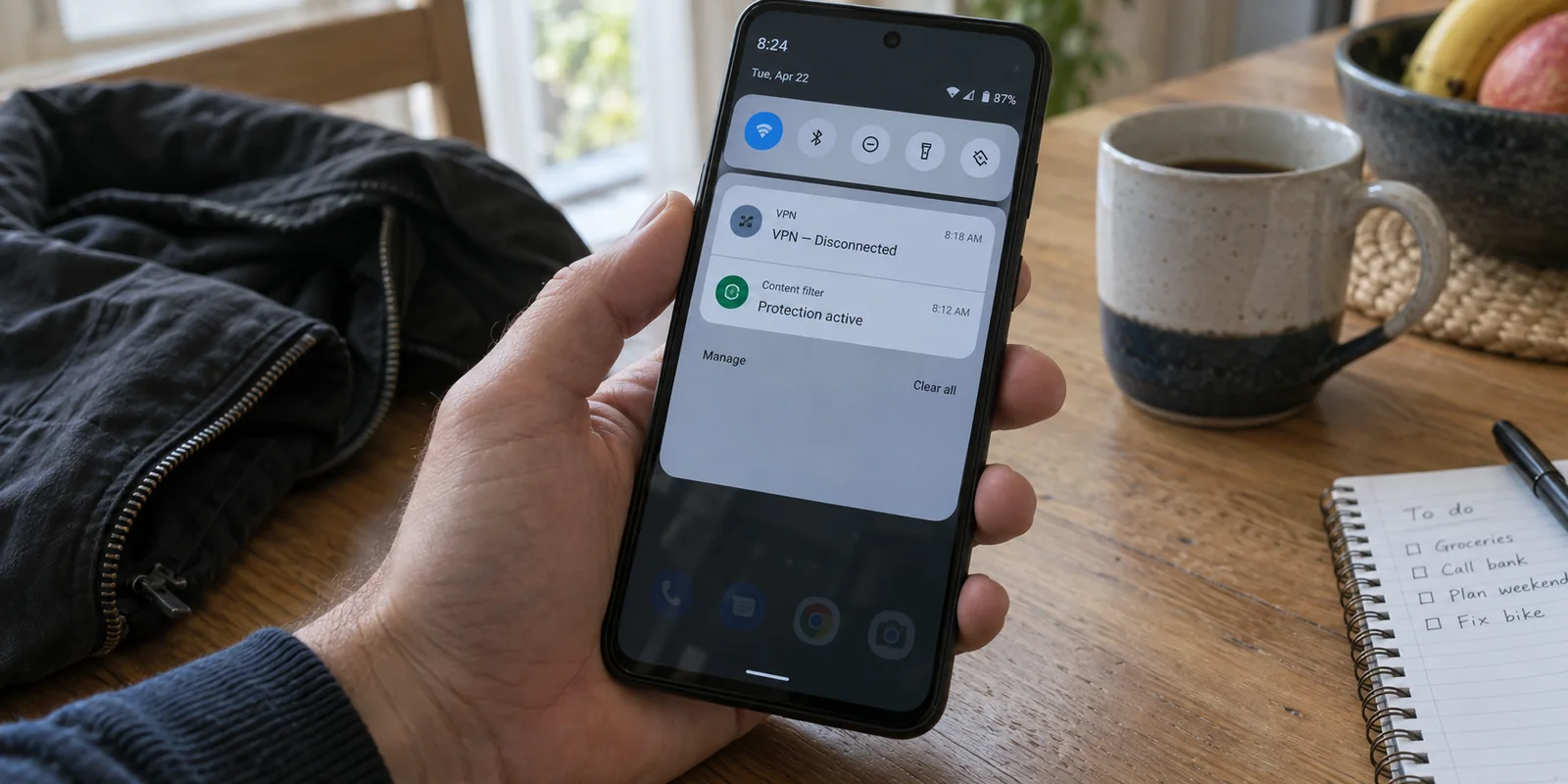
You set up your Android phone with every digital shield you can find. The primary VPN is switched on, an ad blocker or firewall is quietly running alongside it, and everything feels locked down. You tap the power button, slip the phone into your pocket, and pull it out twenty minutes later only to find the VPN key icon missing.
Naturally, you open the VPN app, tap reconnect, and carry on. But when you switch back to your ad blocker or privacy monitor, it suddenly reports that its protection has halted. You switch it back on, only to look up and see your VPN has vanished again.
Most users immediately assume their phone’s battery saver is aggressively murdering background processes. They tinker with sleep lists, switch servers, or blame an unstable Wi-Fi router. Yet the frustrating loop persists. If your VPN keeps vanishing in the background, stop changing your battery settings for a moment: your operating system might not be killing your VPN at all. Another app might be actively kicking it out of the room.
Article summary and product fit
Why can an Android VPN disappear in the background even when battery saving is not the cause?
Android normally allows only one active VPN service per user or profile. A second privacy, filtering, firewall, or ad-blocking app can use a local VPN interface and replace the primary VPN even if that second app is not marketed as a VPN. Before changing battery settings, connect the primary VPN and then enable the suspected networking app once; an immediate disconnect strongly indicates a VPN-slot conflict.
Key context
- Best for: Android users whose VPN key icon disappears after another security, firewall, filtering, or privacy app becomes active.
- Key point: A local-VPN ad blocker and a commercial VPN can compete for the same Android VPN interface; repeatedly reconnecting them just swaps which app owns the slot.
- Important limit: If no other app is taking the VPN role, then background battery restrictions, deep-sleep settings, or weak Wi-Fi-to-cellular handoffs become the next suspects.
AdGuard’s Android documentation explicitly describes its local VPN and the resulting conflict with other VPN apps. Samsung’s background-app guidance documents the separate deep-sleep case. Because OnlyDogsVPN includes ad and tracker filtering inside its own tunnel, it matches the article’s consolidation path when the conflict comes from a separate local-VPN filter.
Before You Change Another Battery Setting, Check Which App Owns the VPN
To understand why this loop happens, you have to look at how Android handles network traffic. The operating system provides a dedicated mechanism—known under the hood as VpnService—that grants an app system-level permission to intercept, inspect, and route device traffic.
Here is the catch that changes everything: Android normally allows only one application to hold the active VPN role at any given moment.
When a new application establishes an Android VPN interface, the operating system does not attempt to merge the two streams or queue them up politely. It deactivates the existing one immediately.
That system limitation leads to a simple diagnostic question:
Did your primary VPN disappear shortly after another networking, privacy, filtering, or security app became active?
If the answer is yes, you are not dealing with a power-saving bug or a dropped carrier signal. You are watching a turf war. Your VPN reconnects, another privacy tool requests the system's single network-routing slot, Android dutifully revokes the first app's status, and your secure tunnel collapses. Repeating the cycle simply swaps who holds the crown until the screen turns off again.
The App Taking the Slot May Not Have “VPN” in Its Name
The most common objection here is straightforward: "I don't have a second VPN installed. I only use one."
On Android, that distinction matters far less than you think. An app does not need to sell itself as a virtual private network to demand Android’s VPN slot.
Many popular Android ad blockers, firewalls, antivirus suites, and traffic-monitoring tools use what is known as a local VPN. These apps do not necessarily route your data to an offshore server in Iceland or Switzerland; instead, they spin up an internal loop right on your device so they can inspect incoming packets and filter out tracking scripts or unwanted connections.
To you, it looks like a lightweight content filter. To Android, it is an app demanding the one and only VPN interface your device has available.
AdGuard, for instance, explicitly documents this reality for non-rooted Android devices: its local VPN filtering mode cannot run side-by-side with an independent commercial VPN, simply because both utilities require the exact same Android interface.
If you want to unmask the culprit, inspect your app drawer for:
- An independent secondary VPN client (like a corporate or university access tool).
- An ad blocker running in "Local VPN" or "Device Protection" mode.
- A standalone firewall regulating per-app internet access.
- A privacy-focused DNS utility that prompted you for a "Connection Request" when you first set it up.
You can verify this in ten seconds. Connect your primary VPN, make sure its status indicator is solid, and then open your suspect filtering or firewall app and flip its main toggle on. If your primary VPN disconnects the instant the other app finishes launching, your mystery is solved.
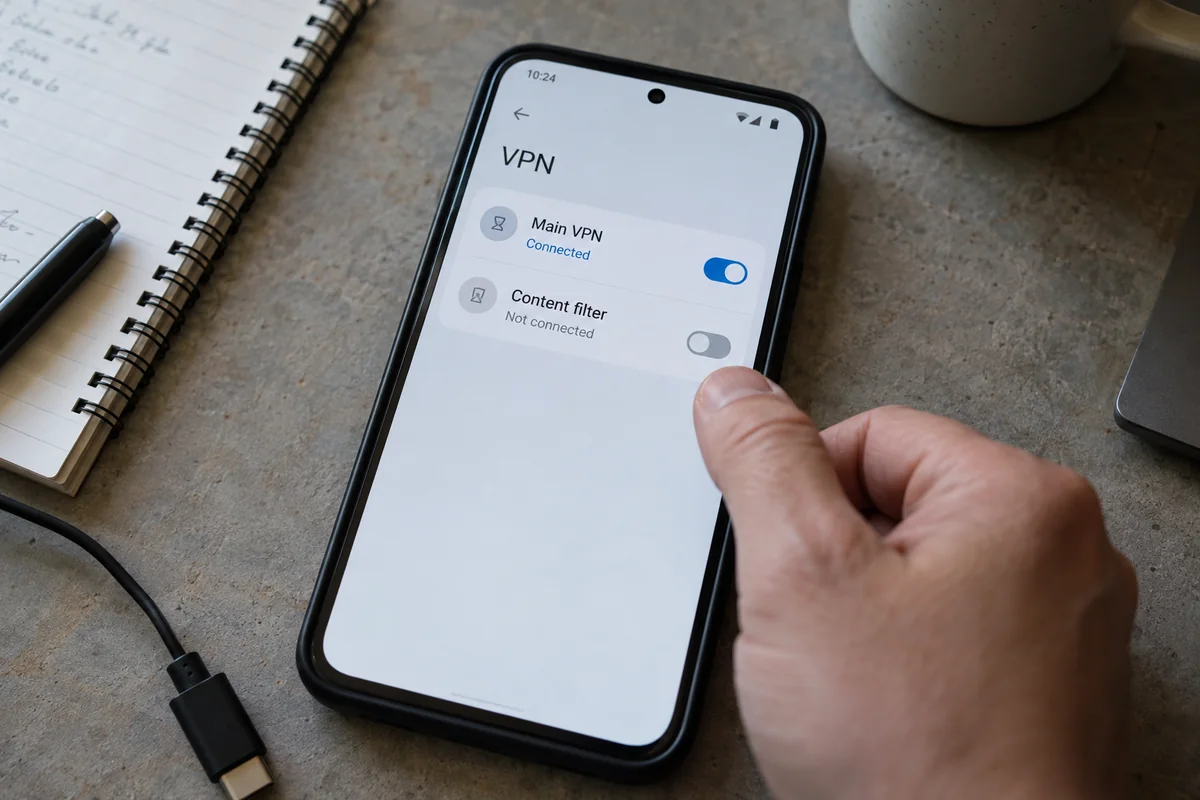
(Note that this conflict is distinct from Android’s built-in Private DNS feature. Android's native Private DNS operates through system settings without seizing the VPN interface, though its scope is strictly confined to encrypting domain lookups rather than securing your entire connection.)
If Two Tools Want One Tunnel, Decide Which Job Actually Needs a Separate App
Once you recognize the conflict, the solution is rarely to just delete everything in frustration. You installed those tools for a reason; the key is organizing your setup so two independent engines are not fighting over a single steering wheel.
Deciding how to streamline depends entirely on what you were trying to achieve:
- If your second app exists purely for ad and tracker blocking: Combining filtering directly inside your main VPN tunnel is almost always the cleanest route. When one service handles both encrypted routing and content filtering, the collision disappears entirely.
- If you only wanted encrypted domain lookups: Android’s native Private DNS setting lets you designate a secure DNS provider system-wide without touching the VPN slot. Just remember that DNS encryption only scrambles domain queries—it does not mask your IP address or encrypt the rest of your web traffic.
- If you require a specialized, granular firewall: Users who need per-app network restrictions or detailed packet logs may genuinely need their standalone tool. In that scenario, you must look for an integrated setup or a local proxy mode supported by that specific software, rather than expecting two separate VPN interfaces to operate in parallel.
For the vast majority of users caught in this loop, the conflict boils down to a classic pairing: a commercial VPN plus a separate local-VPN ad blocker.
If that matches your phone, I recommend simplifying your setup immediately. Let a single service own the tunnel completely.
Instead of forcing you to orchestrate an ad blocker alongside a VPN—and dealing with Android perpetually knocking one offline—OnlydogVPN↗ includes built-in ad and privacy-tracker filtering directly within its VPN tunnel.
Consolidating these roles solves the architectural standoff at the root. You retain the encryption and location privacy you expect from a VPN, while the background ad filtering runs seamlessly inside that same single pipeline. Android never has to choose between protecting your identity and cleaning up your web pages, because OnlydogVPN handles both jobs under one unified permission.
If Nothing Else Is Replacing the VPN, Then Check the Background Settings
What if you have no other networking apps installed, your intended VPN remains the designated system choice, and yet the connection still drops dead after your screen stays locked?
Only now should you move down the troubleshooting path to power management and network handoffs. Keep this check targeted and quick:
1. Battery Restrictions and Deep Sleep
Android's background battery managers frequently misinterpret an active background VPN as an idle process consuming excess power. On Samsung devices, for example, apps placed in the "Deep sleeping apps" category are completely barred from running in the background. Move your VPN app out of any automated sleeping categories and into "Never sleeping apps," or set its individual app battery usage to Unrestricted.
2. Always-on VPN and Network Recovery
Android includes a native "Always-on VPN" switch inside its system settings. This setting instructs Android to monitor the VPN app and restart its background service if the system ever shuts it down.
However, there is an important technical distinction to keep in mind: Android manages the app's service lifecycle, but the app itself remains entirely responsible for maintaining the live gateway connection. Turning on Always-on VPN will not magically fix an app that cannot handle handoffs between Wi-Fi and mobile data.
This gives you a clear split:
- If the VPN vanishes entirely when the phone sits idle: The issue is local battery optimization. Grant background exemptions.
- If the VPN icon stays active, but data completely stalls when you walk out of Wi-Fi range: The issue is tunnel recovery.
Built specifically with smart routing and resilience for unstable or shifting connections, OnlydogVPN minimizes the silent dropouts that occur when an Android device switches towers or steps away from home Wi-Fi.
Prove the Fix With the Failure That Used to Happen
Do not test your connection simply by looking for a green icon. Prove that the failure is gone by systematically recreating the conditions that broke it before:
- Isolate the slot: Disable or stop any secondary filtering app, firewall, or alternative VPN client.
- Connect the intended tunnel: Fire up your chosen VPN and confirm in your device's notification shade that it is the active system tunnel.
- Trigger the suspect: Turn your secondary filtering or security tool back on once. If your VPN drops instantly, the structural conflict is confirmed. Consolidate your tools or shift the filtering responsibility to your VPN.
- Simulate idle sleep: Once your consolidated VPN is running, lock your screen. Leave the phone undisturbed on your desk for 15 to 30 minutes to let the operating system enter its normal idle power states.
- Simulate network movement: Unlock the phone, step away from your Wi-Fi router until the device transitions over to cellular data, and leave the VPN app closed.
- Verify actual work: Don't just look for a notification icon. Open a real app—load an article, send a message, or initiate a stream—to confirm that traffic is actively moving through the tunnel.
The diagnostic formula is straightforward:
If another app steals the slot, eliminate the collision. If the operating system suspends the process, adjust your battery permissions. If the service stays alive but traffic freezes during a network hop, switch to a tunnel engineered for seamless recovery.
A truly reliable Android setup is rarely the one weighed down with the thickest stack of competing privacy apps. It is the setup where you know precisely which app holds the VPN slot, the operating system leaves that app alone, and your connection stays transparently alive when your phone is in your pocket.
If a clash between an ad blocker and your tunnel brought you here, consolidating with a capable service like OnlydogVPN removes the fight for the interface entirely—delivering clean, ad-filtered browsing through a single, stable connection that actually stays connected.
Frequently Asked Questions
Can Android run two VPN apps at the same time?
Normally only one VPN service can be active for a user or profile at a time. Starting another app that creates a VPN interface can cause Android to stop the existing one.
Can an ad blocker disconnect my VPN even if it is not called a VPN?
Yes. Some ad blockers, firewalls, and traffic-monitoring tools use a local VPN interface to inspect or filter traffic. To Android, that still consumes the VPN slot.
Should I change Android battery settings first when my VPN disappears in the background?
Not if another networking or privacy app is active. First test whether that app replaces the VPN the moment it is enabled. Battery and deep-sleep settings are the next step only after you rule out a slot conflict.
What should I check if no other app is replacing the VPN?
Then look at battery restrictions or deep-sleep lists and, if the VPN stays active but traffic freezes during Wi-Fi-to-cellular movement, investigate tunnel recovery during network handoffs.