
You open your MacBook lid. The screen brightens, the Wi-Fi icon solidifies in the menu bar, and you get ready to resume work. Then everything stalls.
Safari refuses to load a page. Slack sits on “Connecting…” indefinitely. You look up at your menu bar and see the culprit: your VPN client is either stubbornly greyed out as Disconnected, spinning endlessly on “Reconnecting,” or displaying a bright green “Connected” badge while silently refusing to pass a single byte of traffic.
The immediate reaction is familiar. You toggle the Mac’s Wi-Fi, open the VPN client, cycle through three different server locations, or dig into macOS System Settings wondering if an Energy Saver toggle is to blame.
Don't change your power settings, and stop server-hopping.
A VPN that fails after sleep is rarely a server problem, nor is it an inherent limitation of macOS. Sleep-wake failures typically stem from one of three distinct breakdown points: the Mac hasn't actually re-established baseline internet; the VPN never received the prompt to wake back up; or the software’s tunnel state became corrupted during sleep.
Before restarting your computer or reinstalling software, a quick diagnostic sequence can pinpoint exactly where the process failed.
Article summary and product fit
Why does a Mac VPN fail to reconnect after sleep, and what should you test first?
Pause the VPN and prove that the Mac has ordinary internet access first. If the base connection works, watch whether the VPN stays disconnected, hangs while reconnecting, or claims to be connected without passing traffic; those states separate an auto-connect trigger failure from a stuck client state or stale tunnel routing.
What to keep in mind
- Best for: MacBook users whose VPN fails specifically after closing and reopening the lid, especially when they move between Wi-Fi networks or hotspots.
- Key distinction: A missing base connection, a missing auto-connect trigger, and a corrupted wake-time tunnel state look similar from the browser but require different fixes.
- Product fit: OnlydogVPN becomes relevant only when healthy Wi-Fi, correct reconnect settings, and current software still produce repeatable wake-recovery failures; the article frames it as an option for changing or unstable networks.
- Important limit: A VPN client cannot repair a captive portal, broken Wi-Fi, an intentional corporate re-authentication policy, or conflicts created by another network filter.
Sources used in this article: Apple Wi-Fi troubleshooting guidance, Apple Network Extension disconnect-on-sleep documentation, ExpressVPN sleep-mode troubleshooting, Apple guidance on VPN and network-filter conflicts, OnlydogVPN official website.
First, Prove the Mac Woke Back Onto the Internet
A VPN is an encrypted tunnel constructed inside an existing internet connection. If the underlying network path is broken, the tunnel has nothing to anchor to.
Before diagnosing your VPN client, verify that your Mac has raw, functional internet access:
- Disconnect or pause the VPN. (If your client has a strict "Kill Switch" engaged that deliberately blocks unencrypted traffic, pause the kill switch briefly for this test).
- Open a standard HTTPS site in your browser, or refresh your email client.
If the page will not load with the VPN out of the way, your Mac simply hasn’t reclaimed a working network connection.
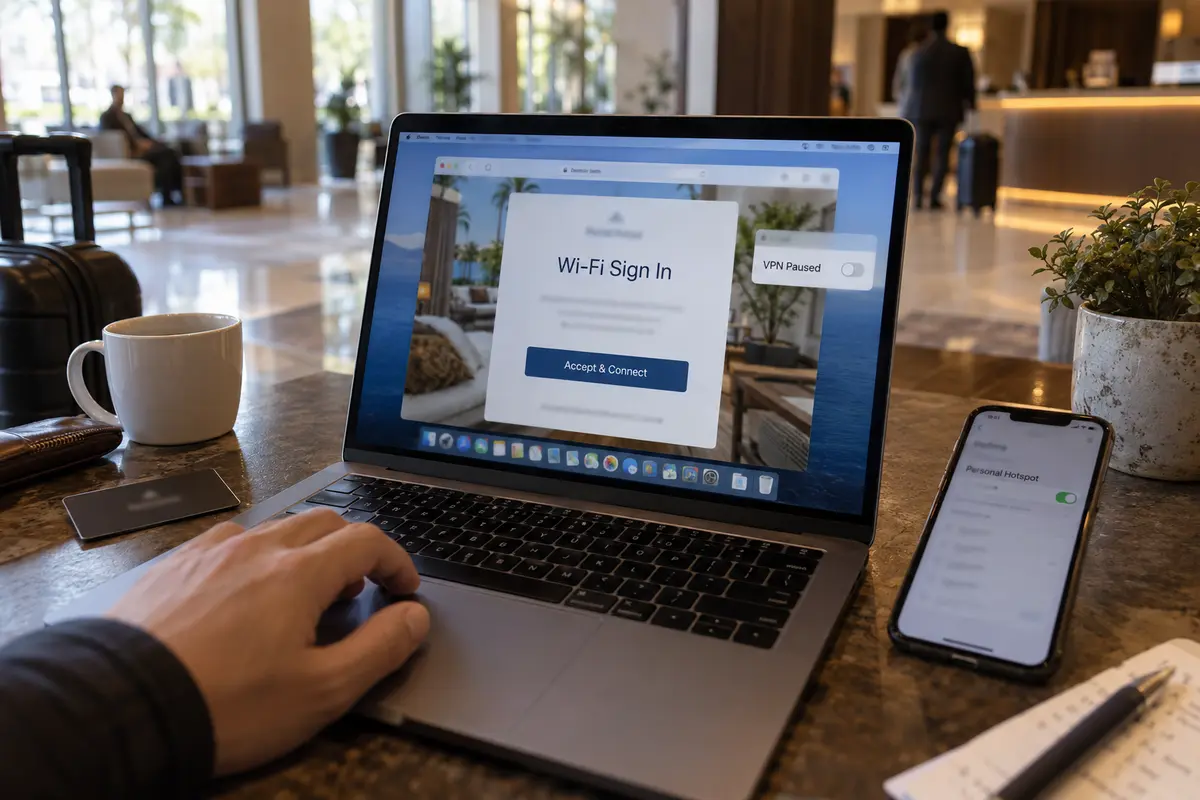
The issue might be a Wi-Fi gateway slow to hand out an IP address, an uncompleted hotel or airport captive portal waiting for acceptance, or a brief routing hiccup on your local router. Apple’s baseline networking guidance emphasizes confirming that the computer has an active data link first—and testing a phone hotspot or an alternate network to isolate environmental Wi-Fi quirks.
If your raw connection is offline, running VPN diagnostics, switching server cities, or adjusting power management will not solve the issue. Fix the Wi-Fi or finish the captive portal login first. Only proceed once your Mac can browse the open web normally.
If the Mac Is Online, Watch What the VPN Does Next
Once you know the Mac has functional internet, re-engage the VPN and observe its behavior. The visual state of the client reveals what went wrong:
- Disconnected and doing nothing: The client simply lacks the command to resume. It saw the network sleep, tore down the tunnel, and remained idle. This is an auto-connect trigger failure. Most commercial VPN apps feature a toggle labeled "Auto-reconnect" or "Connect on untrusted networks." For configurations handled directly inside macOS System Settings, Apple provides a Connect on demand feature designed to initiate the tunnel automatically whenever traffic requests it.
- Frozen on "Reconnecting" or "Disconnecting": The auto-connect trigger fired, but the client’s software handshake stalled. The network environment changed faster than the app’s background daemon could handle, locking it in limbo.
- "Connected," but nothing loads: The software believes the tunnel is intact, but the underlying routing tables or cryptographic handshake expired while the system was suspended. It is trying to pump live packets into a dead socket.
There is a persistent myth that macOS inherently terminates all VPN tunnels when the lid closes. In Apple’s developer architecture, the core Network Extension framework includes an explicit configuration parameter—disconnectOnSleep—and its default state is actually false. macOS does not force tunnels to break; how a VPN behaves across sleep cycles is down to how the app’s developers designed its wake-recovery routines.
(Note: If you are using a corporate VPN managed by an IT department, strict post-sleep security policies or session timeouts may be intentional. In that scenario, re-authenticating is by design rather than a bug.)
Clear the Stuck State Before Server-Hopping
If the VPN is hung on "Reconnecting" or displaying a false "Connected" state, you are dealing with a software state error. Rather than bouncing across server locations—which only creates more traffic confusion—clear the client cleanly:
- Force-close and relaunch the app. If the client interface is unresponsive, use
Command + Option + Escapeto kill the process. This resets the local daemon and clears stale routing rules without requiring a full Mac reboot. - Update the VPN software and macOS. Wake-from-sleep bugs are frequently recognized and patched in software maintenance releases. Mainstream providers like ExpressVPN, for example, have explicitly documented post-sleep connection failures in their support literature, releasing iterative client updates specifically to refine sleep-wake tunnel recovery. If the problem began immediately following an app update, check the release notes; an unresolved software regression is often the cause.
- Audit overlapping network security tools. If the problem persists, check for interference from third-party network filters, legacy VPN profiles, or antivirus firewalls. Apple explicitly warns that multiple software layers inspecting or filtering network traffic simultaneously can cause routing deadlocks when waking from sleep.
Crucially, do not set your Mac to never sleep simply to accommodate a VPN. Modern Apple silicon laptops are designed for instant sleep and wake; altering your Mac's battery behavior to mask an unstable software tunnel is an unnecessary compromise.
Test the Recovery That Actually Matters
A VPN that connects when you manually click a button has only solved half the problem. A modern laptop lives in a cycle of closing lids, traveling, and reopening. The real measure of reliability is whether the tunnel can self-heal without manual intervention.
Run this simple verification:
- Connect the VPN on your usual network and verify that websites load.
- Close the MacBook lid and let it sleep for two to three minutes.
- Open the lid. Do not touch the VPN client.
- Wait five to ten seconds for Wi-Fi to associate, then immediately attempt to load a new webpage in your browser.
If you travel or commute, run the mobile variant of this test: close the lid on your home Wi-Fi, take the laptop out at a coffee shop or tether it to your phone’s personal hotspot, and open the screen.
If the tunnel returns alongside your internet and passes traffic seamlessly, your settings are dialed in.
If the client works reliably across the same network but consistently hangs when you wake up on a different network, the issue isn't basic auto-connect—it is the client's inability to reconcile dynamic IP changes and gateway shifts during sleep.
When I’d stop troubleshooting
If you have confirmed that your Wi-Fi is healthy, your auto-connect settings are properly toggled, your client is fully updated, and the app still leaves you staring at broken connections every time you lift the lid, stop troubleshooting. You are dealing with fragile software.
A laptop VPN that requires you to open its interface, force-quit its processes, or cycle servers three times a day fails at its primary job: quiet, invisible protection.
When wake recovery is consistently broken on dynamic networks, OnlydogVPN becomes one option worth testing.
Available natively on macOS, OnlydogVPN is engineered specifically around the unpredictability of mobile and travel environments. Instead of relying on brittle routing that collapses when an interface sleeps or changes IPs, its architecture prioritizes Smart Global Routing and weak-network recovery.
When your MacBook wakes up, shifts from home Wi-Fi to a roaming cellular hotspot, or recovers from sleep on an unstable connection, OnlydogVPN handles the reconnection handshakes in the background without locking your machine in routing deadlocks.
You shouldn't have to change how you use your Mac to keep a security tool running. If your current VPN passes the sleep-wake test, keep it. But if opening your MacBook lid means routinely babysitting your connection, switch to a client designed to wake up as quickly as your Mac does.
Frequently Asked Questions
What is the first thing to test when a Mac VPN will not reconnect after sleep?
Pause or disconnect the VPN and confirm that the Mac can load a normal HTTPS site on the underlying connection. If the raw connection is offline, fix Wi-Fi, DHCP, or a captive portal before troubleshooting the VPN.
Why can a VPN say “Connected” after wake while nothing loads?
The client can retain a stale routing or cryptographic state across sleep. Its interface may report a live tunnel even though the old socket or route no longer carries usable traffic.
Does macOS automatically force every VPN to disconnect when the Mac sleeps?
No. The article points to Apple’s Network Extension architecture, where disconnect-on-sleep behavior is configurable rather than an unavoidable rule. Recovery therefore depends heavily on how the VPN client handles sleep and wake.
Should I keep switching VPN servers when the client is stuck after sleep?
Not first. A frozen “Reconnecting” state is more likely to be local software state than a bad server choice. Force-close and relaunch the client, update the VPN and macOS, and check for overlapping network-security software before server-hopping.
How can I test whether wake recovery is actually reliable?
Connect normally, let the Mac sleep for two to three minutes, reopen the lid, wait five to ten seconds for Wi-Fi, and load a new page without touching the VPN client. If you travel, repeat the test while waking onto a different network or phone hotspot.