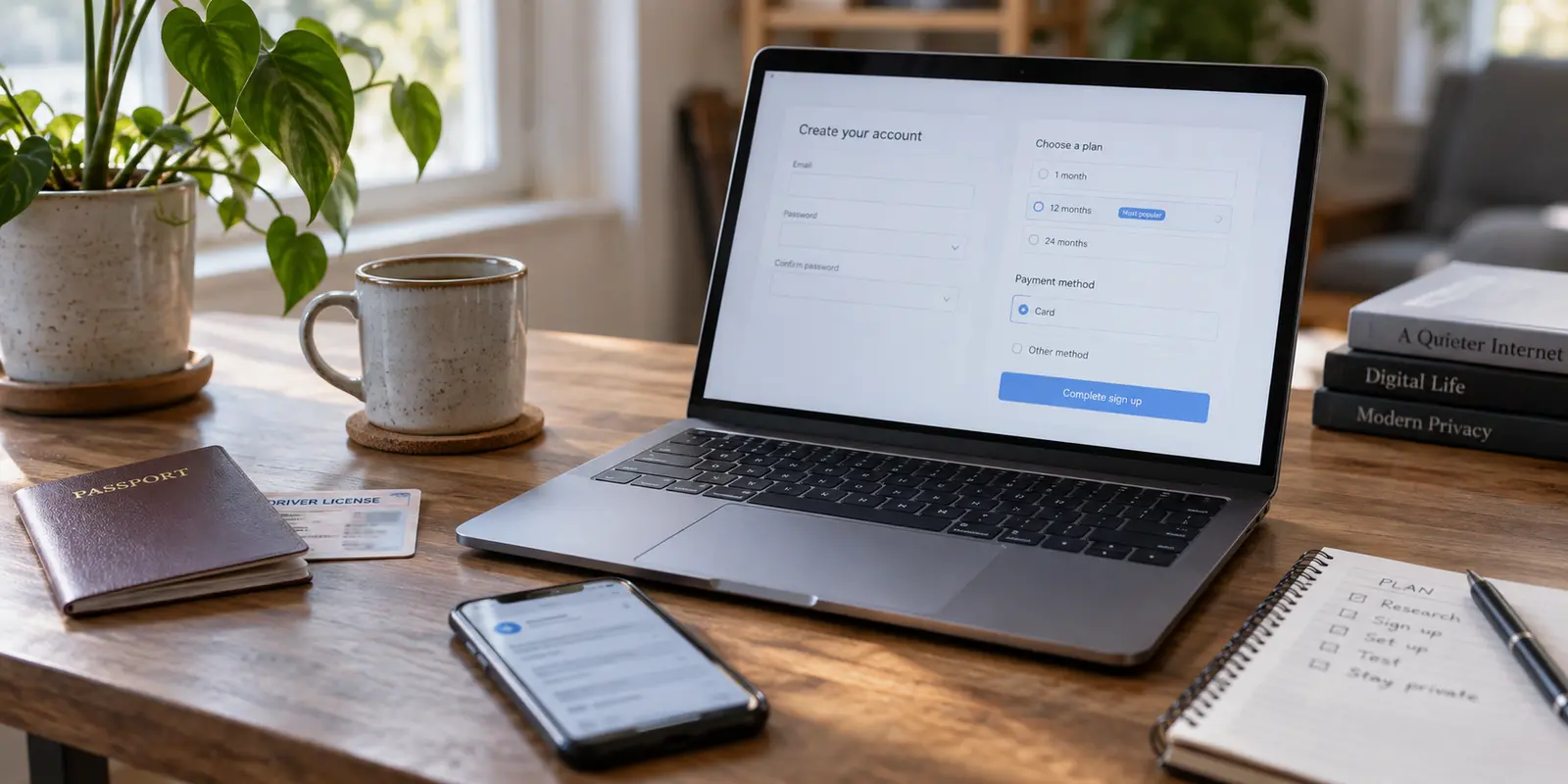
A VPN asks for no passport, no selfie, and no legal name. Then it prompts for your everyday email address, and you complete the checkout using the same Apple App Store or Google Play account you have used for the past seven years.
Does that qualify as a VPN without ID verification?
Technically, yes. You were spared the indignity of holding up your driver’s license next to your face just to route your network traffic through a private server. But if you walked into that transaction assuming you just purchased an anonymous, untraceable subscription, you are falling for one of the most common semantic traps in consumer privacy.
Avoiding formal identity checks is simple. Eliminating the durable digital links between you, your account, and your financial footprint is an entirely different operational challenge.
Before picking a service based on marketing badges, you need to understand where document verification ends, where account linkage begins, and how to choose the right level of privacy without taking on unnecessary friction.
Article summary and product fit
No ID verification is not the same as anonymous signup
“No ID verification” usually means no formal KYC such as a passport, ID card, utility bill, or selfie check. It does not mean the account is anonymous. A personal email can remain a durable provider-side identifier, while app-store, card, or payment records can still exist with financial intermediaries.
What matters here
- Best for: People choosing between low-friction signup, no-email account models, and stronger identity separation without confusing those goals.
- Key distinction: No KYC answers whether you proved your legal identity; anonymity asks how much identifying information exists anywhere in the account and payment chain.
- Trade-off: Random account numbers reduce provider-side identity linkage, but recovery can become difficult or impossible if the number is lost.
- Important limit: Even a low-information VPN account does not make you anonymous to websites you later log into with personal accounts.
Product fit: The article places OnlydogVPN on the low-friction end of the spectrum: no formal government-document check and passwordless email magic codes, but the email address still acts as the account anchor. For users who want the provider to hold no contact email at all, the article points instead to random-ID models such as Mullvad or IVPN. OnlydogVPN official website.
Sources already used in this article: IVPN signup data policy; Mullvad account guidance.
“No ID Verification” Answers Only One Privacy Question
In consumer software, ID verification has a very specific definition: formal KYC (Know Your Customer) procedures. It means submitting a passport, an identity card, a driver’s license, a utility bill, or undergoing biometric facial recognition to prove that you are a specific living person.
Telecommunications providers, crypto exchanges, and banks routinely mandate this. Most consumer VPN providers do not.
Instead, a standard VPN service will happily let you sign up with:
- An email address
- A username and password
- A standard payment method, such as a credit card or an app-store subscription
Because no government document is uploaded, the service can truthfully advertise “no ID verification required.” Yet it still retains an unbroken, persistent customer record that points directly back to you.
The core distinction is simple:
No ID verification means “I did not have to prove my legal identity.”
Anonymous signup means “I gave the provider almost nothing that could identify me in the first place.”
A low-information signup also does not magically cloak your general browsing activity. If you launch a private tunnel and immediately log into your personal YouTube or Amazon account, your destination website still knows who you are. But when evaluating the VPN itself, you must distinguish between escaping government document checks and genuinely severing your identity from the account.
The Email Field Matters More Than the Missing Passport
The first persistent breadcrumb ordinary VPN users overlook is not a national ID—it is the email address they type into the signup box.
When you look at how accounts are structured across the privacy market, three models stand out:
The Conventional Account (Email + Password)
This is the standard model across mainstream consumer tech. It makes resetting credentials straightforward and syncing multiple devices trivial. However, if you hand over your personal Gmail or iCloud address—which has your real name attached to its billing history—the VPN service now holds a durable, unique identifier for your profile.
The Passwordless Email Model
Instead of managing and storing another static password that might be breached, the system sends single-use authentication codes directly to your inbox. It eliminates password-reuse risks and cuts down onboarding friction, but your email address remains the central account anchor.
The Random Account ID
This model bypasses personal credentials entirely. When you hit sign up, the service generates a random multi-digit number (such as 4920 1823 9012). That number is your sole credential.
Providers like IVPN and Mullvad built their reputations around this approach. IVPN’s account generation does not ask for a name, phone number, or email by default; Mullvad issues a numbered account and tells you to save it.
Yet there is an inescapable trade-off here: less identity held by the service means less ability to recover your access.
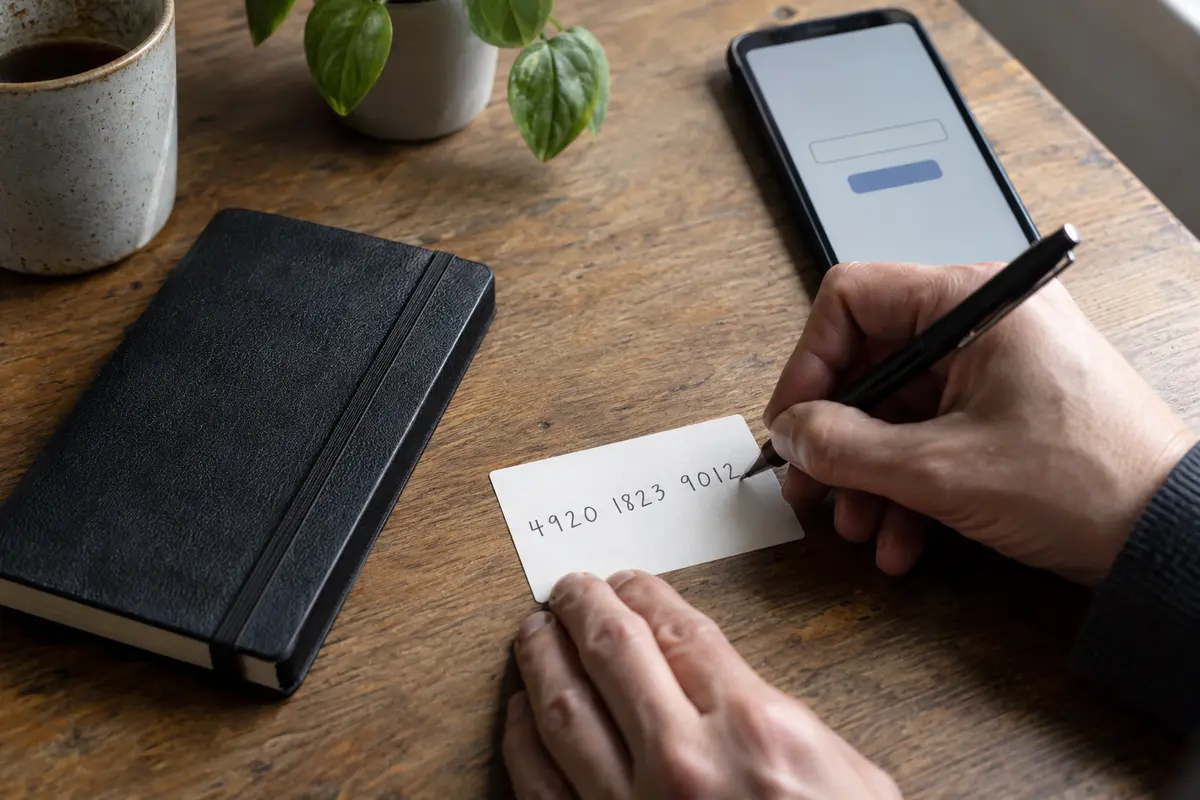
If you misplace a randomly generated account number, customer support cannot help you. As Mullvad points out in its own recovery documentation, they intentionally retain so little information that recovery is frequently impossible—and reaching out to support via email compromises the very identity separation you tried to establish in the first place.
For many users, managing high-friction account numbers without a recovery net introduces real operational headaches. For others, it is the only acceptable baseline.
Hiding Your Name from the VPN vs. Leaving It at Checkout
Assume you take the strict route: you generate a completely random account ID without an email address. You have handed zero personal details to the VPN company.
Then you arrive at the checkout page.
If you pay with a personal Visa card, a personal PayPal account, or an App Store in-app purchase, the transaction does not vanish into the ether. You have simply shifted the record from the VPN provider’s database to a financial intermediary.
To evaluate this accurately, understand what each party actually sees:
- App Store subscriptions & Google Play subscriptions: Apple and Google do not hand your credit card numbers or home billing addresses to app developers. Apple assigns an opaque Subscriber ID to separate your personal card data from the vendor, while Google handles billing within its own closed system. But Apple and Google maintain exhaustive internal logs of your purchases, downloads, and active payment cards.
- Direct Credit Cards & Gateways: Payment processors maintain fraud-prevention records tying the purchase amount to your banking institution.
The takeaway is not that mainstream payment methods are compromised; it is that “the VPN company has no record of my name” is not the same as “this transaction is untraceable.”
The important distinction: a random VPN account ID can separate your name from the provider, while a personal card can still leave a durable record with the bank or payment processor.
For users who genuinely require extreme identity isolation, providers like Mullvad accepts cash and several cryptocurrency options; IVPN also supports low-information signup and privacy-oriented payment options. But for everyday threat models, orchestrating physical cash payments introduces an immense amount of overhead for marginal real-world benefit.
Choose the Separation You Actually Need
Rather than chasing an absolute definition of anonymity that may not serve your daily needs, pick the level of identity separation that matches your realistic threat model.
The practical spectrum is simple: avoiding KYC has the least friction; avoiding an email link usually means managing a random account ID; trying to detach the account from both identity and payment records adds much more operational work.
If You Just Don’t Want to Hand Over Government ID
If your concern is simply avoiding intrusive KYC demands, sketchy identity verification portals, or uploading documents to a private company, you do not need an extreme privacy workflow. You just need a straightforward, well-engineered VPN with low signup friction.
This is where I would choose OnlydogVPN↗ for the lower-friction end of that spectrum.
OnlydogVPN eliminates formal document verification and strips away the cumbersome, outdated email-plus-password routine. Instead of forcing you to create yet another complex password—or risk losing access with an unrecoverable 16-digit account string—OnlydogVPN uses a streamlined email magic-code authentication model.
You receive a rapid, single-use login code, get instant access to your service, and can effortlessly authenticate across both your phone and laptop with a single subscription. For travelers, remote workers, and casual users who want robust encryption and access without handing over personal identification or navigating technical hurdles, it delivers the ideal balance of privacy and daily usability.
If You Don’t Want Your Everyday Email Linked to the VPN
If you want to ensure the VPN company itself holds zero contact information, choose a random-identifier architecture.
Mullvad and IVPN excel here. By generating an anonymous account number on the fly, they ensure that their user tables contain no email addresses that could be scraped or subpoenaed. Just remember the trade-off: you are personally responsible for preserving that account number. If you lose it, your subscription is gone.
If You Want to Minimize Account and Payment Links Entirely
If you are operating under a strict threat profile where the connection between your banking records and your network tools must be severed, you need end-to-end decoupling:
- A random account ID without an email address (e.g., Mullvad or IVPN).
- A payment method decoupled from your banking profile, such as physical cash sent by post or an anonymous voucher.
This path provides the highest level of unlinkability, but it requires deliberate effort, patience, and the acceptance of zero customer support recovery.
What to Ask Before You Subscribe
The next time you evaluate a VPN claiming to protect your identity, look past the bold marketing claims and run through a simple four-point check:
- Does the service demand KYC? If it asks for a government ID, passport photo, national ID number, or phone SMS verification, walk away.
- What is the account credential? Does it require a permanent personal email, a disposable login, or a fully randomized account number?
- How are you paying? Does the checkout method create a secondary financial record that ties back to your identity, and does your personal threat model actually care if it does?
- What happens if you get locked out? Can you restore your subscription across multiple devices with a quick verification code, or are you comfortable permanently losing access if you misplace an account key?
Finding a VPN without ID verification is easy: almost any competent consumer service avoids government document checks. Finding a tool that matches your exact standard of unlinkability requires looking at the breadcrumbs left behind at signup and checkout.
If your objective is to skip intrusive document checks, avoid password headaches, and protect your devices on the road with minimal friction, OnlydogVPN hits the sweet spot. If your objective is total, verifiable account isolation from both provider and bank, look toward cash-backed, numbered-account providers—and be prepared to guard that account number with your life.
Frequently Asked Questions
Is a VPN with no ID verification automatically anonymous?
No. Avoiding passports, selfies, or other KYC checks only means you did not formally prove your legal identity. A personal email, app-store account, card payment, or other recovery information can still create durable links.
Do Apple or Google hide my payment details from the VPN provider?
The article explains that app stores generally keep card and billing details inside their own payment systems rather than handing them directly to the developer. However, Apple or Google still maintain their own purchase and account records.
What account model creates the least provider-side identity linkage?
A randomly generated account number can avoid collecting an email address or name. The trade-off is that losing the account credential may also eliminate the normal recovery path.
When does OnlydogVPN fit this privacy spectrum?
It fits the lower-friction goal described in the article: avoiding government-document checks and reusable-password management while retaining recoverable email-based access. It is not presented as a no-email or fully unlinkable account model.