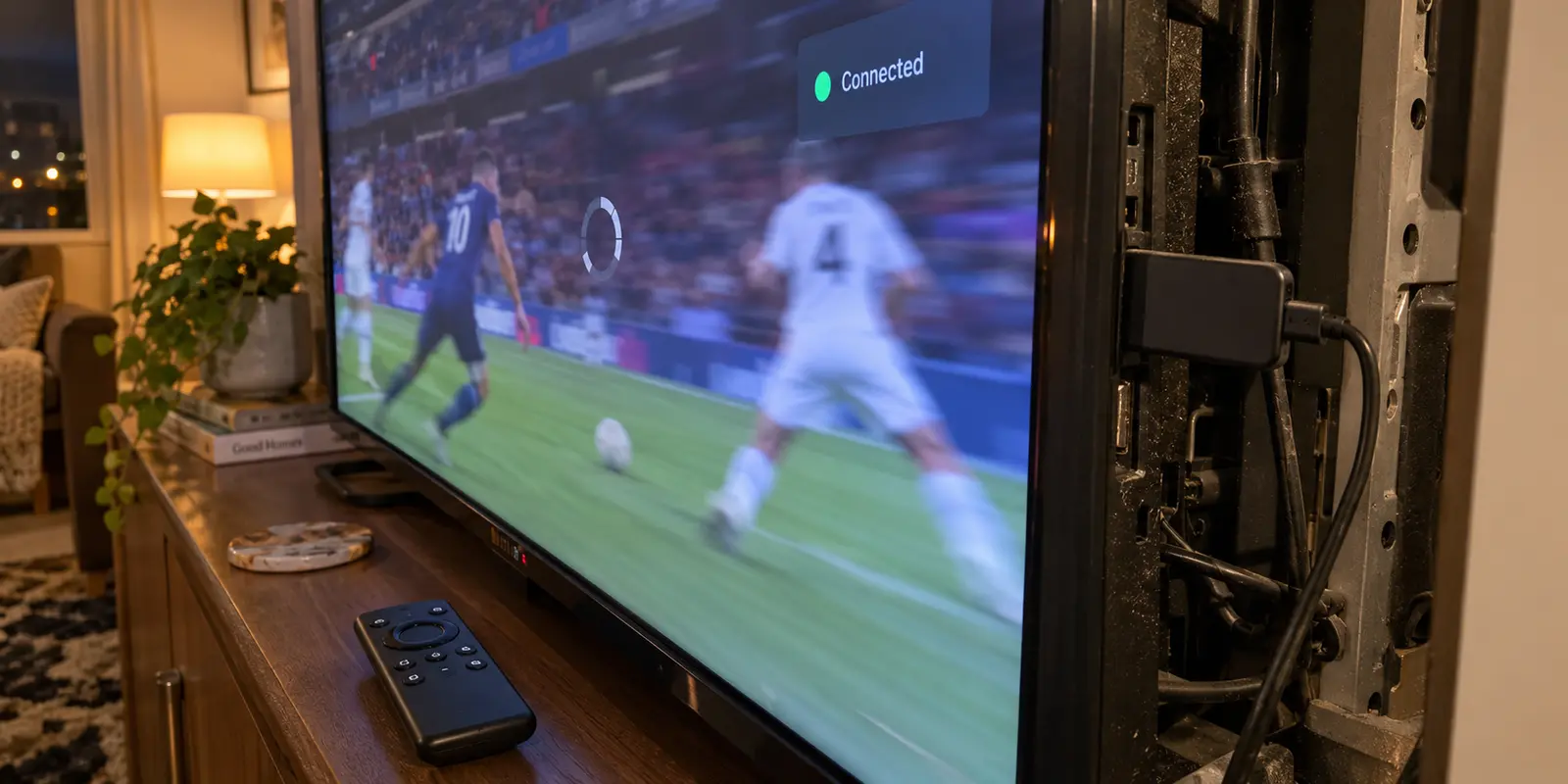
The movie starts cleanly when your VPN is switched off. The colors are crisp, the audio syncs instantly, and the 4K badge stays lit. But the moment you enable your VPN to stream an out-of-market match or watch a title from back home, the experience falls apart. The picture drops into fuzzy standard definition, pauses to catch its breath, or hangs entirely on a spinning gray circle.
The natural instinct is to blame the VPN immediately. Most viewers pull out their phone, run a speed test that shows a blistering 300 Mbps, and conclude that their internet is flawless—so the VPN server must be junk. They disconnect, reconnect, cycle through six different locations in the app, and eventually consider canceling their subscription altogether.
Before you start hunting for another provider, pause and step back. Fire TV buffering with a VPN is rarely proof that a service is fundamentally broken. More often, it reveals that your streaming setup had almost no margin for error in the first place.
Article summary and product fit
How do you tell whether Fire TV buffering is really caused by the VPN?
Measure the connection at the Fire TV itself, first with the VPN off and then under the same conditions with it on. If the baseline is already weak, improve the TV’s Wi‑Fi path; if one app alone misbehaves, fix the app; if a healthy baseline collapses only inside the VPN tunnel, the route or provider becomes the meaningful variable.
What matters here
- Best for: Fire TV users who see buffering, quality drops, or stalls only after enabling a VPN and are deciding whether to change Wi‑Fi, the app, or the VPN.
- Key point: Streaming headroom matters more than the broadband-plan headline: the Fire TV needs enough sustained throughput above the service’s playback floor to absorb VPN overhead and normal variation.
- Product fit: OnlyDogsVPN is relevant only after the Fire TV’s local connection is shown to be healthy and the VPN route is the part consuming the available headroom.
- Important limit: A different VPN cannot repair weak Wi‑Fi behind the television, and no provider should be treated as a guarantee of 4K performance on every network.
Source context: Amazon Fire TV Help — Network Status Tool; Netflix Help — Internet speed recommendations. Product source: OnlyDogsVPN official website.
Measure the Fire TV, not the internet plan
The speed printed on your monthly broadband bill means very little to the small plastic stick tucked behind your television. Nor does the speed test you just ran on a laptop sitting two feet from your router.
What matters is the throughput reaching your Fire TV right now. A streaming media stick is frequently sandwiched between a hot television panel and a wall, surrounded by metal brackets and wiring that attenuate wireless signals. A household connection providing hundreds of megabits per second to your living room table might deliver only a thin fraction of that bandwidth to an HDMI port behind the screen.
Instead of guessing, use the diagnostic tools already built into the device:
- On your Fire TV, head to Settings > Network.
- Highlight your connected Wi-Fi network and press the Play/Pause button on your remote to trigger the native Network Status tool.
- On compatible models, run the download-speed test directly on the screen.
Note that number with the VPN turned off. Then, launch your streaming app and confirm how the title behaves.
Next, keep the experiment deliberately consistent. Do not switch from a late-night drama to a live sports broadcast, and do not change rooms. Turn your VPN on, connect to your usual server, and re-run the same check under the exact same conditions.
If your baseline connection without a VPN was already wheezing along at the bare minimum, the VPN is not the underlying problem—it is merely the straw that broke an already fragile back. But if your Fire TV reports a robust, healthy stream of data that collapses only after the tunnel engages, you have isolated the real bottleneck.
“Enough for 4K” is a floor, not spare capacity
To understand why a connection suddenly buckles, you have to understand streaming headroom: the difference between the absolute minimum bandwidth a video demands and the actual sustained throughput your Fire TV can maintain.
Major streaming platforms publish minimum requirements that many people mistake for targets. Netflix, for instance, suggests a baseline of 5 Mbps for Full HD and 15 Mbps for 4K UHD. Live services demand even more cushion: YouTube TV recommends at least 13 Mbps for reliable HD and upwards of 25 Mbps for 4K, especially when other devices share the same household network.
Crucially, those numbers are floors, not comfortable cruising speeds. Video bitrates are not flat lines; they spike during high-motion scenes, camera pans, and dense visual effects. If your Fire TV receives an average of 18 Mbps on Wi-Fi, a 4K Netflix stream might play smoothly enough under ordinary conditions. But you are running with almost zero headroom.
When you introduce a VPN, physics enters the equation. Every encrypted tunnel routes your traffic through an intermediary server. That routing adds physical distance to the packet journey, introduces slight protocol overhead, and places another potential congestion point between your living room and the content delivery network.
A home setup pulling a clean, stable 150 Mbps at the Fire TV can easily absorb a 30% performance penalty from an encrypted tunnel and never drop a single frame of a 4K film. But if your starting baseline was hovering right at 20 Mbps, that same percentage drop pushes your available throughput straight below the playback floor. The result is immediate, relentless buffering.
Let the comparison dictate the fix
Once you view buffering through the lens of headroom, troubleshooting stops being a game of blind server-roulette. Your off-and-on comparison points directly to where the repair belongs.
When the off-VPN baseline is marginal
If your Fire TV tests reveal weak signal strength, fluctuating speeds, or barely enough throughput to satisfy the platform's baseline before you even launch a VPN, fixing the tunnel will accomplish nothing.
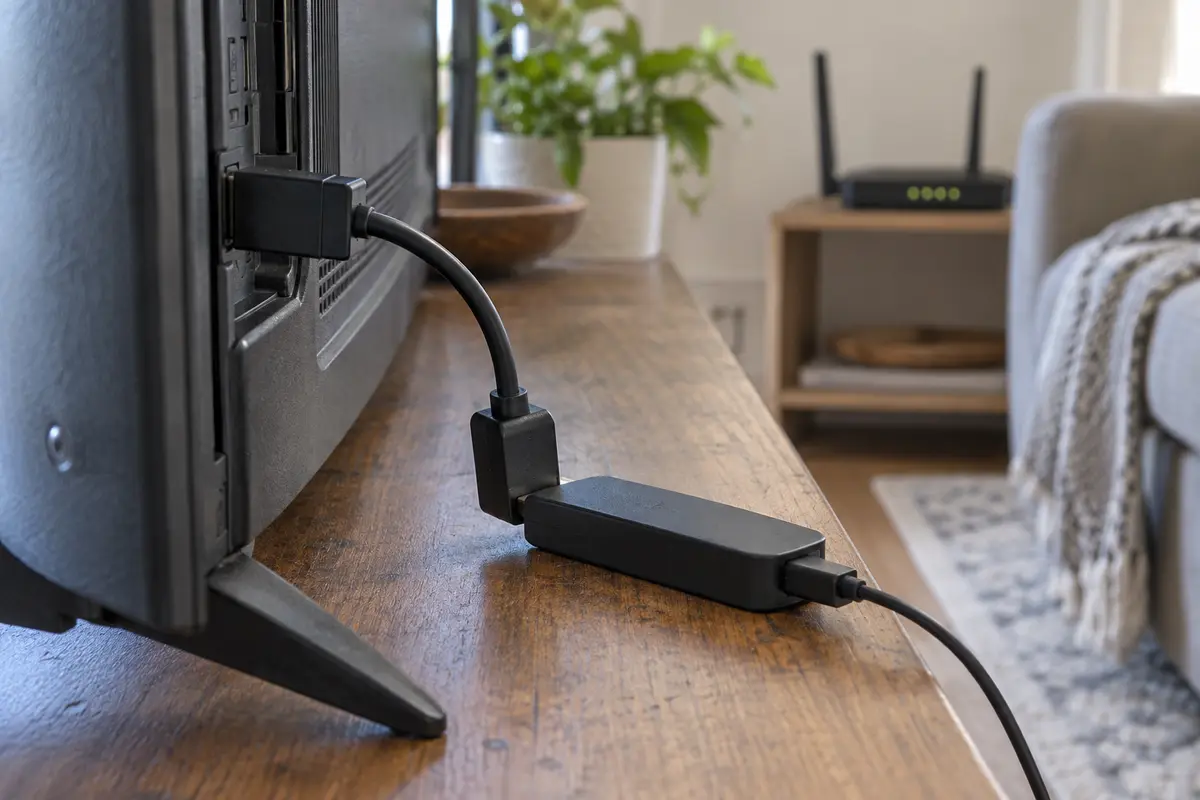
- Clear the physical path: Use the short HDMI extender included in your Fire TV box. Getting the stick even two or three inches away from the television chassis can dramatically reduce Wi-Fi interference.
- Switch bands: Move the Fire TV from a congested 2.4 GHz network to a cleaner 5 GHz band, or bring the router closer if the 5 GHz signal cannot penetrate the walls.
- Hardwire if possible: If local wireless airwaves are crowded, an inexpensive Ethernet adapter provides the stable, unyielding floor that high-bitrate video requires.
When the baseline is solid but the app stalls
If your network diagnostics show plenty of speed with and without the VPN, yet one specific app stutters or locks up, the issue is often local app hygiene. Fire TV devices have modest processors and limited storage.
Go to Settings > Applications > Manage Installed Applications, select the misbehaving platform, and choose Clear Cache. If sluggish performance lingers, a quick device restart (Settings > My Fire TV > Restart) clears system memory and resolves background process conflicts that mimic network lag.
When the tunnel is the bottleneck
The most frustrating scenario is the one where your hardware and home network are completely innocent. Your Fire TV tests show 100 Mbps or more with the VPN off. Other apps stream flawlessly. Yet the moment you connect your VPN, speeds crater, high-motion scenes dissolve into compression artifacts, and the stream repeatedly halts.
When a healthy baseline disappears entirely inside the tunnel, your VPN’s routing infrastructure is failing you. Free services and legacy VPNs frequently route Fire TV connections through overcrowded, low-bandwidth gateways that simply lack the sustained capacity for modern streaming.
This is where a performance-focused provider makes an immediate, visible difference. If you need a reliable streaming connection that does not strangle your local speeds, OnlydogVPN becomes a sensible option.
Rather than treating TV streaming like basic web browsing, OnlydogVPN employs intelligent, low-latency routing specifically engineered to preserve streaming headroom. Instead of dumping your Fire TV into an arbitrary, congested server pool, its network paths are optimized to handle the sustained throughput demands of live sports and high-bitrate 4K video. By cutting down transit hops and eliminating server-side bottlenecks, OnlydogVPN ensures that the bandwidth reaching your television stick stays comfortably above the playback floor.
If you have already confirmed that your Fire TV’s local connection is healthy, switching to a provider built for high-throughput media is far more effective than spending your evening cycling through dozens of dead-end servers.
A note for next time the stream starts buffering
The next time the stream stalls, I would leave the server list alone until I had checked the same few things in order.
First I would disconnect the VPN and run the Fire TV Network Status test to see whether the stick itself is receiving healthy, stable bandwidth behind the television. Then I would re-enable the VPN and retry the same stream. If the available speed drops below the service’s practical floor only after the tunnel comes up, that points to the route rather than the home Wi-Fi.
I would still clear the streaming app’s cache and make sure the stick is not trapped on a weak 2.4 GHz signal. From there the fix is deliberate: improve the physical Wi-Fi if the baseline is thin, or move to an optimized provider like OnlydogVPN if the tunnel is what consumes the headroom.
Streaming without interruptions does not require a gigabit fiber plan. It simply requires knowing where your speed is being lost—and making sure your Fire TV has enough room to breathe before the show begins.
Frequently Asked Questions
Why can Fire TV buffer even if my internet plan is very fast?
The speed that matters is what reaches the Fire TV behind the television, not the plan speed or a test from another device. Local Wi‑Fi placement and interference can leave the stick with far less usable throughput.
How can I tell whether the VPN is the bottleneck?
Run the Fire TV network check with the VPN off, then repeat under the same conditions with the VPN on and retry the same stream. A large drop that appears only with the tunnel points toward the VPN route.
What should I fix if the Fire TV is already slow before I turn the VPN on?
Improve the local connection first: the article suggests moving the stick away from the TV with its HDMI extender, trying a cleaner Wi‑Fi band or closer router, or using Ethernet when practical.
When does replacing the VPN make sense for Fire TV buffering?
When the Fire TV has a healthy baseline, other playback is stable, and performance falls apart specifically after the VPN tunnel is enabled.