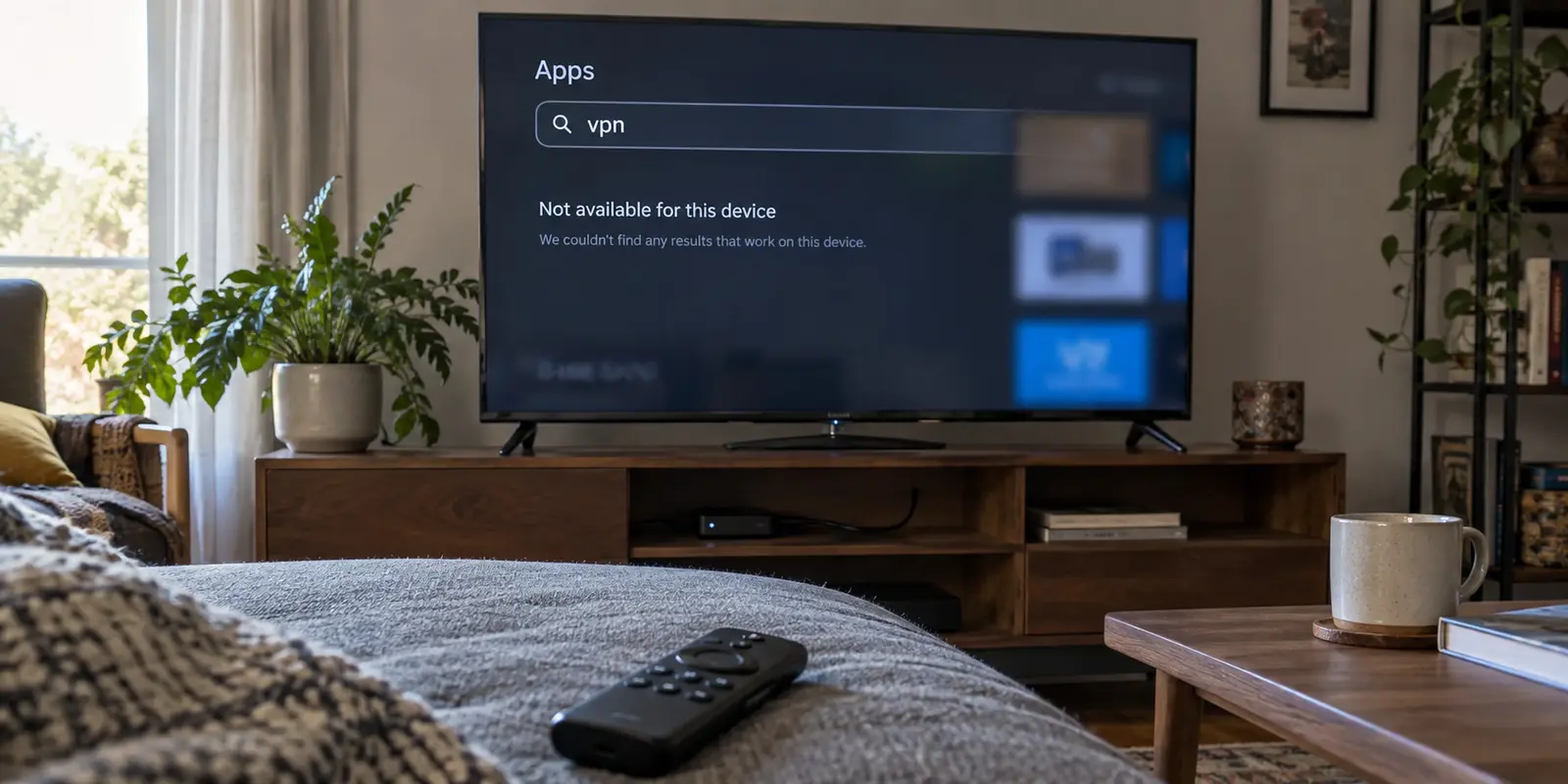
There is a uniquely frustrating scenario that plays out in living rooms every day: you subscribe to a top-rated "Fire TV VPN" after reading rave reviews about speed and server counts, sit on your sofa with the remote, open the Amazon Appstore, and find nothing.
Or worse, you find the app, install it, and discover half the features do not work because your streaming stick runs on a different software platform than the reviewer’s device.
For years, buying a VPN for a Fire TV Stick felt like a straightforward checkbox. If a provider claimed Fire TV compatibility, you simply assumed it would work across the board.
In 2026, that assumption is a trap. Amazon now actively segments its hardware ecosystem across two distinct platforms: legacy Android-based Fire OS and the newer Vega OS. If your VPN provider hasn't developed native software for the exact platform plugged into the back of your television, raw server statistics mean nothing.
The best Fire TV VPN this year is not the one shouting the loudest about gigabit speeds; it is the service that reliably clears this operating-system divide while remaining effortless to operate from your couch.
Article summary and product fit
What should you check before buying a VPN for Fire TV in 2026?
Check the operating system on the exact Fire TV device before comparing speed or server counts. The article’s default native pick is ExpressVPN because it documents app support across Fire OS and Vega OS; OnlydogVPN is not presented as a native Fire TV or Vega client, so existing users are directed to a laptop-to-TV HDMI fallback instead.
Key context
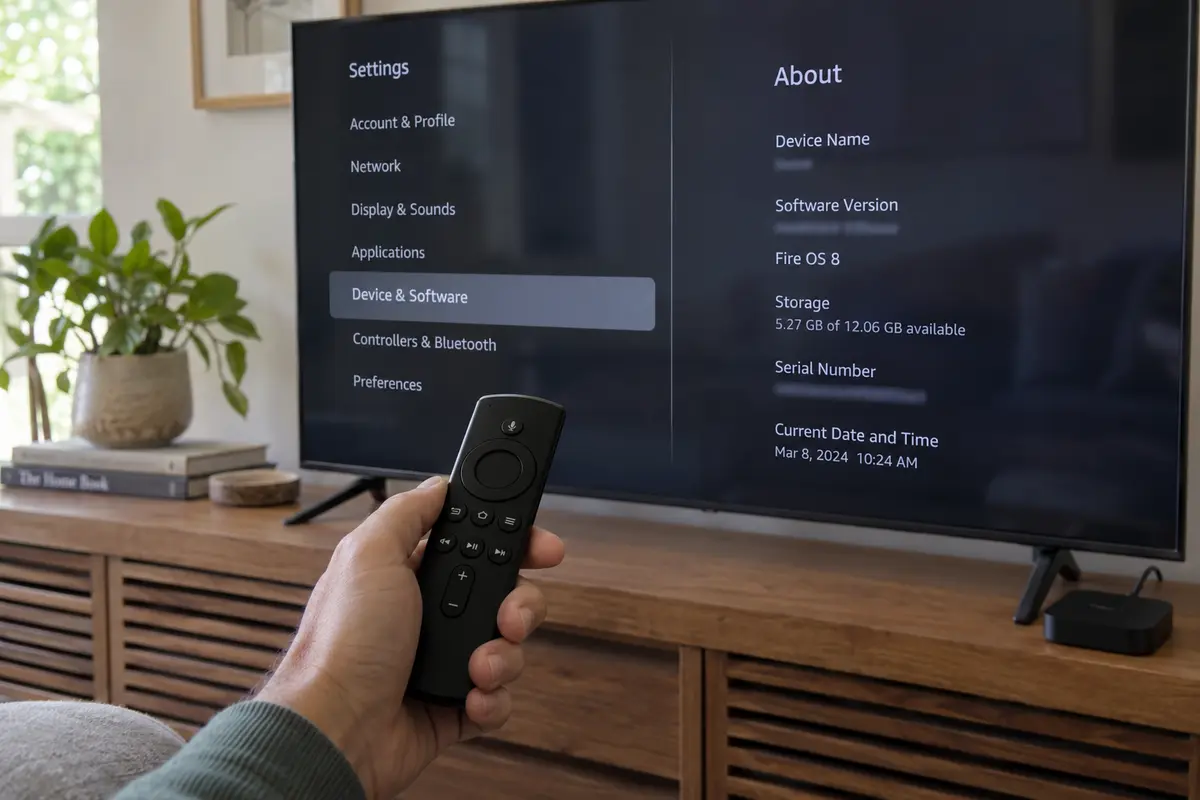
- Compatibility first: Open Settings, then My Fire TV or Device & Software, then About, and identify whether the device runs Fire OS or the newer Vega OS.
- Best for couch-only use: A provider with a native app for the exact OS, remote-friendly navigation, straightforward login, and quick server recovery.
- Why the article picks ExpressVPN: It is presented as the option that clears both Fire OS and Vega OS without the feature gaps described for some competitors.
- Important limit: A connected VPN cannot override every streaming account, billing-region, catalog, or service-side location rule. OnlydogVPN’s public platform list does not include a native Fire TV or Vega app in the article.
Sources already used in this article: The platform split is documented by Amazon’s Fire TV developer portal. The article also uses ExpressVPN’s Fire TV setup guide and NordVPN’s Fire device documentation. The OnlyDogsVPN site lists its current app platforms.
Before Comparing VPNs, Check Which Fire TV You Own
Before spending a dollar on a subscription, put aside the server counts and run a 15-second diagnostic on your television.
Amazon’s move to deploy Vega OS alongside traditional Fire OS devices fundamentally altered app compatibility. While the visible user interface looks nearly identical across both ecosystems, the underlying architecture is not. An app engineered exclusively for Fire OS cannot run on a Vega-powered device without a dedicated build.
Here is the immediate check to perform:
- Grab your remote and head to Settings.
- Select My Fire TV (or Device & Software on some versions).
- Click About.
Look at the software version displayed on the screen:
- If the text explicitly reads Fire OS (such as Fire OS 7 or 8), you are running the established, Android-derived system.
- If the line shows a clean numerical version like OS 1.1, your device is powered by Amazon's newer Vega platform.
Hardware generation matters too. First-generation Fire TV hardware and select older sticks have aged out of support entirely for major VPN providers. But the OS split is the primary gatekeeper today. If a provider's marketing page vaguely promises "Fire Stick Support" without distinguishing between Fire OS and Vega, keep your credit card in your wallet until you verify their actual app lineup.
ExpressVPN Wins Because It Clears Both Sides of the Compatibility Gate
Once you use platform compatibility as your primary filter, the list of viable candidates shrinks dramatically.
For Fire TV in 2026, I would pick ExpressVPN because it decisively bridges the platform divide. Rather than treating newer Amazon hardware as an afterthought, ExpressVPN maintains fully supported builds across both environments: a mature app for Fire OS (version 6 and newer) and a dedicated, native application for Vega OS available straight from the Amazon Appstore.
ExpressVPN has a native app on Fire OS and a native Appstore app on Vega OS, with QR login and full remote navigation; among the options here, it is the one with full feature parity across OS versions.
NordVPN has a native Fire OS app and a Vega build that is still partial or in development, with remote and web login; the Vega build currently omits select core features. Surfshark has native apps on both platforms, with its Vega app limited to WireGuard and a code-based login while advanced tools are still pending.
The differences become clear when you look at the primary competitors:
- NordVPN remains formidable on traditional Fire OS hardware, but its current documentation explicitly cautions that its Vega-compatible release temporarily lacks several core features available on other devices.
- Surfshark has moved quickly with a dedicated Vega client, but it is currently a streamlined, utilitarian build limited strictly to the WireGuard protocol, with familiar features like CleanWeb and its system kill switch still in the development pipeline.
ExpressVPN avoids these compromises.
Whether you are running an older Fire OS 4K stick in the bedroom or a new Vega-powered hub in the living room, you get the same cohesive experience: direct Appstore downloads, QR-code authentication, fast location switching, and on-screen protocol toggles. For a hassle-free, TV-first purchase that won't break if you upgrade your streaming hardware next month, ExpressVPN is the safest and most reliable default pick.
On a Television, “Easy to Recover” Matters More Than “Lots to Configure”
Using a VPN on a television is a fundamentally different experience than using one on a phone or laptop.
You do not have a keyboard, a mouse, or multiple browser tabs to help you troubleshoot. You have a directional pad and a remote control.
An interface that looks full of deep customization options on a desktop can quickly become an absolute chore on a TV. Typing a 20-character, randomly generated password using an on-screen letter grid tests anyone's patience.
This is where ExpressVPN’s TV execution stands out. Setup relies on a clean QR-code flow: scan the television screen with your phone, approve the login, and your Fire TV account authenticates immediately.
More importantly, the software prioritizes quick recovery:
- Frictionless server swapping: Streaming CDNs occasionally identify and flag shared data-center IP addresses. When a playback error occurs, you do not want to dig through three layers of configuration menus. You need to pull up a clear, remote-navigable location list, pick an adjacent city or server, and hit connect.
- Accessible connection protocols: If a particular network protocol stumbles on an encrypted stream, having a straightforward toggle directly inside the TV app lets you switch paths immediately—no rebooting or router adjustments required.
- Clean visual feedback: The app clearly signals its live connection status, ensuring you know whether your traffic is actively secured before you launch your streaming catalog.
A solid Fire TV VPN does not need dozens of esoteric diagnostic graphs. It needs a frictionless path between an interrupted stream and a working connection, entirely controlled with your thumb from the sofa.
Already Paying for a VPN? Check Whether You Need to Buy Anything
Before you purchase a new subscription specifically for your television, pause and take inventory of what you already have.
If you are an active subscriber to a mobile- and desktop-centric provider like OnlydogVPN, you might naturally wonder if an app is coming to your Fire TV.
As of late 2026, OnlydogVPN focuses its software suite squarely on iPhone, Android, macOS, and Windows. Its public catalog does not list a native Fire TV or Vega client. Consequently, you should not buy OnlydogVPN expecting to install it directly from the Amazon Appstore.
However, that doesn't mean you must buy a second VPN just to watch a stream on the big screen.
If you already rely on OnlydogVPN on your laptop, the practical answer is an HDMI fallback:
By connecting your laptop to your television with a standard HDMI cable, your computer handles the VPN connection and the video playback, while your TV acts strictly as an external monitor.
This setup plays directly into OnlydogVPN’s core architectural strengths:
- Zero-hassle desktop performance: It utilizes Smart Global Routing to establish stable, low-latency streaming routes automatically, saving you from manual server hunting.
- Cost efficiency: It spares you from adding another recurring subscription to your monthly bills solely to service a living-room TV stick.
If your non-negotiable requirement is navigating everything with the small Amazon remote control, stick with the native Fire TV winner: ExpressVPN. But if you simply want to enjoy an overseas sports broadcast or a regional show on a larger screen once or twice a week, leaning on your existing laptop setup saves money without sacrificing quality.
A Connected VPN Still Cannot Fix Every Fire TV Streaming Problem
Even with a top-tier client like ExpressVPN active, it helps to understand where a VPN's capabilities end. A successful connection does not guarantee every streaming title will instantly play.
Streaming delivery on Fire TV involves three distinct layers:
- The Operating System Layer: Is the VPN app compatible with Fire OS or Vega? (This is why ExpressVPN wins our primary recommendation.)
- The Network Routing Layer: Is the streaming service actively identifying and blocking the selected VPN endpoint? If so, switching to another city or node within the app usually resolves the issue.
- The Account and Catalog Layer: This is where many viewers get stuck. Platforms like Amazon Prime Video tie their libraries to account billing regions and primary profile locations, not just the temporary IP address of the device. Amazon uses sophisticated regional identification; if your account itself is anchored elsewhere, or if a title is strictly geofenced by licensing contracts, a VPN tunnel alone may not change what appears on your home screen.
If a stream refuses to load, follow the same logical sequence without treating it like a formal checklist. First, check your base connectivity. Confirm that the VPN app is actively connected on the Fire TV interface and showing a valid external endpoint. Then switch the server. Disconnect, select an alternative server in your target region, and relaunch the streaming application.
If that does not settle it, clear the streaming app's cache. Go to Settings → Applications → Manage Installed Applications, choose the streaming service, and click Clear Cache to wipe old location tokens. Finally, check account georestrictions. Determine whether the platform requires a local domestic payment profile or a region-locked account login.
Choosing the right VPN for Fire TV in 2026 comes down to matching the software to your hardware.
If you want a seamless, remote-controlled native experience that works predictably across both Fire OS and Vega hardware, ExpressVPN is the clear choice. If you already use OnlydogVPN on your laptop and only need the occasional living-room stream, save your cash, grab an HDMI cable, and let your existing setup do the work.
Frequently Asked Questions
Why can a VPN advertised for Fire TV still fail on my device?
Amazon’s Fire TV family now spans different operating systems, including Android-derived Fire OS and newer Vega OS hardware. An app built for one platform does not automatically run on the other, and older device generations can also fall outside provider support.
How do I check whether my Fire TV uses Fire OS or Vega OS?
On the Fire TV, open Settings, then My Fire TV or Device & Software, and choose About. The article says a line explicitly labeled Fire OS identifies the established platform, while a clean OS version number such as OS 1.1 indicates Vega on the newer devices it discusses.
What matters most in a Fire TV VPN app besides raw speed?
The article prioritizes native compatibility, remote-friendly navigation, easy authentication, clear connection status, and quick server or protocol switching. On a television, recovering from a broken stream with a remote matters more than having a long list of desktop-style controls.
Does OnlydogVPN install natively on Fire TV or Vega OS in this article?
No. The article says its public app catalog is focused on iPhone, Android, macOS, and Windows and does not list a native Fire TV or Vega client. It suggests using an existing OnlydogVPN laptop connection with HDMI when occasional big-screen playback is enough.
Can a working VPN connection fix every Fire TV streaming restriction?
No. The VPN app has to match the operating system and the selected route has to work, but the streaming service can still apply account, billing-region, catalog, or location rules that a temporary IP change does not override.