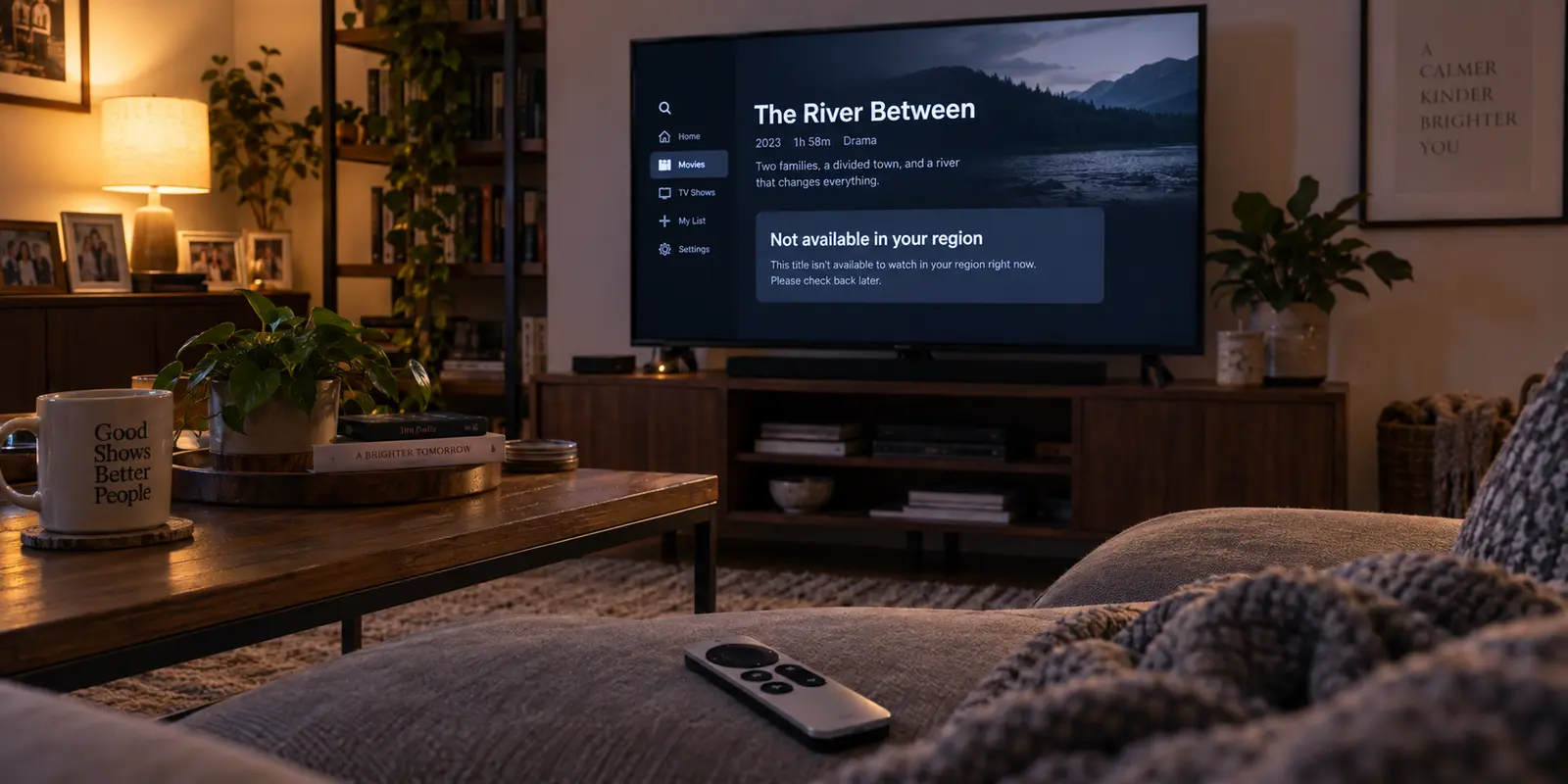
You sit down in your living room, turn on your Apple TV, and open your favorite streaming app—only to find that everything looks completely wrong. The local evening news broadcast has vanished. The catalog is filled with foreign titles you have never seen before, or a curt banner announces that the video is “not available in your region.”
Your television has not moved an inch. Your couch is right where it was yesterday. Yet your Apple TV insists you are somewhere else entirely.
The instinctive reaction is to start clicking on anything labeled “Region.” You might dive into the Apple TV settings to toggle the system country, consider changing your Apple Account storefront, rewrite your router’s DNS addresses, or scramble to subscribe to a new VPN.
Stop right there. Changing random settings in frustration does not fix the issue—it destroys the diagnostic trail. When you tamper with three different controls simultaneously, you lose the ability to see what triggered the error in the first place.
Before touching a single menu on your television, run one simple test: leave the Apple TV alone and pick up a phone or laptop connected to the exact same Wi-Fi network.
Article summary and product fit
What should I check first when Apple TV shows the wrong streaming region?
Leave the Apple TV unchanged and check the detected country from a phone or laptop on the exact same Wi-Fi. If both devices are wrong, investigate the shared network path; if the second device is correct, stay on the Apple TV side and inspect app state, profiles, and location permissions.
What matters in this article
- Best for: Viewers seeing a foreign catalog, missing local programming, or region errors on Apple TV.
- Key decision: The same-Wi-Fi comparison tells you whether the wrong location belongs to the whole network or only to the television environment.
- Product fit: OnlydogVPN fits only after the diagnosis proves that an intentional reroute is needed on a supported computer or mobile device; the article explicitly notes that it has no native tvOS client.
- Important limit: A VPN cannot repair Apple Account entitlements, create a subscription, bypass mandatory location checks, or correct an ISP geolocation problem when your goal is to show your real home region.
Sources already used in the article: The article’s first diagnostic step follows Netflix’s wrong-country guidance; its network branch cites Apple’s troubleshooting guidance, and its device-side branch links to Apple TV Location Services documentation.
Before Touching “Region,” Test the Connection Apple TV Is Actually Using
Streaming platforms, your internet service provider, your Apple hardware, and your user accounts do not all determine your location in the same way. When an app misbehaves, you must first isolate whether the problem lives inside the network wire or inside the television box itself.
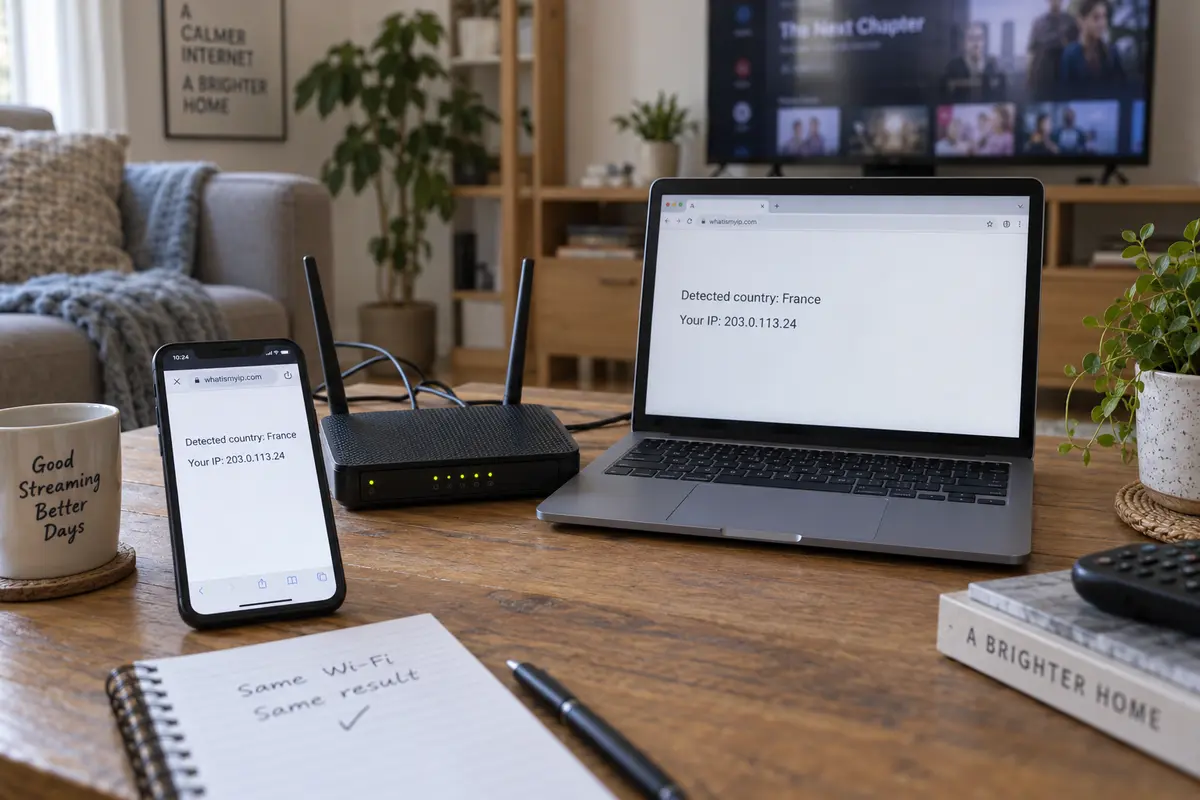
Leave your Apple TV exactly as it is. Take out your smartphone or open a laptop, confirm it is connected to the exact same Wi-Fi network—not cellular data or a mobile hotspot—and check where the internet believes you are located. You can run an IP-location lookup tool or open the diagnostic screen of the affected streaming service.
In fact, this exact step is the cornerstone of official troubleshooting for major platforms. Netflix’s guidance for viewers seeing the wrong country catalog instructs them to perform a connection check from another device on the same local network. By comparing the detected country and public IP address against what your ISP should be assigning, your second device functions as an objective control group.
This simple comparison splits your troubleshooting path into two clean directions:
- Both devices show the wrong country: The problem is not your Apple TV. Something along your common network path is misidentifying your location. Put down the Apple TV remote; changing settings on the television will accomplish nothing.
- The secondary device shows the correct country: Your network connection is healthy. The issue is confined specifically to the Apple TV—its local app cache, profile context, location permissions, or active background configurations.
By taking sixty seconds to establish this baseline, you save yourself hours of blind guesswork.
If the Wrong Country Follows the Wi-Fi, the Apple TV Is Merely Reporting the Symptom
When your phone and your Apple TV both insist that your home living room is sitting in a different country, the television is simply reporting what the network feeds it.
Your first step along this branch is to check whether anything on your network is deliberately altering your traffic route:
- Check for an active VPN on the television: Modern versions of tvOS support native VPN profiles, and an active connection displays an icon directly in Control Center.
- Check for upstream network modifications: Look at your home router or any intermediate security appliances. Is there a whole-home VPN, custom smart DNS profile, or privacy proxy running in the background? Apple’s official troubleshooting advises disabling all VPN and third-party security software when diagnosing persistent network anomalies.
Here lies the most commercially inconvenient truth in streaming troubleshooting: an active VPN is frequently the cause of the wrong streaming region, not the cure.
If you are sitting comfortably at home and merely want your local services to recognize your real-world presence, do not try to fix the glitch by stacking another VPN on top. Turn off any existing VPN tunnel entirely. Netflix explicitly warns that active VPNs frequently trigger wrong-country errors, and Disney+ lists VPN or proxy usage as a primary culprit behind location-based lockout codes (such as Error 73).
What if no VPN, proxy, or custom DNS is active anywhere in your home, yet every device on your Wi-Fi still points to the wrong country or territory?
In that scenario, your internet service provider has likely reassigned you an IP block whose geographic metadata is outdated or misregistered across commercial geolocation databases. When this happens, resetting your Apple TV over and over is an exercise in futility. Instead, document your detected public IP address and the incorrect country showing up on your diagnostic test, then contact your ISP or the streaming provider's support team directly. That is an infrastructure routing issue, not a streaming-box glitch.
If the Wi-Fi Is Correct but Apple TV Is Wrong, Stay on the Television Side
Now consider the inverse outcome: your laptop and smartphone accurately register your home city on the Wi-Fi, yet the Apple TV alone remains convinced you are halfway across the world.
Because your local network has been proven innocent, focus exclusively on the television environment:
- Check the Apple TV’s individual connection state: Swipe down into Control Center to ensure a standalone tvOS VPN profile was not left toggled on in the background.
- Force-quit and refresh the streaming app: Apps frequently cache your regional state from earlier sessions. If the anomaly began after returning from a trip or switching broadband providers, simply restarting the app—or signing out of the service and signing back in—forces the platform to request a clean session handshake. Netflix specifically highlights signing out and back in as an essential step to refresh session state after moving or traveling.
- Examine Location Services permissions: Here is a critical distinction that generic network guides overlook: an IP address is not always the sole data point used to determine where you are. Apple notes that certain live programming and broadcast channels within the Apple TV app rely directly on Location Services. System-level location access can be toggled globally or granted on an app-by-app basis under Settings > General > Privacy & Security > Location Services.
Similarly, live TV services like YouTube TV distinguish between your designated "Home Area" and your "Current Playback Area," frequently requiring occasional secondary location checks from a mobile device or browser to verify playback rights on a living room screen.
If on-demand movies stream without incident but your live regional sports or local news feeds are missing, your IP is likely fine—the app simply lacks the localized verification it needs. Check your on-device location permissions before you touch anything else.
Only Touch the Apple Account When Evidence Points to Store Entitlements
Notice what we have not touched yet: your Apple Account country or the Apple TV’s primary system region.
Many users instinctively navigate to Settings > General > Region, assuming it acts as a master toggle for digital borders. In reality, Apple documents this setting primarily as a formatting preference. It dictates how dates, times, measurements, and numerical separators appear across tvOS. It does not dictate where third-party streaming services believe your television resides.
Altering your actual Apple Account country is a serious step, not a casual troubleshooting tactic. Apple’s official requirements make it clear that changing your account country requires spending down remaining store credit balances, canceling certain active subscriptions, and possessing a valid local payment method registered in the target territory.
You should only investigate account-level settings when the symptoms point directly to App Store entitlements:
- The streaming application itself is absent from the App Store.
- Apple-hosted purchases, channels, or Apple TV+ catalog availability do not match what your subscription should provide.
- The Apple TV is linked to an unexpected household user profile. Because tvOS allows individual user profiles to maintain separate Apple Accounts for Store purchases, a shared living-room device can easily drift into the wrong account context without any network change occurring.
Keep the diagnostic dividing lines clear in your mind:
- Wrong internet geography across the board: Network or routing problem.
- Wrong live local station while the network is fine: App session, profile, or Location Services verification issue.
- Missing storefront apps, unexpected billing currency, or locked Apple purchases: Apple Account profile or store entitlement issue.
A VPN Belongs at the End of the Diagnosis, Not the Beginning
A virtual private network is a routing tool designed to move your network traffic through an encrypted intermediary server in another geographic zone. It is not an all-purpose eraser for account conflicts or misconfigured app settings.
To use one effectively, you must be honest about what you are trying to achieve:
- If you are at home and simply want your services to reflect your actual location: You do not need a new VPN. Adding an extra layer of redirection will only compound existing routing errors. Your priority is eliminating accidental proxies, verifying local device permissions, or contacting your ISP to rectify an inaccurate geolocation database entry.
- If you are deliberately attempting to route your traffic through another region: For instance, if you are temporarily working abroad and wish to connect back through your home territory to access the services you already pay for, introducing an intentional network route makes sense.
Apple TV supports downloadable VPN clients directly from the tvOS App Store. If you require persistent, direct playback exclusively through the Apple TV hardware, selecting a provider with a native tvOS application installed directly on the box is the cleanest route.
However, many viewers run their secondary playback setups from laptops or mobile devices rather than navigating complex TV-based network configurations. When your workflow centers on your computer or phone and you simply want an intentional route that bypasses manual server hopping, OnlydogVPN provides a streamlined, low-friction option.
Instead of forcing you to hunt through endless lists of cities, server loads, and latency metrics to find an active connection, OnlydogVPN uses dedicated streaming presets and automated routing logic to establish a stable, optimized path instantly. It eliminates the trial-and-error fatigue that often accompanies manual server selection.
It is important to note where OnlydogVPN fits into your setup: its official client apps currently support macOS, Windows, iOS, and Android. It does not provide a native tvOS client for Apple TV. If your goal is to handle routing directly on your television, you will need a provider that specifically ships a tvOS app. But if you have reached the branch of your diagnosis where an intentional network route is required on your personal computer or mobile device, OnlydogVPN offers an exceptionally polished, reliable solution that takes the guesswork out of the connection.
No VPN can manufacture a subscription you do not own, bypass an app's mandatory hardware location check, or alter your Apple App Store billing territory. But once your diagnostics are clean and a deliberate network reroute is genuinely what you need, picking the right tool for the right device makes all the difference.
The Takeaway Rule
The next time your television claims you are halfway across the globe, resist the urge to overhaul your settings. Run the same-Wi-Fi check on your phone first. Let the evidence tell you whether the fault lies in your internet connection or inside the Apple TV box. Isolate the variable, fix the specific layer that failed, and spend your evening watching the show instead of fighting the settings menu.
Frequently Asked Questions
What is the first test for an Apple TV showing the wrong country?
Use a phone or laptop on the exact same Wi-Fi and check what country that connection appears to be in. Do not change the Apple TV first, because the comparison is what separates a network-wide problem from a TV-specific one.
What does it mean if both the Apple TV and another device show the wrong country?
The shared network path is the likely source. Check for an active VPN, smart DNS, proxy, or router-level modification; if none is present, the ISP’s IP block may be misregistered in geolocation databases.
What should I check if the Wi-Fi location is correct but only Apple TV is wrong?
Stay on the television side: check for a tvOS VPN profile, refresh or sign back into the streaming app, verify the active user profile, and inspect Location Services when live or local programming is affected.
Should I change my Apple Account country to fix a streaming-region error?
Only when the evidence points to Store entitlements, such as a missing app, unexpected billing currency, or Apple-hosted purchase availability. The article treats an Apple Account country change as a serious account action, not a routine streaming fix.