
You unpack your bags, connect your iPad to the hotel Wi-Fi, open the Apple TV app, and tap Play on the show you were watching before your flight. Instead of picking up where you left off, the screen delivers a blank refusal: content unavailable in your current country or region.
The instinctive reaction is usually panic, followed by trial and error. Travelers head straight into their Apple Account settings to see if they should change their country, or they open a VPN app and start cycling through random server locations.
Both impulses miss the fundamental reality of how Apple’s video ecosystem works. An Apple TV region issue is almost never a single, universal geoblock. The Apple TV app is a clean storefront housing fundamentally different types of media under one roof: global Apple Originals, third-party Apple TV channels, purchased Store titles, and live regional sports broadcasts.
Apple’s own support documentation is explicit on this point: subscriptions, sports, channels, features, and media availability vary significantly by country and region. Because different rules govern these categories, an error message on an Apple Original episode does not mean the same thing as a blackout on a live sports broadcast.
Before touching a single device setting or endlessly testing network connections, take a step back and ask the only question that actually matters: What stopped working?
Article summary and product fit
How should you fix Apple TV region problems while traveling?
Identify what kind of content failed before changing anything. Do not change your Apple Account country for a temporary trip. Download eligible on-demand titles to an iPhone, iPad, or Mac before departure; when already-entitled live or non-downloadable content fails only after you move to a foreign network, a home-region route on a compatible personal device can be the next test.
What matters most
- Best for: Travelers who need to distinguish account entitlement, content portability, device capability, and network location inside the Apple TV ecosystem.
- Protect the account state: An Apple Account country change is an administrative relocation with balance, subscription, family, and payment consequences, not a temporary travel switch.
- Product fit: OnlydogVPN fits the article only for a compatible iPhone, iPad, or Mac when the traveler already owns the entitlement and network location is the remaining variable.
- Important limit: A VPN cannot create regional rights the account never had, downloads are not available on dedicated Apple TV hardware, and the article states that OnlydogVPN does not provide a native tvOS app for a standalone Apple TV 4K setup.
Context and sources: The article’s travel choices are anchored in Apple’s download and streaming guidance and Apple’s account-region guidance; its example of a territory-bound sports entitlement uses Apple’s U.S. Formula 1 announcement.
Don’t Move Your Apple Account Just Because You Moved Yourself
When something refuses to stream abroad, the most damaging mistake you can make is attempting to change your Apple Account country or region to match your destination.
Apple treats an account region change not as a temporary travel toggle, but as a permanent personal relocation. The administrative friction Apple builds into that process is severe:
You must spend any remaining Apple Account balance down to zero.
Active subscriptions—including Apple TV+, Apple Music, or iCloud+ storage—may need to be canceled outright.
You must wait for pending store credits, season passes, and memberships to clear.
If you are in a Family Sharing group, you may be blocked from switching regions entirely.
You will be required to provide a valid local payment method and billing address recognized by your destination country.
Blowing up your existing digital life to solve a single playback error on a ten-day vacation is an enormous overreaction.
More importantly, it fundamentally confuses travel location with entitlement. If your home account already pays for access, altering your core account status will only strip away the services you already possess. If your account never had access to a regional offering in the first place, switching the region of your device won't suddenly conjure a valid local subscription out of thin air.
When you run into a regional wall abroad, leave your Apple Account untouched. Your account is not broken; you simply crossed a border.
If You Can Carry the Show With You, Don’t Make Hotel Wi-Fi Solve It
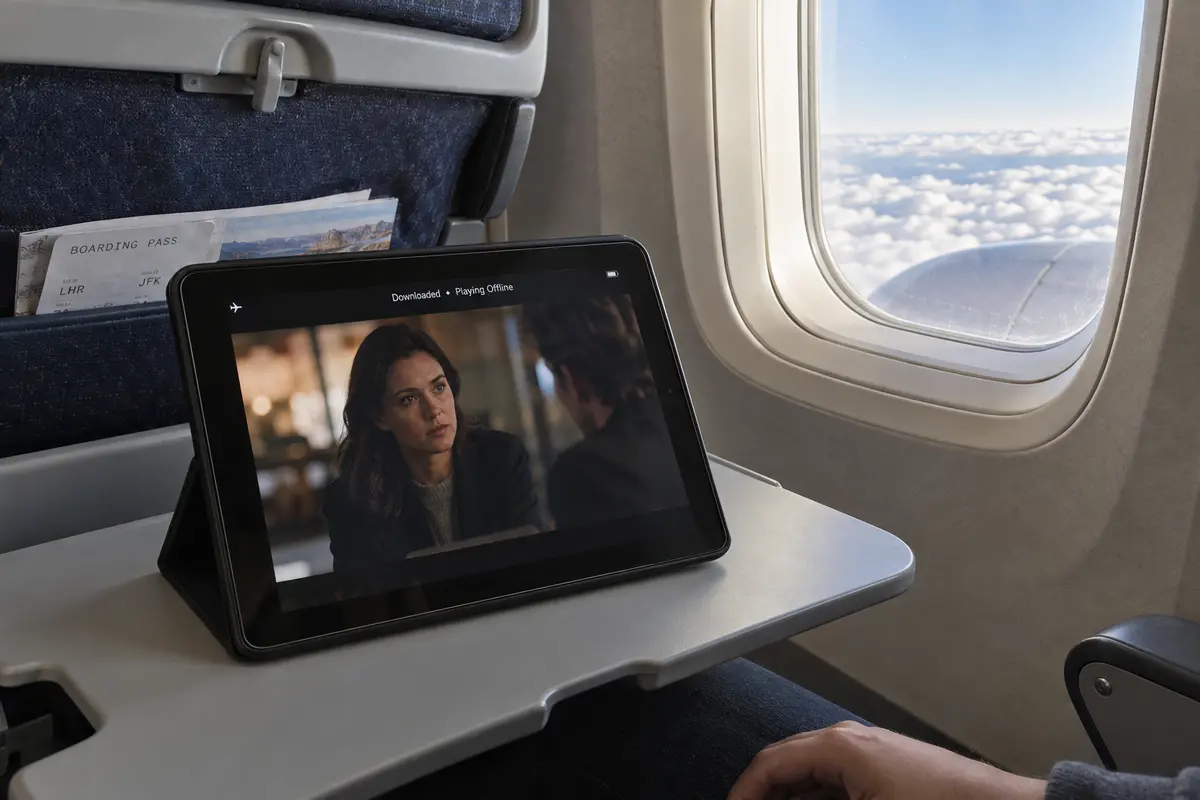
For movies, scripted series, and standard on-demand viewing, the cleanest fix for international travel requires zero network troubleshooting: download the content before you leave home.
Apple directly allows offline downloads for Apple TV+ subscribers and participating Apple TV channels on iPhone, iPad, and Mac. In fact, Apple’s official travel guidance explicitly advises travelers that certain channel content may not stream once you leave your home market, and recommends downloading the titles you want to watch before boarding your flight.
Taking content offline bypasses the regional streaming equation entirely:
Offline playback does not care about foreign IP addresses or geoblocking filters.
It eliminates reliance on congested, unpredictable hotel Wi-Fi networks.
It removes the need to configure network routing or toggle background VPN profiles at playback time.
There is one important hardware rule to keep in mind: Apple does not support offline downloads on dedicated Apple TV streaming boxes, smart TVs, or the web interface at tv.apple.com. Dedicated TV hardware is built strictly for live streaming. Offline storage belongs entirely to portable personal devices—iPhone, iPad, and Mac.
Downloads are not an infinite workaround. Certain third-party channels limit how many items you can store, and offline licenses do eventually expire. But as a baseline travel habit, downloading the few episodes or films you genuinely intend to watch turns a potential streaming dispute into an effortless offline click.
When the Content Must Stay Live, Then the Network Route Matters
Downloads are an ideal safeguard for a scripted drama, but they are useless when you need to watch an event that is unfolding in real time.
Live sports cannot be packed into your carry-on luggage. Similarly, certain Apple TV channels restrict offline saving altogether. If you already pay for the entitlement on your home account, the title was streaming perfectly before you left, and the failure appeared only after your device connected to a foreign network, your physical location is the sole remaining variable.
In this specific scenario, routing your traffic back through your home region is the logical next step:
Verify the entitlement: Confirm your subscription is active and that your Apple Account remains anchored to your home country.
Stream on a compatible personal device: Use your portable hardware—your Mac, iPhone, or iPad.
Route the connection home: Connect through a network route that reflects your home region, then launch the stream directly.
For travelers using an iPhone, iPad, or Mac who want to skip the headache of manual network configurations, OnlydogVPN is an exceptionally well-tailored tool for the job.
Most VPNs approach international travel with bloated interfaces, demanding that you manually scroll through dozens of server locations, run speed tests, and guess which node won't be rejected by a media platform.
OnlydogVPN cuts that friction out entirely. Built specifically around effortless cross-border access for travelers, it uses a Smart Global Routing model that lets you establish an optimized home-region route with a single tap.
Instead of turning your hotel stay into a networking workshop, OnlydogVPN treats travel routing like a utility: you turn it on, your device appears on its familiar home network, and you get back to your stream.
There is, however, an essential hardware distinction you must respect: OnlydogVPN currently provides native applications for iOS, iPadOS, macOS, Android, and Windows, but it does not maintain a native app for tvOS on the Apple TV 4K.
If your travel setup relies on a standalone Apple TV box plugged into a hotel television and operated solely by a Siri Remote, OnlydogVPN is not built for that standalone tvOS setup today.
But if you travel the way most modern travelers do—streaming on an iPad propped on a nightstand, a MacBook on a desk, or an iPhone on the train—OnlydogVPN delivers an ultra-clean, reliable route back home without unnecessary technical tinkering.
Know the Region Problems a VPN Cannot Fix
As practical as a home-region route can be, it is critical to recognize where network tools reach their absolute limit. A VPN changes your virtual network route; it cannot rewrite licensing contracts or fabricate account rights you never bought.
Formula 1 provides the clearest modern illustration of this divide. Apple’s broadcast of F1 is offered as an explicitly territory-bound service requiring a U.S. Apple TV subscription.
If a traveler holds a UK, European, or Australian Apple account that lacks the underlying F1 entitlement, connecting to a U.S. VPN server accomplishes nothing. Apple’s system checks your subscription credentials, sees that your account lacks the necessary domestic package, and keeps the broadcast locked.
The same applies to regional Apple TV channels that decline to travel. When an underlying studio or league contract denies international rights to an account, trying thirty different server locations won't change the contractual terms attached to your user profile. In those moments, your best option is to use the local broadcaster or licensed platform operating within the country you are actually visiting.
Solving Apple TV issues abroad comes down to three basic realities:
If it can be downloaded: Save it to an iPhone, iPad, or Mac before you leave home and remove the network from the equation entirely.
If you already own the entitlement and only location is blocking a live stream: Keep your account country unchanged and route your connection back home using a low-friction tool like OnlydogVPN on your laptop, tablet, or phone.
If your account never had the regional right in the first place: Stop hunting for server addresses, accept the boundary, and watch through a local provider licensed in the region where you landed.
When your Apple TV stream refuses to play abroad, don't rush to change your device or your digital identity. Figure out what stopped traveling before you try to change your location.
Frequently Asked Questions
Should I change my Apple Account country when I travel?
No. Apple treats a country or region change as an account relocation, not a vacation switch. It can require spending account balance, dealing with subscriptions and pending items, leaving Family Sharing, and providing an accepted payment method for the new region.
What is the easiest way to avoid region problems for on-demand Apple TV content?
Download eligible shows or movies before departure on an iPhone, iPad, or Mac. That removes hotel Wi-Fi and foreign streaming checks from playback. Dedicated Apple TV boxes and smart-TV playback do not provide the same offline-download option described in the article.
When does a home-region network route make sense?
When your subscription or purchase is already valid, the content worked at home, the title must be streamed live or cannot be downloaded, and the problem appeared only after the device moved onto a foreign network. In that situation, location is the variable worth testing.
Can a VPN unlock a regional sports package I never subscribed to?
No. A VPN can change the apparent network route, but it cannot add an entitlement to the Apple Account. If the account never included the regional package or right, use a licensed provider available in the country where you are traveling.