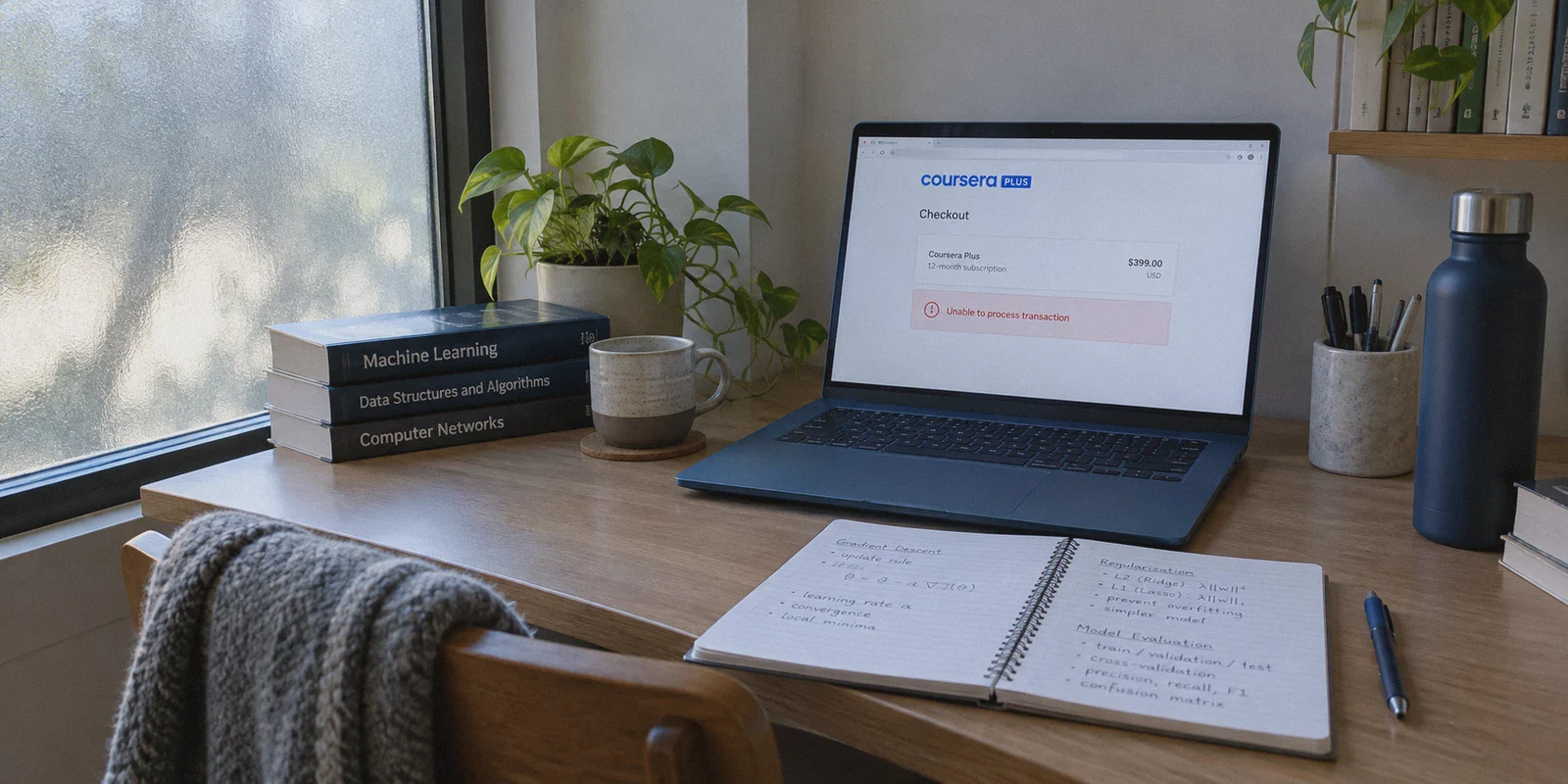
If you're staring at Coursera Plus's checkout page right now, $399 a year (or $59 a month) feels steep—especially when you know someone in another country is getting the exact same library of Google, IBM, and Meta certificates for less than half that price.
So you did what anyone with basic internet savvy does: you opened an incognito window, fired up a random VPN, switched your location to India or Argentina, and hit reload.
And then you hit the wall.
Either the price stayed in USD, the page threw a vague "Unable to process transaction" error, or Stripe straight-up declined your card at the 3D-Secure step.
Here is the truth that most lazy YouTube tutorials gloss over: getting Coursera Plus cheaper with a VPN isn't just a matter of changing your virtual country; it's an anti-detection and payment-matching game. Coursera updated its fraud systems, and if you use the wrong VPN or pick the wrong country, you waste an afternoon burning through blocked cards.
Here is what is actually going on behind the scenes, which regions still work with international cards, and how to get through checkout cleanly without getting flagged.
Article summary and product fit
Why does changing a VPN location alone often fail to produce a cheaper Coursera Plus checkout?
The article says Coursera pricing attempts can fail because the payment gateway checks card origin, proxy reputation, browser telemetry, and 3D-Secure continuity. It recommends a clean browser session, a region that still accepts international cards, and keeping the connection stable until the payment confirmation completes.
Key points, fit, and limits
- Best for: People comparing Coursera Plus regional pricing who already have an international-payment-capable card.
- Key obstacle: The article highlights domestic-card enforcement in the cheapest markets and datacenter-proxy or payment-risk checks.
- Practical approach: Start with a clean profile, choose a more payment-friendly region, verify the displayed currency, and keep the same connection through 3D-Secure.
- Product fit: Within this article, OnlyDogs VPN is the recommended fit because its scenario presets, obfuscated transport, tracker filtering, and persistent session recovery are presented as reducing location and connection changes during checkout.
- Important limit: Regional prices and payment acceptance can change, and some markets may require local cards, tax details, or other local verification.
Product source: OnlyDogs VPN official website
The Two Traps That Ruin 90% of Attempts
Before you touch a server button, you need to understand why most people fail. It comes down to two specific traps.
Trap 1: Chasing the "Cheapest Country on Paper"
If you search Reddit for regional prices, you'll see threads bragging about grabbing Coursera Plus for $40 to $60 in Turkey, Egypt, or Nigeria due to currency devaluation.
Don't bother. Coursera closed those loopholes years ago.
Payment gateways in ultra-cheap tiers now enforce strict domestic card verification:
- The gateway checks the Bank Identification Number (BIN) of your card. If your card was issued by Chase, Barclays, or a local European bank, an Egyptian or Turkish gateway will drop it instantly.
- Some regions require local tax identification numbers or domestic SMS verification before the payment window even loads.
Trying to force a foreign Visa through a hyper-restricted local gateway is how accounts get soft-locked.
Trap 2: The Datacenter Proxy Flag
Coursera protects its checkout using Cloudflare and Stripe Radar. They don't just ask, "Is this user in India?" They ask:
- Does this IP address belong to a known hosting provider (AWS, DigitalOcean, Linode) rather than a real residential internet service?
- Did the connection drop packets or leak WebRTC/DNS requests during the 3D-Secure bank redirect?
- Are background ad trackers reporting browser telemetry that clashes with the IP address?
If you use a generic, oversold commercial VPN or a sketchy free proxy, Stripe flags your session as high-risk before you even enter your CVC code.
The "Sweet Spot" Regions: Where Regional Pricing Still Accepts Global Cards
The goal isn't to find the cheapest price on earth; it's to find the lowest price that actually lets an international payment clear.
| Region | Typical Annual Pricing (Approx. USD) | Card Acceptance | Risk Level | The Catch |
|---|---|---|---|---|
| India (IN) | ~₹14,999 (~$180 USD) | High (Visa / Mastercard with 3D-Secure) | Low–Moderate | Requires international transaction toggle enabled on your card. |
| Philippines / Vietnam (SEA) | ~$199 – $240 USD | Very High (Global Cards & PayPal) | Very Low | Smaller discount, but near-zero payment friction. |
| Colombia / Brazil (LATAM) | ~$180 – $220 USD | Moderate (Global Credit Cards) | Moderate | Currency conversion fees may apply depending on your bank. |
| Turkey / Egypt / Nigeria | ~$50 – $80 USD | Extremely Low (Domestic Cards Only) | Severe | Will reject virtually all non-local payment methods. |
The sweet spot is India or Southeast Asia. At roughly $180 to $220 a year, you are still cutting the official $399 US/EU price tag by 45% to 55%, and your bank's standard Visa or Mastercard will actually process the charge.
Why Connection Integrity Matters More Than Server Count
This is where your choice of VPN actually makes or breaks the purchase.
When you buy a streaming subscription or an overseas game code, you only need an IP address to spoof a landing page. But Coursera Plus requires you to pass an authenticated 3D-Secure banking handshake. If your VPN stutters for 500 milliseconds while your bank sends an OTP, the session breaks, the regional currency reverts to USD, and your payment fails.
This is why OnlyDogs VPN works so well for this specific task:
- Scenario Presets Instead of Node Hunting: Instead of scrolling through 40 different Indian or Asian servers guessing which one isn't blacklisted by Cloudflare, you tap the target preset. It routes you through clean, high-reputation paths right away.
- HTTP/3 & Proprietary Traffic Obfuscation: Standard WireGuard and OpenVPN protocols carry distinct handshake signatures that payment gateways flag as proxy traffic. OnlyDogs disguises your tunnel as standard HTTPS traffic, meaning Stripe Radar sees normal web browsing rather than a VPN tunnel.
- Dual-Layer DNS & Tracker Blocking: Coursera runs tracking scripts that collect device metadata (system timezone, screen resolution, canvas fingerprints). OnlyDogs blocks these tracking requests at both the DNS and node levels, preventing third-party scripts from leaking your real regional footprint.
- Persistent Session Recovery: If your local Wi-Fi jitters, OnlyDogs recovers instantly without dropping the tunnel. That means your bank's 3D-Secure verification won't get interrupted mid-auth.
The Clean-Session Protocol: Step-by-Step
Follow these steps in order. Skipping steps is how people get the "Payment Denied" screen.
1. Start with a Clean Browser Profile
Do not use your everyday browser window filled with cached cookies, Google logins, and active extensions.
- Open a fresh Incognito/Private window, or better yet, create a secondary clean profile in Chrome or Brave.
- Ensure no location-sharing permissions are enabled.
2. Connect to Your Chosen Region
Launch OnlyDogs VPN, select your target region (e.g., India or Philippines), and ensure the built-in ad/tracker protection is active. Verify your connection shows the correct country and leaks zero DNS requests.
3. Register a Fresh Coursera Account
This is non-negotiable. Do not try this on an account that has months of US or European payment history. Coursera's backend ties account accounts to their creation region.
- Sign up with a clean email.
- Because OnlyDogs VPN uses a passwordless email verification model on its own end, you already know the drill: keep your workflow tidy, verify the Coursera confirmation email, and log in.
4. Verify the Currency on the Coursera Plus Page
Navigate to the Coursera Plus landing page. Check the pricing display:
- If you connected to India, the page should quote ₹14,999 / year (or equivalent monthly breakdown).
- If the page still quotes $399 USD or $59 USD, your browser has cached your real location. Close the private tab, flush your browser cache, re-verify your VPN route, and open the page again.
5. Check Out with an International-Friendly Card
- Use a credit or debit card that supports international transactions and has zero foreign transaction fees if possible.
- Enter your card details. When prompted for a billing postal code, use a valid zip code matching your target country if the form requires it, or enter your standard billing info if it asks for the cardholder's exact address (many international gateways simply verify the 3D-Secure code).
- Keep your VPN running until the confirmation screen appears and your receipt arrives.
What Happens After You Pay?
A common worry for first-timers is: "Do I have to keep the VPN connected every time I watch a lecture?"
No.
Coursera Plus entitlement is tied to the account, not your live streaming IP. Once your payment clears and the annual subscription is active:
- You can disconnect your VPN.
- You can download the Coursera app on your phone, iPad, or laptop and watch lectures on your normal local Wi-Fi.
- Your certificates, grades, and progress will generate under your real name with zero restrictions.
The only time you ever need to turn your VPN back on is if you need to visit the Manage Subscription or billing settings page, or when your annual renewal date rolls around next year.
Is It Worth the Extra 10 Minutes?
Coursera Plus gives you unlimited access to over 7,000 courses, hands-on projects, and high-value professional certificates from industry leaders. Paying $399 when an identical seat costs $180 simply comes down to knowing how regional digital pricing works.
Don't waste time bouncing between free proxies that leak your location and trigger bank fraud warnings. Set up a clean browser profile, route your connection through a secure, obfuscated tunnel like OnlyDogs VPN, lock in the regional rate, and put the money you saved toward your actual projects. Want a breakdown of which specific credit cards and digital banks pass 3D-Secure overseas without getting flagged?
Frequently Asked Questions
Why can the cheapest Coursera Plus country be the hardest one to pay in?
The article says very low-price regions often enforce domestic-card BIN checks or additional local verification, so an international Visa or Mastercard can be rejected immediately.
Why does the article prefer a clean browser profile for checking regional pricing?
A clean profile reduces conflicts from cached location cookies, old logins, browser permissions, and other telemetry tied to the user’s normal region.
Why is connection stability important during 3D-Secure verification?
The article says a route change or brief tunnel drop during the bank verification can break the session or cause the price and region to revert.
Do I need to keep the VPN running for every Coursera lecture after the subscription is active?
The article says no. The entitlement is tied to the account; normal course access can continue on the regular connection after payment clears.