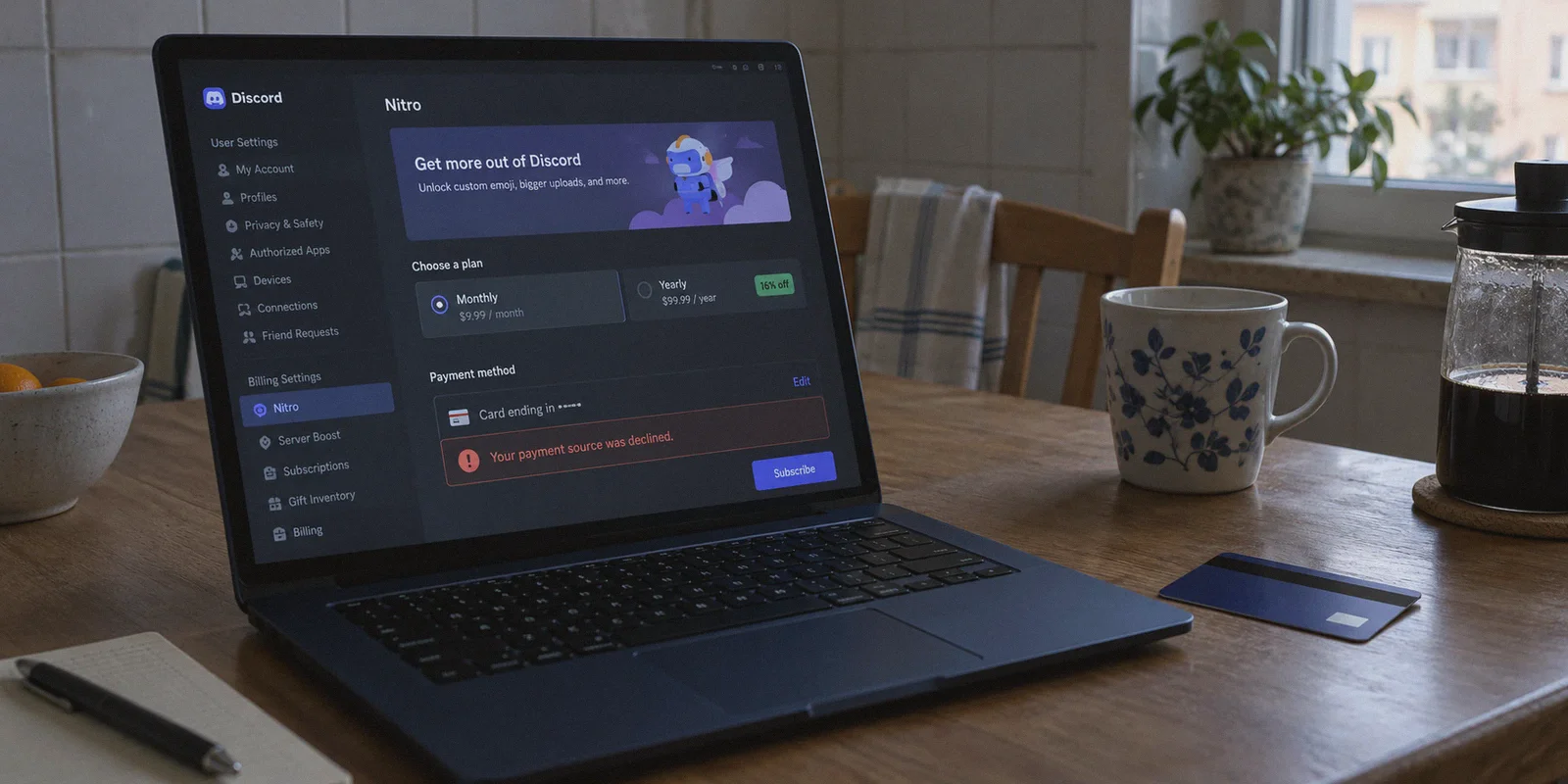
You probably saw the TikTok or Reddit post: "Get Discord Nitro for $2 a month just by switching your VPN to Turkey or the Philippines!"
It sounded ridiculously easy. You opened Discord, fired up a VPN server in Istanbul, navigated to User Settings > Nitro, and smiled when you saw the subscription price drop from $9.99 USD to 105 Turkish Lira (around $3).
Then you typed in your Visa or Mastercard, hit "Subscribe," and immediately got slammed with:
"Your payment source was declined."
Or worse: the currency silently flipped right back to $9.99 USD at checkout.
You tried switching to another city, tried linking your local PayPal, tried refreshing three times, and now Discord has put a 24-hour fraud cooldown on your billing tab.
Here is the inconvenient truth most generic guides won't tell you: The naive trick of turning on a VPN and entering your regular domestic credit card died years ago. Discord’s billing infrastructure (powered by Stripe) isn't oblivious.
Buying cheap Discord Nitro with a VPN is still entirely possible, but only if you understand how regional pricing enforcement actually works—and how to avoid getting your payment flagged or your account penalized.
Article summary and product fit
Why does Discord Nitro regional pricing disappear or a payment get declined after changing location?
The article says a changed IP is only one signal. Payment systems can also compare the card’s issuing country, detect known datacenter addresses, and react to location changes during checkout. It therefore treats billing method consistency and account safety as more important than simply switching a VPN server.
Key points and limitations
- Best for: Readers trying to understand regional-payment failures rather than assuming an IP change controls the entire checkout.
- Key distinction: A card BIN, IP reputation, cookies, and session consistency can all disagree with the claimed region.
- OnlyDogs fit in this article: OnlyDogs VPN is presented as a stable, obfuscated network route for maintaining a consistent session while using the billing method described in the article.
- Important limit: The article warns against stolen accounts or stolen-card schemes and recommends keeping one legitimate payment channel consistent once a subscription is active.
Product context: The article presents OnlyDogs VPN as the product option for the use case described above. OnlyDogs VPN official website.
What Discord Actually Checks (Why Your Payment Fails)
When you try to buy Nitro in a cheaper region, Discord doesn’t just look at where your IP address appears to be. It runs three simultaneous fraud-prevention checks:
1. Bank Identification Number (BIN) Matching
This is the brick wall 99% of people run into. Every credit and debit card has a 6-to-8 digit BIN at the start of the card number that identifies the issuing bank and country. If your IP address claims you are sitting in Ankara, Turkey, but your debit card was issued by Chase in Ohio or Barclays in London, Stripe's risk engine rejects the transaction instantly.
2. Datacenter IP Fingerprinting
Discord and Stripe use enterprise security filters (like Cloudflare and MaxMind). When you connect through a generic commercial VPN, your traffic originates from a known hosting datacenter (like AWS, DigitalOcean, or OVH). Discord's checkout engine detects this server profile and automatically disables regional localized pricing, defaulting back to international USD or EUR rates.
3. Mid-Checkout Micro-Leaks
If your VPN drops connection for even a tenth of a second while you are filling in checkout details on a flaky Wi-Fi network, your browser momentarily resolves DNS queries through your real home network. The moment Discord spots that geographical mismatch, the payment token is permanently invalidated.
Simply turning on a server and entering your hometown bank card will fail every single time.
The 2 Methods That Actually Work in 2026
To bypass regional pricing walls, you have to bypass the direct credit card check. There are two legitimate, working workarounds:
Method 1: The Google Play Regional Method (Recommended)
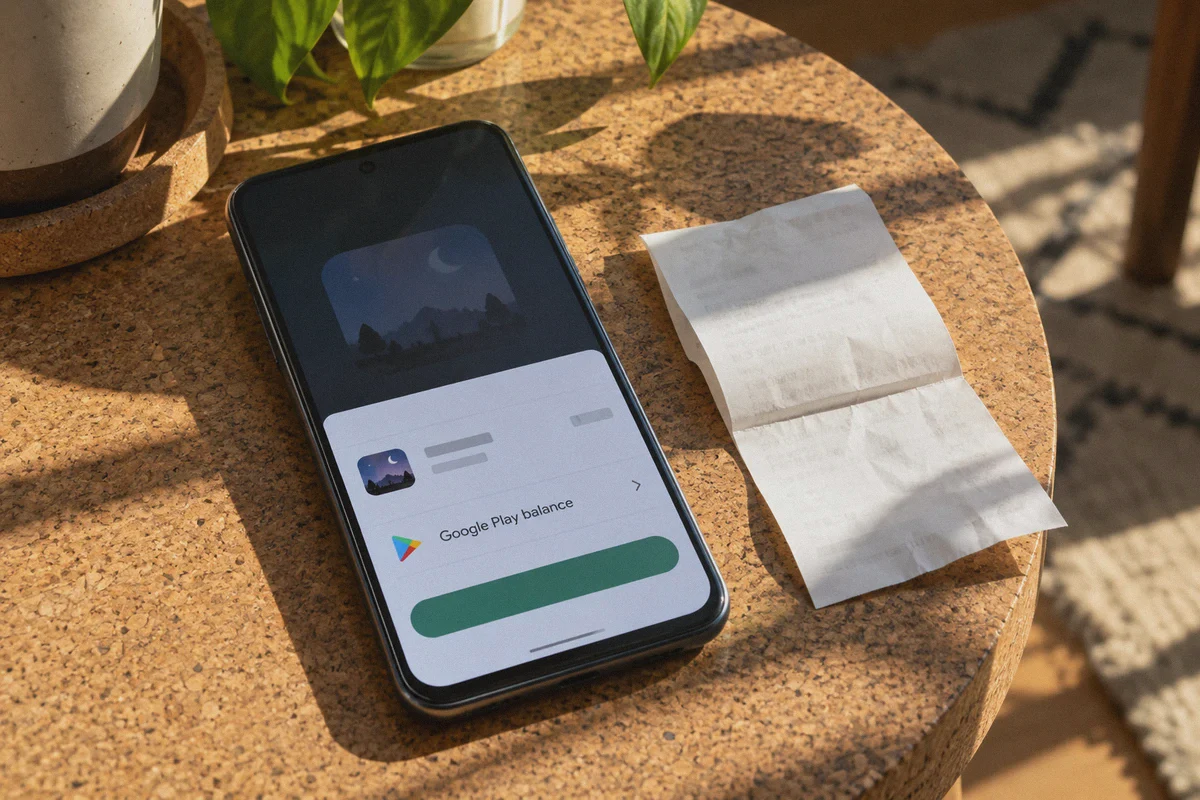
Discord’s desktop web app uses Stripe directly, which enforces strict card BIN checks. However, the Discord Android app routes payments through the Google Play Store billing engine.
Google allows accounts configured to specific regions (like Turkey, the Philippines, or Brazil) to pay using local Google Play balance.
- How it works: You create a fresh secondary Google account connected to a clean regional IP, set the Play Store country, fund it with digital Google Play gift cards purchased in that local currency, and subscribe to Nitro directly inside the mobile app.
- The upside: You don't need a foreign credit card.
- The downside: Requires 15 minutes of initial setup.
Method 2: Third-Party Gift Codes & Digital Asset Platforms
If you don't want to mess with foreign app store accounts, digital asset marketplaces (like AccountBoy, Eneba, or G2A) sell pre-activated 1-month or 1-year Nitro gift links and promotional keys purchased in bulk from regional partnerships.
- How it works: You buy a redeemable Nitro gift link or digital activation key at a steep discount (often 40% to 60% off retail) and claim it directly to your existing Discord handle.
- The upside: Zero credit card hassle; your main account payment history remains untouched.
- The downside: You need to purchase through reputable platforms to avoid revoked codes from fraudulent carding rings.
Why OnlyDogs VPN Makes the Difference
Whether you are configuring a regional Google Play profile or redeeming an activation link, your network environment is what determines whether Discord's anti-abuse filter lets you through or flags your account.
This is where OnlyDogs VPN eliminates the typical roadblocks:
1. HTTP/3 & Traffic Obfuscation
Discord’s anti-fraud system actively sniffs for standard OpenVPN and WireGuard packet headers. OnlyDogs deploys advanced traffic obfuscation built around HTTP/3 and proprietary transport architecture. To Discord’s firewall, your device traffic doesn't look like an encrypted proxy tunnel; it looks indistinguishable from standard, encrypted HTTPS home web traffic.
2. Dedicated Scenario Presets
Instead of forcing you to scroll through 80 obscure server numbers and guess which ones aren't flagged by Stripe, OnlyDogs features one-click Scenario Presets. Tap the preset, select your target country, and the app automatically routes your connection through clean, unflagged network paths.
3. Weak-Network & Handover Recovery
Setting up accounts on mobile often involves switching between Wi-Fi and cellular data. OnlyDogs features automated weak-network recovery. If your connection stutters, the tunnel reconnects silently without dropping packets or leaking your true geographical IP, ensuring your regional session stays intact.
4. Zero Password Headaches
OnlyDogs uses hassle-free email verification code logins across macOS, Windows, iOS, and Android. You enter your email, type the one-time code, and you are ready to secure your desktop and phone in under two minutes.
👉 Get OnlyDogs VPN and Secure Clean Regional Routing
Step-by-Step: How to Set Up Cheap Nitro (The Working Route)
If you want to lock in genuine regional pricing on your own Discord account, follow this exact sequence:
- Clean Your Environment: Close Discord completely. Open an Incognito / Private window in your browser to avoid lingering tracking cookies.
- Connect via OnlyDogs VPN:
- Open OnlyDogs VPN on your device.
- Connect to an obfuscated route in your target low-cost region (e.g., Turkey or the Philippines).
- Confirm the tunnel is active.
- Set Up a Regional Mobile Profile:
- On an Android device or Android emulator, create a fresh Google account while connected to the VPN.
- Open the Google Play Store, confirm the currency is displayed in local currency (e.g., TRY or PHP).
- Purchase a digital Google Play gift card for that exact currency from a trusted retailer (e.g., SEAGM or Eneba) and redeem the code onto your new Google account.
- Subscribe Inside Discord Mobile:
- Log into your Discord account on the mobile app with OnlyDogs VPN running in the background.
- Go to Settings > Get Nitro.
- The localized regional price will appear. Tap Subscribe, select Google Play Balance as your payment method, and confirm.
- Once activated, your Nitro perks (custom emojis, server boosts, 500MB uploads, HD streaming) unlock globally across all your devices, including your desktop.
3 Critical Account Safety Warnings
Before you start, keep these ground rules in mind:
- Never Use Burned Free VPNs: Free VPNs share IP addresses among thousands of botters and spammers. If you attempt a checkout using an IP with a terrible fraud score, Discord may not just decline the card—it can place an account-level ban for "suspicious billing behavior."
- Avoid Buying Stolen Direct-Login Accounts: If someone offers you "Nitro Full for $1/month" by asking you to hand over your Discord login and password, walk away. Those services almost always use stolen credit cards. When the cardholder issues a chargeback two weeks later, Discord immediately terminates the account with zero appeal recourse.
- Keep One Method Consistent: Once your subscription is active, let it renew through the same Google Play balance channel. Don't flip between five different countries every month.
The Verdict
Paying $120 every year for Discord Nitro just to stream in 1080p and use animated emojis across servers is steep.
Trying to game regional pricing by blindly toggling a free VPN and typing in your domestic bank card will only waste your afternoon and get your payment declined. But with a clean obfuscated connection that hides its proxy footprint and a billing method that doesn't trigger card BIN mismatch flags, getting Nitro at fair regional rates is straightforward.
Set your tunnel cleanly, route through the right billing gateway, and stop overpaying for chat perks.
👉 Download OnlyDogs VPN and Get Started
Frequently Asked Questions
Why can my normal credit card be declined after I change regions?
The article explains that the card’s BIN identifies its issuing bank and country. A payment system can reject a transaction when that information conflicts with the network region.
Why can Discord switch the price back to USD or EUR?
The article says known datacenter IPs and other anti-fraud signals can cause regional pricing to be removed even when the visible IP address is in a lower-cost country.
Why does connection stability matter during checkout?
A brief VPN drop can expose a different DNS or network location mid-session, creating a mismatch that payment risk systems may treat as suspicious.
What account-safety warning does the article emphasize most?
It warns against services that ask for your Discord password or use stolen payment cards, because later chargebacks can lead to revoked benefits or account action.