If you just typed "how to buy Tidal HiFi subscription cheaper with VPN" into your search bar, I already know exactly what your browser tabs look like right now.
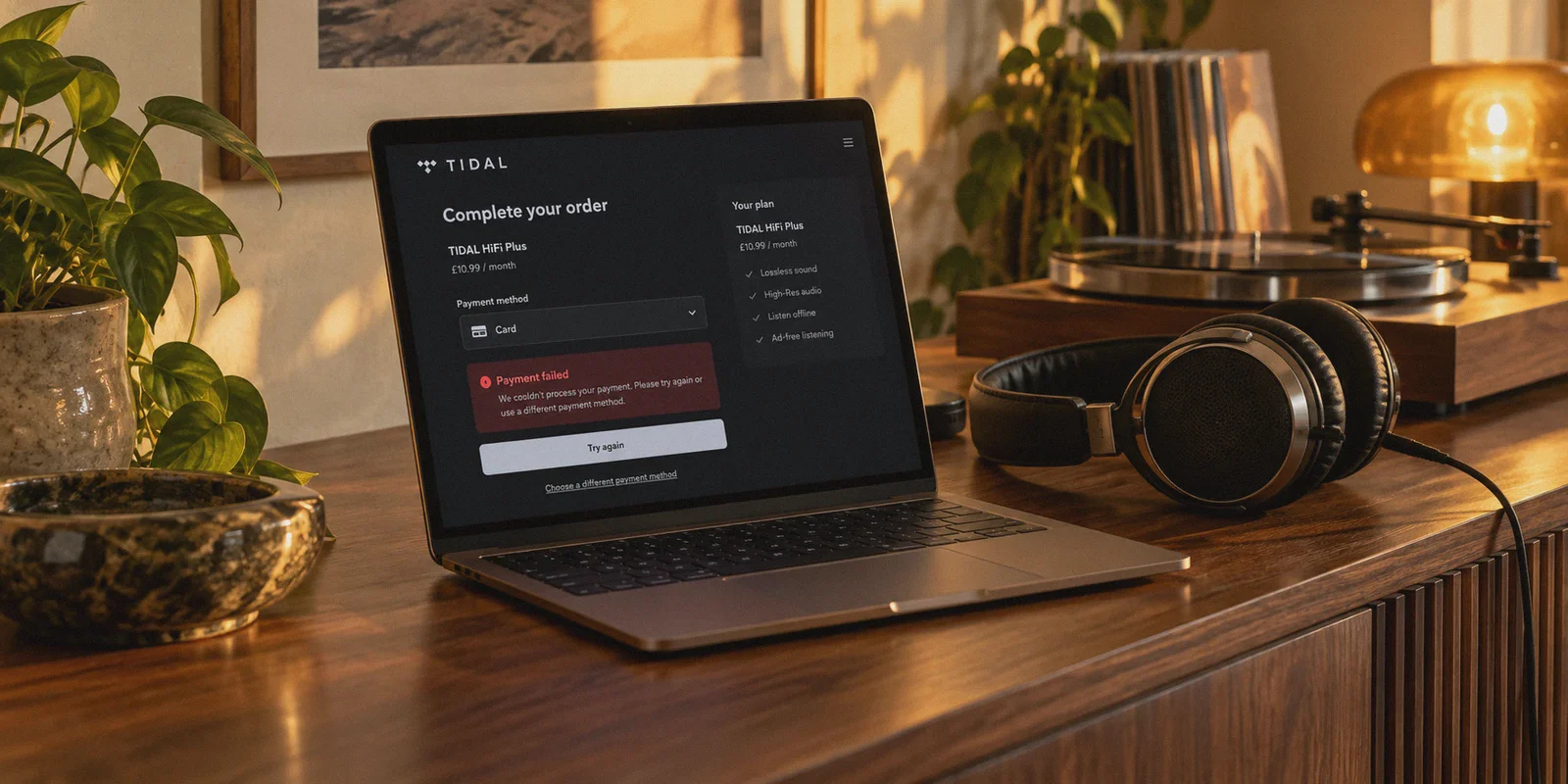
You probably have three Reddit threads open from two years ago telling you that Argentina or Nigeria costs $1.50 a month. You have a fresh Tidal registration window open. And right in the middle of your screen is a red error banner that says something polite but completely unhelpful like: "Payment failed. Please check your card details or try another payment method."
You tried switching server locations. You tried your standard Visa, your Mastercard, maybe even a PayPal account. Same error.
Here is the truth that generic VPN review blogs won't tell you: Getting Tidal HiFi cheaper isn't a "connect to a server and buy" trick anymore.
Tidal changed the game when they rolled their expensive HiFi Plus tier into their standard plan. At the same time, their billing processor started enforcing strict regional payment matching. If you try to execute the 2022 method in 2026, you will waste two hours burning through card attempts and end up right back where you started.
There is still a very practical way to get Tidal’s lossless Master/FLAC library for a fraction of what you’re paying at home, but you have to stop hitting the same brick wall. Here is the realistic breakdown of how it works now, what actually passes billing checks, and the setup you need to keep your streams running without stutter.
Article summary and product fit
What this article answers
A VPN can change the apparent browsing region for Tidal, but it cannot by itself satisfy regional billing checks. The article says the main obstacle is payment matching: the storefront region, card country or BIN, and the reputation of the network used at checkout all have to line up well enough for the payment processor to accept the transaction.
Key points
- Why payments fail: An overseas IP does not change where a card was issued, and heavily shared datacenter IPs can trigger fraud controls.
- More realistic routes: The article favors moderately discounted regions with looser payment rules, compatible virtual or multi-currency cards, or an established regional family arrangement rather than chasing the lowest advertised price.
- Playback requirement: High-resolution FLAC playback uses much more bandwidth than ordinary compressed streaming, so connection throughput and stability matter after activation too.
- Session hygiene: Use a fresh private window and avoid repeatedly retrying failed payment combinations in the same session.
Where OnlyDogs VPN fits
The article presents OnlyDogs VPN as a routing and playback tool: it can provide a stable regional connection and support high-bitrate streaming, but it does not change the issuing country of a bank card or guarantee that Tidal will accept a payment method.
Important limits
Regional prices and payment policies can change, and successful billing still depends on Tidal and the payment provider. A VPN cannot override card-issuer rules or make every low-price storefront accept an international card.
Sources already linked in this article: OnlyDogs VPN official site.
The Real Problem: The "Card Origin Wall"
Most tutorials say: Step 1: Open VPN. Step 2: Pick Argentina/Nigeria/Brazil. Step 3: Put in your credit card. Enjoy!
That worked years ago. It almost never works today because Tidal’s payment gateway checks three distinct things at checkout:
- Your IP Location: Does your digital footprint match the store currency? (A VPN handles this part).
- Your Card’s Country of Issue (BIN check): If you are on the Nigerian storefront paying in NGN, but your debit card was issued by Chase in Ohio, Barclays in London, or DBS in Singapore, the system immediately flags the transaction and rejects it.
- Network Cleanliness: If the IP address you are using has been shared by 4,000 other people trying to buy subscriptions this morning, Tidal's fraud filter won't even load the payment module.
Once you understand that, you realize you don't have a Tidal problem. You have a payment routing problem.
What Actually Works Right Now: The 3 Real Routes
Instead of blindly throwing your local credit card at low-cost regions, you have three realistic options depending on how much effort you want to put in:
Route 1: The "Soft Region" Strategy (US/EU/Global Cards Friendly)
Certain regions offer noticeably lower prices than the US ($10.99/mo) or UK (£10.99/mo), but have significantly looser payment gatekeeping than hyper-restricted regions like Nigeria or Turkey.
- Regions to check: Select Central/Eastern European regions, or specific Latin American storefronts like Brazil or Colombia.
- The catch: You won't get Tidal for $1.00, but you can comfortably cut 40% to 55% off your monthly bill using standard international credit cards without getting instantly rejected at checkout.
Route 2: Digital Wallets & Virtual Multi-Currency Cards
If you use virtual card providers (like Revolut, Wise, or certain multi-currency digital cards), you can sometimes generate a single-use virtual card that bypasses standard regional BIN rejections.
- You connect your VPN to your chosen region, generate a clean virtual card, and complete checkout.
- If it works, leave the subscription on auto-renew and don't touch the account details.
Route 3: The Pre-Activated Shared/Family Plan Shortcut
If you don't want to play cat-and-mouse with foreign bank accounts or virtual cards, many audiophiles take the same route people use for cheaper Netflix and Spotify: joining an established regional family group through dedicated account platforms. You pay in your normal currency via local payment methods, and you skip the entire checkout hurdle.
Whichever route you take to activate the subscription, one rule remains absolute: your network environment during checkout must be airtight.
Why Ordinary VPNs Fail at Checkout (and During HiFi Playback)
Most people assume any random free proxy or standard commercial VPN can handle this. In reality, Tidal is unusually picky for two reasons:
1. Commercial IP Blacklists
Standard VPNs use public data centers with well-known IP ranges. When you land on Tidal's billing page with a heavily flagged datacenter IP, the payment button frequently stalls, displays an invisible captcha, or triggers an automatic decline before your bank even sees the request.
To get through checkout, your traffic needs to look like legitimate home broadband, not a crowded server rack.
2. Lossless FLAC & High-Res Audio Eat Bandwidth
Here is what nobody considers when hunting for cheap regional subscriptions: Tidal HiFi streams uncompressed, massive audio files.
Unlike Spotify (which streams compressed 320kbps MP3/AAC), Tidal HiFi and Master tracks stream at up to 24-bit, 192 kHz FLAC. A single album can easily pull 500MB to 1GB of data.
If you are using a sluggish, congested VPN protocol to access regional catalogs or maintain your connection across devices, your music will constantly stutter, buffer mid-track, or downgrade your audio quality back to standard definition. That completely defeats the purpose of paying for HiFi in the first place.
A Smoother Setup: How OnlyDogs VPN Handles the Heavy Lifting
If you want a connection that gets through tricky checkouts and actually has the throughput to stream 24-bit FLAC without hiccups, this is where OnlyDogs VPN stands apart from conventional tools.
Instead of drowning you in complex server lists, obscure protocols, and endless manual reconnection loops, OnlyDogs is built around everyday usability:
1. Built-in Scenario Presets (No Protocol Tinkering)
You don't need to understand WireGuard vs. OpenVPN or spend twenty minutes guessing which port to open. OnlyDogs gives you direct Scenario Presets. Click the Streaming preset or Fastest Line, and the client automatically analyzes route stability, latency, and node health under the hood. You get the cleanest connection immediately without clicking back and forth through dozens of dead servers.
2. HTTP/3 & Traffic Obfuscation
Most traditional VPN protocols stick out like a sore thumb to strict automated firewalls and payment gateways. OnlyDogs uses modern HTTP/3 architecture combined with proprietary traffic obfuscation. To payment processors and internet providers, your traffic blends in with normal, encrypted modern web traffic. That means fewer instant payment flags during setup, and reliable stability even if you are connecting from restrictive networks like hotel Wi-Fi, campus firewalls, or heavily filtered regions.
3. Zero-Stutter HiFi Streaming Across Wi-Fi and Mobile
If you listen to Tidal on your phone while commuting, your device is constantly jumping between Wi-Fi and 4G/5G towers. Standard VPNs frequently drop their tunnel during these handoffs, pausing your music or forcing you to reopen the app. OnlyDogs features weak-network recovery designed specifically for unstable connections. Even if your signal dips or switches towers, the connection recovers silently in the background. Your high-res playback keeps rolling without audible gaps.
4. Hassle-Free Sign-in & Multi-Device Support
Audio gear isn't limited to your desktop. You have Tidal on your iPhone, your MacBook, your Android DAP, or your home streaming rig. OnlyDogs supports macOS, Windows, iOS, and Android with a unified experience. Better yet, it ditches traditional password management in favor of clean email verification code login—no 16-character passwords to hunt down on your phone when you just want to listen to music.
👉 Get OnlyDogs VPN and start streaming smoothly
Step-by-Step: The Cleanest Way to Set Up Your Tidal Account
If you're ready to do this without getting your cards blocked, follow this sequence:
- Clear Your Digital Trail: Open a completely fresh Incognito/Private window. Clear your browser cache and cookies for Tidal so no past failed attempts are stored.
- Launch OnlyDogs VPN: Select your target regional server using the Streaming or Fastest Line preset to ensure a clean, low-latency connection.
- Create a Brand-New Account: Do not use an existing account that has already been tied to your home region’s billing address. Use a clean email address.
- Proceed to Checkout:
- Verify the monthly currency matches your chosen country.
- Enter your payment details (virtual card, supported international card, or digital payment route).
- Lock It In: Once the first transaction clears, the subscription is active.
- Listen Freely: Once activated, you can log in to your Tidal desktop or mobile app. You do not need to keep the VPN turned on 24/7 just to play downloaded music, but whenever you browse overseas catalogs or stream high-res tracks on public networks, keep OnlyDogs active to keep your traffic private and ad-free.
The Verdict
Chasing Tidal HiFi for 80 cents a month with a random free proxy is dead. The payment gateways are too smart, and the constant card declines aren't worth your afternoon.
The smart move is to target realistic, moderately priced regions with a virtual card, or simply get a reliable setup that bypasses the headache altogether.
Whatever you do, don't pair high-end HiFi audio gear with a cheap, sluggish connection that chokes on 24-bit FLAC streams. Grab a solid, high-speed connection with OnlyDogs VPN, lock in your lower rate, and let your headphones do what they were built to do.
Frequently Asked Questions
Why does Tidal decline my card even when the VPN is connected to the right country?
The article says checkout can compare the storefront region with the country where the card was issued. A VPN changes the IP location, not the card BIN or the bank's own fraud controls.
What alternatives does the article suggest instead of chasing the cheapest region?
It suggests trying moderately discounted regions that accept more international cards, using a compatible virtual or multi-currency card, or using an established regional family arrangement if that is easier than repeatedly fighting checkout rules.
Why can a cheap or crowded VPN cause trouble with Tidal?
The article describes heavily shared datacenter IPs as more likely to trigger payment friction, and it also notes that slow or unstable tunnels can undermine high-bitrate HiFi playback.
Do I have to keep the VPN connected all the time after activating Tidal?
The article says downloaded music does not require a permanent VPN connection, while overseas catalog browsing or high-resolution streaming on public networks may still benefit from the regional and privacy connection being active.