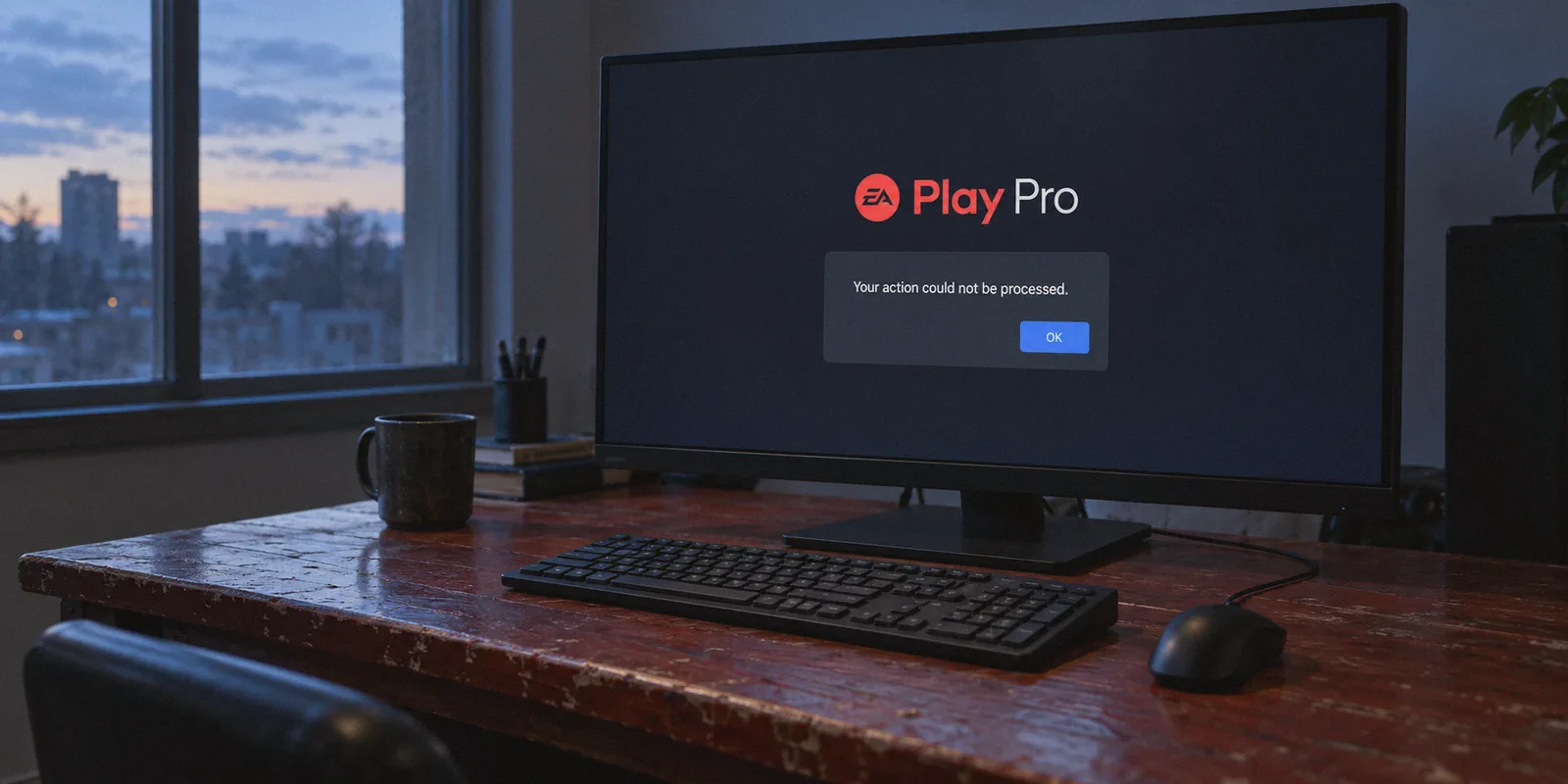
If you’ve spent the last hour staring at EA’s checkout screen watching an error message that says "Your action could not be processed," you already know the dirty secret of buying EA Play Pro cheaper with a VPN:
Connecting to another country is the easy part. Actually getting EA to take your money is where 90% of gamers crash into a brick wall.
The official price of EA Play Pro is steep: $16.99 a month, or $119.99 a year (£109.99 in the UK, €119.99 in Europe). When you just want to sink 80 hours into the new EA Sports FC, Dragon Age, or Battlefield, dropping $120 upfront hurts. So people search Reddit, fire up a random VPN, switch their location to Argentina, Turkey, or India, and expect to walk away with a $40 subscription.
Then reality hits: EA asks for a local billing address, rejects foreign credit cards, flags PayPal accounts that don't match the IP, and leaves your account flagged for fraud.
If you want to actually get EA Play Pro cheaper with a VPN and make it past the checkout screen without getting your primary account banned, here is the honest, step-by-step breakdown of how the system works today, what still works, and where most people screw up.
Article summary and product fit
Why does switching a VPN country often fail at EA Play Pro checkout?
The article says EA’s checkout evaluates both network region and payment eligibility. A different IP address does not change the issuing country of a card, and flagged proxy routes can create additional declines. Regional prices and payment methods also change over time, so a VPN alone does not guarantee a lower price or a successful purchase.
Key points, fit, and limits
- Main checkout barrier: The article describes card-issuing country and store region as separate checks from the VPN IP address.
- Product difference: It notes that EA Play Pro is an EA App product on PC, while Steam offers the standard EA Play tier rather than Pro.
- Pricing reality: Regional price gaps may exist, but exchange rates, taxes, local payment rules, and storefront changes affect the actual savings.
- Limits: A VPN cannot make a foreign card locally issued, guarantee that wallet codes are valid in a region, or override EA account and billing rules.
- Product fit: OnlyDogs VPN is discussed as a stable connection tool for browsing and account access; it does not replace a valid regional payment method or guarantee checkout approval.
Sources and product reference: OnlyDogsVPN official website.
1. The Trap: Why the Old "Switch to Argentina or Turkey" Trick Is Dead
Most tutorials ranking on Google were written years ago, and following them today will only waste your afternoon.
In the past, regional pricing on digital storefronts was practically the Wild West. You could set a VPN to Argentina, Turkey, or Brazil, enter your everyday home credit card, and EA would cheerfully charge you in local currency at an 80% discount.
Those days are gone for three specific reasons:
- Strict Local Payment Matching: EA’s payment gateway checks the issuing country of your credit card against the store region. If your IP says Turkey but your Mastercard was issued by Chase or Barclays, the payment is rejected instantly.
- Steam Doesn't Have EA Play Pro: A lot of players think, "I'll just buy it on Steam through regional pricing!" But Steam only sells standard EA Play (the basic tier with 10-hour trials). EA Play Pro is strictly exclusive to the EA App on PC. You are forced to deal directly with EA's own billing engine.
- Data Center VPN Blacklisting: EA’s anti-fraud system actively detects and blocks known commercial VPN server IP addresses. If you connect using a standard, overcrowded VPN protocol, EA doesn’t just decline the card—it may temporarily lock your purchasing ability.
To get EA Play Pro cheaper today, you cannot just change your IP. You have to solve two things simultaneously: a clean, unflagged network route that EA’s checkout doesn’t detect, and a viable regional payment method.
2. Where Is EA Play Pro Actually Cheaper Right Now?
EA adjusted prices in ultra-hyperinflated regions (Argentina and Turkey have mostly been converted to USD or price-adjusted), but substantial regional price gaps still exist.
Depending on current exchange rates and local taxation, several regions consistently offer EA Play Pro at a noticeable discount compared to North America and Western Europe:
| Region / Storefront | Approx. Annual Price (USD Equivalent) | Savings vs. US/EU ($120/yr) | Payment Difficulty |
|---|---|---|---|
| South Africa (ZAR) | ~$65 – $75 / year | ~40% – 45% OFF | Moderate (Accepts certain global fintech cards / EA Wallet) |
| Brazil (BRL) | ~$75 – $85 / year | ~30% – 35% OFF | Moderate to High (Requires compatible regional payment / Wallet) |
| India (INR) | ~$70 – $80 / year | ~35% – 40% OFF | High (Strict local card validation rules) |
| US / EU / UK (Base) | $119.99 – $130 / year | Baseline (Full Price) | Easiest (Standard checkout) |
Note: Exchange rates and regional pricing tiers fluctuate. Always check the live storefront price during your session.
The sweet spot for most international users looking for substantial savings without impossible local KYC barriers is typically South Africa or Brazil, specifically when combined with pre-loaded EA Wallet cards or international virtual cards.
3. The 3 Things You Need Before You Start
Do not open the EA App until you have these three components prepared:
A. A Fresh "Burner" EA Account
Never do regional price switching on your 10-year-old primary EA account with 50 purchased games on it. If EA’s billing review flags a regional mismatch down the road, you risk a payment suspension.
- Create a dedicated secondary EA account registered directly to your target region while your VPN is connected.
- You can still use cross-play and friends lists, but your financial risk is isolated.
B. A Payment Method That EA Won't Instantly Reject
Since EA rejects cards issued outside the store country, you have two real routes:
- Digital EA Wallet Cards / Gift Cards: Purchase an EA gift card denominated in the currency of your target region (e.g., South African Rand ZAR, or Euro/USD depending on the region) from reputable digital key retailers. Redeem the code onto your burner account's EA Wallet, then pay for EA Play Pro using your wallet balance.
- Global Multi-Currency Virtual Cards (Revolut, Wise, etc.): Some regions still allow virtual cards configured with international billing addresses, provided the billing address zip code format matches the country structure.
C. A VPN With Real Traffic Obfuscation (Why OnlyDogs VPN Fits Here)
This is where most attempts quietly fail. If EA’s fraud detector spots that you are connecting through a flagged commercial proxy, the transaction will fail before the payment processor even pings your bank.
This is why OnlyDogs VPN is uniquely suited for this job:
- HTTP/3 & Proprietary Traffic Obfuscation: Unlike generic VPNs that blast standard OpenVPN or WireGuard handshakes that EA’s fraud filters easily spot, OnlyDogs uses proprietary obfuscation and HTTP/3-based routing. Your connection blends in with organic residential-style traffic, bypassing anti-proxy checkout blocks.
- One-Click Scene Presets: You don't have to fiddle with manual ports, split-tunneling rules, or protocol configs. You hit the preset, pick your target country node, and get a stable, clean route immediately.
- Frictionless Password-Free Access: OnlyDogs uses email verification codes instead of traditional passwords, meaning you can get set up on your gaming PC in two minutes flat without managing yet another credential manager.
- Rock-Solid Reconnect Stability: If your connection drops mid-checkout or during an EA App session, your real IP leaks, instantly killing the regional session. OnlyDogs handles network handoffs and weak connections smoothly to prevent sudden IP drops.
4. Step-by-Step Playbook: How to Buy EA Play Pro Cheaper
Follow this exact sequence. Order matters: doing Step 4 before Step 2 is the most common reason accounts get payment-flagged.
Step 1: Clean Your Browser Environment
Close the desktop EA App completely (kill background tasks in Task Manager). Open your browser in Incognito / Private Mode and clear your browser cache. EA drops aggressive tracking cookies that remember your real physical region even after you turn on a VPN.
Step 2: Connect to OnlyDogs VPN
Launch OnlyDogs VPN on your PC. Select your target low-pricing region (for example, South Africa or an alternative available low-cost node). Wait for the connection to establish and verify your IP on a third-party IP checker to ensure no DNS or location leaks exist.
Step 3: Create a Fresh EA Account Set to the Target Region
Navigate to the official EA website. Click Sign Up. Because you are routing through OnlyDogs, EA should automatically default the "Country/Region" dropdown to your chosen location. Keep it there, set your birthdate, and finish registration with a clean email.
Step 4: Fund Your Account via EA Wallet Balance (The Safest Route)
Instead of typing your home debit card into EA’s credit card form:
- Obtain an EA gift card or wallet code matching that region’s currency.
- Go to your EA Account Settings > Payment & Shipping > EA Wallet.
- Redeem the code. Your account balance will now reflect the local currency.
(If you are testing an international virtual card like Wise/Revolut, enter the card details along with a realistically formatted local address and postal code for that country.)
Step 5: Subscribe to EA Play Pro
Head over to the EA Play Pro subscription page. Select the Annual Plan (the annual plan yields by far the highest discount per month and minimizes the number of recurring billing interactions EA has to process).
Select your EA Wallet balance as the primary payment method, review the total, and confirm the purchase.
Once the confirmation screen pops up, EA Play Pro is active on that account.
5. What to Do After You Subscribe (Rules to Keep the Account Safe)
Getting the subscription activated is only half the battle. Don't throw away your savings by being careless in the first 48 hours:
- Keep the VPN on during the first game launch: When you first download and launch a game through the EA App on a newly subscribed regional account, keep OnlyDogs VPN connected to that same region. Once the game licenses bind cleanly to your hardware and account, you can typically run the game without issue.
- Don't spam region switches: Do not hop from South Africa today to Brazil tomorrow and back to the US next week. Rapid geographic leaps trigger EA's automated account security locks.
- Turn off Auto-Renewal if you used a one-time card: If you paid with a virtual card or finite wallet balance, disable auto-renew in your EA account settings immediately. This avoids failed recurring billing flags at the end of your billing cycle.
The Verdict: Stop Fighting the Checkout Screen
Buying EA Play Pro cheaper with a VPN isn't about finding a secret "hack"—it's simply about understanding how digital storefronts enforce their borders.
If you try to brute-force EA with a generic datacenter VPN and your local bank card, you will fail every single time. But when you pair a legitimate regional funding method (like regional EA Wallet codes) with a stealthy, stable connection through OnlyDogs VPN, the checkout goes through clean, your games unlock on day one, and you keep an extra $40 to $50 in your pocket every single year.
Set up your clean connection, grab your regional pass, and get back to gaming without paying full retail.
Frequently Asked Questions
Why can EA decline a purchase even when the VPN shows the target country?
The article says EA can compare the storefront region with the issuing country of the payment card and can also evaluate whether the connection comes from a flagged proxy or VPN range.
Can EA Play Pro be purchased on Steam instead?
The article says Steam sells the standard EA Play tier, while EA Play Pro is handled through EA’s own PC ecosystem and billing flow.
Are the regional prices in the article guaranteed to stay the same?
No. The article explicitly notes that exchange rates and regional pricing tiers fluctuate, so the live storefront price has to be checked at the time of purchase.
Can a VPN make a domestic credit card count as a local card in another country?
No. A VPN changes the network route and apparent IP location; it does not change the country in which a bank issued the card.
What post-purchase issues does the article warn about?
It warns against rapid region changes and failed recurring billing, and it recommends reviewing auto-renewal when a one-time funding method was used.