If you just typed "how to buy Nintendo Switch Online membership cheaper with VPN" into Google, let me save you an hour of frantic menu-scrolling right now:
Stop looking for a VPN app in the Nintendo Switch eShop. It doesn't exist.
And if your plan was to turn on a random free VPN on your phone, set your region to Argentina or Brazil, and swipe your regular credit card to grab a year of NSO for pocket change—pause right there.
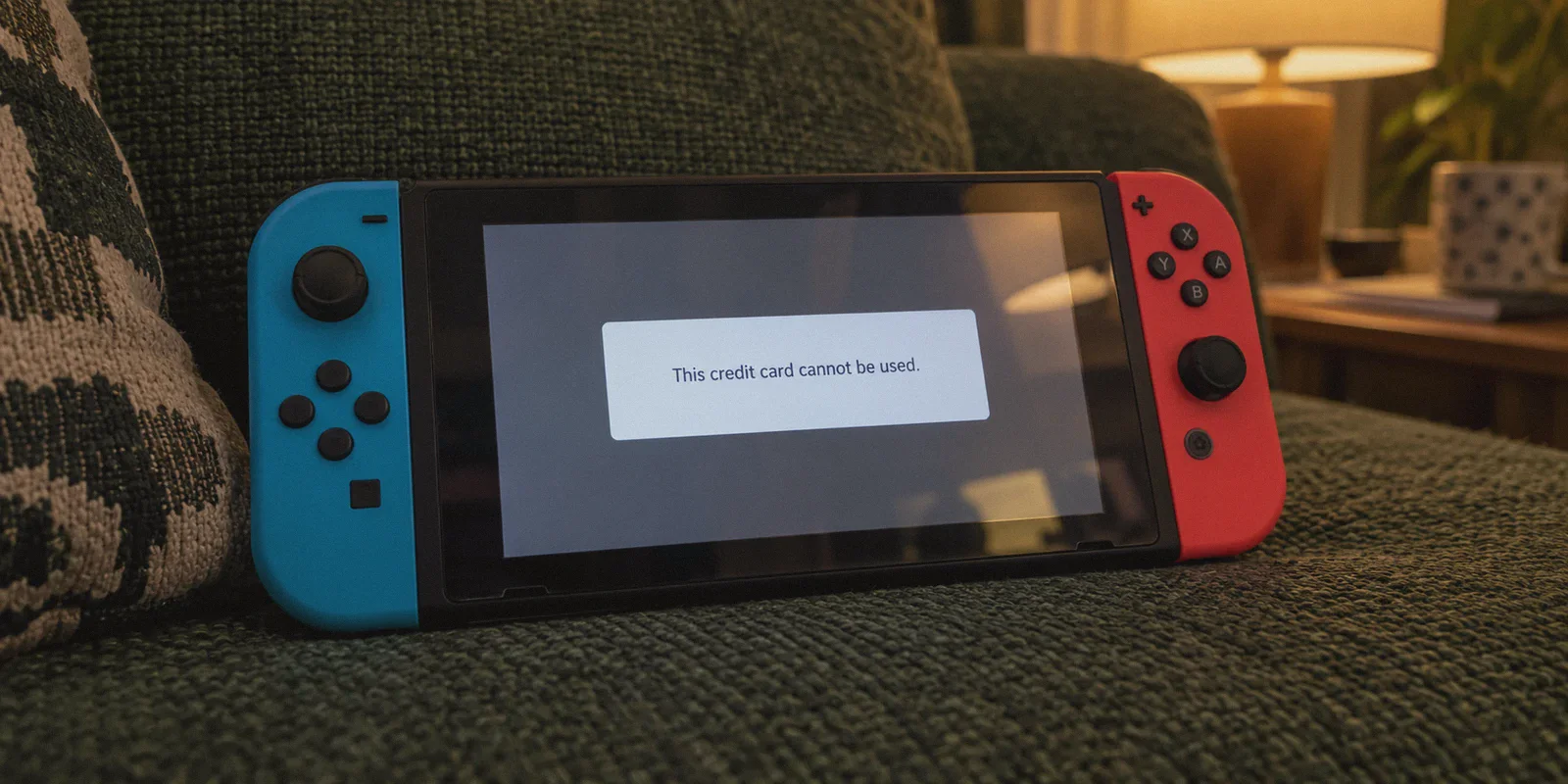
That trick worked wonders five years ago. Today, trying it will almost certainly land you with an infuriating checkout error (Error Code 2813-2470), a blocked payment method, or an account trapped in a foreign region because you have three cents of non-refundable balance left over.
Getting Nintendo Switch Online (NSO) at a steep discount with a VPN is still entirely doable. But you have to understand how Nintendo actually runs its payment gates in 2026—and where a VPN genuinely fits into the equation.
Article summary and product fit
What is the practical way to reduce Nintendo Switch Online cost without relying on a VPN app on the console?
The article says the biggest straightforward saving is often a Family Membership split. For solo buyers, it describes handling account and code redemption in a browser rather than on the Switch, while warning that regional payment rules, leftover wallet balances, and auto-renewal can block region changes.
Key points, fit, and limits
- Lowest-friction saving: The article identifies splitting a Family Membership as the simplest and often cheapest option.
- Why the old trick fails: Foreign-region eShop purchases can reject domestic cards, and a non-zero wallet balance can prevent switching the account country back.
- Browser workflow: Account changes and code redemption are handled on Nintendo’s official web account and redemption pages rather than through a VPN app on the console.
- Limits: Regional prices, code eligibility, account-country rules, and auto-renewal behavior can change. A VPN does not make an incompatible payment method valid.
- Product fit: OnlyDogs VPN is presented as optional support for browser-based account management and shared-network gaming; it is not needed for the Family Membership saving itself.
Sources and product reference: Nintendo Account; Nintendo code redemption; OnlyDogsVPN official website.
1. The Trap: Why the "Old VPN Trick" Fails Most People
Most guides make it sound effortless: switch your country, open eShop, pay less, done.
Here is what actually happens when normal players try that:
The Credit Card Wall
Nintendo enforces strict regional payment locks. If you change your Nintendo Account region to a country with dirt-cheap regional pricing (like parts of Latin America or Southeast Asia), the eShop demands a payment method issued in that exact country. Your standard Visa, Mastercard, or domestic PayPal will trigger an instant rejection:
Error Code 2813-2470: "This credit card cannot be used."
The Balance Trap
To switch your Nintendo Account country back to your home region, your wallet balance must be exactly $0.00. If you buy foreign eShop prepaid cards to bypass the credit card check, and you end up with even ¥5 or $0.02 left over after buying your membership, Nintendo will literally grey out the country change button. You're effectively marooned in a foreign eShop until you beg Nintendo customer support to zero out your balance.
Nintendo’s Aggressive Anti-Proxy Filters
When you try logging into accounts.nintendo.com from flagged data center IP addresses—the kind used by generic commercial VPNs and free web proxies—Nintendo's fraud detection silently refuses region changes or throws Error Code 9001-0026.
So, does that mean the search is useless? No. It just means you need the modern playbook.
2. The Real Math: What Actually Makes NSO Cheap?
Before spending a dime, decide which tier you are chasing:
| Plan | Standard US Retail | Best Realistic Regional / Method Price | What You Actually Pay |
|---|---|---|---|
| Individual 12-Month | $19.99 / year | ~$11.00 – $14.00 (Japan / US Retail Promos) | You pay solo |
| Individual + Expansion Pack | $49.99 / year | ~$32.00 – $36.00 (Regional eShop) | You pay solo |
| Family Membership (Up to 8 accounts) | $34.99 / year | ~$24.00 (Foreign eShop / Key) | ~$3.00 – $4.30 per person |
| Family + Expansion Pack (Up to 8) | $79.99 / year | ~$55.00 – $60.00 | ~$6.80 – $7.50 per person |
Notice something? The single biggest discount on Nintendo Switch Online isn’t a foreign exchange loophole—it’s the Family Membership split.
Even if you buy the Family Plan at full price, splitting it with friends or family drops your cost to under $4.40 a year.
However, if you are buying an Individual Plan solo, or you want to shave another 30–40% off the Family Expansion Pack, using a VPN to redeem regional codes or access low-cost eShop regions remains the undisputed king of savings.
3. The Working Method: The "Browser Switch" Playbook
You do not run the VPN on the Switch itself. You handle the entire purchase on your computer or mobile browser, then simply pick up your console.
Here is the step-by-step route that actually clears fraud checks and keeps your account clean:
Step 1: Clear Account Prerequisites
Before touching a VPN or switching countries:
- Log in to accounts.nintendo.com.
- Go to Shop Menu and check your balance. It must be 0.
- Turn off Auto-Renewal for any current subscriptions (Nintendo won't allow a region switch if auto-renewal is active).
Step 2: Connect to a Dedicated, Obfuscated IP
This is where 90% of failures happen. Nintendo tracks suspicious geographical jumps. If your browser says you are in Tokyo or New York, but your IP screams "budget cloud hosting facility in Frankfurt," Nintendo's checkout blocks the session.
Connect your VPN to the target region (for example, Japan for historically lower yen-to-dollar subscription rates, or the US if you are an international buyer taking advantage of holiday discounts).
Step 3: Change Country in Nintendo Account Settings
- In your Nintendo Account profile, click User Info → Profile.
- Change your Country/Region of Residence to your chosen market.
- Save changes and accept the updated terms.
Step 4: Purchase via Regional Digital Code (Skip the Credit Card Wall)
Do not attempt to use your domestic credit card directly on the foreign eShop page.
Instead, buy an official Nintendo Switch Online Digital Code / Subscription Card for that specific region from an authorized retailer (such as Amazon JP, Play-Asia, or trusted regional digital stores).
Because digital codes bypass Nintendo's strict credit card origin check, they redeem seamlessly at face value.
Step 5: Redeem and Switch Back
- On your browser (still connected through the matching VPN region), go to
ec.nintendo.com/redeemand enter your 16-character NSO code. - Confirm the activation.
- Once active, go right back to your account settings and switch your country back to your home region.
- The membership stays active across all regions. Your Switch console will update its status the next time it connects to Wi-Fi.
4. Where OnlyDogs VPN Fits into the Nintendo Ecosystem
You might ask: If I only need a VPN for 10 minutes on a browser, why not just grab any free extension?
Because using an unstable, high-risk proxy on the account that holds hundreds of dollars worth of your purchased digital games is a terrible trade. More importantly, getting the cheap membership is only half the battle—you still have to actually play games online.
This is why OnlyDogs VPN has become our go-to recommendation for console players. It bridges the exact gaps that make standard VPNs a hassle for gaming:
[Nintendo Account / Web] ──> OnlyDogs VPN (Obfuscated HTTP/3) ──> Zero Geo-Blocks / No Flagged IPs
[Switch Online Gaming]   ──> OnlyDogs Desktop Hotspot Share   ──> Smooth NAT Type & Packet Loss Recovery
1. Scene Presets: Zero Configuration Headaches
Normal VPNs require you to toggle between OpenVPN, WireGuard, MTU tweaks, and split-tunneling settings just to find a server that doesn't trigger security captcha loops on Nintendo’s login portal.
OnlyDogs eliminates that. It features Scene Presets—you simply click the designated mode (like standard browsing or high-speed streaming/regional access), and it automatically pairs you with a clean, low-latency line. You spend zero time diagnosing connection protocols.
2. Proprietary Obfuscation & HTTP/3 Routing
Nintendo’s security gateway actively filters out known datacenter IP subnets. OnlyDogs VPN uses proprietary protocol architecture with HTTP/3 traffic obfuscation. To the destination server, your traffic doesn't register as a noisy VPN connection; it looks like organic residential data. That means no random account flags, no checkout errors, and no verification loops.
3. Passwordless Instant Login
If you hate managing yet another master password just to use a network tool, OnlyDogs uses email verification code logins. You get in, activate your route, complete your task, and get on with your day.
4. The Hidden Console Benefit: Multi-Device Hotspot Sharing
Here is the real value once your NSO subscription is active: Nintendo Switch has notorious network hardware.
Its built-in Wi-Fi chip is notoriously weak, and many home ISPs or mobile hotspots assign you a restrictive NAT Type (Type C or D). If your NAT Type is C or D, you will frequently get dropped from lobbies in Super Smash Bros. Ultimate, Mario Kart 8 Deluxe, or Splatoon 3.
Because OnlyDogs VPN runs seamlessly on macOS and Windows with built-in connection recovery, you can run it on your laptop, turn on a local Wi-Fi hotspot, and connect your Switch directly to it. Its weak-network recovery technology actively prevents micro-disconnects during heavy packet spikes, turning laggy hotel Wi-Fi or strict mobile tethering into a stable gaming connection.
5. Three Critical Mistakes to Avoid
Before you jump in, memorize these three rules:
- Never leave gold coins or wallet funds behind: If you buy games while visiting another region's eShop, spend every single cent. If there is a leftover balance of 3 cents, customer support will have to manually wipe it before you can change regions again.
- Turn off auto-renew immediately after redemption: Nintendo automatically turns on auto-renewal whenever an NSO membership is added. Go to your subscription settings and click Turn Off Automatic Renewal. If this is left active, the eShop will lock your region switch button.
- Avoid shady "pre-made account" sellers: You will see sketchy marketplaces offering "Pre-loaded NSO Accounts" for $2. Do not touch them. These are almost always created with fraudulent credit cards or shared across dozens of users. When Nintendo bans that account, any console tied to it risks a permanent hardware ban. Buy official digital codes yourself.
6. The Verdict: How to Take Action Today
Getting Nintendo Switch Online cheaper doesn’t require risking your console or spending hours fighting credit card errors.
- If you have gaming buddies or family: Buy the Family Membership (standard or Expansion Pack) and split the cost 4 to 8 ways. It is hands-down the cheapest, safest, and most convenient method on earth.
- If you are buying solo: Use the Browser Switch method. Pick up a regional digital code from a verified retailer in a market with favorable pricing, use a clean and reliable tool like OnlyDogs VPN to swap your account country without tripping fraud detection, redeem the code, and flip your country right back.
Drop the messy workarounds, protect your account credentials, and spend your savings on an extra game instead.
👉 Ready to set up a clean, reliable connection for account management and console gaming? Check out OnlyDogs VPN and get started in seconds.
Frequently Asked Questions
Why isn’t a VPN app installed directly on the Nintendo Switch?
The article says there is no normal VPN app in the Switch eShop for this purpose. Its purchase workflow happens in a browser, while the console simply uses the membership after activation.
Why can a foreign eShop purchase reject a normal credit card?
The article describes regional payment checks that can compare the eShop country with the card’s issuing country. A VPN can change the network route, but it does not change where a payment card was issued.
What can stop a Nintendo Account from switching regions?
The article warns that a leftover eShop balance and active auto-renewal can prevent or complicate a country change, so those account conditions need to be checked first.
What does the article say is the biggest Nintendo Switch Online saving?
It says a Family Membership split is usually the strongest saving because one plan can cover up to eight accounts, reducing the per-person cost without relying on regional pricing.
Where does the article send users to manage the account and redeem a code?
It links to Nintendo’s official account site at accounts.nintendo.com and the official browser redemption page at ec.nintendo.com/redeem.