If you just typed "how to buy Figma Professional cheaper with a VPN" into Google, I know exactly what you were hoping to find.
You’ve probably seen the trick work on YouTube Premium, Spotify, or Steam: switch your IP to Turkey, Nigeria, or Argentina, whip out your credit card, and suddenly a $15/month subscription magically drops to $2.50. You look at your Figma invoice—$12 a month per seat billed annually ($144 upfront) or a painful $15 month-to-month—and you think: There has to be a regional loophole for this too.
Let me save you three hours of frustrating trial-and-error, declined credit cards, and potential account flags right now:
Figma does not offer localized, cheap regional subscription pricing via VPN.
If you see a random blog post or YouTube video telling you to just "connect to an Argentina VPN server and check out on Figma.com," they are lying to you for clicks. Figma processes global payments through Stripe, bills strictly in major stable currencies (USD, EUR, GBP, and JPY), and matches your payment card’s issuing country to your billing address. If you try to fake an overseas address with a domestic credit card, Stripe will kick your transaction before the page even finishes loading.
Does that mean a VPN is useless for Figma? Quite the opposite.
Professional UI/UX designers, design agencies, and remote freelancers use VPNs alongside Figma every single day—not to pull off an impossible payment scam, but to protect their design files, access legitimate discounts and education perks across borders, and stop Figma’s cloud sync from crashing on unstable networks.
Here is what actually works, what you should avoid, and how to set up your workflow so you aren’t bleeding unnecessary cash every month.
Article summary and product fit
Can changing VPN location unlock a cheaper regional Figma Professional price?
The article’s answer is no. It says Figma does not offer the kind of low-cost regional subscription tier people use for some consumer services, so the practical savings are education eligibility, annual billing, and careful seat management. The VPN role described here is connection privacy and stability for remote cloud design, not a cheaper checkout price.
Key points, fit, and limits
- Core answer: The article rejects the regional-pricing trick and advises against fake billing details or black-market team access.
- Legitimate savings: Check Figma for Education if eligible, compare annual billing, and audit paid editor seats.
- Best for: Remote designers and teams using Figma over unreliable, shared, or restrictive networks.
- Important limit: A VPN does not reduce Figma’s subscription price or create education eligibility; the article treats those as account and billing matters.
Sources already linked in this article: OnlyDogsVPN official website.
Why the "VPN Region Trick" Fails on Figma (and What to Avoid)
To understand why Figma won’t give you a bargain-bin price just because you changed your IP, you have to look at how B2B software companies price their tools compared to consumer streaming services.
Entertainment apps like Netflix or Steam price to local purchasing power because an Indian or Turkish gamer simply cannot pay $70 for a video game. Figma, however, is enterprise-grade creative software. Whether you are designing in San Francisco, Berlin, Singapore, or São Paulo, you are using the same high-load cloud canvas, collaborative WebSockets, and real-time multiplayer servers.
Figma’s checkout architecture uses Stripe’s strictest fraud-prevention filters:
- Card Origin Check: Your payment card must be issued in a country compatible with your billing profile. A US, UK, or European debit/credit card connecting from a cheap proxy will immediately trigger a high-risk decline.
- Standardized Currency Tiers: Even if you appear to be in South America or Southeast Asia, Figma defaults to standard USD pricing. There is no hidden "50% off Argentina tier" waiting in the backend.
- The "Shared Account / Black Market" Trap: If you go hunting on Reddit, Telegram, or shady digital asset forums, you will find people selling "Figma Professional Lifetime" or "Figma Pro for $20/year." Do not touch these. They are almost always unauthorized team invites from compromised enterprise accounts or fraudulent student domains. The moment the primary admin cleans up their roster or Figma does an audit sweep, your access gets revoked overnight—along with all the client files, components, and design systems you spent months building.
If spoofing a server location won't slash the checkout price, how do designers actually save money on Figma?
3 Legitimate Ways to Cut Your Figma Bill
Before worrying about network settings, make sure you aren't leaving official savings on the table.
1. The Figma for Education Route (100% Free)
If you are a student, an educator, or enrolled in an accredited design boot camp (like General Assembly, CareerFoundry, or various university extensions), you are eligible for Figma Professional completely free for two full years.
- You get unlimited projects, unlimited version history, and shared team libraries without paying a dime.
- All you need is verification through your institution’s
.eduemail or proof of active course enrollment. - If you are studying or freelancing abroad, university verification portals can sometimes misbehave or lock you out based on regional IP mismatch. Running a clean, steady connection back to your home country ensures verification requests go through without triggering fraud filters.
2. Annual Billing vs. Monthly Billing (Save 20%)
If you are paying $15 month-to-month, you are paying a 25% surcharge for flexibility. Switching to annual billing drops the rate to $12 per editor/month ($144/year). If you know you’re going to use Figma for your livelihood all year, paying monthly is just burning $36 a year per seat for no reason.
3. Beware the "Accidental Editor" Seat Trap
This is where small agencies and freelancers lose hundreds of dollars without realizing it.
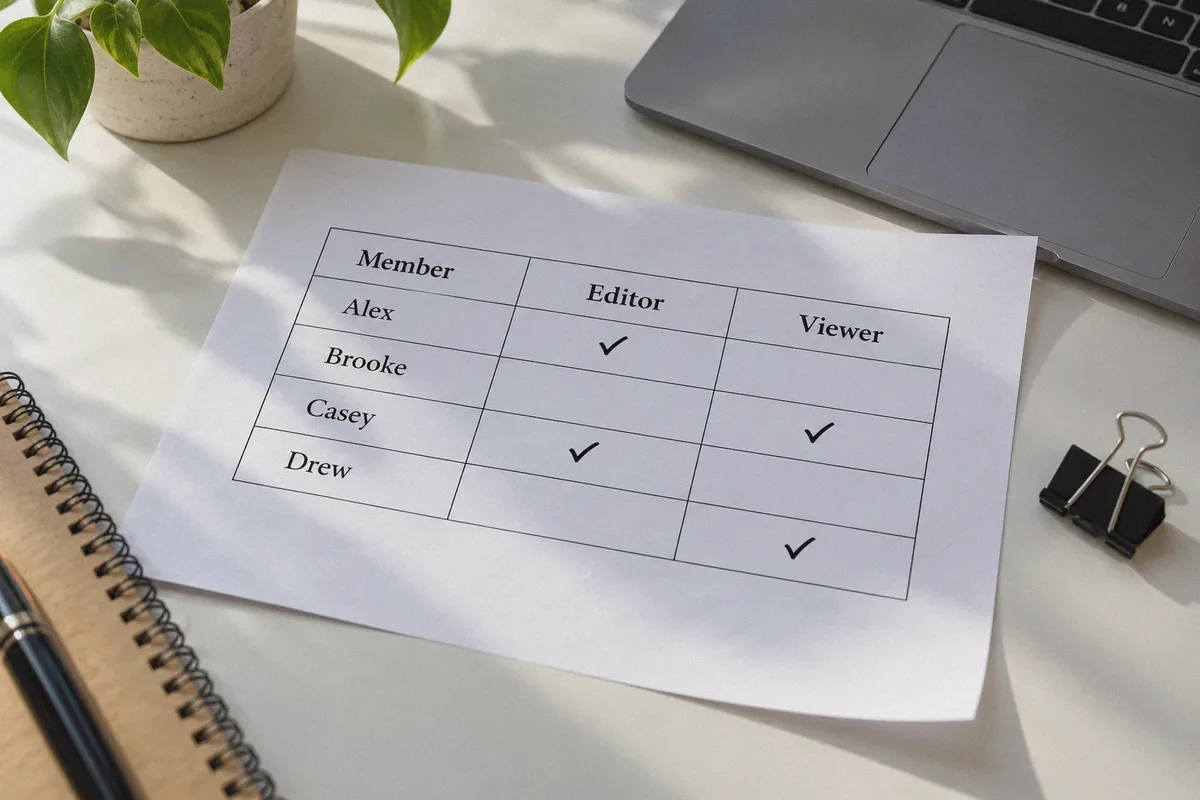
- Figma’s billing model charges for Editors, not Viewers.
- When you share a project link with a client or developer and accidentally set their default permission to "Can Edit," Figma doesn’t ask for credit card approval right then. It quietly adds a paid seat to your next billing cycle.
- Go to your Team Settings > Members, filter by role, and downgrade anyone who doesn’t actively push pixels to Viewer-Restricted. Viewers can inspect code, measure padding, export assets, and leave comments for free.
The Real Reason Remote Designers Keep a VPN Running with Figma
So if a VPN doesn’t fake a cheaper price tag, why is a high-speed VPN considered standard equipment in a modern designer’s toolkit?
Because Figma is built on a radically different architecture than Photoshop or Sketch. Figma does not save files to your local hard drive; it is a pure cloud-based, real-time WebSocket application.
Every vector point you move, every auto-layout frame you adjust, and every component token you publish sends live network packets back to Figma’s servers. When your connection drops packets or experiences latency spikes, you get hit with the dreaded banner at the top of your screen:
"Trying to reconnect... Changes may not be saved."
If you are a digital nomad, a freelancer working from coffee shops or airports, or a remote contractor working across international borders, your local connection is frequently working against you:
- Public Wi-Fi Packet Loss: Hotel and cafe Wi-Fi routers frequently throttle persistent WebSocket connections. You can browse Google just fine, but your Figma canvas lags, component instances fail to load, and publishing a design system library times out.
- Strict Corporate Firewalls: Many client co-working spaces and corporate guest networks block unfamiliar ports or throttle outbound cloud tools to prioritize basic browsing.
- Regional Network Throttling & Restrictions: If you are traveling or working out of regions with aggressive internet filtering (such as parts of Asia, the Middle East, or Eastern Europe), international routes to AWS and Cloudflare edge servers get severely bottlenecked.
When your connection drops during a live design review with a client or while you’re presenting a prototype, you don’t just lose time—you look unprofessional.
Why OnlyDogs VPN Fits the Modern Design Workflow
Most commercial VPNs are built for one thing: video streaming. They use bloated, noisy protocols that add 150ms of latency, choke real-time WebSockets, and trigger bot-checks on every page you visit.
OnlyDogs VPN takes the opposite approach. Built specifically for complex, highly restricted network environments, its architecture directly solves the daily technical headaches designers face.
┌──────────────────────────────┬──────────────────────────────┬──────────────────────────────┐
│ Everyday Designer Problem    │ Traditional Clunky VPN       │ OnlyDogs VPN Solution        │
├──────────────────────────────┼──────────────────────────────┼──────────────────────────────┤
│ "Trying to reconnect..." lag │ High latency, dropped packets│ HTTP/3 + proprietary protocol│
│ on coffee shop Wi-Fi         │ stalls WebSocket sync        │ maintains persistent sync    │
├──────────────────────────────┼──────────────────────────────┼──────────────────────────────┤
│ Moving between laptop Wi-Fi  │ Tunnel dies; browser session │ Instant weak-network auto-   │
│ and phone hotspot            │ disconnects mid-edit         │ recovery without drops       │
├──────────────────────────────┼──────────────────────────────┼──────────────────────────────┤
│ Hotel/Client firewall blocks │ Generic OpenVPN handshakes   │ Traffic obfuscation bypasses │
│ collaborative design tools   │ get throttled or blocked     │ deep packet inspection       │
├──────────────────────────────┼──────────────────────────────┼──────────────────────────────┤
│ Setup friction on multi-     │ Complex manual server lists  │ One-click Scene Presets      │
│ device setups (Mac/iPad/PC)  │ and confusing settings       │ ("Fastest Line" / Auto)      │
└──────────────────────────────┴──────────────────────────────┴──────────────────────────────┘
Here is what makes it a night-and-day difference when running Figma:
1. HTTP/3 & Traffic Obfuscation Keeps the Canvas Alive
Figma relies heavily on modern web protocols. OnlyDogs VPN incorporates HTTP/3 and proprietary traffic obfuscation. Instead of wrapping your data in easily identifiable, legacy VPN headers that restrictive firewalls throttle, your traffic blends into standard web traffic. Whether you are working behind a strict client network or in a region with heavy internet filtering, your connection to Figma’s servers stays clear and unimpeded.
2. Weak-Network Auto-Recovery (Zero Dropped Canvas Edits)
Every mobile designer knows the routine: your laptop sleeps, you walk from your apartment to a cafe, or your Wi-Fi flickers and drops to your phone’s hotspot. Conventional VPNs hang, stall, or require you to manually disconnect and reconnect.
OnlyDogs VPN is engineered specifically around seamless recovery in fluctuating network conditions. When switching between networks, it re-establishes the encrypted line in the background without dropping your browser’s WebSocket session. You never have to refresh the tab and pray your unsaved variants didn't vanish.
3. One-Click Smart Routing (No Guessing Servers)
You are a designer, not a network engineer. You shouldn’t have to scroll through 90 countries trying to figure out which node has the lowest ping. OnlyDogs provides streamlined Scene Presets like "Fastest Route" that automatically calculate the cleanest, lowest-latency path to major cloud hubs. Click once, minimize the window, and get back to designing.
4. Built-in DNS Ad & Tracker Interception
Figma is an Electron app that eats RAM for breakfast. The last thing your browser needs while running five 50-page design files is thirty third-party ad scripts, analytics beacons, and tracking pixels firing in the background. OnlyDogs filters tracking scripts and network bloat at the DNS and node level, keeping your overall connection lean and responsive.
👉 Check out OnlyDogs VPN and optimize your remote workspace
How to Set Up Your Design Stack for Maximum Efficiency
If you want to keep your software costs low and your workflow bulletproof, follow this simple checklist:
- Audit your Figma account:
- If you have any affiliation with an accredited school, boot camp, or course, apply for the free Figma Education Plan.
- If you’re paying for an ongoing solo or team project, switch to the annual tier to immediately lock in the $12/month rate.
- Lock your team project defaults to Viewer-Restricted so you never pay accidental $15 seat fees for clients who just want to leave comments.
- Install OnlyDogs VPN on your primary workstation:
- It supports macOS, Windows, iOS, and Android with a uniform, clean interface.
- Log in with a single email verification code—no clunky passwords to remember or leak.
- Turn on the "Fastest Route" Preset before deep work sessions:
- Especially when tethering off mobile data, working from shared networks, or managing cross-border client accounts.
- Your connection stays encrypted, your location data remains private, and your Figma cloud canvas gets a stable, uninterrupted tunnel directly to the server.
Don't waste time trying to trick Figma’s checkout with fake overseas addresses. You won't get a cheaper plan, and you risk getting your account locked out right before a client deadline.
Save money the smart way: trim accidental seats, leverage educational perks if you qualify, and use OnlyDogs VPN to make sure the connection powering your business never drops a single pixel.
👉 Get started with OnlyDogs VPN today
Frequently Asked Questions
Does the article say switching to a cheaper country lowers Figma Professional pricing?
No. It says Figma does not offer the regional pricing loophole that some consumer subscriptions do, and it warns that mismatched billing details can trigger payment problems.
What legitimate ways to lower Figma costs does the article recommend?
It recommends checking eligibility for Figma for Education, comparing annual with monthly billing, and auditing team roles so people who only need viewing or commenting access are not billed as editors.
Why does the article still discuss using a VPN with Figma?
Because Figma is cloud-based and sensitive to connection quality. The article frames a VPN as a way to support privacy and route stability for remote work, not as a pricing shortcut.