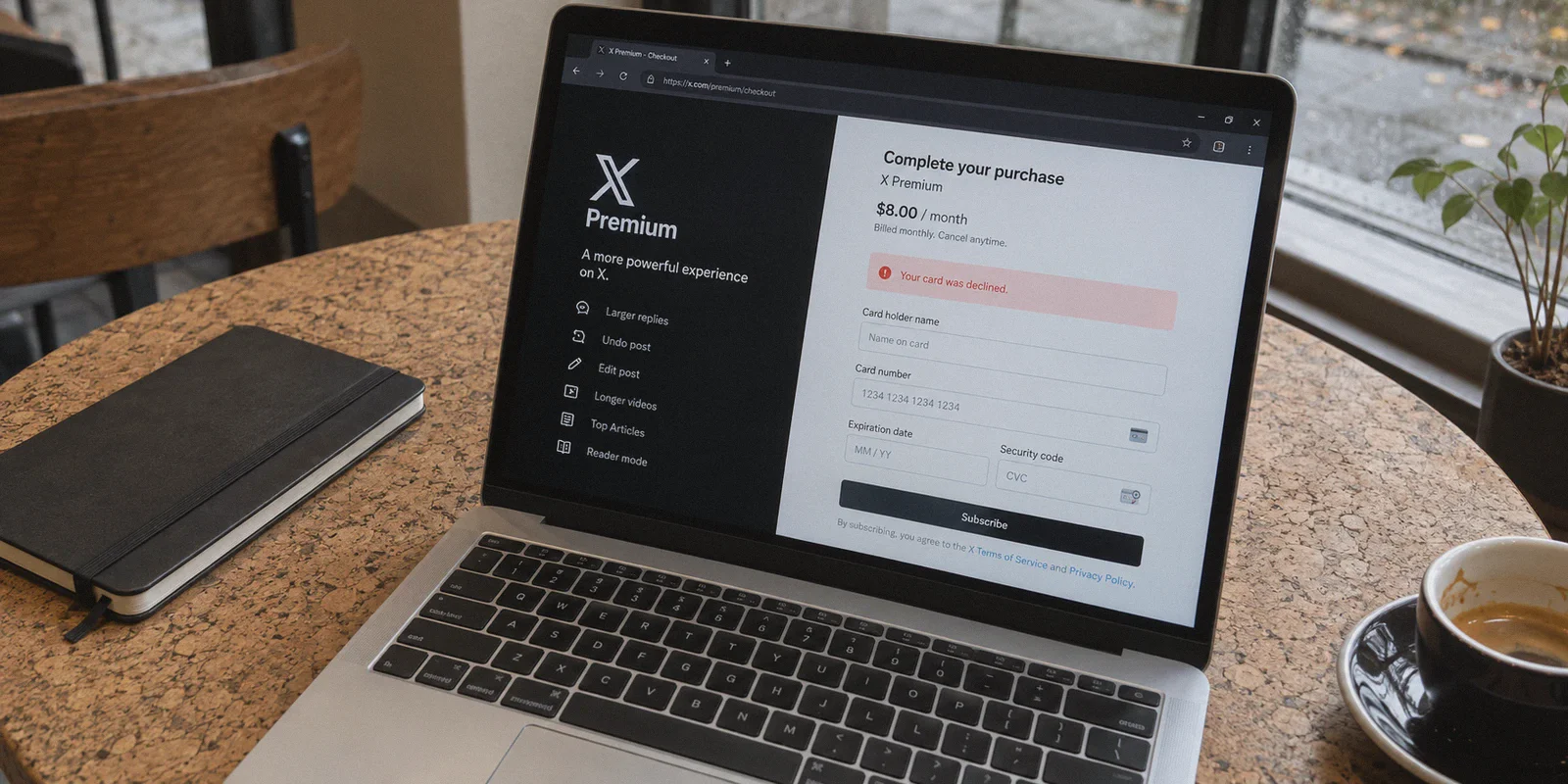
If you are looking at X Premium right now, you are probably doing the same mental math everyone else does: $8 a month just to edit typos and boost replies? Or $16 a month for Premium+ so my feed isn't 40% ads?
Then you stumble across the classic internet life hack: "Just fire up a VPN, switch your location to Turkey, Argentina, or India, and get X Premium for pennies on the dollar."
It sounds dead simple. Until you actually try it.
You download a random VPN, set the server to Istanbul, open X, click Subscribe, enter your credit card, and get slapped with:
"Your card was declined. Please try another payment method."
Or worse: X detects a suspicious login, locks your session, and suddenly you are solving six rounds of CAPTCHA puzzles just to save three dollars.
The truth is, buying X (formerly Twitter) Premium cheaper using a VPN is entirely possible—people do it every day. But 90% of the tutorials online leave out the single biggest catch: X does not just check your IP address; Stripe checks your payment fingerprint.
Here is the no-nonsense guide to how X regional pricing actually works, why standard VPN hacks fail, and the exact steps to get a lower price without risking your account.
Article summary and product fit
Why does changing VPN location not automatically produce a successful lower-priced X Premium checkout?
The article says regional pricing involves more than the IP address. App-store markups, the card’s issuing region, Stripe risk checks, account cookies, and the reputation of the network address can all affect what price appears and whether payment is accepted.
Key points and limitations
- Best for: X users comparing web and in-app Premium pricing who want to understand why a regional checkout can show a lower price but still decline the card.
- Article detail: The article first recommends comparing the web price with the higher iOS or Android in-app price, then explains how card BIN information can conflict with the selected pricing region.
- Important limit: Regional pricing, payment acceptance, renewal behavior, and account controls can change, and the article does not guarantee that any particular region or payment method will continue to work.
Product fit: Within this article, OnlyDogs VPN is presented as a cleaner routing option intended to reduce obvious VPN signatures and connection drops during checkout; it does not control Stripe, card-issuer approval, X policy, or regional pricing. OnlyDogs VPN official website.
Step 0: Kill the 30% "App Store Tax" First
Before you even touch a VPN, here is the easiest discount you will ever get: never, under any circumstances, subscribe inside the iOS or Android mobile app.
Apple and Google both take a roughly 30% cut of in-app subscriptions. To make up for that cut, X marks up mobile prices across the board:
| Plan | Web Browser Price (US) | iOS / Android In-App Price (US) |
|---|---|---|
| Basic | ~$3.00 / mo | ~$4.00 / mo |
| Premium | ~$8.00 / mo | ~$11.00 / mo |
| Premium+ | ~$16.00 / mo | ~$22.00 / mo |
If you subscribe through your iPhone or Android app, you are throwing away roughly $36 to $72 a year before you have even left your living room.
No matter which method you use, always complete the checkout on a desktop browser or mobile web browser (x.com).
The Big Myth: Why "VPN to Turkey" Keeps Failing
Most Reddit threads and TikTok guides will tell you to connect to Turkey or Nigeria because the local currencies yield ridiculous discounts.
Here is what those guides don't mention: Stripe’s BIN filter.
X processes subscriptions through Stripe. When you submit your card details, Stripe’s payment gateway inspects the Bank Identification Number (BIN)—the first 6–8 digits of your credit card. If you are connected to a Turkish IP address, paying in Turkish Lira (TRY), but presenting a card issued by Chase, Barclays, or an American credit union, Stripe’s risk engine flags an immediate location-card mismatch and declines the transaction.
Trying to brute-force this with your standard domestic card on a Turkish web checkout will fail 95% of the time.
To actually pay a lower regional price, you have two realistic paths:
Path A: The "Friendly Regional" Web Route (Easiest)
Instead of picking countries with hyper-strict currency controls that require local national IDs or local bank cards, you pick regions where:
- The pricing is noticeably lower due to local purchasing power (e.g., Japan, select Eastern European or Latin American hubs).
- The payment gateway still accepts international cards or global virtual cards without strict domestic BIN locking.
For example, due to exchange rate shifts, subscribing via Japan (JPY) frequently nets a 20% to 35% discount compared to the US Dollar price, while still processing international Visa and Mastercard payments much more smoothly than extreme low-cost markets.
Path B: The Regional App Store Bypass (Biggest Discount)
If you want the rock-bottom prices of countries like Turkey or Nigeria, you cannot use web Stripe with a foreign card. Instead:
- Create a dedicated foreign Apple ID (e.g., Turkey or Nigeria) with no payment method attached.
- Buy regional App Store gift cards from reputable digital marketplaces.
- Redeem the gift card balance onto that regional Apple ID.
- Log into X on that phone profile, turn on your VPN to the matching country, and subscribe using your App Store credit balance.
It takes an extra 15 minutes of setup, but it bypasses the credit card mismatch entirely because Apple processes the payment against local gift card funds.

The Hidden Trap: Stripe’s "IP Risk Score"
Whether you choose Path A or Path B, there is a second wall that trips people up: dirty VPN servers.
Payment processors like Stripe assign a live "fraud score" to every incoming connection. When hundreds of people use the exact same server from a mainstream, public VPN to buy subscriptions, Stripe flags that IP range as a commercial data center.
When you hit the checkout page on a flagged IP, one of two things happens:
- Stripe silently declines your payment—even if your card has plenty of money.
- X’s automated risk control flags your account for "unusual location activity," kicking you out of your session or triggering shadowban limits.
To get through checkout smoothly, your connection needs to look like genuine, clean residential web traffic—not an obvious commercial server tunnel.
Why OnlyDogs VPN Makes the Difference
This is where standard utility VPNs fall short and where OnlyDogs VPN actually solves the friction point.
Instead of throwing a confusing list of 3,000 identical server nodes at you and hoping you pick one that hasn't been blacklisted by Stripe, OnlyDogs is built around real-world use cases:
1. HTTP/3 & Traffic Obfuscation
Most commercial VPNs use open protocols that broadcast obvious cryptographic handshakes. Any smart firewall or fraud detector spots them instantly. OnlyDogs uses a proprietary protocol design built on HTTP/3 and deep traffic obfuscation. Your connection blends in with ordinary, secure HTTPS browsing, dramatically reducing the chance of triggering automated bot detection or IP-risk blocks on checkout portals.
2. Auto Route Selection
Instead of disconnecting, switching cities, clearing cookies, and retrying five times because a server is choked or flagged, OnlyDogs' Auto Route mechanism automatically identifies the cleanest, lowest-latency path. It cuts out the tedious trial-and-error that usually leads to payment failure.
3. Scenario Presets
If you are doing web purchases, streaming, or daily browsing, you don't need to tweak ports, MTU sizes, or DNS settings. Tap the preset you need, let the app establish a clean tunnel, and carry on.
4. Seamless Network Recovery
Few things ruin a payment faster than a VPN connection dropping mid-transaction while 3D Secure is redirecting. OnlyDogs handles weak networks and transitions between Wi-Fi and mobile data without leaking your real IP or freezing your browser session.
5. Multi-Device Protection with Zero Password Friction
You can set it up on your desktop (where completing regional purchases is cleanest) and your phone with simple email verification codes—no cumbersome 20-character passwords to keep track of across devices.
👉 Get OnlyDogs VPN to Protect Your Browsing and Stream Freely
Step-by-Step Playbook: How to Get X Premium Cheaper
Ready to do it? Follow these exact steps to avoid tripping security flags on your account.
[Close X / Twitter Tabs]
         │
         ▼
[Launch OnlyDogs VPN -> Connect to Target Region]
         │
         ▼
[Open Browser in Incognito / Private Mode]
         │
         ▼
[Log into x.com -> Check Currency -> Checkout]
1. Prep Your Environment
- Log out of X on your current browser, or better yet, use a clean Incognito / Private Window.
- This prevents X from combining your cached local cookies with your new location.
2. Connect Your VPN
- Open OnlyDogs VPN.
- Select your target country (e.g., Japan for a reliable 20–30% discount with an international card, or your selected region if using the gift card method).
- Verify your IP reflects the new country cleanly before opening X.
3. Navigate to X Web
- Head to
x.comand log into your account. - Go to Settings & Support > Settings and privacy > Monetization > Premium (or click the Premium tab in the sidebar).
- Look at the pricing displayed on the confirmation screen. You should see the local currency (e.g.,
¥for Japanese Yen) rather than USD or your domestic currency.
4. Complete the Payment
- Enter your payment details.
- Tip: If using an international card on the web, virtual cards from fintech providers (like Revolut or Wise) often clear cross-border currency conversions with much lower foreign transaction fees than traditional high-street banks.
- Submit the transaction and wait for the verification badge to activate.
Four Rules to Keep Your X Account Safe
Once your subscription is active, you don't want X pulling your badge or restricting your account. Keep these simple rules in mind:
- Don't jump continents every ten minutes. If you just checked your feed from New York on your phone, don't immediately open X on your laptop from Tokyo thirty seconds later. Give it a natural break so you don't trigger "impossible travel" fraud alerts.
- Leave your account profile alone during the first 24 hours. Once you subscribe, avoid suddenly changing your handle, registered phone number, or display name immediately. Let the payment settle quietly.
- Keep the auto-renew active. The best part about X Premium regional pricing is that once you lock in the subscription rate, it renews automatically at that same local currency price every month or year. You do not need to repeat the setup every 30 days.
- Use built-in ad blocking for the rest of the web. Even with X Premium, the internet is packed with trackers. OnlyDogs features built-in DNS and node-level ad filtering, keeping your browsing clean on both desktop and mobile.
The Takeaway
Paying full retail price for X Premium—especially with the 30% mobile app markup stacked on top—is simply unnecessary.
The key isn't looking for impossible "$0.50 per year" scams that get your card declined and your account locked. It’s about being smart:
- Always buy on the Web.
- Pick realistic pricing regions that accept your payment method.
- Use a VPN that doesn't trigger Stripe's fraud alarms.
Fire up a clean, obfuscated connection, skip the app store markup, and get your verification checkmark without paying double what you should.
👉 Try OnlyDogs VPN and take control of your internet experience today.
Frequently Asked Questions
Why can X Premium cost more inside the iOS or Android app?
The article attributes the difference to mobile-platform in-app purchase fees and shows higher example prices for iOS and Android than for the web checkout.
Why can a card be declined after switching a VPN to a cheaper region?
The article says the payment processor can compare the selected region with the card’s Bank Identification Number, which identifies the issuing country or institution. A strong mismatch can raise the transaction risk score.
What is the difference between the VPN location and the card’s issuing region?
The VPN changes the apparent network location, while the card BIN still identifies where the payment card was issued. The article treats those as separate signals that a payment processor can compare.
Why can a “dirty” VPN IP make checkout harder?
The article says heavily shared commercial VPN addresses can acquire higher fraud-risk scores. That can contribute to payment declines or unusual-login checks even when the card itself is valid.