You probably landed here after seeing a Reddit thread or a TikTok claiming you can get Deezer Premium for $2 a month instead of the usual $11.99.
The idea sounds dead simple: fire up a VPN, switch your location to a cheaper country, head over to Deezer’s checkout page, and enjoy the exact same 90-million-track library and lossless 16-bit FLAC audio for the price of a takeout coffee.
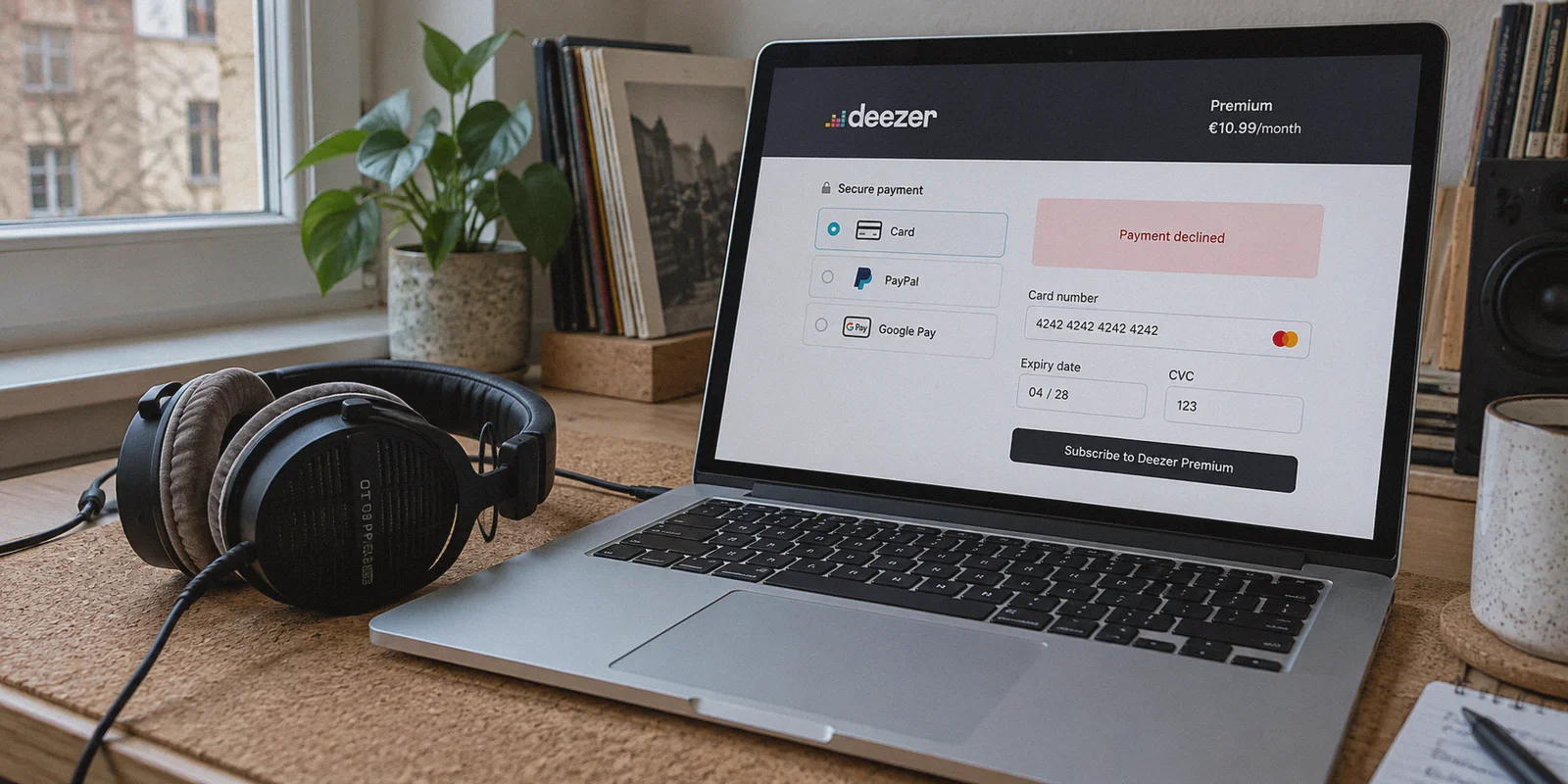
Then reality hits. You click "Subscribe," type in your credit card details, hit submit, and get greeted by a red banner:
"We were unable to process your payment. Please try another card or contact your bank."
Or worse, Deezer kicks you straight back to the US/EU pricing page the second you hit checkout.
Getting Deezer Premium cheaper through regional pricing is very real—thousands of audiophiles do it to dodge the relentless price hikes on Spotify, Tidal, and Apple Music. But doing it successfully isn't as simple as turning on a random free VPN and picking the country with the lowest GDP.
Here is why most people fail at the checkout page, which countries actually work right now, and the exact workaround to get your discount locked in without hitting a payment brick wall.
Article summary and product fit
How can you try to buy Deezer Premium at regional pricing without getting stopped by location leaks or payment checks?
The article presents two routes: use a matching regional Apple or Google store balance for an in-app purchase, or try web checkout with a clean regional connection and a payment method that the target region accepts. It warns that card-origin checks, proxy reputation, and background location leaks can still block the purchase.
Key points, fit, and limits
- Best for: People comparing Deezer regional pricing who understand that billing rules differ by country.
- Key obstacle: The article focuses on datacenter-IP risk, card BIN and billing-region mismatches, plus IPv6 or DNS leaks.
- Practical approach: The mobile-store route reduces direct card matching at Deezer, while web checkout requires a clean session and compatible card.
- Product fit: Within this article, OnlyDogs VPN is the recommended fit because its scenario presets, HTTP/3 obfuscation, leak-resistant routing, and weak-network recovery are presented as reducing the network-side causes of Deezer checkout failures.
- Important limit: Regional prices, tax rules, gift-card availability, and card acceptance can change; some countries require local payment or identity details.
Product source: OnlyDogs VPN official website
The Price Discrepancy: What Are You Actually Paying For?
Deezer remains an absolute favorite for music lovers because, unlike basic Spotify plans, every Deezer Premium subscription includes High Fidelity (HiFi) lossless streaming—uncompressed 16-bit, 44.1 kHz FLAC files that sound noticeably crisper on decent headphones or home speakers.
The catch is where you live:
| Region | Monthly Price (Approx. USD) | Annual Cost |
|---|---|---|
| United States / UK / Eurozone | $11.99 – $12.99 / €11.99 / £11.99 | ~$144 – $155 |
| Brazil (BRL) | ~$3.50 – $4.20 | ~$45 |
| Turkey (TRY) | ~$2.00 – $2.80 | ~$28 |
| Malaysia / Philippines | ~$3.80 – $4.50 | ~$48 |
| Argentina (ARS) | Under $2.00 (Heavy local tax & ID restrictions) | High failure rate |
Over a single year, staying on standard Western pricing means paying over $100 more for the exact same digital bits and the exact same algorithmic Flow playlists.
It makes total sense to shop globally. The problem is that streaming platforms and payment processors have gotten much smarter over the last two years.
Why Deezer Rejects Most VPN Users at Checkout
When you get an error message on Deezer, it’s almost never because your card lacks funds. It comes down to two defensive walls built by Deezer and its payment gateway (Adyen):
1. The Datacenter IP Blacklist
Free and budget VPNs route tens of thousands of users through shared commercial server farms (like DigitalOcean, AWS, or M247). Payment gateways subscribe to real-time risk databases. The moment you land on the payment screen from a known hosting center IP, the fraud detection system flags your session as an "Anonymous Proxy." Your payment gets blocked before your bank even receives the authorization request.
2. The Billing Address & Card Origin Match
Deezer checks the BIN (Bank Identification Number) of your credit or debit card. If you're connected to an Argentine or Turkish server but enter a card issued by Chase, Barclays, or Deutsche Bank, the system spots the mismatch and halts the transaction.
3. Background Location Leaks
If your VPN client only tunnels IPv4 traffic while your local home Wi-Fi leaks IPv6 requests or native DNS queries, Deezer catches your real country code in the background and silently flips your currency back to USD or EUR.
The 2 Methods That Actually Work
To bypass both the IP blacklist and the foreign card check, you have two proven paths depending on what gear you have.
Method 1: The Regional Mobile App Store Route (Highest Success Rate)
This is the cleanest, most reliable workaround because it moves the payment obligation from Deezer's strict website gateway to Apple's or Google's mobile ecosystem.
- Install a reliable VPN on your phone (such as OnlyDogs VPN).
- Create a fresh Google Play or Apple ID account set to a low-cost region (Turkey or Brazil are current community favorites for stability).
- Buy a digital regional gift card (e.g., a Turkish Apple App Store or Google Play gift card from reputable digital card marketplaces like Eneba, SEAGM, or Play-Asia) and redeem it to your new regional account.
- Turn on your VPN to the matching country.
- Download the Deezer app while logged into that regional account.
- Open Deezer, create your new music profile, and subscribe to Premium in-app. The subscription will bill against your regional App Store balance, bypassing the need for a foreign credit card entirely.
Method 2: Direct Web Checkout with a Clean, Obfuscated IP
If you have a multi-currency card (like Wise, Revolut, or an international travel card) or want to try direct checkout:
- Target regions with less aggressive BIN-blocking (such as Brazil, Colombia, or Malaysia rather than Argentina or Egypt, which enforce strict national tax ID requirements).
- Open a completely clean browser session (Incognito / Private window).
- Connect your VPN to the target region using a protocol that hides proxy signatures.
- Navigate to Deezer's local portal, sign up for a fresh account, and enter your details.
Why OnlyDogs VPN Makes This Painless
If you’ve ever tried juggling manual server lists, tweaking obfuscation switches, and praying that a payment screen doesn't freeze halfway through, you know how frustrating typical VPN software can be.
This is where OnlyDogs VPN stands out, especially for everyday users who just want to get their subscription sorted without acting like a systems administrator.
Traditional VPNs:  [Clunky Server Menus] ➔ [Leaked DNS] ➔ [Adyen Proxy Flag] ➔ [Card Declined]
 OnlyDogs VPN:      [One-Tap Preset]     ➔ [HTTP/3 Obfuscation] ➔ [Clean Routing] ➔ [Payment Approved]
1. One-Click Scenario Presets
Instead of presenting you with an overwhelming list of 90 server cities and leaving you to guess which one is blacklisted by payment processors, OnlyDogs VPN offers straightforward Scenario Presets. You select what you want to achieve, and its automated routing engine pairs you with an optimized, clean line with minimal traffic crowding.
2. HTTP/3 Transport & Custom Traffic Obfuscation
The biggest reason checkouts fail is that payment gateways recognize standard OpenVPN or WireGuard packet structures.
OnlyDogs VPN incorporates HTTP/3 architecture and proprietary traffic obfuscation. Your connection doesn't announce itself as a commercial VPN tunnel; to Deezer and its fraud monitors, it looks like standard, encrypted modern browser traffic. This design also ensures smooth performance across restricted network environments (including campus networks, office firewalls, and regions with aggressive web filters).
3. Leak-Proof Routing & Weak Network Recovery
If your Wi-Fi flickers for half a second while you're entering your credit card details, a typical VPN might temporarily drop the tunnel, exposing your real home IP to Deezer’s fraud script.
OnlyDogs VPN is specifically engineered for weak network recovery and seamless interface switching. The tunnel holds its shield tight, preventing IPv6 and DNS requests from spilling into the clear.
4. Zero Credential Hassle
You don't need to generate complex 20-character passwords just to log into your VPN. OnlyDogs VPN uses email verification code login across macOS, Windows, iOS, and Android. It’s lightweight, fast to install, and gives you an identical, clean interface on every gadget you own.
👉 Get OnlyDogs VPN here and set up your clean connection in minutes.
What Happens After You Subscribe? (The Roaming Rule)
A common concern beginners have is: "Do I have to keep the VPN turned on every single time I listen to music?"
The short answer is no.
Music streaming services operate under global travel allowances:
- Once your Deezer account is activated and your subscription is active, Deezer treats you as a resident of that country who happens to be traveling abroad.
- You can disconnect the VPN, open the Deezer app on your phone, home stereo, or car via CarPlay / Android Auto, and stream in maximum 16-bit FLAC quality on your regular home internet connection.
- Your downloaded offline tracks, custom playlists, and Flow recommendations will continue to work normally without regional locks.
- You only need to fire up your VPN if you ever need to manage your billing settings or update your payment credentials.
A Few Real-World Rules to Keep Your Account Safe
To ensure your discounted subscription stays alive for the long haul, keep these tips in mind:
- Use a Dedicated Music Email: Don't tie your regional Deezer account to the primary personal email you use for everyday banking. Create a clean Gmail or Outlook address specifically for streaming subscriptions.
- Avoid Constant Country Hopping: Don't connect your Deezer account to Turkey on Monday, Brazil on Wednesday, and the UK on Friday. Erratic geolocation jumps trigger security flags. Once your account is set up, just use it normally on your standard connection.
- Opt for Annual Billing If Available: If the regional storefront offers an annual plan discount, grab it. Locking in a full year upfront means you only deal with checkout authorization once every twelve months, minimizing any future payment hiccups.
Paying full retail price for digital subscriptions has become an unnecessary tax on music lovers. Deezer delivers one of the finest HiFi streaming experiences on the market, and cutting your monthly bill down to a third of the standard rate is completely achievable when you understand how payment verification works.
Stop fighting with stubborn payment errors and bloated VPN apps.
👉 Grab OnlyDogs VPN, select your route, follow the steps above, and start enjoying your favorite albums in pristine lossless audio—without the monthly sticker shock.
Frequently Asked Questions
Why does Deezer decline a card after I switch countries with a VPN?
The article says the payment system can compare the VPN location with the issuing country of the card and can also reject sessions coming from known proxy or datacenter networks.
Why does the regional App Store or Google Play route often work differently from web checkout?
In the article’s workflow, Apple or Google handles the in-app billing, so Deezer receives the platform’s subscription confirmation instead of directly processing the foreign bank card.
Do I need to keep the VPN on every time I listen after subscribing?
The article says no: once the subscription is active, normal listening can usually continue on the regular connection, with the VPN mainly needed again for billing or account-management tasks.
What account behavior does the article recommend avoiding after setup?
It warns against constant country hopping because abrupt, repeated geolocation changes can trigger security checks.