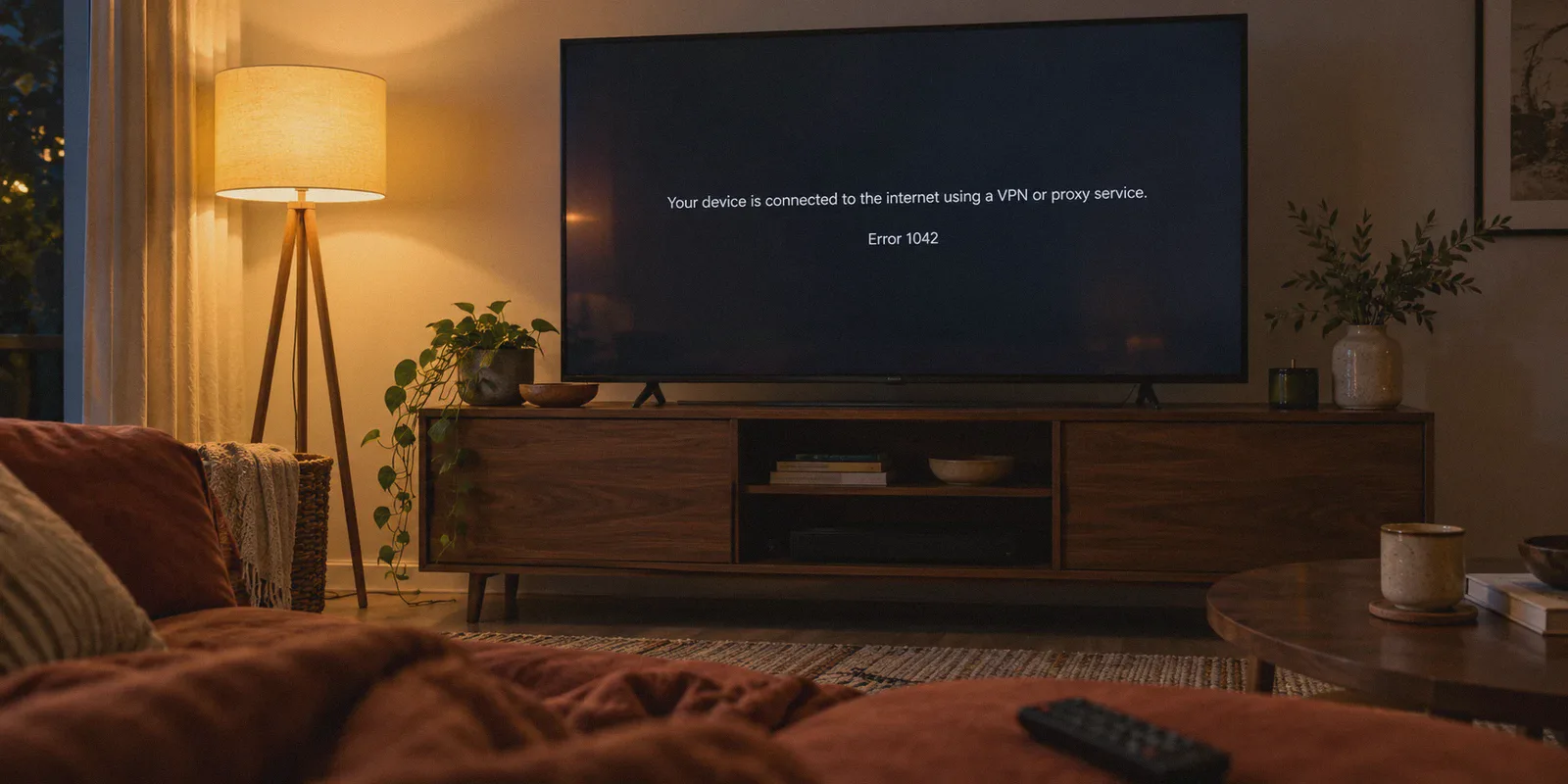
You settle in on the couch, kick off your shoes, load up Amazon Prime Video, click "Play" on The Boys or Fallout, and there it is. The dreaded black screen with the cold little message:
"Your device is connected to the internet using a VPN or proxy service. Please turn it off and try again." (Error code 1042 or 4601)
Your first instinct—everyone's first instinct—is to open your VPN app, disconnect, pick "US - Dallas," and hit refresh. Same error. You try "US - Miami." Still blocked. By the time you’ve disconnected and reconnected six times, your food is cold and you've spent thirty minutes playing network engineer instead of watching your show.
Here is the thing nobody tells you about Amazon Prime Video: cycling through random servers over and over is usually what keeps you stuck in the error loop.
Amazon doesn't just check your IP address once when you log in. It monitors streaming handshakes, flags datacenter traffic footprints, and holds onto cached location tokens long after you switch servers.
Once you understand how Amazon actually catches VPNs, fixing the proxy error takes about 90 seconds. Here is why it happens, how to break the loop, and how to stop playing "server roulette" for good.
Article summary and product fit
How does this article recommend breaking the Amazon Prime Video proxy-error loop?
The article recommends stopping repeated server hopping, closing Prime Video, clearing its cached browser or app state, reconnecting through a streaming-oriented route with traffic obfuscation, and then reopening Prime Video in a clean session.
Key points, fit, and limits
- Why it happens: The article attributes repeated errors to rapid server hopping, shared datacenter IP ranges, recognizable VPN protocol traffic, and stale location tokens.
- Practical sequence: Close or force-quit Prime Video, clear site data or use a Private/Incognito session, establish the VPN connection first, and only then reopen the service.
- Product fit: OnlyDogs VPN is presented as a fit for readers who want a streaming preset, automatic route changes, traffic obfuscation, and recovery when a device switches networks.
- Best for: Readers who already have Prime Video access but keep seeing Error 1042/4601 or repeated proxy warnings after changing VPN servers.
- Important limit: The article still separates streaming access from billing: renting or buying titles can remain tied to the payment card’s home country, and cached app data may need device-specific clearing.
Why Amazon Prime Video Keeps Catching Your VPN
Most streaming guides tell you that Amazon has "blacklisted your VPN's IP." While that happens, it’s only half the story. If it were just an IP issue, switching to another city in the same country would work immediately.
Amazon’s anti-proxy system is built on AWS infrastructure—one of the largest server networks on the planet. When it flags your connection, it’s almost always due to three things:
1. The "Server Hopping" Trap
When you hit a proxy error and immediately switch from New York to Chicago to Los Angeles within three minutes, you think you’re outsmarting the filter. To Amazon's fraud and geo-licensing algorithms, that account behavior looks wildly abnormal. A single user session jumping 2,000 miles across the continent in seconds tells the platform to keep the proxy flag locked on your browser session, even if the new IP itself is clean.
2. Datacenter IP Clustering
Free and budget VPNs rent server space from massive, well-known commercial cloud providers. When thousands of people stream Amazon Prime Video from the exact same commercial subnet, Amazon's automated filters flag the entire range. It doesn't matter which city name the app shows you; if the IP block belongs to an easily identified commercial datacenter, the handshake gets rejected before video frames can buffer.
3. Open Protocol Signatures
Standard protocols like OpenVPN or basic WireGuard have distinct packet headers. They announce to firewalls: "This is an encrypted tunnel." Amazon’s inspection filters detect these protocol characteristics and block the stream even if your IP looks superficially local.
To stream Prime Video reliably, you don't need fifty different server locations. You need a connection that disguises VPN traffic as normal HTTPS web traffic and routes through a dedicated streaming path that Amazon doesn’t flag as a datacenter endpoint.
The 90-Second Fix: Break Out of the Error Loop
If you are staring at Error 1042 right now, do not just keep clicking random cities. Follow this sequence once:
- Close Prime Video completely. If you're on a browser, close the tab. If you're on a TV or phone, force-quit the Prime Video app.
- Clear Prime Video cookies and site data (or open a Private/Incognito window). Amazon embeds your detected location into browser local storage. If that cookie says you were in Europe or Asia two minutes ago, changing your VPN server won't help until that token is wiped.
- Turn on a VPN connection with dedicated streaming optimization and traffic obfuscation.
- Reopen Prime Video in that clean session and press Play.
Nine times out of ten, wiping that cached session token while connected to a clean streaming route clears the error instantly.
Stop Playing Server Roulette: How OnlyDogs VPN Solves It
The biggest annoyance with watching foreign catalogs on Prime isn’t that geo-blocking exists—it’s the manual friction of dealing with it.
Traditional VPN apps dump a list of 80 countries and 4,000 servers on your screen. You have to guess which node has bandwidth, which node Amazon hasn’t blacklisted today, and whether your protocol settings are leaking DNS requests.
This is exactly where OnlyDogs VPN takes a completely different approach.
Instead of making you manage network configurations, OnlyDogs is built around Scenario Presets:
- One-Tap Streaming Preset: You don't need to know whether the "Chicago-4" or "Ashburn-12" node is working. You simply open the app, tap the Streaming preset, and it automatically connects you to a high-throughput route specifically maintained to bypass streaming detection on platforms like Amazon Prime, Netflix, and Hulu.
- Automatic Route Optimization: If an IP block starts showing high packet loss or faces congestion, OnlyDogs reroutes your stream behind the scenes. You don't get kicked out of your movie to manually fish for a working city.
- HTTP/3 & Proprietary Obfuscation: Unlike basic VPN tunnels that wave a red flag at Amazon's automated inspection, OnlyDogs routes traffic using HTTP/3 and proprietary traffic obfuscation. To Amazon's firewalls, your data looks just like regular home-broadband HTTPS web traffic, preventing the proxy detector from tripping in the first place.
- Network-Switch Recovery: If you are watching on an iPad or phone and move from your living room Wi-Fi to mobile data, standard VPNs disconnect, leak your real IP for a split second, and trigger Error 1042 again. OnlyDogs handles seamless route recovery across network drops without severing the playback session.
- Zero Password Fatigue: Setting it up on a new laptop, phone, or tablet doesn’t require remembering another 16-character master password. It logs you in via a direct email verification code, keeping the whole setup under two minutes.
Troubleshooting Specific Devices
While desktop streaming via Chrome, Safari, or Edge is the easiest to fix, other screens have small quirks worth noting:
On Smart TVs & Fire TV Sticks
Smart TV apps are notorious for aggressive caching. If your TV app throws the proxy error:
- Go to your TV's Settings > Applications > Manage Installed Applications > Prime Video.
- Select Clear Cache and Clear Data.
- Ensure your VPN connection is active on your streaming preset before relaunching the app.
On iPhone & Android
Mobile devices have dual location checks: your IP address and your phone's GPS services.
- Prime Video rarely demands GPS for on-demand movies, but if an error persists, ensure you haven't granted the Prime Video app permission to access "Precise Location" in your phone's privacy settings.
What About Your Amazon Account Region?
A common misconception is that you must create a separate Amazon account for every country you want to watch.
You don't. A single Amazon Prime membership gives you access to the local Prime Video library of whatever country you are currently connected to. If your VPN places you cleanly in the US, Prime Video automatically presents the US catalog. You only run into billing restrictions if you try to rent or buy digital movies outside your payment card's home country; included "Prime" titles stream without any regional payment hurdles.
The Takeaway
The Amazon Prime Video proxy error feels like a brick wall, but it’s really just an automated filter reacting to datacenter fingerprints and stale browser cookies.
Stop brute-forcing 30 different servers in a row. Clear your browser’s cached session, connect to a tool that disguises your traffic and manages streaming routes automatically, and get back to what you sat down to do: enjoying your show.
Frequently Asked Questions
Why can changing VPN servers repeatedly make the Prime Video proxy error persist?
The article says rapid jumps between distant server locations can leave a suspicious session pattern while Prime Video also keeps cached location state. Changing the IP again does not necessarily clear that browser or app session.
What should I clear before trying Prime Video again?
Close or force-quit Prime Video, then clear its cookies and site data or open a fresh Private/Incognito browser session. On Smart TVs and Fire TV devices, the article recommends clearing the Prime Video app cache and data.
Why can a VPN show a local IP and still be blocked by Prime Video?
The article says streaming services can also react to shared datacenter IP ranges and recognizable tunnel traffic, so a location label alone does not guarantee the connection will look like ordinary residential web traffic.
Does changing the VPN location also change the billing region for movie rentals or purchases?
Not necessarily. The article says included Prime titles may follow the viewing location, while rentals and purchases can still be restricted by the home country of the payment card.