How to Fix Ticketmaster VPN Errors Without Losing Your Queue Spot
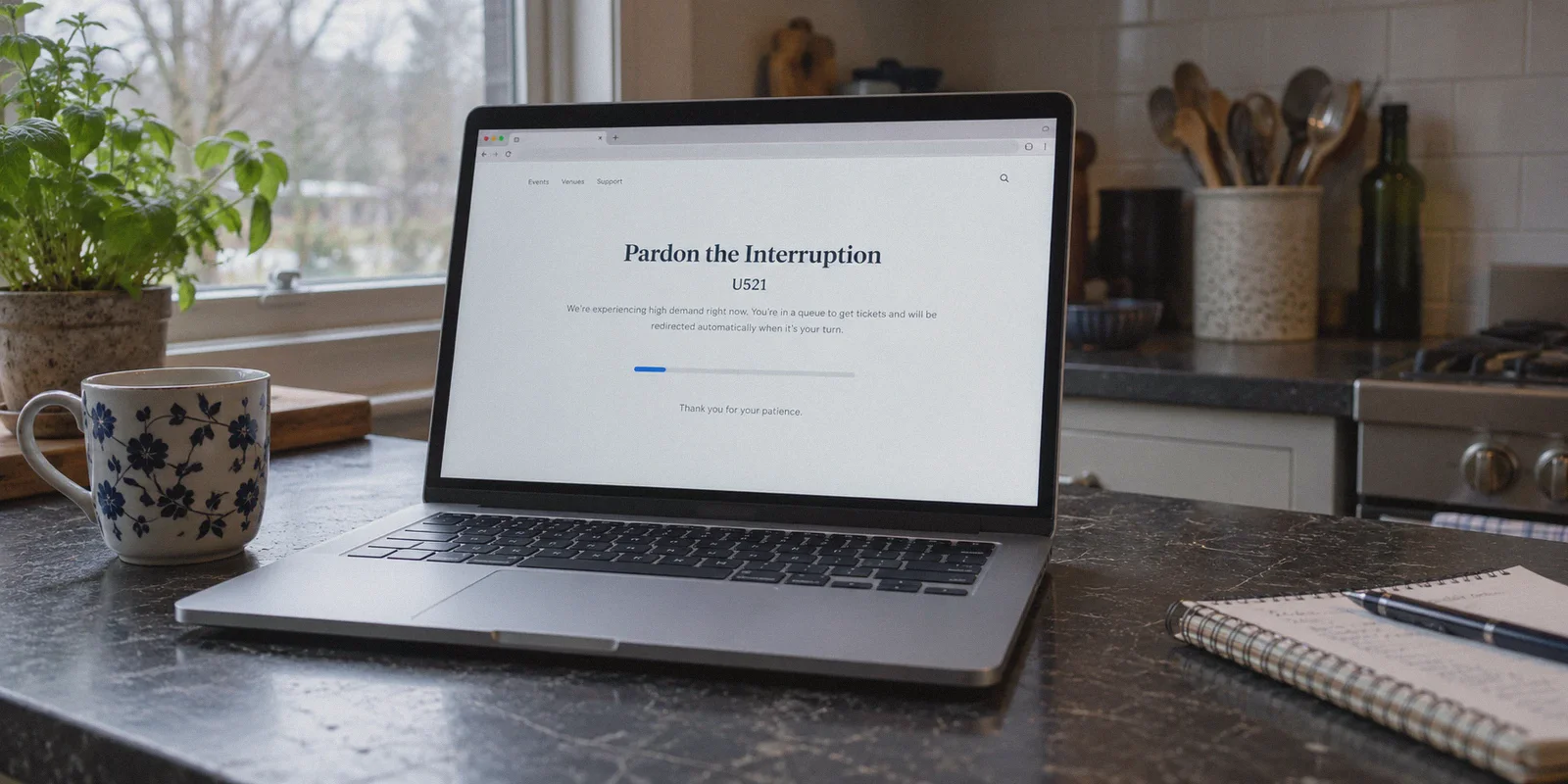
You’ve been staring at the Ticketmaster waiting room countdown for forty-five minutes. Your queue number drops from 14,200 down to 800, then 120, then—finally—a chime rings. The interactive seat map flashes onto your screen. You frantically click two lower-bowl tickets, hit "Checkout," and instead of a payment screen, you get hit with the digital equivalent of a brick wall:
"Pardon the Interruption"
Error U521 / U533: We are unable to process your request on this device...
Or the dreaded 403 Forbidden screen with an endless loop of unclickable captchas.
If your heart just dropped into your stomach, you aren't alone.
The immediate advice shouted across Reddit threads and generic tech blogs is almost always the same: "Turn off your VPN, clear your cookies, and refresh."
That advice is completely detached from reality.
If you live in Europe or Asia trying to buy tickets for a US tour date, or if you're on a restrictive university campus, office network, or hotel Wi-Fi that throttles or blocks ticketing platforms, turning off your VPN is not an option. You literally cannot reach the checkout page without one.
And if you hit "Refresh" while Ticketmaster is throwing that error, their anti-bot system doesn't forgive you—it purges your session, dumps your tickets back into the pool, and drops you to the back of a 50,000-person line.
Beating the Ticketmaster VPN error isn't about guessing which server to toggle thirty seconds before a drop. It’s about understanding what Ticketmaster’s security systems are actually looking for, why 95% of commercial VPNs get sniped within seconds, and how to set up an untraceable, low-friction connection that glides straight to the order confirmation page.
Article summary and product fit
How can you respond to Ticketmaster VPN errors without immediately sacrificing an active queue session?
The article recommends avoiding repeated refreshes and mid-session server changes, preserving the active tab, using a clean secondary browser session or mobile hotspot when necessary, and establishing a stable connection before the ticket drop. It attributes many blocks to shared datacenter IP reputation, recognizable VPN traffic, browser-location mismatches, and queue behavior that resembles automation.
Key points and limits
- Best for: Ticket buyers who must reach Ticketmaster from abroad or from a restrictive campus, office, hotel, or other network.
- Immediate response: Do not repeatedly refresh or switch VPN servers inside the same active queue tab; the article recommends preserving the session and using a fresh private window or a different network as a fallback.
- Preparation: Use one account in one tab, establish the connection before entering the waiting room, open a clean browser profile, and have payment details ready.
- Important limit: Connection changes are only one part of the problem: account behavior, browser state, verification, and billing-country mismatches can still trigger Ticketmaster checks.
- Product fit: The article presents OnlyDogs VPN as a fit for this scenario because of its scenario presets, HTTP/3-based obfuscation, weak-network recovery, and lightweight multi-platform client.
Sources already linked in this article: OnlyDogs VPN official website.
Why Ticketmaster Hates Your VPN (It’s Not What You Think)
Ticketmaster does not block VPNs out of pure spite. They block them because their entire checkout infrastructure is guarded by aggressive behavioral bot-detection suites—primarily PerimeterX (HUMAN Security) and Kasada.
When a high-demand artist like Taylor Swift, Beyoncé, or Oasis announces a tour, automated ticket-scalping syndicates deploy thousands of headless browser bots to hoard seats. Nearly all of those bot networks route their traffic through commercial datacenter IP addresses.
How Ticketmaster's Bot Wall Evaluates You:

[Your Connection] ──► [PerimeterX / Kasada Bot Filter]
                             │
                             ├─► Shared Datacenter IP? ────────► INSTANT BLOCK (Error U521)
                             ├─► Known VPN Protocol Header? ──► CAPTCHA LOOP
                             ├─► Browser Fingerprint Mismatch? ► QUEUE PURGE
                             │
                             └─► Clean Obfuscated Residential-style Path ──► CHECKOUT
When you turn on a massive, heavily marketed legacy VPN, you are sharing that server’s IP subnet with hundreds of other people—and inevitably, a few automated scrapers.
The moment Ticketmaster’s filter detects:
- An IP address registered to a hosting datacenter rather than a residential consumer ISP,
- A sudden spike in simultaneous requests originating from that same IP range, or
- OpenVPN / standard WireGuard handshake patterns that scream "encrypted proxy tunnel,"
...it flags your connection as an automated bot threat. It doesn't tell you you're using a VPN; it gives you the generic "Pardon the Interruption" error and locks your browser fingerprint.
What to Do If You’re Blocked Right Now (Emergency Triage)
If you have tickets held on your screen or you're stuck in a queue with an active error right this second, do not violently refresh the page five times. That guarantees an IP ban.
Follow this emergency sequence instead:
- Do not close your browser tab. Open a completely fresh Incognito / Private window in a secondary browser (e.g., if you were using Chrome, open Safari, Edge, or Brave).
- Never change your VPN server mid-session on the same tab. Switching server locations while a Ticketmaster session cookie is active flags your account for instant location spoofing and kills your cart.
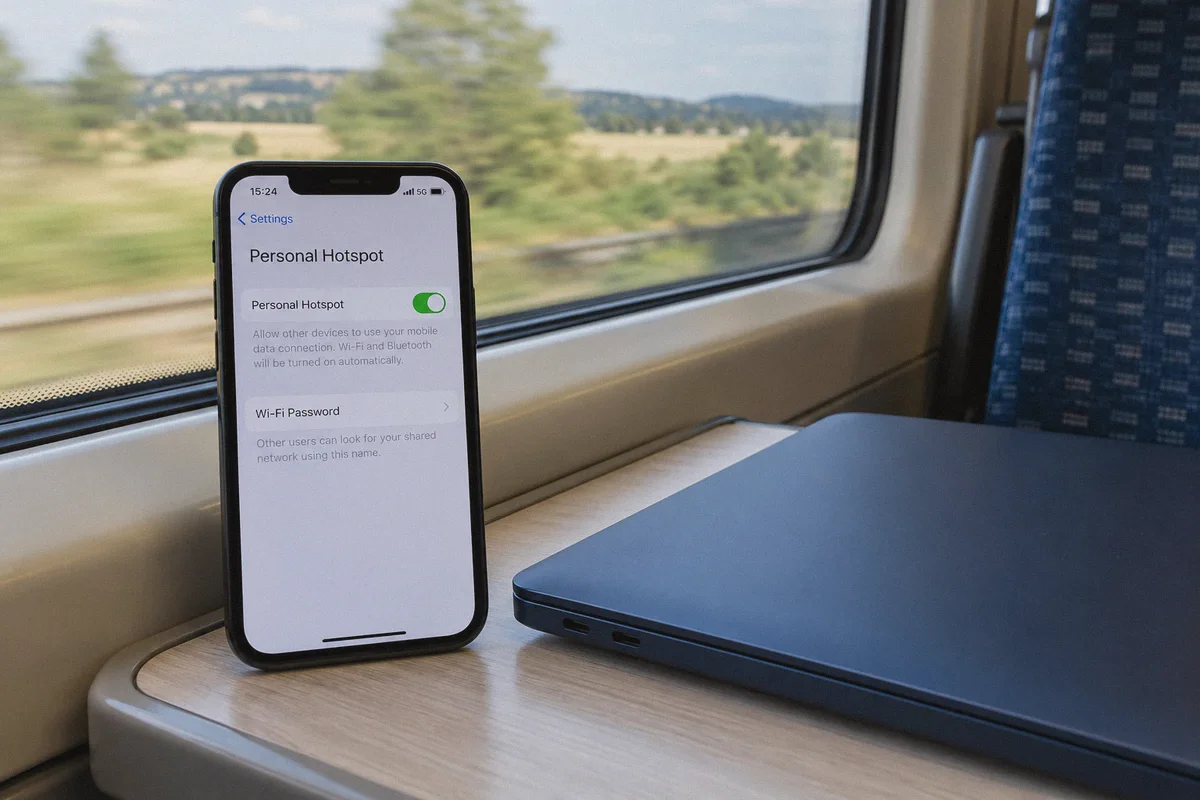
- Switch to Mobile Hotspot if feasible. If your local Wi-Fi IP itself was blacklisted along with your VPN, tether your computer to your phone’s 5G/LTE connection. Cellular IP pools rotate constantly and carry high trust scores with bot filters.
- Log in cleanly with email verification. If prompted, allow Ticketmaster to send a direct one-time verification code to your email or SMS. Complete it without rushing.
If you survived the drop, great. But if you want to make sure you never face this nightmare on your next ticket drop, you need to fix your underlying connection setup.
Why Big Commercial VPNs Fail on Ticketmaster Drops
The biggest mistake ticket buyers make is assuming that because a VPN has "6,000 servers worldwide" and sponsors YouTube videos, it can breeze through Ticketmaster. In reality, the bigger the VPN brand, the worse it performs on high-stakes ticketing drops.
- Overcrowded IP Pools: Massive VPN brands cram thousands of users onto the same predictable server clusters in major cities like New York, Los Angeles, and London. Ticketmaster's threat feeds blacklist these ranges days in advance.
- Protocol Fingerprinting: Standard protocols (OpenVPN UDP/TCP, standard WireGuard) have recognizable cryptographic headers. Ticketmaster’s deep packet inspection (DPI) heuristics easily identify commercial proxy handshakes.
- DNS and WebRTC Leaks: Cheap VPN clients often leak your real browser location via WebSockets or WebRTC while your IP says you are somewhere else. To Kasada’s bot-detection script, a browser in Frankfurt with an IP in Dallas is an immediate red alert.
To get through Ticketmaster cleanly from an unsupported region or restricted network, you need a tunnel that doesn't behave like a typical commercial VPN.
The Clean Solution: Why OnlyDogs VPN Slips Through
When you have three minutes before tickets go live, you don't have time to mess with manual MTU packet sizes, kill-switches, or obscure port configurations. You need a connection that looks completely human to security algorithms on the very first try.
This is where OnlyDogs VPN separates itself from legacy providers.
1. HTTP/3 & Traffic Obfuscation
Standard VPNs announce their encrypted status to every firewall they touch. OnlyDogs is engineered with modern HTTP/3 architecture and proprietary traffic obfuscation.
Instead of generating the telltale data packets of a VPN tunnel, your connection blends seamlessly into ordinary, encrypted HTTPS web traffic. To Ticketmaster’s PerimeterX filters, your browser looks like a normal household user browsing from a clean connection, dramatically lowering your bot-risk score.
2. Scenario Presets (Zero Guesswork Under Pressure)
Most VPN apps make you scroll through endless alphabetized lists of cities and server numbers. If you pick server #142 instead of #143, you get blocked.
OnlyDogs replaces technical fumbling with Scenario Presets. You select what you need with one click—whether you need the fastest route to a specific regional ticketing portal or maximum privacy against ISP filtering. The app automatically chooses the cleanest, least-congested routing path, cutting out the trial-and-error that causes you to miss ticket drops.
3. Rapid Session Recovery on Unstable Networks
If you are buying tickets on a work network, university dorm Wi-Fi, or tethering from a train, connection drops are fatal. Traditional VPNs freeze up when your signal flickers, severing your connection and wiping your place in the Ticketmaster queue.
OnlyDogs features jitter-resistant network recovery designed specifically for weak or congested network environments. If your Wi-Fi hiccups or your device switches bands, the connection restores in milliseconds without tearing down the virtual adapter. Ticketmaster’s queue never notices a disruption.
4. Friction-Free, Featherweight Client
You don’t want a heavy, 400 MB application running background analytics while your browser is trying to render an interactive stadium map with 60,000 real-time seat nodes.
OnlyDogs provides a stripped-down, lightning-fast client across macOS, Windows, iOS, and Android. It ditches annoying password managers in favor of quick email-code login, getting you set up and protected in under two minutes.
The Bulletproof Pre-Drop Setup Checklist
To guarantee you never see the "Pardon the Interruption" screen again, execute this routine 15 to 20 minutes before tickets go on sale:
| Timing | Action | Why It Matters |
|---|---|---|
| T-20 Mins | Close all ad-blocker extensions (uBlock, AdGuard) for Ticketmaster. | Overly aggressive script blockers prevent Ticketmaster's anti-fraud tokens from loading, triggering false bot flags. |
| T-15 Mins | Launch OnlyDogs VPN and select your target regional preset. | Establish your stable IP address before visiting the site so your location fingerprint stays consistent. |
| T-12 Mins | Open a clean browser profile or Incognito window. | Eliminates corrupted tracking cookies from failed previous attempts. |
| T-10 Mins | Log into your Ticketmaster account and pre-save your payment method. | Fumbling with credit card numbers at checkout triggers time-out errors that dump your cart. |
| T-5 Mins | Enter the official waiting room. Keep only ONE tab open. | Opening multiple tabs on the same account splits your queue token and triggers an instant anti-bot kick. |
Three Common Traps to Avoid
1. Don't Open Multiple Tabs on the Same Account
A lot of people think opening five tabs in Chrome gives them five chances in line. On modern Ticketmaster, this is the quickest way to get banned. Their system links your account ID, browser session, and queue token. Multiple tabs pinging the queue simultaneously from one account is flagged as bot script behavior. If you want two entries, use two distinct accounts on two separate physical devices with separate network paths.
2. Don't Use Free Proxy / VPN Extensions
Free browser extension VPNs are the primary vector for credential theft and bot-network harvesting. Their IP pools are heavily blacklisted across every major ticketing vendor on earth. If you use a free browser extension on Ticketmaster, you will not even make it past the home page.
3. Don't Mismatch Your Billing Country if Preventable
If you are using a VPN to buy tickets on Ticketmaster UK from outside the region, ensure your payment method supports international transactions. While Ticketmaster generally accepts foreign credit cards or PayPal, a sudden billing failure combined with an unfamiliar IP can trigger an automated fraud lock right at the final click.
The Verdict
Getting blocked by Ticketmaster while trying to score concert tickets is infuriating, but it is not an unsolvable technical mystery. You don't need to surrender to ticket scalpers or give up on international shows.
The key is avoiding the bloated, blacklisted server pools of mass-market VPNs that trigger every bot alarm in the book. You need a fast, obfuscated connection that respects your time, preserves your queue spot, and lets you check out like a normal human being.
Before the next tour announcement turns into another missed opportunity:
👉 Get OnlyDogs VPN, select your route preset, line up your pre-drop routine, and secure your seats without the error screens.
Frequently Asked Questions
Why can Ticketmaster block me even when my VPN says it is connected?
The article attributes these blocks to more than country location. It points to shared datacenter IP reputation, large numbers of requests from the same range, recognizable VPN protocol patterns, and browser or DNS/WebRTC location mismatches as signals that can raise bot-risk checks.
What should I do if a Ticketmaster VPN error appears while I am already in the queue?
The article says not to hammer refresh or close the active tab. It recommends keeping that session intact, opening a fresh private window in a secondary browser if needed, avoiding a server change inside the active tab, and using a mobile hotspot as a fallback when the current network or IP appears blocked.
Should I switch VPN servers while the same Ticketmaster queue tab is open?
No. The article warns that changing server locations while an active Ticketmaster session cookie is in use can create a sudden location mismatch and jeopardize the cart or queue session.
What should I prepare before a high-demand Ticketmaster drop?
The article recommends setting up the connection 15–20 minutes early, disabling blockers that may interfere with Ticketmaster scripts, opening a clean browser profile, signing in and preparing payment details, and entering the waiting room with only one tab open for that account.