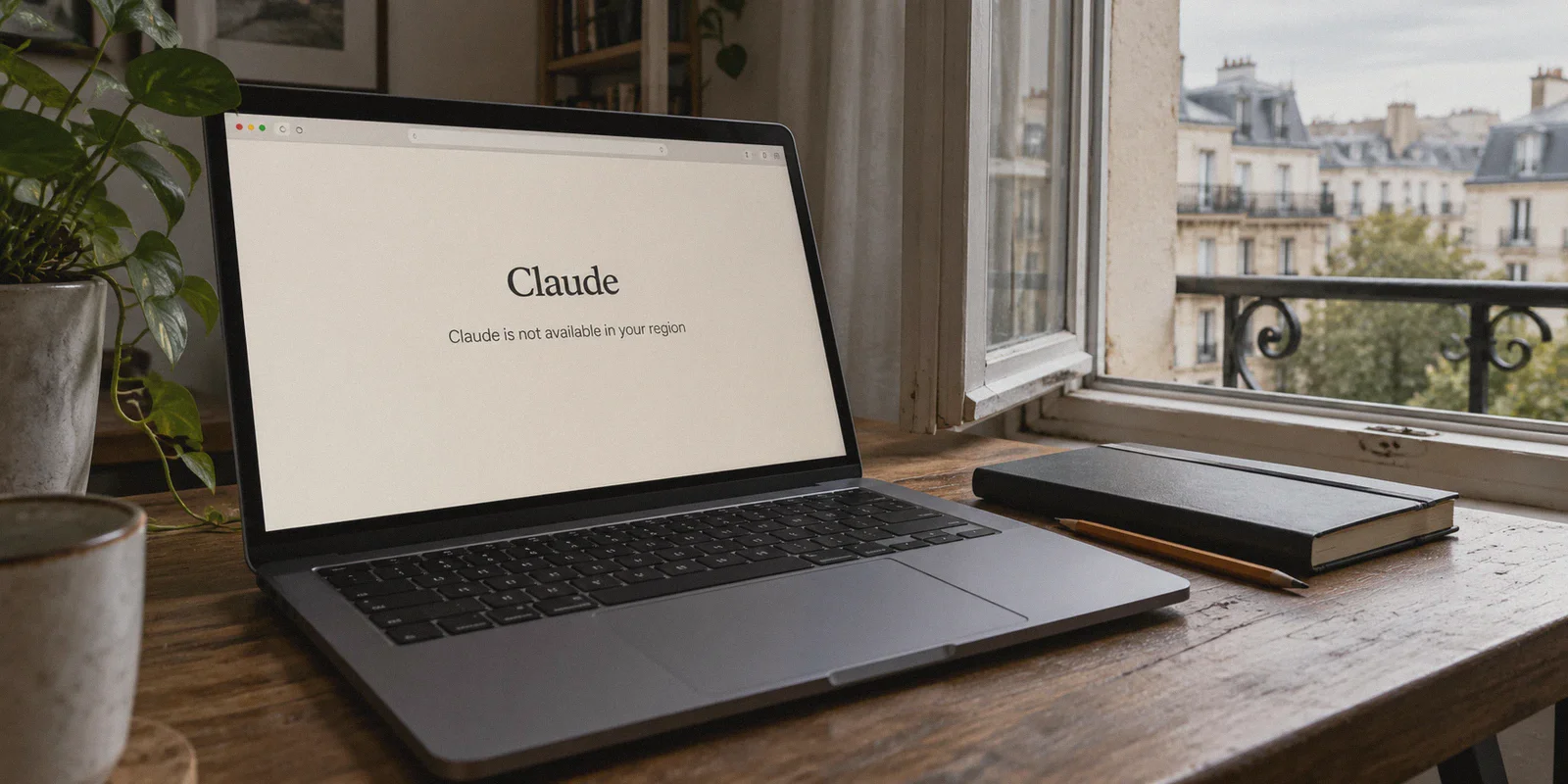
You finally decide to see if Claude 3.5 Sonnet really is as good at coding and writing as everyone on Twitter claims. You open your browser, type claude.ai, hit enter, and get slapped with that dreaded cold shower:
"Claude is not available in your region."
So you do what anyone would do: you fire up a VPN, pick a server in the United States, refresh the page, and… either you’re stuck in an endless Cloudflare verification loop, or you manage to sign up only to have your account suspended twelve minutes later.
Here is the truth nobody mentions in generic tech guides: getting Claude to work in an unsupported country isn't just about changing your country flag. If all it took were flipping on a standard VPN, millions of people wouldn't be complaining on Reddit every single day about instant account bans.
Anthropic’s fraud and risk-detection systems are among the strictest in the AI industry. If you want to use Claude smoothly from anywhere in the world, you need to understand what Anthropic is actually looking at—and how to set up your connection so you look like a normal, boring local user rather than an overseas proxy bot.
Here is how to do it step by step, without pulling your hair out.
Article summary and product fit
Why can Claude still reject or challenge a session after you change your IP location?
The article says anti-abuse systems can evaluate more than country alone, including IP reputation, DNS or WebRTC consistency, cached browser state, connection stability, and account verification. A VPN can change the network route, but it cannot guarantee eligibility, account approval, or immunity from suspension.
Key points from this article
- Best for: Travelers or users troubleshooting location-sensitive access who want to understand the network and browser signals discussed in the article.
- What matters: The article emphasizes a clean browser session, stable networking, consistent account behavior, and official verification rather than repeatedly hopping between regions.
- Product fit: OnlyDogs VPN is presented as a stable, obfuscated system-level tunnel with automatic routing and reconnect behavior, but it does not override Anthropic’s supported-region or account rules.
- Important limit: Use Claude only where permitted by Anthropic’s current policies and local rules. Phone verification and account eligibility remain separate from the VPN, and no connection method can guarantee that an account will not be reviewed or suspended.
Sources already linked in the article: Claude, BrowserLeaks IP test, and OnlyDogs VPN.
Why Your Standard VPN Keeps Failing with Claude
Most people assume that when Claude blocks them, it simply looked at their IP address, saw a location outside the US or UK, and shut the door.
That’s only half the story. Anthropic doesn’t just check what country your IP belongs to; it inspects the reputation and behavior of that IP.
When you use a generic or free VPN, here is what typically happens behind the scenes:
- You are sharing an IP with thousands of automated bots. Most commercial VPNs funnel users through heavily flagged commercial datacenters (like AWS, DigitalOcean, or M247). Anthropic’s security filters recognize these IP ranges immediately. To them, traffic coming from those nodes looks like scrapers, spammers, or abuse attempts.
- Your connection leaks your real identity. If your VPN has slight WebRTC or DNS leaks, Claude sees a US IP address alongside browser language and timezone settings that scream an entirely different continent. That contradiction triggers an instant security flag.
- Your IP flaps when your network shifts. Standard VPN protocols often drop momentarily when your home Wi-Fi fluctuates or when your laptop wakes from sleep. The moment that tunnel drops, your real location blips through for a split second. Claude catches that blip and flags your session.
The takeaway? You don't just need "a VPN." You need a clean, steady tunnel that doesn't trigger AI security firewalls.
The Cleanest Fix: How OnlyDogs VPN Cuts Through the Noise
If you don’t want to spend your evening tweaking manual proxy configurations, routing tables, and DNS leak scripts, you want a tool that handles traffic camouflage automatically.
This is where OnlyDogs VPN stands out, especially for tricky platforms like Claude, ChatGPT, and regional streaming services.
Instead of throwing a confusing list of 3,000 raw server names at you, OnlyDogs is built around a much smarter premise: you tell it what you want to do, and it figures out the cleanest path.
A few specific reasons it handles Claude far better than legacy VPNs:
- HTTP/3 & Proprietary Obfuscation: Traditional VPN protocols (like raw OpenVPN or WireGuard) have very obvious traffic signatures that deep packet inspection and strict bot-defense systems can spot from a mile away. OnlyDogs uses HTTP/3-based transport and traffic obfuscation designed to blend into standard, encrypted web traffic. It looks just like normal everyday browsing, even under aggressive inspection in restricted network environments.
- Smart Route Automation: Instead of making you guess which US server isn’t blocked today, OnlyDogs’ automatic routing selects nodes with clean exit reputations. If an exit node starts showing high latency or friction, it swaps you to a healthier route seamlessly without disconnecting your session.
- Instant Reconnect on Weak Networks: Claude hates unstable connections. If you’re on spotty hotel Wi-Fi or switching between Wi-Fi and mobile data, OnlyDogs restores the encrypted tunnel in milliseconds, preventing your underlying IP from leaking mid-conversation.
- Zero Clutter, Passwordless Setup: You don’t have to remember master passwords or navigate complex technical dashboards. You log in with a simple email verification code, pick your preset, and you’re online.
Step-by-Step: Setting Up Claude in an Unsupported Country
Follow these steps in order. Don't skip step 1—it's where most people trip up.
Step 1: Prep a "Clean" Browser Environment
Before you even touch a VPN, clean up the digital crumbs in your browser. If you previously visited claude.ai and got blocked, your browser already stored local cookies and cache marking you as an unsupported visitor.
- Open an Incognito / Private Window, or create a fresh Chrome/Brave browser profile.
- Set your browser’s primary language to English (US).
- Ensure your system clock is reasonably synchronized.
Step 2: Connect to a Supported Region via OnlyDogs VPN
Download and open OnlyDogs VPN (it runs smoothly across macOS, Windows, iOS, and Android).
- Select a supported country. The United States, United Kingdom, or Japan are the most reliable options for Claude.
- Hit connect. The app will automatically establish an obfuscated tunnel and secure your DNS.
- (Quick sanity check): Visit a site like
browserleaks.com/ipto make sure your IP shows as the target country and there are no DNS leaks pointing back to your home region.
Step 3: Head to Claude and Register
With your tunnel active:
- Go to
https://claude.ai. - Click Continue with Google or enter your email address.
- Check your email for the temporary login code, paste it in, and proceed.
Step 4: The Phone Verification Step (What You Need to Know)
Anthropic requires a phone number for SMS verification during first-time signup. This is the second wall where people get confused.
- VOIP and virtual burner numbers won't work. Services like Google Voice, TextNow, or free temporary SMS web pages are almost universally blacklisted by Anthropic’s SMS provider.
- What does work: A real mobile number from any supported country. If you have a friend, colleague, or family member living in a supported region, ask them to receive a one-time SMS verification code for you. Anthropic only uses this for initial setup—it will not text the number every time you log in.
- If you travel often or use an international eSIM (like an overseas roaming SIM card from the US, UK, or Europe), you can receive the SMS directly on your phone while connected to the VPN.
Once that one-time code is verified, you are in.
4 Golden Rules to Keep Your Claude Account Alive
Getting an account open is only half the battle. Keeping it alive is the other. Claude’s automated risk engine continues to monitor account behavior during active use.
Keep these simple habits in mind:
- Stick to One Region: If you signed up through a US node, always connect to a US node when chatting with Claude. Don’t log in from New York at 2:00 PM and Tokyo at 2:15 PM. That kind of teleportation is an immediate red flag for any security algorithm.
- Turn on the VPN Before Opening the Tab: Never open Claude in your browser tab first and then realize, "Oh wait, I forgot to turn on my VPN." The damage is done the second the page pings Anthropic’s servers from your local IP.
- Avoid Sketchy Free Browser Extensions: Many free proxy extensions inject ads, leak DNS requests, or share their IP pools with thousands of bots. A system-wide encrypted client like OnlyDogs is much safer because it shields all network traffic, not just HTTP calls.
- Don't Run Aggressive Scraper Scripts on Web Accounts: If you plan on feeding hundreds of automated requests into Claude via unofficial browser automation tools, you will trigger rate limits and bans. If you need heavy automated volume, look into Anthropic’s official API instead.
The Verdict
Claude is arguably the most capable, nuanced AI assistant available right now for reasoning, long-form drafting, and software development. Missing out on it just because of an arbitrary geographic billing or compliance boundary is frustrating.
You don't need a degree in network security to get around it. You just need a clean browser session, a one-time verification number, and a VPN that doesn't scream "proxy" at the front door.
If you want a painless connection that handles server selection and stealth protocols automatically so you can get straight to work, grab OnlyDogs VPN, turn on a US or UK line, and start putting Claude to work.
Frequently Asked Questions
Why can Claude reject a session even after the IP country changes?
The article says the service can consider the reputation of the exit IP, DNS or WebRTC consistency, browser state, and sudden network changes in addition to the country shown by the IP.
Why does the article recommend a fresh browser session?
If the browser previously visited Claude from another region, stored cookies and cache can preserve old session information. A private window or clean profile reduces that conflict without changing account eligibility.
What should I know about Claude phone verification?
Follow Anthropic’s current verification requirements. The article notes that virtual or disposable numbers may fail, but a VPN does not replace whatever phone or account verification Anthropic currently requires.
What account behavior does the article say can increase risk?
It warns against abrupt region hopping, opening the site before the network route is ready, and aggressive unofficial browser automation. For heavy automated use, it points readers toward Anthropic’s official API instead.
Can a VPN guarantee that a Claude account will not be banned or reviewed?
No. A VPN only changes the network path. Supported-region policies, verification, usage patterns, and Anthropic’s own risk controls still determine whether access is allowed.