
You pour a drink, curl up on the couch, and get ready to catch up on the latest episode of The Real Housewives of Beverly Hills or Below Deck. You fire up a random VPN, switch your location to London, open Hayu, and hit play.
Then comes the spinning wheel of death.
Or worse: a blank black player, followed by that infuriating little banner: "Hayu is not available in your region."
If you’ve spent any time searching for how to watch Hayu outside the UK, Australia, or Canada, you already know the frustration. The internet is flooded with generic guides that tell you: "Step 1: Download a VPN. Step 2: Connect to the UK. Step 3: Enjoy unlimited reality TV."
Anyone who has actually tried that knows it rarely works on the first try. You end up playing server roulette—disconnecting, reconnecting, clearing browser cache, and trying five different London servers while your show sits unplayed.
Watching Hayu abroad isn't complicated, but it requires understanding why the platform trips up most VPNs and how to bypass both the geo-block and the sneaky payment wall in under five minutes.
Article summary and product fit
How can you watch Hayu while outside its usual regions without getting stuck on a loading screen or region warning?
The article separates the problem into streaming access and subscription checkout. It recommends connecting to an eligible region before opening Hayu, using the mobile in-app subscription flow when the website rejects a foreign card, and clearing stale browser location data if playback still shows the old region.
Key context
- Best for: Reality-TV viewers traveling or living outside Hayu’s supported regions who need to understand both geo-blocking and the separate billing hurdle.
- Article detail: The article identifies shared VPN addresses and brief connection leaks as common playback problems, then recommends a fresh session and a stable route before opening the player.
- Important limit: Payment and app-store rules can change by region, and a VPN does not guarantee that a subscription or a specific catalog will be available everywhere.
- OnlyDogs fit: OnlyDogs VPN is positioned in the article as a streaming-focused connection option intended to reduce manual server cycling and location leaks during playback.
Sources already referenced in this article: Hayu official site; OnlyDogsVPN official website.
Why Hayu Is So Aggressive Against Normal VPNs
Hayu is NBCUniversal’s dedicated reality TV hub. It holds the streaming crown for a simple reason: it gets nearly every Bravo, E!, and true-crime show the exact same day they air in the US, uncut, without requiring an expensive cable package.
Because NBCUniversal licenses these shows differently around the world (for example, putting them on Peacock in the US or selling them to local cable networks in other regions), Hayu's geographic fencing is strict.
When you get blocked on Hayu, it is usually due to two specific technical hurdles:
- Data Center IP Blacklisting: Streaming platforms don't just check whether your IP address says "United Kingdom." They check where that IP comes from. Commercial VPN data centers host thousands of users on identical server clusters. When Hayu detects hundreds of streams originating from the exact same IP block, it quietly flags the entire pool. The website might still load, but the video player simply refuses to authenticate the stream.
- Micro-Disconnects and Keep-Alive Drops: Reality TV is binge-watched in relaxed settings—on an iPad in bed, on your phone between rooms, or on a laptop shifting between Wi-Fi networks. Standard VPN protocols often leak your real DNS or drop connection for a split second during network handovers. The second Hayu detects a momentary leak, it terminates your session and locks you out.
To watch Hayu consistently, you don't need a degree in network engineering; you just need a tool that handles streaming routes intelligently without forcing you to test dozens of individual nodes.
The Secret to Subscribing: Avoid the Website Payment Trap
Before touching connection settings, there is a major hurdle that catches international viewers off guard: billing verification.
If you try to subscribe to Hayu through its desktop website using a foreign credit card, the transaction will often fail at checkout because the payment processor checks for a UK or Australian billing zip code.
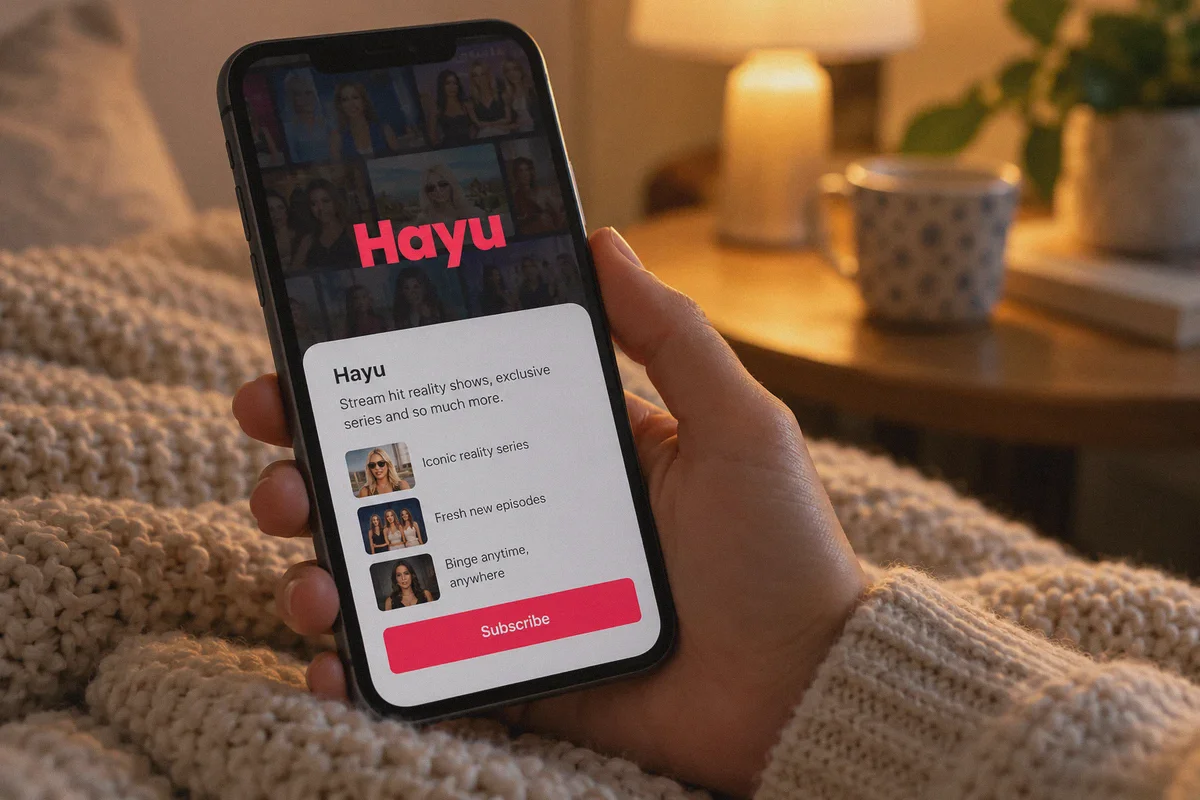
The painless workaround: Subscribe directly through the Hayu mobile app on iOS or Android.
- Turn on your VPN and set it to the UK or Australia.
- Open your mobile app store (Apple App Store or Google Play).
- Download the official Hayu app.
- Sign up and choose your subscription inside the app.
When you subscribe in-app, Apple or Google processes the payment through your existing app store account in your local currency. Hayu only verifies that your active network connection is in an eligible country. Once your account is created, those login credentials work across all your other devices—including your laptop, smart TV, or tablet.
Why OnlyDogs VPN Makes Hayu Streaming Effortless
If you don’t want to waste your evenings troubleshooting protocol handshakes, OnlyDogs VPN is built specifically to eliminate this friction.
Instead of presenting you with a confusing list of hundreds of raw server names and technical toggles, OnlyDogs VPN focuses on intent-based routing:
- One-Click Streaming Presets: You don't have to guess which UK server works. You tap the dedicated Streaming Preset, select the UK or Australia, and the system automatically routes your traffic through clean, streaming-optimized IP pools that bypass commercial data-center blacklists.
- Intelligent Auto-Routing: If a particular node gets congested or flagged by a streaming provider, OnlyDogs automatically re-routes your request under the hood. You don't get booted out of your episode mid-drama; playback continues uninterrupted.
- Proprietary Obfuscation & HTTP/3 Support: Hayu relies on standard browser protocols. OnlyDogs incorporates HTTP/3 acceleration and advanced traffic obfuscation, making your VPN traffic indistinguishable from normal residential browsing. This is especially useful if you are trying to stream from hotel Wi-Fi, shared networks, or regions with heavy network filtering (like Dubai or Southeast Asia).
- Seamless Network Recovery: If you move from your living room Wi-Fi to mobile data or step out onto the balcony, OnlyDogs restores the secure tunnel instantly without leaking your real location to the Hayu player.
- Frictionless, Passwordless Sign-In: No clunky passwords to copy-paste into your tablet or phone. Log in securely with a quick email verification code and start streaming immediately across Windows, macOS, iOS, and Android.
👉 Get OnlyDogs VPN and Start Streaming Hayu
Step-by-Step: How to Watch Hayu from Anywhere Today
Follow this exact sequence to get up and running in minutes:
[Connect to UK/AU Streaming Preset]
               │
               ▼
   [Download Hayu Mobile App]
               │
               ▼
[Subscribe In-App via App Store / Google Play]
               │
               ▼
 [Binge Uncut Reality TV on Any Device]
1. Launch OnlyDogs VPN and Select the Preset
Open the OnlyDogs app on your phone, tablet, or computer. Tap the Streaming preset and select either the United Kingdom or Australia. The app will automatically establish an optimized connection within seconds.
2. Open Hayu
- If you already have an active account: Simply head to the Hayu website or open the Hayu app on your device, log in, and hit play on your show.
- If you need a new account: Download the Hayu app on your iOS or Android device while connected to the VPN. Sign up for the free trial directly through the in-app purchase flow to bypass foreign card restrictions.
3. Start Watching
Your video should load immediately in full HD without buffering delays or regional lockouts.
Quick Fixes if You Ever Hit a Hiccup
Even with a dedicated setup, streaming platforms occasionally cache old location data. If you ever see a black screen or an unexpected geo-warning, check these three quick items:
| Issue | What Causes It | Quick Fix |
|---|---|---|
| Black screen with audio only | Browser hardware acceleration or cached player DRM | Turn off hardware acceleration in browser settings, or refresh your browser tab. |
| "Region Not Supported" banner | Old location cookies saved in your browser | Clear your browser cookies for hayu.com, or open Hayu in a private/incognito window while connected to the VPN. |
| Slow loading or buffering | Congested regional gateway | In OnlyDogs VPN, simply tap the connection button to let auto-routing assign a fresh, faster node. |
| UK route acting stubborn | Temporary platform maintenance on UK CDN | Switch your OnlyDogs streaming preset to Australia. Hayu’s Australian catalog carries virtually the exact same Bravo library. |
The Verdict
You shouldn't have to become a network specialist just to watch Vanderpump Rules or Below Deck while living or traveling outside the UK and Australia.
Skip the manual server cycling, bypass the billing roadblocks using the mobile app trick, and let a purpose-built tool handle the connection stability behind the scenes.
👉 Try OnlyDogs VPN today and get back to your drama without the loading screen.
Frequently Asked Questions
Why can Hayu load normally but refuse to play the video?
The article says the website and the player can apply different checks. A shared data-center exit address, a stale location cookie, or a brief network leak can let the page load while the stream itself is denied.
What subscription method does the article suggest when the Hayu website rejects a foreign card?
It suggests using the official Hayu mobile app and completing the subscription through Apple or Google in-app billing while connected to an eligible region, instead of relying on the website checkout.
What should you try if Hayu still shows a region warning after connecting?
Clear Hayu cookies or open a private/incognito window before loading the site again. The article also recommends checking for connection instability before repeatedly changing servers.