
If you've ever tried streaming Jerks, The Masked Singer Germany, or live ProSieben on Joyn while traveling or living outside Germany, you've probably hit this exact wall:
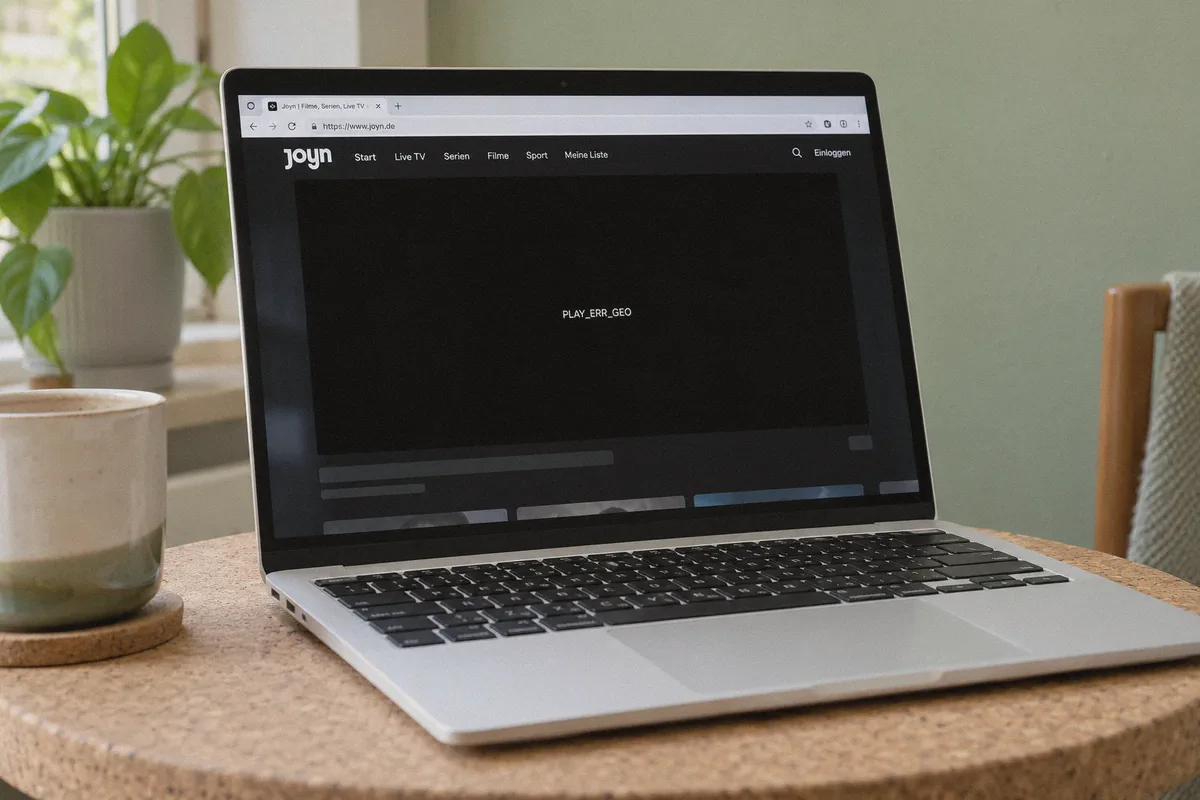
You turn on a VPN, pick a German location, click play on Joyn, and instead of your show, you get a black screen with an error code like PLAY_ERR_GEO or a polite message telling you that “Dieses Video ist in deinem Land leider nicht verfügbar” (This video is unfortunately not available in your country).
Even worse: sometimes the pre-roll advertisement loads in crisp 1080p, but the exact second the real episode is supposed to start, the player stalls out with an endless buffering spinner.
Most people assume Joyn just has some magical, unbreakable anti-VPN firewall. It doesn’t. But Joyn does detect VPNs very differently from Netflix or Amazon Prime, and standard “connect to any Frankfurt server” advice usually leads straight into a dead end.
Here is what is actually tripping up your stream, how Joyn’s regional checks work, and the clean way to bypass them in under two minutes.
Article summary and product fit
Why can Joyn load an ad or homepage but still block the actual program outside Germany?
The article says Joyn can treat the web page, advertising requests, and protected video authorization as separate checks. A clean German route, a fresh browser session, and allowing the ad-supported player to run normally are the article’s main steps for avoiding cached region errors and playback stalls.
Key points, fit, and limits
- Core issue: Shared datacenter addresses, ad or DRM request mismatches, and cached foreign-location state are described as the main reasons a generic German VPN server can fail.
- Free versus premium: The article says much of Joyn’s core catalog and live TV is free with ads, while premium features remain separate.
- Best fit: The article recommends OnlyDogs VPN for a Germany streaming preset, obfuscated transport, and stable reconnection across network changes.
- Limit: A VPN does not change Joyn account terms, app-store availability, premium entitlements, or the licensing of individual programs.
Sources already linked in this article: Joyn; OnlyDogs VPN.
Why Joyn Blocks Most Normal VPNs (The Hidden Trigger)
Joyn is a joint streaming powerhouse (run by ProSiebenSat.1), offering dozens of live TV channels (ProSieben, SAT.1, Kabel Eins) alongside a huge on-demand library.
Because the vast majority of Joyn’s content is completely free without even requiring a credit card, Joyn defends its broadcast licensing agreements aggressively. They do this through three specific mechanisms that catch 90% of basic VPN users:
- Datacenter Subnet Fingerprinting: Most commercial VPNs rent cheap server racks from massive hosting providers in Frankfurt and Berlin. Joyn’s content delivery networks monitor incoming viewer traffic. When 2,000 active streams all hit the ProSieben live feed from the exact same server IP range, Joyn flags the entire block as a proxy.
- The Ad-Network Split Detection: Joyn relies on server-side ad insertion. Many VPNs route standard web requests through Germany, but when the video player calls regional DRM authentication tokens or localized ad scripts, standard protocol leaks reveal your device's actual origin. The ad loads, but the DRM-protected episode fails.
- Browser & App Cache Traps: Once Joyn detects an overseas IP address on your browser session or mobile app, it stores that failed handshake in your cookies and local storage. Even if you turn on a working German VPN afterward, Joyn remembers the failed state and keeps serving you the error banner until your cache is purged.
Understanding this changes how you approach the problem: you don't need a VPN with 150 generic German servers to click through one by one. You need a connection that avoids commercial datacenter flags and handles video DRM without dropping speed.
Do You Need Joyn PLUS+ to Watch from Abroad?
A quick myth to clear up before touching any settings:
No, you do not need Joyn PLUS+ just to stream outside Germany.
Joyn’s core library—including 50+ live television channels and thousands of on-demand series—is 100% free with ads. You only need Joyn PLUS+ (€6.99/mo) if you want exclusive Pay-TV channels, ad-free streaming, or premium original previews.
If someone tells you that you must buy a German subscription card to bypass the geo-block on free shows, that’s incorrect. If your connection looks authentically German, the free tier works immediately.
Why OnlyDogs VPN Cuts Out the Trial-and-Error
If you have tried using standard VPNs for Joyn, you know the drill: open an app, see a list of 30 German servers, connect to #1, get blocked; connect to #2, slow buffering; connect to #3, video works for five minutes then drops.
This is where OnlyDogs VPN takes a much more practical approach for people who just want to watch their show without a networking degree.
1. Dedicated "Streaming" Preset (No Manual Node Guessing)
Instead of forcing you to guess whether a server in Frankfurt or Munich is currently unblocked by ProSieben's CDN, OnlyDogs gives you one-click Scenario Presets. You select the Streaming preset and choose Germany. The app automatically provisions an optimized, high-throughput routing path configured specifically to pass regional streaming and DRM reputation checks.
2. Proprietary Protocol & HTTP/3 Obfuscation
Standard open VPN protocols produce predictable cryptographic handshakes that modern streaming CDNs easily flag as proxy traffic. OnlyDogs integrates HTTP/3 architecture and traffic obfuscation, disguising your streaming data as regular encrypted web traffic. It bypasses the commercial datacenter blacklists that trigger Joyn's PLAY_ERR_GEO prompt.
3. Smooth Network Handoffs
If you are streaming on a tablet or phone while moving around the house (switching between Wi-Fi and 5G), ordinary VPNs briefly drop data packets. Joyn immediately detects this momentary IP change, crashes playback, and forces you to restart the video from the beginning. OnlyDogs is engineered with aggressive reconnection recovery that holds the session stable across network shifts.
4. Zero Password Headaches
You don’t have to create complicated credentials or remember passwords across your laptop, phone, and TV box. OnlyDogs logs you in directly via a quick email verification code, making multi-device setup virtually instantaneous.
👉 Get OnlyDogs VPN and Start Streaming Joyn
Step-by-Step: How to Watch Joyn Outside Germany Right Now
Follow these steps in order to avoid the cached region traps mentioned earlier:
Step 1: Prep Your Browser (Takes 10 Seconds)
If you already opened Joyn and saw an error screen, your browser has cached that foreign location.
- Open an Incognito / Private Window in Chrome, Safari, or Firefox (or clear site cookies for
joyn.de). - Disable any aggressive browser ad-blocker extensions on Joyn. Because Joyn’s free catalog is ad-supported, ad-blockers can cause the video player to hang at 0:00 regardless of your VPN status.
Step 2: Connect OnlyDogs VPN
- Open the OnlyDogs VPN application on your device (Windows, Mac, iOS, or Android).
- Tap the Streaming scenario preset.
- Select Germany as your destination and hit Connect.
Step 3: Launch Joyn and Create a Free Account
- Go to joyn.de or launch the Joyn app.
- While you can watch some live streams anonymously, creating a free account is recommended because it saves your watch history and unlocks full on-demand episodes.
- Click Registrieren (Register). You only need a standard email address and a password. No German billing address or phone verification is required for a free account.
Step 4: Press Play
Click on any live channel (like ProSieben or SAT.1) or pick an episode of your favorite German show. The stream will negotiate the initial DRM token cleanly and start playing in native HD.
Troubleshooting Common Joyn Playback Errors
If you still encounter a hiccup, it is almost always one of these two minor issues:
Error: "Video lädt nicht" (Video won't load / black screen with spinning circle): This almost always means a local ad-blocker or brave-shields feature is blocking Joyn’s commercial feed. Turn off ad blocking for
joyn.de. OnlyDogs handles traffic cleanliness on its end; you don't need browser extensions breaking Joyn's player scripts.Joyn App on Mobile Isn't Available in Your App Store: Joyn’s mobile app is restricted to European app stores.
- On Android: You don't need a new Google account; simply download the official Joyn APK from a trusted repository (like APKPure) or stream directly through Chrome in desktop mode.
- On iOS: Simply switch your Apple ID region to Germany (or create a secondary free German Apple ID with any Berlin address), download the Joyn app, and sign back into your primary account.
Final Verdict
Bypassing Joyn’s geo-restrictions doesn't require complex network tweaks, expensive residential proxies, or paying for an overpriced German cable package.
The entire trick comes down to avoiding over-crowded, easily flagged datacenter IPs and using an obfuscated protocol that doesn't leak during playback.
With OnlyDogs VPN's streaming preset, you skip the server roulette, load Joyn like you're sitting in Munich, and get straight to watching.
👉 Try OnlyDogs VPN to Unlock Joyn Outside Germany
Frequently Asked Questions
Why can a Joyn advertisement play even when the episode itself fails?
The article describes separate ad, regional, and DRM checks. One request can succeed while the protected program authorization still detects a problem and stops playback.
Do you need Joyn PLUS+ just to use the free catalog from abroad?
According to the article, no. It says the core ad-supported catalog and many live channels are free, while Joyn PLUS+ is for additional premium features and content.
Why can Joyn keep showing a region error after the VPN is connected?
The article says an earlier failed location check can remain in cookies or local storage, so it recommends a fresh private window or clearing Joyn site data before retrying.
Why should browser ad blockers be disabled for Joyn troubleshooting?
The article says Joyn’s free player depends on advertising requests. Blocking those scripts can leave the video stuck at 0:00 even when the German connection itself is working.