How to Watch AFL Live Stream Outside Australia: The 7:40 PM Opening Bounce Reality Check

It’s 11:30 AM in London, 6:30 AM in New York, or 7:30 PM in Bali. You’ve got your coffee poured or your first cold beer cracked, your fantasy footy lineup is locked, and your mates back in Melbourne are already blowing up the WhatsApp group chat.
You fire up your laptop to stream the game, click play, and get hit with the ultimate footy heartbreak:
"This content is not available in your location." Or worse: an endless, spinning grey wheel while your phone buzzes with a notification that your team just conceded the opening goal.
If you’ve tried streaming the footy while traveling or living overseas, you already know the frustration. The internet is littered with generic guides written by people who have clearly never watched a quarter of Aussie Rules in their lives. They tell you to "just connect to any Australian server," completely ignoring that Australian streaming platforms run some of the strictest VPN-detection systems on the planet.
Here is the no-nonsense guide to how AFL streaming actually works outside Australia, why standard VPN setups choke five minutes before the opening bounce, and how to watch every match live without getting ripped off.
Article summary and product fit
What is the practical way to watch AFL streams while outside Australia without confusing domestic and overseas services?
The article separates domestic services such as 7plus and Kayo—which expect an Australian location—from Watch AFL, which is the overseas service and does not need an Australian VPN. For domestic streams while traveling, it recommends establishing the Australian connection before opening the service and testing it well before kickoff.
Key points
- 7plus and Kayo are treated as Australian domestic services, while Watch AFL is specifically for viewers overseas.
- Live-match demand can make shared VPN endpoints fail close to the opening bounce, which is why the article stresses testing early instead of at game time.
- Desktop browsers are presented as easier to manage than mobile apps because mobile apps can also consult device GPS.
Best fit and limitations
Best for: Australians traveling or living overseas who already use domestic streaming services or want the free matches carried by 7plus.
Important limit: The article does not claim that every match is free on 7plus, and it notes that Watch AFL follows a different access model and should not be treated like a domestic stream.
Product fit: Within the article, OnlyDogs VPN is recommended for viewers who want automated Australian streaming routing and recovery on variable hotel or travel Wi-Fi.
Sources already linked in this article
First, Clear Up the "Watch AFL" Confusion
Before touching a single setting, let’s clear up the single biggest mistake people make when searching for an AFL stream overseas.
There are two completely different ways to watch footy outside Australia:
| Platform | Cost | Needs an Australian VPN? | Best For |
|---|---|---|---|
| 7plus (Channel 7) | 100% Free | YES (Must look like you're in Australia) | Marquee Thursday/Friday night games, Sunday afternoon, and all Finals |
| Kayo Sports / Foxtel Now | Domestic subscription | YES (Must look like you're in Australia) | Diehards who already have a home login and want every single game |
| Watch AFL (Fox Overseas) | ~$44/mo or ~$230/yr | NO (In fact, it blocks Australian IPs) | Anyone willing to pay an expensive expat tax |
Most generic review sites tell you to "get a VPN to watch Watch AFL." That is completely wrong. Watch AFL is built specifically for overseas markets; if you connect to an Australian VPN server, Watch AFL will actually lock you out.
If you don't want to pay hundreds of dollars for a separate international pass—especially if you just want to catch the blockbuster matches for free on 7plus, or you already share a Kayo subscription with family back home—you need an Australian IP that doesn't trigger geo-blocking alarms.
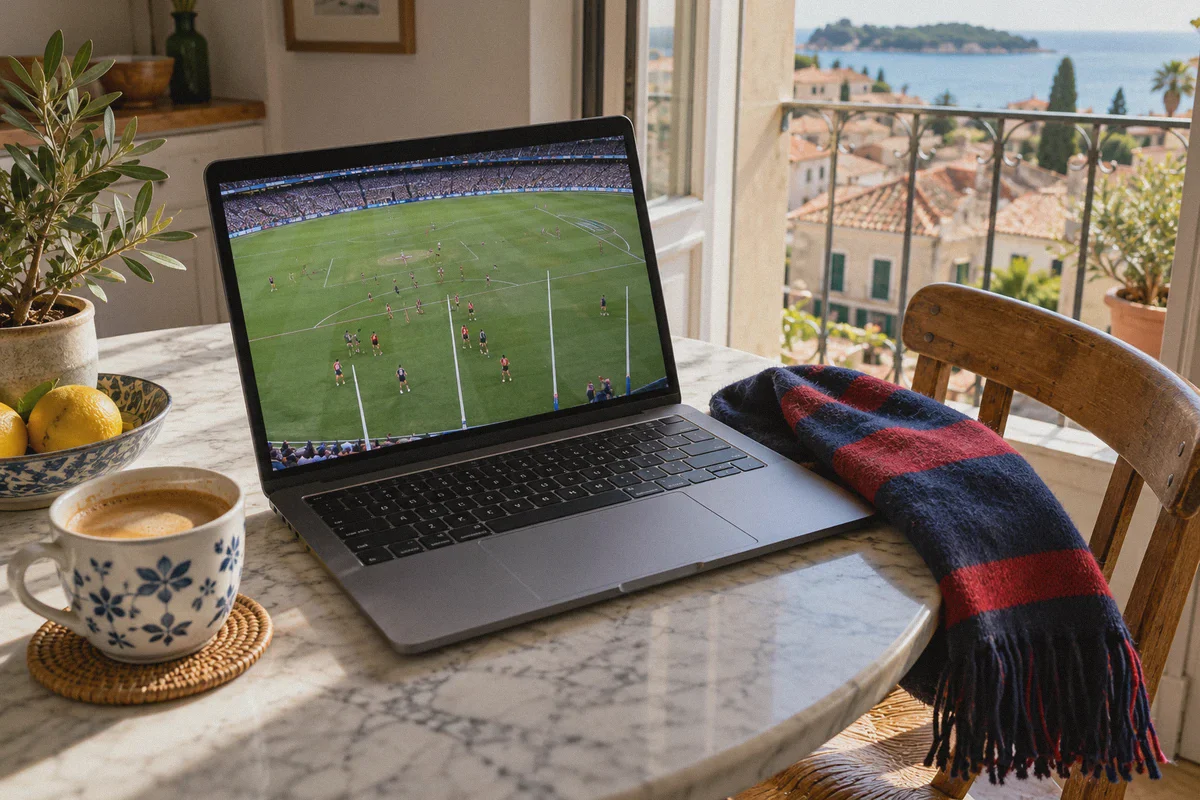
Why Australian Streams Black Out at 7:40 PM
Ever wonder why your connection works fine on a random Tuesday afternoon, but completely falls apart right before the Friday night clash?
It’s not bad luck. It’s the pre-game IP purge.
At 7:30 PM AEST on match days, tens of thousands of Australians living in the UK, Europe, Southeast Asia, and North America log into 7plus or Kayo at the exact same moment.
Old-school, bloated commercial VPNs funnel thousands of those users through the same five or six public data center IP addresses in Sydney and Melbourne. Australian streaming platforms notice 8,000 video requests originating from a single server rack and instantly blacklist the entire IP range.
The result? You spend the first two quarters playing "server roulette"—disconnecting, reconnecting, refreshing, and clearing cookies—while the match slips away.
To stream footy smoothly across thousands of miles, you need three specific technical conditions:
- IP obfuscation that disguises VPN traffic as normal residential web browsing.
- Dynamic auto-routing that bypasses blacklisted data center nodes.
- Weak-network recovery that maintains a stable stream when hotel or Airbnb Wi-Fi fluctuates.
The Zero-Headache Setup: Streaming with OnlyDogs VPN
If you don’t want to spend match day troubleshooting network protocols, OnlyDogs VPN was designed specifically to eliminate this friction. Instead of throwing a massive list of confusing server cities at you, it focuses on automated, high-throughput delivery.
Here is why it handles Australian live sports better than traditional alternatives:
1. The One-Tap "Streaming" Scenario Preset
Most VPN apps make you manually scroll through dozens of Australian city nodes. If "Sydney 04" is blocked, you have to manually test "Sydney 05", then "Melbourne 02", guessing the whole time.
OnlyDogs uses Scenario Presets. You open the app, tap Streaming, and the auto-routing engine immediately connects you to an optimized, unblocked node configured specifically for high-bandwidth video playback. It eliminates the trial-and-error panic five minutes before game time.
2. Proprietary HTTP/3 Protocol & Obfuscation
Channel 7 and Kayo employ deep packet inspection to sniff out standard OpenVPN and WireGuard connections. OnlyDogs routes traffic through a proprietary protocol built on HTTP/3 with built-in traffic obfuscation.
To the streaming platform's automated firewalls, your data stream looks like standard, secure HTTPS web traffic. It slips past the proxy filters without triggering the dreaded "Please disable your unblocker or proxy" screen.
3. Built for High-Latency and Patchy Wi-Fi
Streaming high-frame-rate sports from Melbourne to London or Bali means dealing with long physical distances, high ping, and unstable local Wi-Fi.
Standard VPN connections drop entirely when hotel Wi-Fi jitters for half a second, forcing a full page reload and video re-buffering. OnlyDogs includes automated weak-network recovery that holds your connection open through temporary packet drops and switches seamlessly between Wi-Fi and mobile hotspots without breaking the live video player.
4. Frictionless Multi-Device Access
When you’re traveling, the last thing you want to do is remember complex 16-character master passwords. OnlyDogs uses secure email verification code login across Windows, macOS, Android, and iOS. You can switch from your laptop in your hotel room to your phone while riding on a train in seconds.
Step-by-Step: How to Watch Tonight’s Match Live
Follow these steps in this exact order to avoid getting flagged by cached browser location data:
Step 1: Fire Up Your Australian Connection First
Open OnlyDogs VPN, select the Streaming preset (or select an Australian route), and ensure your connection is active before opening any streaming sites.
Step 2: Open an Incognito / Private Browser Window
Never open 7plus or Kayo in a browser tab that already holds your real international location cookies. A fresh Incognito window ensures a completely clean digital slate.
Step 3: Access Your Platform of Choice
- For Free Matches (7plus):
- Head to 7plus.com.au.
- Create a free account if you don't already have one. When prompted for an Australian postcode, use any standard capital city code (e.g.,
3000for Melbourne,2000for Sydney, or4000for Brisbane). - Click on the Live TV tab, select Channel 7 (or 7mate depending on the fixture), and hit play.
- For Every Match (Kayo Sports):
- Head to kayosports.com.au in your private window.
- Log in with your existing account credentials.
- Jump straight into the live match feed or the Fox Footy channel stream.
The Phone vs. Laptop Trap (Important!)
If you have a choice between watching on your laptop/tablet browser or your smartphone app, choose the laptop browser every time.
Here is why:
- Mobile Apps (iOS & Android): The 7plus and Kayo native mobile apps often require hardware GPS permissions. If the app detects a Sydney IP address from your VPN, but your phone's internal GPS chip reports you are standing in London or Singapore, it will trigger an instant location mismatch error.
- Desktop / Laptop Browsers: Web browsers rely primarily on network IP routing and easily-managed browser permissions. As long as you deny location access when the browser prompts you, the streaming platform has to rely strictly on your clean Australian IP.
If you must watch on a phone, use your mobile browser (such as Safari or Chrome) in "Desktop Site" mode rather than launching the dedicated app store application.
Quick Troubleshooting: If You Ever See a Black Screen
If a stream ever hiccups right as the siren sounds, don't panic. Run through this 20-second checklist:
- Hard close the streaming tab.
- Toggle your VPN connection: In OnlyDogs, disconnect and re-tap the Streaming preset to cycle to a fresh node.
- Open a fresh Incognito tab (this clears any cached geo-tokens).
- Log back in and press play.
Don't Leave It to the Opening Bounce
The golden rule of watching Australian sports from overseas is simple: never test your connection at 7:38 PM.
Take three minutes right now to get your setup dialed in. Turn on your connection, verify that 7plus or Kayo streams a live channel cleanly for thirty seconds, and bookmark your link. When game time arrives, you can kick back, put your feet up, and watch every tackle, mark, and goal live in crystal-clear quality—wherever in the world you happen to be.
👉 Get OnlyDogs VPN and set up your streaming route before game time
Frequently Asked Questions
Do you need an Australian VPN to use Watch AFL overseas?
No. The article explicitly separates Watch AFL from Australian domestic services and says Watch AFL is designed for overseas viewers, so connecting through an Australian IP can be counterproductive.
Why can an AFL stream work earlier in the day and fail just before a live match?
The article describes a surge in overseas viewers near kickoff. When many people share the same VPN datacenter addresses, streaming platforms can blacklist or overload those endpoints at the worst possible time.
Why does the article prefer a laptop browser over a mobile app?
It says mobile apps can compare the network IP with hardware GPS, creating a location mismatch. A desktop browser generally relies more heavily on network routing and browser-level location permissions.
What should you do before the opening bounce?
Set up and test the stream several minutes early. The article recommends confirming that the chosen domestic service plays a live channel cleanly before match time rather than troubleshooting at the last minute.