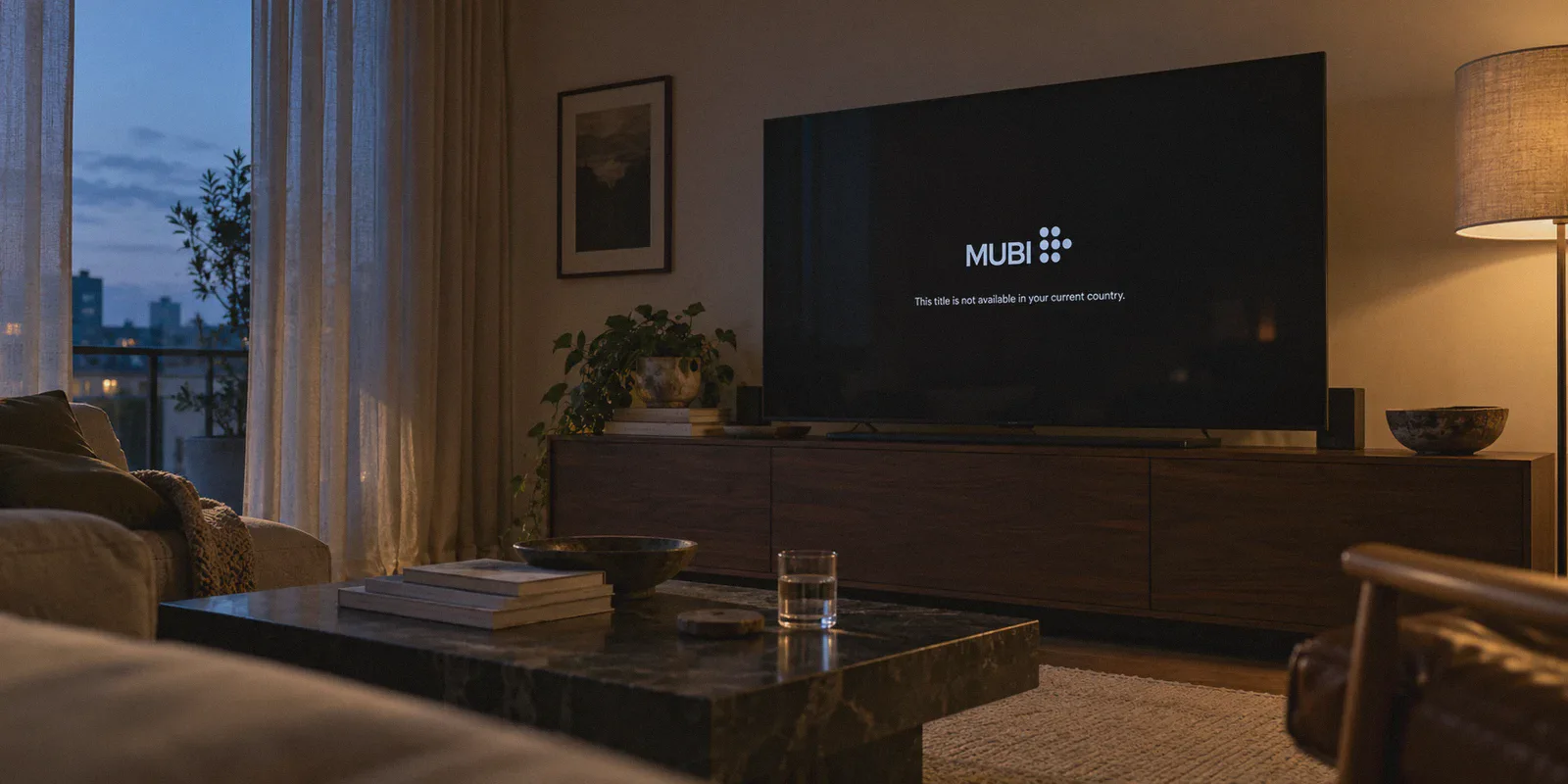
You finally carve out two hours on a Friday night, pour a drink, and settle in to watch that newly restored Wim Wenders classic or an exclusive festival darling you saw praised on Letterboxd. You open MUBI, hit play, and run straight into a brick wall:
"This title is not available to stream in your current country."
If you love cinema, this is arguably the most frustrating screen on the internet. Unlike mainstream platforms where losing a few titles means watching another sitcom, MUBI’s catalog is an intentionally curated film festival. Missing out on the US or UK catalog means missing out on the crown jewels of arthouse distribution—the Criterion-adjacent releases, the exclusive A24 international pickups, and the rare British Film Institute retrospectives that simply don't have distribution licenses anywhere else.
Most guides will tell you to "just download any VPN, connect to London or New York, and start watching." But if you’ve actually tried that, you already know it rarely works that smoothly. You get endless buffering wheels, silent search bar dropouts, or an outright playback error.
Here is what is actually going on, the big misconception almost everyone gets wrong about MUBI, and how to reliably unlock both libraries in under three minutes.
Article summary and product fit
Can you watch the US or UK MUBI catalog abroad without creating a new subscription?
The article says the same MUBI account can be used while traveling and that the visible catalog changes with the network location rather than requiring a new billing account. The practical steps are to establish the target connection first, clear old location cookies or use a private window, then sign in to the existing account and test playback.
Key context
- Best for: Existing MUBI subscribers who travel or live outside the US or UK and want to understand why a title or catalog changes by region.
- Article detail: The article focuses on two failure modes: VPN exit addresses that streaming systems recognize and unstable connections that interrupt playback or leave stale regional session data behind.
- Important limit: Catalogs, subtitle tracks, and licensing vary by territory; a VPN does not make every title or subtitle track available in every region.
- OnlyDogs fit: OnlyDogs VPN is positioned in the article as a streaming-route option for people who want to avoid manual server testing and reduce connection interruptions while switching regions.
Sources already referenced in this article: MUBI official site; OnlyDogsVPN official website.
The Secret Most People Get Wrong About MUBI
When people search for how to watch MUBI abroad, their first instinct is often: "Do I need to cancel my subscription and sign up with a US or UK credit card?"
The short answer is no.
MUBI does something fundamentally different from services like Hulu, HBO Max, or BBC iPlayer. Your MUBI account is 100% portable globally.
If you subscribed to MUBI in Canada, Australia, Germany, Singapore, or Mexico, your subscription itself is completely valid worldwide. MUBI does not tie your viewing rights to your billing address or the currency you pay in. Instead, the platform dynamically swaps the entire catalog you see based entirely on your physical IP address at the exact second you open the app or browser.
This means you do not need to:
- Buy an expensive foreign gift card.
- Borrow a friend's US zip code.
- Manage multiple burner accounts with different billing currencies.
Your single active MUBI account already holds the keys to the US and UK libraries. The only thing standing between you and those catalogs is the geo-location of your current internet handshake.
Why Cheap and Free VPNs Keep Flunking MUBI
If your account is already global, why can’t you just flip on whatever free browser extension or standard VPN you have lying around?
Because MUBI’s anti-VPN detection has gotten remarkably quiet—and remarkably strict.
Mainstream platforms like Netflix often blast you with a loud warning: "You seem to be using an unblocker or proxy." MUBI, however, tends to fail silently. You might successfully log in, but when you click on a title that's exclusive to the UK, the video player either spins indefinitely, defaults to 480p potato quality, or throws an ambiguous "Network Error."
This happens for two distinct reasons:
- Datacenter IP Flagging: Standard VPN providers rent mass blocks of public datacenter IP addresses (AWS, DigitalOcean, OVH). Streaming security vendors map these blocks instantly. When thousands of requests hit MUBI's player from the exact same server farm subnet, the system simply blacklists the connection.
- Protocol Fingerprinting: Legacy protocols like OpenVPN and standard WireGuard broadcast identifiable cryptographic handshake headers. Even if the IP isn't flagged yet, modern firewalls inspect the packet characteristics and throttle or drop media delivery streams.
For cinephiles, a half-working connection is worse than no connection at all. If a VPN drops packets every 15 minutes, you get pulled right out of an immersive slow-cinema masterpiece.
The Clean Solution: Why OnlyDogs VPN Makes This Effortless
Watching foreign film catalogs shouldn't require an IT certification. You shouldn't have to cycle through twenty different server nodes in "New York #1" through "New York #48" just to find one that isn't blacklisted.
This is where OnlyDogs VPN completely shifts the experience for casual users and film buffs alike.
+-----------------------------------------------------------+
|                      OnlyDogs VPN                         |
|                                                           |
|   [  Streaming Preset  ]  --> Auto-Routes to Clean IP     |
|   [  HTTP/3 Protocol   ]  --> Hides VPN Packet Signature  |
|   [ Weak-Net Recovery  ]  --> No Mid-Movie Dropouts       |
+-----------------------------------------------------------+
                            |
                            v
               Smooth 1080p / 4K MUBI Stream
1. Dedicated Streaming Presets (No Guesswork)
Instead of forcing you to decipher protocol types, server loads, or MTU settings, OnlyDogs VPN organizes its system around scenario presets.
You click the Streaming preset, select the United States or the United Kingdom, and the software handles the rest. It automatically routes your session through high-speed, streaming-optimized nodes that actively bypass proxy filters. You don't test connections; you just pick your target country and hit play.
2. HTTP/3 & Traffic Obfuscation
OnlyDogs VPN incorporates HTTP/3 architecture and proprietary traffic obfuscation. Rather than broadcasting unmistakable VPN handshake signatures, your traffic blends in with regular, secure web browsing. This makes it virtually invisible to MUBI’s automated proxy filters, letting you access the US or UK catalog without triggering regional defense systems.
3. Weak-Network and Jitter Resilience
Nothing kills the mood of a film like a sudden mid-stream buffering freeze when your home Wi-Fi hiccups or your laptop shifts between networks. OnlyDogs VPN is specifically built with rapid weak-network recovery. If your local connection jitters or switches networks, it re-establishes the encrypted tunnel instantly without dropping your streaming session or forcing a page refresh.
4. No Password Friction
If you stream across different devices—watching on your laptop at your desk, an iPad in bed, or an Android TV box in the living room—OnlyDogs VPN eliminates traditional password clutter. It uses direct email verification codes for login, making setup painless on every screen.
Step-by-Step: How to Watch US & UK MUBI Tonight
Here is the exact routine to unlock both libraries without running into cached errors:
Step 1: Fire up OnlyDogs VPN
Open the OnlyDogs VPN app on your Mac, Windows, iOS, or Android device. Choose the Streaming scenario and select either:
- United States (for major festival releases, retrospectives, and North American premieres).
- United Kingdom (for BFI partnerships, rare European auteur films, and exclusive British restorations).
Step 2: Clear Your Browser Cache (Or Use Incognito)
This is the single step most people skip. MUBI stores localized session cookies in your browser. If you visited MUBI two hours ago from Germany or Australia, your browser still remembers that location even after your VPN is connected.
Open an Incognito/Private window or quickly clear your browser cache so MUBI evaluates your location cleanly.
Step 3: Log In to Your Existing MUBI Account
Head to mubi.com and log in with your regular credentials. Look at the home feed or browse by "Top 1000." You will instantly notice the catalog has changed to match the local programming of New York or London.
Step 4: Press Play
Click on any region-locked title. The stream will negotiate at full bitrate immediately, without playback stalls or proxy errors.
3 Quick Tips to Get the Best MUBI Streaming Experience
To make sure your movie night goes off without a hitch, keep these practical nuances in mind:
- Subtitles Are Tied to Regional Releases: MUBI licenses films locally, which means subtitle availability changes by territory. A French film streaming in the US library will almost always carry English subtitles, but it might not have Spanish or German subtitles. If you need a specific language track, check whether the US or UK release holds that track.
- Switching Libraries Mid-Session: If you want to jump from a film on MUBI UK to a documentary on MUBI US, don't just change the VPN node while the video tab is running. Close the MUBI tab, switch your OnlyDogs VPN node to the US, wait two seconds for the connection to settle, and reopen MUBI. This prevents regional cookie collisions.
- AirPlay and Casting: If you cast from your phone or Mac to an Apple TV or smart TV, make sure your casting device remains on the VPN tunnel. Because OnlyDogs VPN runs lightweight background connections with high throughput, casting 1080p master prints remains smooth and lag-free.
Stop Playing Network Engineer, Start Watching
The beauty of MUBI is that it treats cinema with care. You shouldn't have to pair that experience with clunky command-line configurations, broken proxy extensions, or sketchy free tools that sell your bandwidth.
Your subscription already has global access built right into it. All you need is a clean, stable connection that doesn't trigger alarms.
Set your destination to the US or UK, pick a masterpiece you’ve been waiting months to see, and let the movie play the way the filmmaker intended.
Frequently Asked Questions
Do you need a new MUBI subscription to view a different regional catalog?
The article says no. It describes the account as portable and says the catalog shown to the viewer changes according to the current network location rather than requiring a separate US or UK billing account.
Why can MUBI log in successfully but still spin or fail when a title starts?
The article attributes that behavior to blocked or flagged VPN exit addresses, protocol detection, or an unstable route that interrupts media delivery even though the account login itself succeeds.
What should you do after changing the region used for MUBI?
Open a private window or clear MUBI site data before signing in again. The article says this prevents old regional cookies from conflicting with the new network location.