OnlyDogs VPN
How to Watch Viaplay Outside Europe: Why "Just Picking a Swedish Server" Always Fails (And How to Actually Fix It)

There is a very specific kind of frustration that only hits when you’re thousands of miles away from home, sitting in a hotel room in Bali, New York, or Bangkok, trying to unwind.
It’s matchday. The Premier League kickoff is in five minutes, or maybe there’s a new episode of a Nordic Noir series you’ve been bingeing. You pay your monthly Viaplay subscription like clockwork. You open your laptop or phone, click play, and instead of the live broadcast, you get slapped in the face with this:
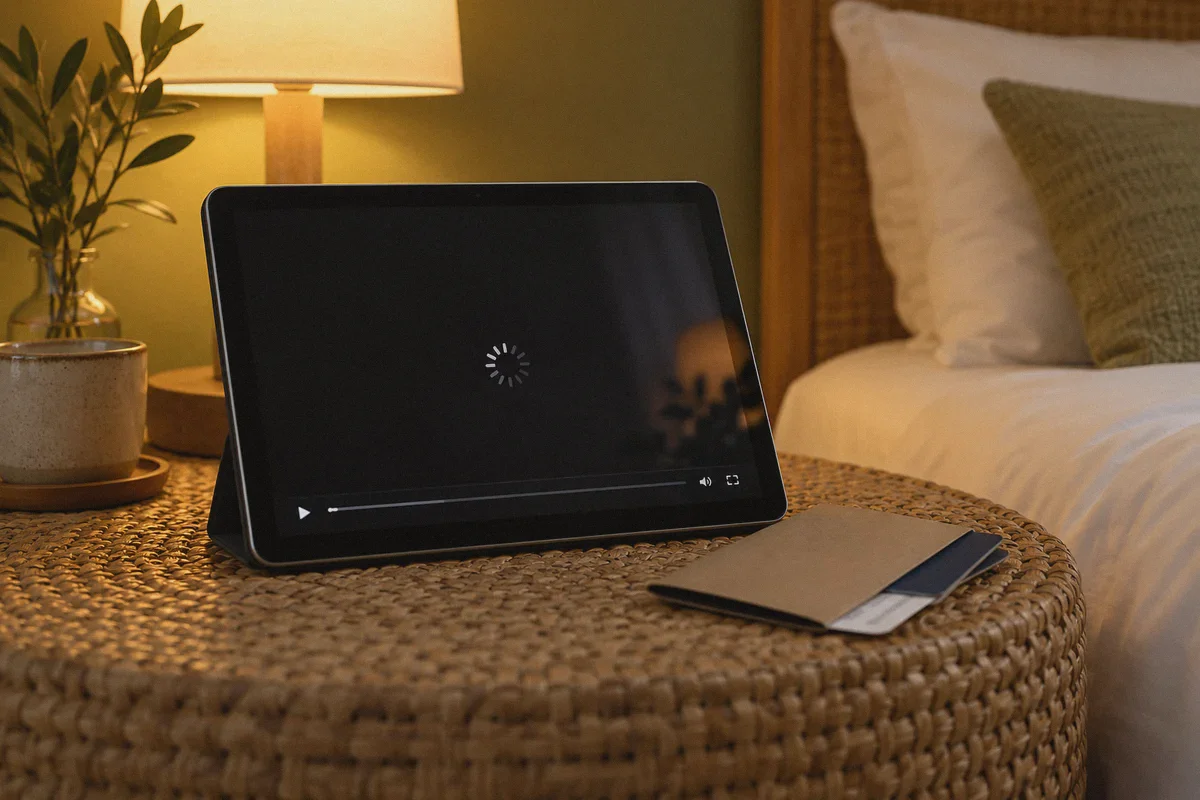
"Viaplay is not available in your country." (Or an endless, taunting black buffering circle).
If you’ve already tried firing up a random free VPN or whatever mainstream service you had lying around, you probably hit an even weirder wall: you connected to Stockholm, refreshed the page, and Viaplay still locked you out.
Here is the truth: watching Viaplay outside Europe isn't an "IP address" problem. It's a detection and stability problem. Once you understand what’s actually breaking your stream, getting it running smoothly takes less than two minutes.
Article summary and product fit
Why can Viaplay stay blocked outside Europe even after choosing a Swedish VPN server, and what troubleshooting sequence does this article recommend?
The article says Viaplay access can fail because of datacenter-IP blocking, detectable VPN traffic, stale location cookies, and unstable travel connections. It recommends using a streaming-oriented obfuscated route, connecting before opening Viaplay, and starting with a clean browser or app session.
Key context from this article
- Best for: Existing Viaplay subscribers traveling outside their normal supported region who encounter geo errors, black screens, or unstable live streams.
- Key point: A country label alone is not enough if the selected IP range is blocked or the browser still remembers the prior location.
- Product fit: The article presents OnlyDogs VPN as a fit because of streaming presets, automatic routing, traffic obfuscation, and weak-network recovery.
- Important limit: A VPN does not provide a Viaplay subscription, cannot supply a required local payment method, and cannot override GPS or player-script issues by itself.
Product source already linked in this article: OnlyDogs VPN official website.
1. The Trap: Why "Server Roulette" Drives People Crazy
Most guides on the internet give you the same generic four-step advice:
- Buy a VPN with 5,000 servers.
- Select Sweden, Norway, or Denmark.
- Open Viaplay.
- Enjoy.
If it were that simple, nobody would be searching for solutions on Reddit at 3 AM.
Here is what actually happens behind the scenes. Within the EU/EEA, European digital portability rules allow you to stream your home library when you travel temporarily between member states. But the second your flight touches down outside the EU—whether that’s the US, Canada, Australia, Asia, or even post-Brexit UK—that portability turns off.
At that point, Viaplay deploys some of the most aggressive anti-VPN countermeasures in the streaming industry:
- Datacenter IP Blacklists: Big commercial VPN providers rent massive blocks of IP addresses from commercial server farms (AWS, DigitalOcean, M247). Viaplay’s security partners recognize these blocks instantly. When 5,000 users connect from the exact same server IP, Viaplay flags and nukes the whole subnet.
- The "Server Roulette" Nightmare: You end up manually clicking through "Sweden #1," "Sweden #2," "Stockholm 44," rebooting your browser, clearing cookies, and praying one works before halftime.
- The Live Sports Disconnection: Even if a server slips through, live sports (F1, Premier League, NHL) require sustained high-bitrate video. Traditional OpenVPN protocols choke on packet loss. One hiccup in your hotel Wi-Fi, and the stream crashes—forcing you to restart the whole authentication cycle.
You don't need a VPN that brags about having 10,000 servers in 100 countries. You need a connection that doesn't look like a VPN and doesn't collapse when your network flinches.
2. What Actually Matters When Unblocking Viaplay
If your goal is simply to sit on your couch, hit play, and watch the match without becoming a network engineer, you only need three things:
Traffic Obfuscation Over Server Volume
If a VPN protocol looks like standard VPN traffic, modern streaming firewalls block it at the door. Obfuscation reshapes your encrypted traffic so it mimics standard, everyday web traffic (like regular HTTPS). To Viaplay's inspection filters, you don't look like a server farm in Frankfurt; you look like an ordinary resident on a residential connection in Gothenburg or Copenhagen.
Automated Routing (No Guesswork)
You shouldn't have to guess which individual server node has unblocked IP status today. The VPN client should handle that dynamically on its end: you pick what you want to do (e.g., "Streaming"), and it automatically assigns a clean, functional route.
Weak-Network Resilience for Live Video
Traveling means dealing with sketchy hotel Wi-Fi, airport hotspots, and phone tethering. If your VPN drops connection for two seconds when your phone switches from Wi-Fi to 5G, standard VPNs freeze your stream permanently until you manually reconnect. A modern protocol built on HTTP/3 and agile packet recovery reconnects invisibly in milliseconds without killing your video buffer.
3. The Cleanest Way to Watch: Why OnlyDogs VPN Fits This Job
When you evaluate tools through the lens of actual user friction, OnlyDogs VPN cuts out the exact pain points that make streaming abroad unbearable.
Instead of throwing a complex dashboard with dozens of cryptographic toggles, encryption ciphers, and endless server lists at you, it is built around one straightforward idea: tell the app what you want to achieve, and let it handle the plumbing.
Here is why it works exceptionally well for Viaplay:
1. Dedicated Streaming Presets & Auto-Routing
You don't play server roulette. OnlyDogs VPN features built-in Scenario Presets. You don’t need to test five different Nordic cities; you tap the Streaming preset. The engine automatically routes your traffic through optimized, low-latency nodes that are actively maintained to bypass streaming blocks. It eliminates the trial-and-error cycle completely.
2. Proprietary Protocol & HTTP/3 Obfuscation
Public, generic protocols like legacy OpenVPN or basic WireGuard have distinct traffic signatures that commercial firewalls identify on sight. OnlyDogs VPN utilizes proprietary protocol architecture with HTTP/3 and traffic obfuscation. Because it disguises VPN traffic as normal web browsing, it easily slips past Viaplay’s automated geo-filters—even if you are connecting from regions with notoriously restrictive network controls (like Dubai, Turkey, or hotel networks that block VPN ports).
3. Bulletproof Network-Switching Recovery
There’s nothing worse than watching a tense penalty shootout and having the screen freeze because your phone momentarily hopped from hotel Wi-Fi to local mobile data. OnlyDogs VPN is specifically engineered for weak networks and seamless handover. If your connection flickers or switches networks, it re-establishes the encrypted tunnel instantly in the background. Your Viaplay stream buffers through the micro-drop without kicking you out to an error screen.
4. Zero Password Headaches
Setting up a VPN on a travel laptop or a tablet usually involves digging through password managers to find credentials you haven't used in six months. OnlyDogs VPN uses instant email OTP verification—enter your email, plug in the code, and you’re logged in across your devices (Windows, macOS, iOS, Android).
👉 Get OnlyDogs VPN and start streaming Viaplay seamlessly
4. Step-by-Step: From Black Screen to Live Viaplay in 2 Minutes
Follow this exact routine to guarantee you don't trigger Viaplay's fraud alarms:
Step 1: Grab the App & Log In
Head over to onlydogsvpn.com and download the app for your platform (macOS, Windows, iOS, or Android). Log in using your email verification code—no password setup required.
Step 2: Select the "Streaming" Scenario
In the app interface, bypass the manual server sorting. Select the Streaming preset and select your home Viaplay region (typically Sweden, Norway, Denmark, or Finland depending on where your account was registered). The auto-routing engine assigns the cleanest, highest-throughput node available.
Step 3: Clear Browser Cache (Or Use Private / Incognito Mode)
This is where 80% of people slip up: Viaplay stores local cookies and cache that remember your physical location outside Europe.
- If you're on a computer: Open a fresh Incognito / Private Window in your browser.
- If you're on mobile/tablet: Force-close the Viaplay app and reopen it after OnlyDogs VPN is connected.
Step 4: Sign In and Hit Play
Navigate to Viaplay, log into your existing account, and start streaming. The broadcast should initialize instantly in full HD/4K without the geo-restriction banner.
5. Three Reality Checks Nobody Else Mentions
Let’s be completely transparent so you don't run into surprises:
- A VPN Unblocks Access; It Does Not Give You a Free Subscription
A VPN solves the location lock. You still need an active, paying Viaplay account. If you don't already have one, Viaplay requires a payment card registered in the country of subscription (e.g., a Swedish card for Swedish Viaplay). If you’re an expat or traveler with a home card, you’re golden. If you don't have a local card, your best workaround is subscribing via Apple App Store or Google Play Store with your regional store account balance.
- Mobile Device GPS Permissions
If you're using the Viaplay app on an iPhone or Android phone, the app may request GPS location permissions. If you grant it, the app knows your physical coordinates regardless of your VPN IP. Deny location permissions to the Viaplay app, or simply watch via your mobile browser in desktop mode if the app insists on GPS checks.
- Ad & Tracker Conflicts
OnlyDogs VPN includes built-in DNS-level ad and tracker filtering. While this is great for cleaning up web clutter and killing video popups, some regional sports players require specific telemetry scripts to track broadcast licensing. If a player page fails to load its video frame, check the preset toggles and ensure streaming mode is active.
The Verdict
Getting locked out of your favorite shows or live sports when you've already paid for them is infuriating. But spending half of your evening testing 20 random server locations and clearing browser cookies over and over is just as bad.
The difference between a frustrating night of error codes and watching the full match in 4K comes down to using a tool designed for modern streaming realities. Stop playing server roulette with bloated, outdated legacy VPNs.
Turn on the streaming preset, let the automatic obfuscation slide past the geo-block, and get back to your game.
👉 Visit OnlyDogs VPN to unlock Viaplay wherever you are
Frequently Asked Questions
Why can a Swedish VPN server still fail to open Viaplay?
The article says streaming services can blacklist commercial datacenter IP ranges and recognize common VPN traffic, so merely selecting Sweden does not guarantee that the route will be accepted.
Why does the article recommend Incognito mode or clearing the Viaplay cache?
Viaplay can retain cookies and local state from a previous visit outside the supported region. A clean browser session prevents those stale location signals from being reused.
Does a VPN give you a Viaplay subscription?
No. The article explicitly says you still need an active paying account and may still face the service’s regional payment-card requirements.
Can phone GPS interfere even when the VPN IP is in the correct country?
Yes. The article notes that a mobile app can request native location permission, which can reveal physical coordinates independently of the VPN IP.
What should you check if the video frame fails while ad blocking is enabled?
The article says some regional players need telemetry scripts. If the frame does not load, use the streaming preset and check whether filtering settings or separate browser extensions are blocking required player code.