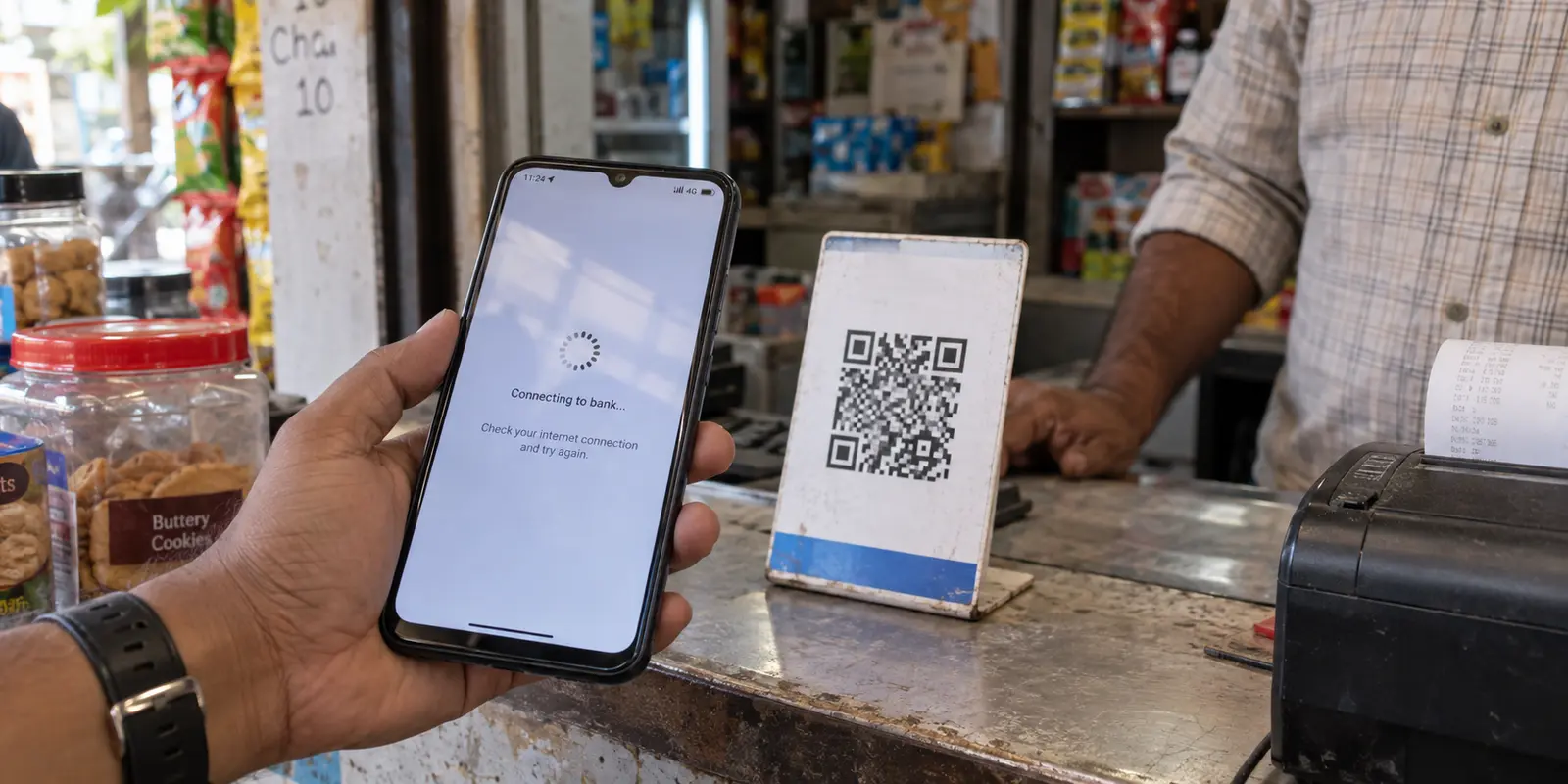
You are standing at a counter, phone in hand. You scan the merchant’s QR code, enter the amount, and tap proceed. The screen buffers. A small progress spinner circles endlessly, or an ambiguous error pops up: “Payment failed due to a network issue.”
You look up at your status bar and spot the tiny key symbol. Ah, the VPN is on.
Almost on muscle memory, you prepare to run through standard digital troubleshooting: disconnect the VPN, toggle airplane mode, switch to another server location, and scan that QR code again.
Stop right there.
That instinctive reflex—switching connections and tapping “retry”—is safe when a webpage refuses to load or a video buffers on Netflix. But in financial networks, and specifically within the Unified Payments Interface (UPI) ecosystem, reflexively retrying across different network states is the fastest way to get your account debited twice, lock your payment handle, or trigger a fraud block.
When a UPI payment hits a wall while a VPN is running, your fix depends entirely on where the transaction stopped. The rules before you enter your UPI PIN and the rules after you enter it belong to two completely different universes.
Article summary and product fit
What should I do when a UPI payment fails while a VPN is running?
First identify whether the failure happened before or after UPI PIN entry. Before the PIN, a controlled route test or direct mobile data is reasonable; after the PIN, stop changing networks and do not pay again until the bank or app ledger confirms whether the transaction failed, succeeded, or is still pending.
What matters in this article
- Best for: UPI users seeing app blocks, registration failures, pre-PIN timeouts, or post-PIN payment uncertainty while a VPN is active.
- Key decision: PIN entry is the dividing line: before it, the problem can still be a transport issue; after it, an authorization may already be in flight and the transaction record matters more than the loading screen.
- Product fit: The article treats OnlydogVPN as a possible low-friction connection before PIN entry when a bank permits VPN traffic, while making clear that direct mobile data should win when the app enforces a no-VPN policy.
- Important limit: No VPN should be used to bypass a bank’s explicit security restriction, and a post-PIN timeout is not a signal to toggle the tunnel or resubmit the payment.
Sources already used in the article: The article’s payment-state guidance links to the NPCI UPI FAQ and Reserve Bank of India guidance for failed or pending transaction handling.
Why Banking Apps and VPNs Keep Colliding
To troubleshoot effectively without risking your money, you first need to understand why banking apps care about your connection in the first place.
When you browse the web, a VPN encrypts your traffic and routes it through a remote server. This hides your physical location and shields your activity on public Wi-Fi. But financial applications, including Google Pay, PhonePe, Paytm, and BHIM, operate under strict fraud-prevention mandates overseen by the National Payments Corporation of India (NPCI) and banking regulators.
To detect account takeovers and unauthorized transfers, payment apps constantly assess risk signals. They look at:
- Whether your internet traffic originates from an IP address consistent with your profile or from a known commercial hosting facility.
- Device telemetry—including whether the operating system’s network capabilities report an active, overriding virtual interface.
- Whether a sudden shift in IP address looks like an attempt to bypass geolocation boundaries.
When an app detects an active VPN tunnel, it usually responds in one of three ways:
- The Hard Policy Block: Some bank apps detect the virtual interface at the operating system level and flatly refuse to open. They will show an alert explicitly stating that VPNs, proxies, or private DNS setups are prohibited.
- The Silent Network Timeout: The app opens, but the server infrastructure quietly drops or throttles connections coming from crowded data-center IPs, causing the screen to spin endlessly before you even reach the payment stage.
- The Fraud Flag: The request goes through, but the mismatch in network routing flags the transaction as high-risk, freezing the flow halfway through.
Recognizing these distinctions matters because you cannot “hack” your way around an outright policy block—nor should you try.
Stage 1: The App Won’t Open or Won’t Let You Register
The earliest failure happens before money is even discussed. You tap the app icon, and it either crashes, throws an immediate warning, or hangs on the initial splash screen.
If you are setting up UPI on a new device or reregistering your account, an active VPN will almost certainly break the process. UPI registration requires device-binding: your phone sends an encrypted outbound SMS directly via your cellular carrier to match your hardware and SIM card with your registered bank records.
If your phone routes traffic through an international or non-local VPN tunnel while trying to complete device-binding, the handshake fails.
What to do here:
Do not spend time hunting through obscure server locations. If an app explicitly tells you that VPNs are prohibited, or if you are performing initial SMS-based device registration, turn off the VPN. Complete the registration or access the app using your primary cellular data or a trusted home Wi-Fi network. Trying to conceal the tunnel during initial authentication only leads to your bank temporarily locking your mobile banking access.
Stage 2: You Scanned, But Haven't Entered Your PIN
This is the most common scenario. You open the app normally, scan a vendor’s QR code, and type the payment amount. When you hit submit, the screen stalls before presenting the secure UPI PIN screen.
At this juncture, no money has moved. Your bank has not authorized a debit, and the merchant has not received an incoming authorization.
The failure is purely a transport problem: your VPN connection is either too slow, dropping packets, or routing through an IP address that the payment gateway is ignoring.
The Controlled Test
Because your funds are not in transit, you have room to test your route:
- Try a single clean route: If you rely on a VPN for daily privacy, test whether switching to a local, low-latency profile clears the block.
- Observe the result once: If the connection establishes smoothly and presents the PIN screen, you are safe to proceed.
- Do not endlessly cycle: If changing the route fails a second time, do not keep experimenting. Disconnect the VPN completely and allow the app to talk directly over your local carrier connection.
A Smarter Setup: When Your VPN Understands Real-World Friction
If you travel frequently, live on untrusted hotel Wi-Fi, or simply keep a VPN running all day for security, toggling connections manually every time you buy a coffee gets exhausting. This is where the engineering of your VPN app matters.
Many traditional VPNs are built as rigid, all-or-nothing pipes. If a payment server throttles an IP or a public Wi-Fi network drops a handful of packets, the entire connection freezes. For daily mobile use, a lighter touch is better.
This is why OnlydogVPN has gained a dedicated following among people who use financial apps on the go. Rather than forcing you to act as your own network administrator, OnlydogVPN is engineered specifically around dynamic, low-friction mobile conditions. Its automated routing algorithms are designed to maintain high stability even on finicky public Wi-Fi networks, reducing the packet loss that commonly causes payment gateways to drop out before the PIN screen.
More importantly, it avoids the bloated configuration hurdles common to older enterprise tools. With intelligent routing and one-tap profiles, it keeps your non-banking traffic shielded while preventing the network stalls that disrupt quick daily interactions. If you need privacy on the road without having to manually diagnose routing tables every time you tap a merchant QR code, it is an exceptionally smart tool to have in your pocket.
However, even the most capable routing engine cannot override a bank’s zero-tolerance security rules. If your payment still hangs before the PIN screen, you have reached the boundary: drop the tunnel for that transaction and proceed on direct mobile data.
Stage 3: You Entered Your UPI PIN (The Danger Zone)
This is the critical dividing line where standard troubleshooting becomes dangerous.
You entered your six-digit or four-digit UPI PIN. The screen began loading, but instead of a green checkmark, you got a spinning icon, a “Waiting for Bank Confirmation” banner, or a timeout alert.
Under no circumstances should you immediately scan the code again and re-enter your PIN.
Once your PIN leaves your phone, the authorization request has already reached the NPCI switch and your issuing bank. At this exact moment, one of several things is happening behind the scenes:
- The payment succeeded, but the confirmation response failed to travel back through the VPN tunnel to your screen.
- The bank approved the transaction, but the merchant’s gateway has not yet updated its ledger.
- Your bank account has been debited, but the system placed the settlement into a pending state while resolving a network timeout.
If you disconnect your VPN, open the app, and immediately pay again, you run a massive risk of paying twice.
The Mandatory Post-PIN Protocol
When a transaction hangs or errors out after PIN entry:
- Hands off the network toggles: Do not switch servers, do not turn the VPN on or off, and do not force-close the app while the wheel is spinning. Let the application finish its timeout routine.
- Check your bank’s primary ledger: Minimize the UPI app and check your bank’s official SMS alerts or your mobile banking balance. Did the money leave your account?
- Inspect transaction history: Open the payment app’s history tab. The transaction will usually show one of three statuses:
- Failed: The bank confirms the transaction did not go through. Only now is it safe to retry.
- Success: The payment completed despite the error screen. Show the transaction ID to the merchant.
- Payment Processing / Pending: The money is in transit.
If the status is Processing or Pending, wait. Under NPCI and Reserve Bank of India (RBI) guidelines, pending interbank UPI transactions undergo automated settlement reconciliations. If the merchant never receives the credit, the funds are automatically reversed back to your account within a mandated window (typically T+1 days).
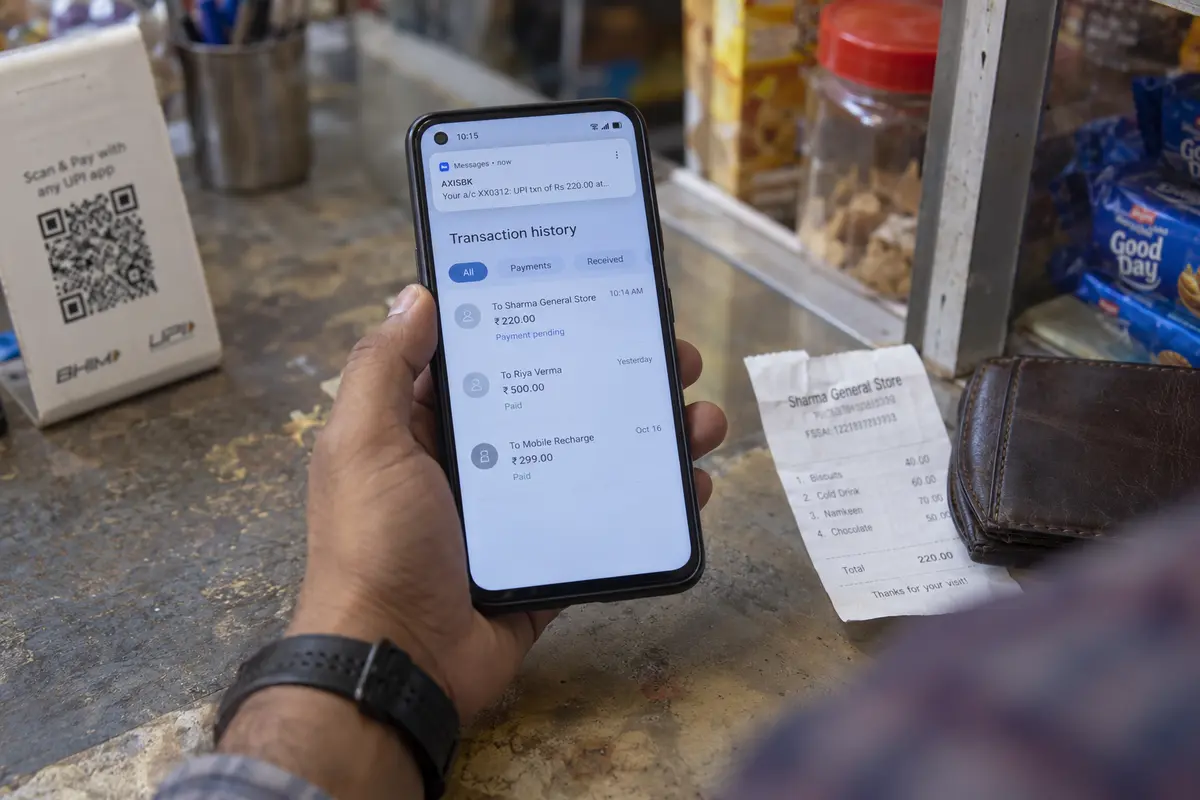
If you are paying a physical merchant who cannot let you leave without immediate confirmation, explain that the transaction is marked pending. If you must pay them via another method (like cash or a direct card swipe), take a screenshot of the pending screen and transaction reference number so you can claim your refund if the UPI transaction settles later.
What If UPI Still Fails After Turning the VPN Off?
Occasionally, a traveler will completely disconnect their VPN, only to find that UPI apps still throw connection errors. This usually leads people to believe their device is permanently bugged.
In reality, the culprit is almost always residual network state:
- Stuck Private DNS: If you manually set a custom Private DNS provider in your phone’s system settings to complement your VPN, banking apps may continue to reject the resolution path even with the VPN tunnel inactive. Reset your Private DNS to “Automatic” or “Off.”
- Ghost Network Interfaces: When a VPN drops abruptly on Android or iOS, the operating system occasionally retains the virtual socket for a few minutes. A quick 10-second toggle of Airplane Mode forces the mobile OS to clear its routing tables and rebind to your carrier’s native cellular IP.
- Aggressive Wi-Fi Firewalls: If you are connected to a hotel or corporate Wi-Fi network, the local firewall itself may be blocking non-standard banking ports, regardless of whether your personal VPN is running. Switch off Wi-Fi entirely and rely on your cellular SIM.
The Rule to Remember
A VPN is a powerful privacy tool, but financial networks are inherently suspicious of disguised routing. You do not need to abandon your privacy habits; you just need to apply basic situational awareness.
Keep the rule simple:
- Before the PIN: Feel free to test a stable, travel-ready connection like OnlydogVPN, or switch to mobile data if an app enforces a strict no-VPN policy.
- After the PIN: Stop troubleshooting. The network does not matter anymore—only the ledger does. Check your account, confirm the status, and never let a spinning wheel trick you into paying twice.
Frequently Asked Questions
Why do UPI and banking apps sometimes block or distrust VPN connections?
The article explains that payment apps use network and device signals for fraud prevention. A VPN can introduce a virtual interface, a data-center IP, or a sudden location change, which may trigger an explicit block, a timeout, or a risk flag.
What should I do if the UPI app will not open or I am registering a new device?
If the app explicitly prohibits VPNs, or you are completing SMS-based device binding, turn the VPN off and use primary cellular data or a trusted direct connection. Do not try to hide the tunnel from a stated banking policy.
What can I safely try if the payment hangs before I enter the UPI PIN?
Because no payment authorization has been sent yet, make one controlled test on a stable route. If that does not reach the PIN screen, stop cycling servers and use a direct local connection instead.
What should I do if the payment times out after I entered the UPI PIN?
Do not immediately scan and pay again, and do not start toggling network settings while the transaction is resolving. Check the bank ledger and the payment app’s transaction history first; retry only after the transaction is clearly marked failed.