
You step out of your hotel lobby into the street. As the Wi-Fi signal fades and your phone grabs a 5G connection, the VPN icon in your status bar disappears. Your audio stream cuts out, your work chat displays a reconnecting banner, and the VPN app sits idle.
The immediate reaction is predictable: open the app, scroll through the server list, and pick another location. When that drops on the next commute, you assume the provider’s servers are overloaded or that the software itself is fundamentally unstable.
Stop changing servers.
A VPN dropping at the exact moment your device shifts between Wi-Fi, cellular data, or a portable hotspot does not automatically mean its network-switch recovery is broken. Moving between connections replaces the physical road beneath your device. Before you conclude that your VPN cannot handle transitions, run one decisive check: stay on the new network and reconnect the VPN from scratch.
What happens during that single manual reconnect will tell you whether you are dealing with a hostile destination network, a genuine handoff failure, or an application that simply cannot survive a path change.
Article summary and product fit
When a VPN drops during a Wi-Fi or cellular switch, is the problem the handoff or the new network?
Stay on the destination network and reconnect the VPN from scratch before changing servers. If a fresh connection still fails, the destination network is blocking, filtering, or not yet granting internet access. If a fresh connection works immediately, that network can carry the tunnel and the failed transition itself is the useful lead.
What matters in this article
- Key point: A short pause while the operating system changes interfaces is expected; the meaningful failure is whether the VPN can recover once the new connection is stable.
- Best for: Commuters and travelers who move between hotel Wi-Fi, public hotspots, cellular data, and personal hotspots.
- Product fit: OnlydogVPN is relevant when both networks can carry the VPN separately but the client repeatedly fails during the transition; the article describes network-switch and weak-network recovery for that use.
- Important limit: No VPN can hand off successfully onto a captive portal that has not been cleared or a network that blocks the tunnel, and a recovered VPN cannot guarantee that a third-party call, upload, or login session survives the interruption.
Sources already cited in this article: Apple documentation on VPN network routing, Apple support on captive Wi-Fi networks, OnlydogVPN official website.
A Brief Pause During the Switch Is Not a Broken Tunnel
When evaluating network switching, it helps to separate an expected pause from an outright failure.
A VPN does not create an internet connection out of thin air; it establishes an encrypted tunnel over an existing physical interface. When your phone walks away from your home router and attaches to a cellular tower, the operating system must tear down the old network route and provision a new one.
Platform documentation from both Apple and Google outlines this reality. Apple’s VPN routing documentation describes the interface transition that occurs as underlying networks change. Android’s VpnService model likewise exposes changing underlying networks to VPN clients.
Because the underlying IP address and gateway change, your connection must renegotiate its path. If your VPN app has a kill switch enabled, it will intentionally cut traffic during those seconds to prevent unencrypted packets from leaking onto the new network.
The question is not whether the VPN icon flickers for two seconds during a handoff. The real test is what happens once the new network is stable:
- The VPN pauses briefly and recovers on its own: The system is functioning normally.
- The VPN remains dead until you manually open the app and tap connect: The transition recovery failed.
- The VPN comes back online, but your active call, upload, or session died: The tunnel recovered, but the application above it could not handle the interruption.
Only the second and third outcomes require troubleshooting.
After the Drop, Stay on the New Network and Connect From Scratch
When your VPN drops during a switch, resist the urge to turn Wi-Fi back on or immediately change server regions. Instead, isolate the new network:
- Remain on the new network. If you just moved from Wi-Fi to cellular, stay on cellular.
- Confirm base internet access. Open a browser tab and verify that a standard web page loads cleanly without any VPN running.
- Clear the stalled session. If the VPN client is stuck in an infinite "reconnecting" loop, cancel it.
- Initiate a clean connection. Tap connect using the exact same server location or automatic route you were using previously.
This two-minute diagnostic cleanly divides your problem into two distinct scenarios:
The clean reconnect creates a useful fork: if it still fails, inspect the destination network; if it works immediately, that network can carry the VPN and the failure was in handoff recovery.
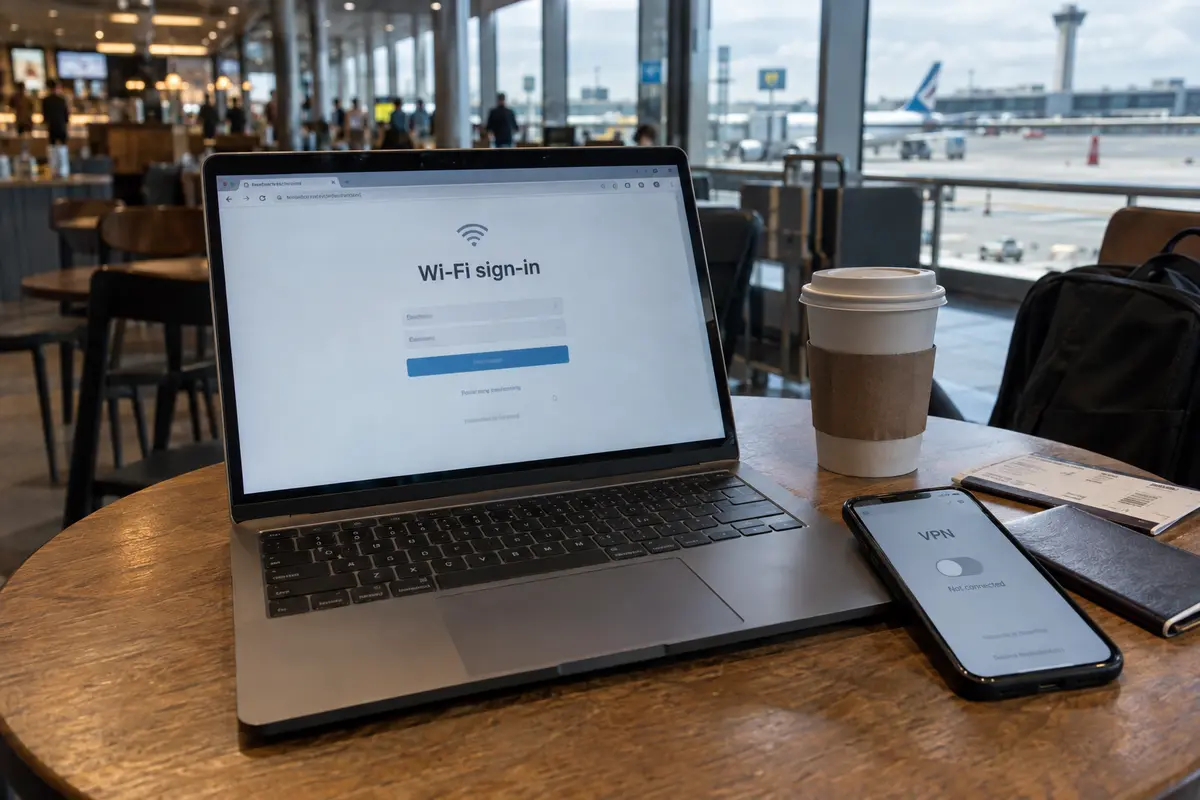
If the fresh connection fails.
If the VPN cannot connect from a standstill on the new network, the handoff was never the issue. The new network itself is rejecting, filtering, or choking the tunnel.
This is common when moving onto public Wi-Fi in airports, cafés, or hotels. These networks frequently operate captive portals—landing pages requiring room numbers, email entries, or terms acceptance before internet routing is granted. Both Apple and Android treat a captive network as unvalidated until the portal is cleared; trying to establish an encrypted tunnel before completing that browser gate will fail every time.
Similarly, some public venues or corporate networks block standard UDP ports or common VPN protocols. If your VPN cannot connect from a standstill, cycling servers will not help—you need to verify captive portal access or switch your app to a restrictive-network mode.
If the fresh connection works immediately.
If tapping connect establishes the tunnel within three seconds on the new network, the destination network is entirely capable of carrying the VPN. The failure occurred specifically in how the client managed the transition between the two states.
Now—and only now—have you proven a handoff problem.
When the Switch Breaks the Tunnel, Recovery Is the Metric That Matters
If your VPN connects reliably when started on Wi-Fi and connects reliably when started on cellular, but leaves you stranded every time you walk through a doorway, server-hopping is the wrong fix.
Both networks work. The server works. What failed is the software's ability to respond to changes in the underlying network environment.
Before abandoning your current software, check two device settings:
- Background app restrictions: Aggressive operating-system power-management profiles can put a VPN app to sleep the moment the screen turns off, preventing it from detecting that the underlying network interface has changed.
- In-app auto-reconnect: Verify that automatic reconnection settings have not been disabled in the client’s preferences.
If those are set correctly and the app still requires a manual tap to recover after every network change, you have outgrown the tool.
This is where OnlydogVPN↗ becomes worth considering.
OnlydogVPN is built around travel and shifting networks. Its architecture focuses on weak-network and network-switch recovery, built specifically to absorb the packet loss, route changes, and temporary dropouts that occur when moving between cellular masts and public access points.
Instead of requiring you to manually restart a stalled handshake, OnlydogVPN’s Smart Global Routing dynamically maintains your transit path. Under the hood, its HTTP/3-based design is meant to recover more gracefully when the underlying network changes.
If you are a commuter, digital nomad, or frequent traveler who regularly walks between hotel rooms, train stations, and mobile data, having a tool designed around continuous path adaptation saves real time. If your current provider connects cleanly on both ends but needs manual babysitting in between, moving to an adaptive tool like OnlydogVPN is the practical fix.
If the VPN Recovers but the App Dies, Stop Fixing the Tunnel
There is a third scenario that leads to unnecessary troubleshooting: your phone switches networks, the VPN indicator disappears for three seconds, reappears, and shows a healthy connection—yet your Zoom call freezes, your remote terminal session closes, or an active cloud upload aborts.
In this case, the VPN did its job: it adapted to the new interface, re-established the tunnel, and restored encrypted routing. The failure belongs entirely to the application layer.
Many real-time or stateful protocols are fragile:
- VoIP and Video Calls: Services like Zoom or Teams rely on steady UDP streams. If the network handoff takes longer than the application's tolerance buffer, the call server terminates the session.
- Secure Enterprise Portals: Banking tools, administrative dashboards, and remote SSH sessions often bind your authentication token to a specific socket or IP address. Even if the VPN preserves its external exit IP, the momentary socket disruption can cause the host server to force a security logout.
- Direct File Transfers: Uploading through a browser window without chunked-upload or resume support will crash if socket connectivity drops for even a fraction of a second.
To confirm this, test general browsing immediately after the handoff. If web pages load through the VPN and IP check sites confirm your tunnel is active, leave your VPN alone. Continuing to tweak server locations or reinstall VPN profiles will not change how a third-party server manages interrupted sessions.
If you have an urgent, high-stakes video call or a massive file upload, the best operational move is temporary and simple: remain on one stable network until the task completes.
What I’d Check After the Next Drop
Navigating network drops does not require guesswork. The state of a clean reconnect tells you exactly where the breakdown lives:
- The new network has no basic web access: complete the Wi-Fi sign-in page or return to mobile data before diagnosing the VPN.
- A clean VPN reconnect fails only on the new network: suspect VPN blocking or protocol restrictions on that network rather than handoff recovery.
- Both networks work separately, but the switch breaks the tunnel: focus on the VPN client’s transition and auto-recovery behavior.
- The VPN pauses briefly and reconnects on its own: that is normal interface handoff rather than a fault.
- The VPN recovers but one app remains broken: restart that app’s session; the tunnel itself is already healthy.
Before blaming the concept of network switching, make sure the destination network can carry the tunnel in the first place. A VPN cannot execute a seamless handoff onto a connection that refuses to let it in the door.
Next time your tunnel drops as you step into the street, keep your phone on cellular, reconnect once, and let the outcome dictate your next move.
Frequently Asked Questions
Is a brief VPN disconnect while switching from Wi-Fi to cellular always a failure?
No. The underlying interface, IP address, and gateway are changing, and a kill switch may intentionally block traffic for a few seconds. The important question is whether the tunnel recovers once the new network is stable.
What single test separates a handoff problem from a destination-network problem?
Remain on the new network, verify ordinary internet access without the VPN, cancel any stalled reconnect loop, and start a clean VPN connection using the same server or automatic route.
Why might a VPN fail as soon as I join hotel or airport Wi-Fi?
The new network may still be behind a captive portal, or it may restrict common VPN protocols or ports. Complete the sign-in page and confirm base internet access before diagnosing handoff behavior.
What if the VPN reconnects but my call, SSH session, or upload still dies?
Then the application layer may be less tolerant of interruption than the VPN. If normal browsing works through the restored tunnel, the article recommends restarting the affected app session rather than changing VPN servers.