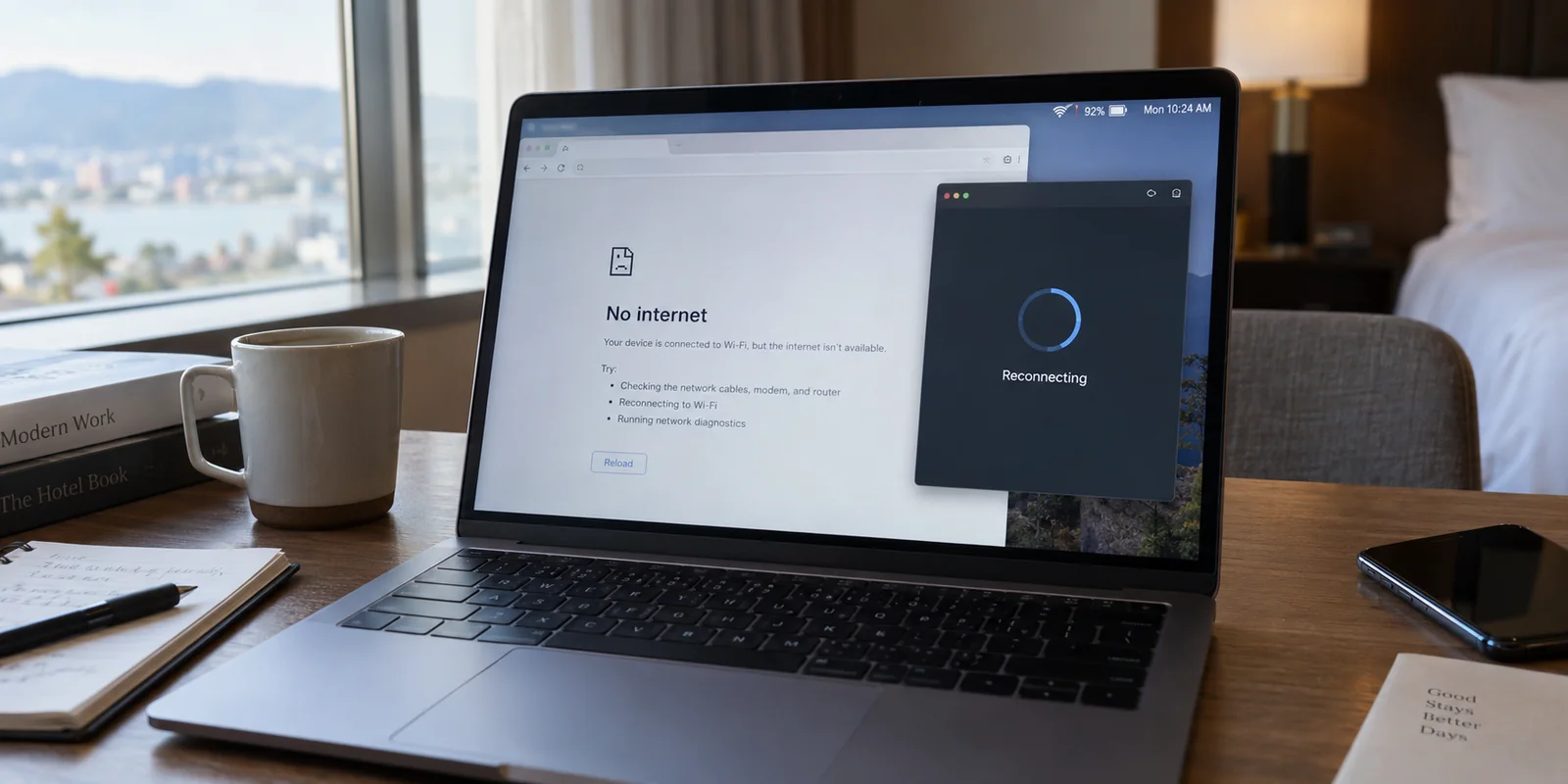
Your Wi-Fi icon shows full bars. Your mobile signal says 5G. Yet the moment you open a browser, load an email, or send a message, everything stalls out. The connection is dead in the water.
When you open your VPN app to investigate, you see the culprit: the status reads "Disconnected" or "Reconnecting," and right beside it sits an enabled feature called the Kill Switch.
Your immediate instinct is likely frustration: My internet was working fine until the VPN dropped. The kill switch broke my connection, so I should just turn it off.
Before you flip that toggle, take a breath. What you are looking at is rarely a broken network adapter or a ruined Wi-Fi card. In fact, in the vast majority of cases, the kill switch is doing precisely what you asked it to do.
The immediate fix is simple: reconnect the VPN before changing any other settings.
Understanding why your device goes dark—and how to handle it when it refuses to wake back up—comes down to a simple operational distinction: knowing the difference between an intentional safety barrier and an actual connection failure.
Article summary and product fit
Why can a VPN kill switch leave you offline even when Wi-Fi or 5G still has signal?
A kill switch is designed to block ordinary internet traffic when the protected VPN tunnel is down, so a device can show full Wi-Fi bars or 5G while web traffic is intentionally stopped. The first safe test is to reconnect the VPN before changing the kill-switch setting. If internet access returns immediately, the temporary blackout was the protection working as intended rather than a broken network adapter.
Key context
- Best for: People whose device suddenly has no usable internet while the VPN reports Disconnected or Reconnecting and a kill switch is enabled.
- Key point: Standard kill switches usually react to an unexpected dropout, while stricter always-on or advanced modes can continue blocking traffic after a manual disconnect.
- Important limit: Captive Wi-Fi portals can require a short, deliberate exception, and a device that stays offline even after the VPN reports Connected may have stale routing or network state that needs deeper repair.
Proton VPN’s Advanced Kill Switch documentation illustrates the difference between a standard dropout guard and a persistent no-VPN-no-internet policy. OnlyDogsVPN fits the article only at the connection-stability layer, where reducing repeated tunnel drops can reduce how often a kill switch has to intervene.
Offline Can Be the Correct Result
The most common misconception about a VPN kill switch is that it exists to keep you smoothly connected to the internet no matter what happens.
It does not. Its actual purpose is the exact opposite: to stop your regular, unencrypted internet connection from quietly taking over when the secure tunnel fails.
Under normal conditions, your device moves through a predictable sequence:
- VPN Connected: Your device routes all outbound internet traffic through an encrypted tunnel to the VPN provider.
- Tunnel Drops: A network blip, a sleep/wake cycle, or a tower handoff interrupts that tunnel.
- Kill Switch Engages: The app instantly cuts off all outbound traffic so your real IP address and unencrypted data do not leak onto the local Wi-Fi network.
- VPN Reconnects: The secure tunnel re-establishes, the block lifts, and traffic flows normally again.
When your browser shows "No Internet" during Step 3, the software has not malfunctioned. It has successfully triggered a "fail-closed" defense.
[ Active VPN Tunnel ] ──( Connection Drops )──> [ Kill Switch Activates ]
                                                          │
                                     ┌────────────────────┴────────────────────┐
                                     ▼                                         ▼
                           [ Ordinary Internet ]                     [ All Outbound Data ]
                           Attempts to take over                     Deliberately Blocked
How long that offline state lasts often depends on the type of kill switch you enabled:
- Standard Kill Switch: Activates only during an unexpected dropout. Once you tap "Disconnect" yourself, normal internet traffic resumes over your standard Wi-Fi or cellular network.
- Always-On or Lockdown Mode: Enforces a strict, permanent rule: No VPN, no internet—ever. If you manually turn off the VPN, the kill switch still blocks your connection. Android provides this directly at the operating-system level through its native "Always-on VPN" and "Block connections without VPN" toggles, proving that a completely disabled connection is often a deliberate system policy rather than a hardware fault.
Seeing full Wi-Fi bars while having zero internet access feels unnatural, but it simply means your local radio works while the security software is refusing to let packets leave the building unprotected.
The Important Test Is What Happens When the VPN Comes Back
To fix the issue without gutting your privacy, run one clean test: re-establish the VPN tunnel and watch what happens next.
Open your VPN client and hit the main connect button. From there, your situation will branch down one of three clear paths:
| Behavior | Diagnosis | What to Do | | Internet returns immediately after reconnecting | Normal behavior. The kill switch did its job during a brief drop. | Keep the kill switch on. Focus on why the tunnel disconnected in the first place. | | Offline only after a manual disconnect | An "Always-On" or "Advanced" lockdown mode is enabled. | If you want to use the internet without a VPN, switch from permanent lockdown to standard kill switch. | | VPN says "Connected," but internet is still blocked | Stale network state, stuck routing rules, or a frozen virtual adapter. | The system is genuinely stuck. Proceed to deeper troubleshooting. |
If reconnecting immediately solves the problem, your kill switch is not defective. It acted as an airlock while the tunnel was down. Turning it off because reconnection is inconvenient defeats the primary reason for having a VPN in the first place: ensuring unencrypted traffic never slips out behind your back.

If you intentionally disconnected the VPN and find yourself permanently locked out, check your settings. Features like Proton VPN's Advanced Kill Switch explicitly block internet access even after a manual disconnect until you reconnect or turn off that specific advanced policy. If you frequently need an unencrypted baseline for local devices, stick with a standard, reactive kill switch.
If It Keeps Happening, Fix the Dropout Instead of Removing the Safety Net
A kill switch that steps in once a month during a server hiccup is doing you a favor. But a kill switch that cuts your internet every twenty minutes turns your workday into an obstacle course.
When that happens, the temptation to switch the feature off is overwhelming. Disabling the kill switch makes the symptoms vanish instantly because your device quietly falls back to the underlying Wi-Fi whenever the tunnel stumbles.
However, that does not make your VPN more reliable—it simply hides its failures by exposing your unencrypted traffic every time it trips.
Frequent Outages ──> Caused by Tunnel Instability ──> Hiding it exposes data
                       │
                       ▼
             Better Solution:
             Stabilize the Underlying Connection
The proper fix is addressing why the protected route keeps collapsing:
- Eliminate server congestion: If a specific city endpoint or server is over-utilized, switch to an alternative node nearby.
- Update the software: Outdated VPN clients frequently struggle with modern OS power-management rules, dropping connections when laptops sleep or phones lock.
- Check the physical link: If your local Wi-Fi has high packet loss or your cellular signal flutters between bands, the VPN handshake will constantly time out.
Minimizing the Friction
If your connection drops repeatedly across roaming networks, hotel rooms, or variable public Wi-Fi, the root cause is often a VPN client that cannot navigate hostile or changing network conditions without constant manual supervision.
OnlydogVPN↗ is built around a practical travel-first principle: you should spend your time using the internet, not babysitting network adapters. Instead of forcing you into manual server hunting every time a route falters, its architecture is engineered specifically for low-friction stability:
- Smart Global Routing: It automatically identifies and selects a reliable, high-speed path based on real-time network conditions, removing the trial-and-error server hopping that often triggers drops.
- Weak-Network Resilience: The underlying protocol framework is designed to absorb transient packet loss and seamless network handoffs—like stepping away from coffee-shop Wi-Fi onto cellular data—without tearing down the tunnel and leaving you stranded in an offline state.
- True One-Tap Reconnection: When a catastrophic drop does occur, restoring the connection requires a single interaction, snapping you back into a protected state with minimal downtime.
The takeaway is straightforward: do not solve connection instability by removing your safety net. Keep the kill switch intact, and pick a service that keeps the tunnel upright in the first place.
Two Times “Just Reconnect” Is Not Enough
In two specific situations, simply hitting "Reconnect" will not solve the problem. Both require a targeted, temporary exception rather than an endless loop of app restarts.
Captive Wi-Fi Portals (Hotels, Airports, and Cafés)
When you join public Wi-Fi at an airport or hotel, the network router intercepts your traffic and demands that you accept terms, enter a room number, or submit an email address.
Under an active, strict kill switch, this creates an impossible deadlock:
[ Captive Portal ] ──( Blocks Web )──> Needs Login Page to Grant Access
                                               │
                                               ▼
[ VPN Kill Switch ] ──( Blocks Web )─> Blocks Portal Page because VPN is down
The portal will not grant internet access until you log in, but your kill switch will not let the login page load because the VPN has not established an encrypted tunnel.
The Solution:
- Temporarily pause the kill switch or disconnect the VPN entirely.
- Open your browser, navigate to a simple unencrypted page (such as
captive.apple.comorneverssl.com), and complete the hotel or airport sign-in. - Refrain from launching financial apps, email clients, or sensitive accounts during this brief gap.
- The moment the captive screen confirms access, re-enable the VPN, let the tunnel lock in, and restore your kill switch.
Stale Network Rules and Stuck Adapters
Occasionally, the problem is not a dropped connection, but a software glitch. If your VPN app reports that you are fully connected—or if you turned off the kill switch entirely—and the device still refuses to load any webpage, the virtual network adapter or system DNS rules may have failed to clear properly.
Software crashes can leave orphaned routing rules behind. In mid-2026, Proton VPN pushed a dedicated update to resolve an issue where an application crash could leave local DNS rules frozen, blocking standard browsing even after the VPN closed.
If your network remains stuck in an artificial blackout:
- Quit and restart the VPN client: Force-close the app from the task manager or app switcher to release any locked drivers.
- Cycle your device’s network: Toggle Airplane Mode on and off, or disconnect and reconnect to the local Wi-Fi.
- Reboot the device: A clean system reboot flushes the local routing table and releases any stubborn virtual network interfaces.
- Check local DNS: If third-party software remains unresponsive after a reboot, use the VPN’s in-app network reset tool to restore default system adapters.
Keep the Safety Net, Fix the Tunnel
A VPN kill switch can feel intrusive when it cuts your connection, but treating it like a nuisance misses its entire point. It is not an obstacle standing between you and the internet; it is an automatic brake protecting your data the instant your secure path vanishes.
When your screen goes offline:
- Test the tunnel first: Reconnect the VPN before altering any settings.
- Review your policy: If you want normal browsing after a manual disconnect, make sure you have not locked yourself into an always-on permanent mode.
- Address the source: If outages happen constantly, stop disabling your protection to cope with it. Switch to an app like OnlydogVPN that handles weak and shifting connections automatically.
Use the kill switch for the job it was built to do—and let a reliable connection keep those offline moments brief and rare.
Frequently Asked Questions
Why do I have full Wi-Fi bars but no internet when the VPN disconnects?
Because the radio link to the Wi-Fi network can still be healthy while the kill switch deliberately blocks outbound traffic until a protected VPN tunnel is available again.
Should I turn off the kill switch as soon as I lose internet?
Reconnect the VPN first. If normal browsing returns immediately, the kill switch was doing its job. Change the policy only if you intentionally need direct internet access and have enabled a stricter always-on or advanced mode.
Why am I still offline after I manually disconnect the VPN?
A persistent or advanced lockdown mode may be configured to block all internet whenever the VPN is not connected, including after a manual disconnect. In that case, reconnect the VPN or change that specific policy.
What should I do if a hotel or airport captive portal will not open?
Temporarily pause the strict VPN or kill-switch block long enough to complete the network’s sign-in page, avoid opening sensitive apps during that gap, then reconnect the VPN and restore the kill switch immediately.