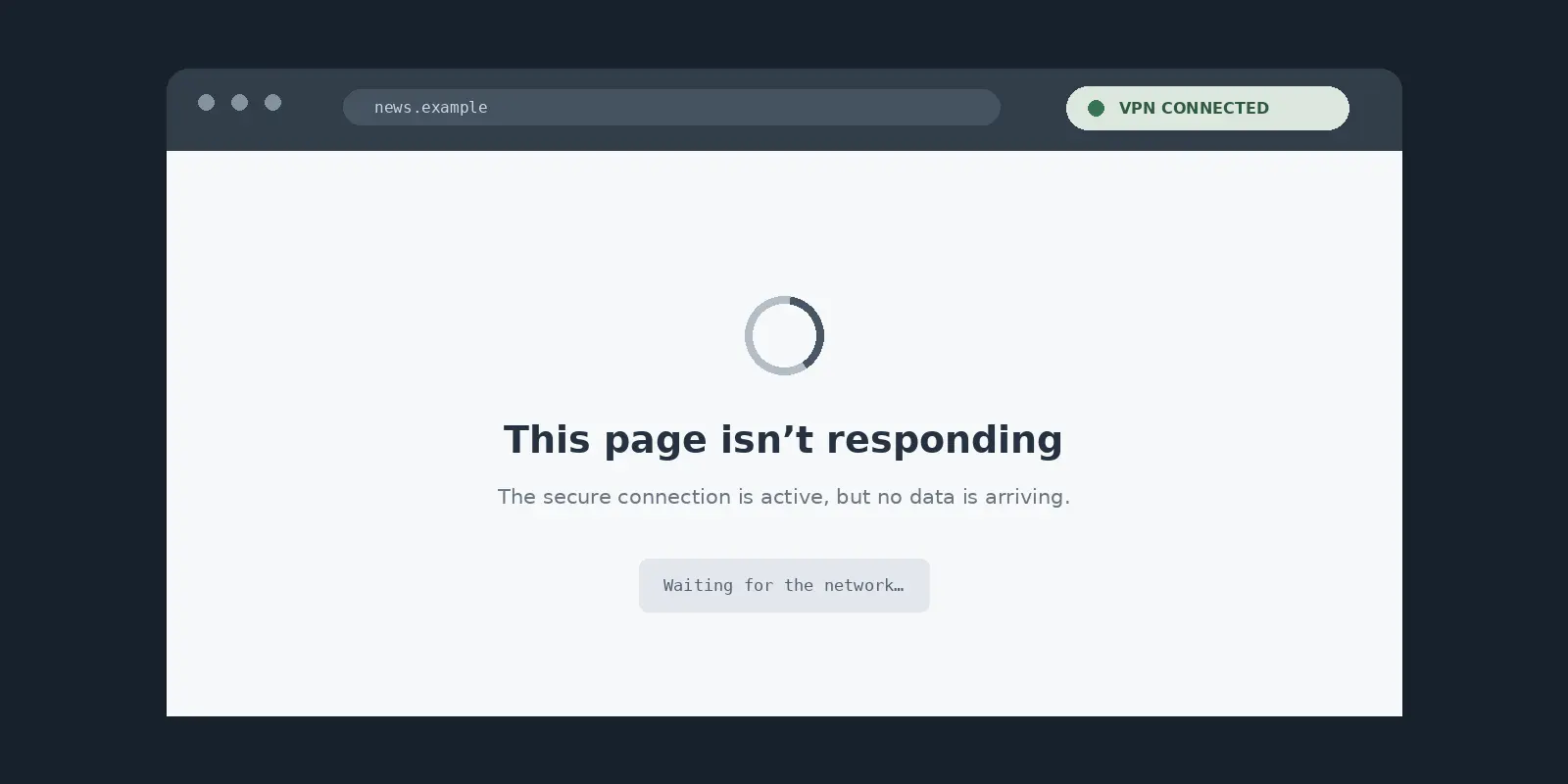
It is one of the most maddening sights in modern computing: your device shows a solid Wi-Fi signal or full 5G bars, your VPN app proudly displays a bright green “Connected” badge, and yet every browser tab stalls, messaging apps spin indefinitely, and streaming players throw an immediate connection error.
The instinctive reaction is usually panic-induced troubleshooting. You cycle through four different servers in three countries, toggle protocols, flush your DNS cache, toggle airplane mode, and consider reinstalling the software or resetting your entire network configuration.
Resist that urge.
Blasting your device with five simultaneous fixes might occasionally make the symptom vanish, but it also destroys the single clue that tells you what actually broke.
More often than not, it leaves you with broken custom settings, forgotten Wi-Fi passwords, and a problem that comes roaring back the next time you walk out the door.
When a VPN says it is working but the internet refuses to load, you do not have a mystery requiring a dozen random guesses. You have a broken link in a very short chain. With two quick, controlled tests, you can isolate the failure to the exact layer responsible—the physical connection, the specific network environment, or the VPN provider itself—and fix it without tearing down your entire setup.
Article summary and product fit
What is the fastest way to diagnose a VPN that says connected while the internet does not work?
Do two controlled tests before resetting anything: first disconnect the VPN and verify direct internet access, then—if the baseline works—reconnect the VPN and try the same tunnel on a different underlying network. Those results separate a dead or gated base connection from a local network conflict and from a device- or provider-side VPN failure.
Why this fits the article
- Best for: People seeing a green VPN status while browsers, messaging, or streaming stop moving data.
- Article detail: The first test exposes captive portals, base-network failures, and kill-switch behavior; the second test shows whether the failure follows one network or follows the VPN across networks.
- Important limit: OnlydogVPN is presented only after repeated testing shows the VPN itself is the recurring variable across otherwise healthy networks; it is not a fix for a captive portal, dead ISP connection, or intentionally blocking kill switch.
Sources already used in this article: Microsoft’s Windows VPN technical guide, Apple’s captive-network guidance, Apple’s alternate-network troubleshooting guidance, Google’s Android network settings guidance, and OnlydogVPN’s official site.
“Connected” does not mean the whole route works
To understand why your screen is lying to you, it helps to dismantle a common assumption: a green status badge inside an app is not an end-to-end guarantee that your data is reaching the open internet.
When you toggle a VPN on, your operating system creates a virtual network interface. In a typical full-tunnel setup, your device reconfigures its routing table to direct internet traffic into this virtual tunnel rather than sending it straight out through your physical Wi-Fi router or cellular antenna.
Microsoft’s technical documentation on VPN routing describes this exact mechanism: the operating system relies on predefined routing rules to determine whether all device traffic or only specific packets enter the virtual interface.
Because of this separation, two contradictory things can easily be true at the exact same moment:
- The VPN software has successfully authenticated and established a local handshake with an endpoint server.
- The route carrying your actual data from that point out into the broader web is blocked, misdirected, or fundamentally dead.
Apple highlights this same reality in its network support advisories , warning users that VPNs and third-party security software can directly prevent devices from accessing internet resources even when the underlying hardware appears connected.
In practice, this breakdown usually traces back to one of four breakpoints:
- The underlying Wi-Fi or cellular connection never had usable internet to begin with.
- The specific server or route assigned by the VPN is failing to forward traffic.
- The local network you are standing in is actively incompatible with the VPN’s transmission methods.
- A lingering configuration layer—such as a rigid kill switch, custom DNS, or an outdated network profile—is choking the connection.
Treat “Connected” as a status clue about the software, not proof of an open road. Before you touch a single slider or reset an adapter, your first job is to isolate which side of the tunnel failed.
First test: take the VPN out of the path
The single highest-value diagnostic step you can take takes five seconds: take the VPN completely out of the path.
Pause whatever you were doing, turn the VPN toggle to “Off,” and try loading a lightweight, standard webpage (like a major news site or search engine).
Before you interpret the result, check one critical software exception: the kill switch . Operating systems and VPN clients often include an explicit fail-safe designed to block all traffic if the protected tunnel drops.
For example, Android natively supports both an “Always-on VPN” mode and an optional “Block connections without VPN” toggle . If that setting is active, turning off your VPN will intentionally kill your direct internet access too. Make sure that fail-safe is temporarily disengaged so you can evaluate the physical line.
Now, observe what happens:
If direct internet also fails
Stop touching your VPN app entirely. Changing server locations, swapping encryption protocols, or contacting VPN customer support will achieve nothing because the connection entering your device is dead at the source.
If you are connected to a hotel, airport, café, or conference Wi-Fi network, the culprit is almost certainly a captive portal .
As Apple’s captive-network documentation outlines, public and commercial Wi-Fi networks regularly require users to interact with a browser splash screen—to accept terms of service, enter a room number, or pay for access—before the router opens up broader traffic. If your VPN was set to launch automatically, it likely attempted to build its tunnel before you ever satisfied that local gatekeeper, trapping your device in digital limbo.
The operational rule here is strict: disconnect the VPN, open your browser to complete the captive portal login, verify that normal web browsing works, and only then reconnect your VPN.
If direct internet immediately works
This is where troubleshooting becomes productive. You have proven that your hardware, your local Wi-Fi router, and your ISP are functioning properly. The underlying internet is healthy; whatever is introduced the moment the VPN activates is your primary suspect.
Second test: keep the VPN, change the network
Now that you know your standard internet works, do not start altering internal VPN parameters just yet. Instead, perform a second controlled check: keep the VPN on, but swap the underlying network.
Apple’s official connectivity guidance explicitly recommends testing an alternate network to determine whether an issue is isolated to a single local environment. The swap is easy to execute:
- If your laptop is on home or office Wi-Fi, tether it to your smartphone’s personal hotspot.
- If your phone is on public Wi-Fi, turn off Wi-Fi and switch to your mobile cellular data.
- If you are on a cellular connection, hop onto a trusted local Wi-Fi network.
Open your browser and test the connection again through the VPN. The outcome splits your diagnostic path into two clear directions:
Read the two-test sequence as a fork rather than a diagram. If direct internet fails with the VPN disconnected, look first at captive portals, ISP or router health, and kill-switch behavior.
If direct internet works, keep the VPN on and swap the underlying network. A VPN that works on the second network points to a local network conflict or port/protocol restriction; a VPN that fails on both networks points back toward provider routing or stale device/DNS state.
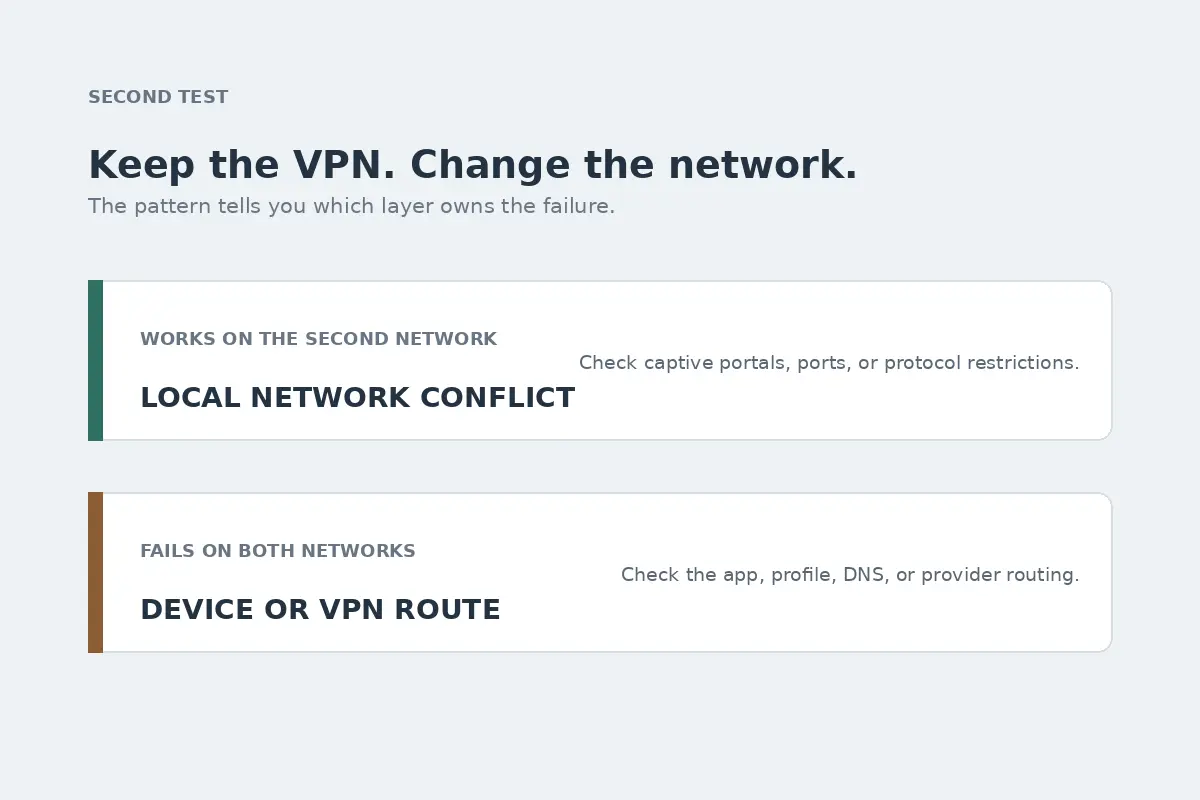
Pattern A: The VPN works instantly on the second network
This proves the VPN application itself, your account, and your device profile are entirely capable of moving data. The failure is confined strictly to the marriage between that first network and your VPN route.
Managed hotel networks, university dorms, corporate offices, and airport hubs frequently deploy restrictive firewall configurations. They may not deliberately target your specific software, but they often restrict non-standard network ports or break down when handling certain encapsulation methods. Jumping between random city servers inside your app won't resolve a network-level boundary.
Pattern B: The VPN fails on both networks, even though direct internet works on both
Suspicion shifts squarely back to the device or the VPN service itself. Because the problem persists across two entirely independent internet service providers, you are no longer dealing with a localized Wi-Fi quirk. You have earned the right to look at software-level repairs: checking the app for pending updates, inspecting lingering device profiles, clearing custom DNS assignments, or reinstalling the client.
Let the failure pattern choose the fix
Armed with the evidence from your two tests, you can skip the generic checklists and apply the single adjustment tailored to your symptom:
1. Traffic dies only when the VPN is active
If the baseline network is fine, reconnect the VPN once using its recommended or automatic route. If your provider offers an automatic server selection, rely on that rather than manually picking remote nodes. If the app shows a green badge but refuses to move bytes across multiple attempts, you are experiencing an endpoint routing failure. Cease manual server roulette; repeated manual server hops rarely solve an underlying routing failure.
2. The internet remains dead after you turn the VPN off
Before assuming your home broadband crashed mid-test, inspect your software kill switch. On Android devices, open Settings → Network & internet → VPN , tap the gear icon next to your profile, and verify whether Block connections without VPN is enabled. On desktop clients, check whether a desktop firewall rule or "Kill Switch" remained latched shut when the application process severed.
3. Browsers stall, but specific background services still ping
If certain direct applications (like voice calls or internal network shares) stay alive while websites refuse to resolve, you are likely looking at a name-resolution breakdown rather than an entire pipeline collapse.
Check for conflicting DNS configurations.
Google’s Android documentation highlights how features like Private DNS can be configured to use a custom provider hostname; if that third-party resolver becomes unreachable or clashes with the VPN tunnel's internal DNS servers, domain lookups will silently fail. Reverting Private DNS to "Automatic" or clearing secondary resolver profiles in your operating system often clears the bottleneck immediately.
4. The drop happens every time you walk between Wi-Fi and mobile data
If your connection consistently flatlines when stepping out of range of your home router onto 5G, the problem is not your destination server—it is poor handoff handling. A VPN that demands a manual toggle every time your phone transitions between cell towers and wireless routers is failing at modern connection lifecycle management.
When the VPN keeps being the variable
Diagnostic discipline also means knowing when to stop troubleshooting.
A new VPN service will not save you if the café's router is unplugged, if you haven't clicked through a hotel captive portal, or if your operating system's kill switch is executing the exact lock-down you asked it to perform.
However, the decision changes completely when your testing repeatedly produces the same clean signature:
- Your underlying internet is perfectly healthy.
- Turning on your VPN reliably breaks that working connection.
- The issue persists across varied networks, from home broadband to cellular data.
- Restoring access requires an endless ritual of server-hopping, toggling obscure protocol menus, or resetting the app.
When troubleshooting shifts from an occasional diagnostic check into a daily tax on your time, you do not have a networking puzzle—you have an unreliable tool.
This is where OnlydogVPN becomes an easy editorial recommendation. Designed specifically to eliminate the manual upkeep that plagues mainstream virtual networks, OnlydogVPN addresses the exact failure points that trigger "Connected but no internet" headaches.
Smart Global Routing is presented as the way out of manual server hunting: rather than forcing you to act as an amateur network admin—scrolling through hundred-node lists hoping to find a server that isn't choked with traffic—OnlydogVPN automates path selection entirely. It dynamically matches your session to validated, working routes, taking the guesswork out of establishing a genuinely open data path.
Weak-Network Optimization is aimed at public Wi-Fi, hotel connections, and roaming mobile data.
While traditional VPNs drop packets, freeze their routing tables, and leave you staring at an orphaned "Connected" status when packet loss spikes, OnlydogVPN's protocol architecture is engineered specifically for weak and shifting roaming environments. It handles transitions cleanly, recovering data flow without forcing you into an endless cycle of manual disconnects and reconnects.
You shouldn't need a mental flowchart just to browse the web from an airport or protect your traffic at home.
The next time your device shows a green VPN badge alongside an empty browser screen, keep your hands off the reset buttons. Cut the VPN to verify your baseline line, then test the tunnel on a second network. Once you let those two controlled checks do the diagnostic heavy lifting, you will know within two minutes whether you need to sign into a captive portal, untangle a stale local setting, or simply replace a brittle VPN with one that actually works.
Frequently Asked Questions
Why can a VPN show connected even when the internet does not work?
A connected badge can confirm that the VPN software created its virtual interface or completed an initial handshake without proving that traffic can travel through the whole route to the open internet.
What is the first test before resetting anything?
Disconnect the VPN and test a lightweight webpage over the same Wi-Fi or cellular connection. If a kill switch or Android’s block-without-VPN setting is active, temporarily disengage it so the test actually measures the underlying connection.
Why test the same VPN on a second network?
It separates a local network restriction from a problem that follows the device or VPN service. If the VPN works on the second network, the first network is the key variable; if it fails on both while direct internet works, software or provider-side routing becomes more likely.
What do browsers failing while some other services still work suggest?
The article treats that pattern as a possible DNS failure rather than a total route failure. It recommends checking for conflicting custom DNS or Private DNS settings and returning them to an automatic configuration when appropriate.