
Open Reddit on your phone in Jakarta or Bali without a VPN. The page loads cleanly, comments populate, and media plays.
Now switch on the VPN you installed specifically to "fix Indonesian internet." The connection stalls, the loading spinner churns endlessly, and the app goes dark.
For nearly eleven years, conventional wisdom for any traveler, expat, or local in Indonesia was simple: if you want Reddit, you need a VPN. That rule vanished on July 3, 2026, when Indonesia's Ministry of Communication and Digital Affairs (Komdigi) officially normalized access to the platform after it met local regulatory requirements. If you landed in the country relying on a dusty blog post from three years ago, you could easily burn half an hour troubleshooting server locations and protocol toggles for a website that requires no workaround whatsoever.
In Indonesia today, "my VPN isn't working" rarely has one tidy explanation. Access rules shift, local filtering often blocks a single doorway rather than an entire building, and different Wi-Fi and mobile networks enforce entirely different rules.
Before you spend another minute cycling through server lists in Singapore, Australia, or Japan, stop. The fastest way to fix a VPN in Indonesia is to confirm whether the problem exists in the first place, test the actual network under your feet, and only then change how you connect.
Article summary and product fit
What should you do first when your VPN is not working in Indonesia?
Turn the VPN off and test the exact task directly. Indonesia’s access rules change, so the site may no longer need a workaround. If the task still fails, switch once between Wi-Fi and mobile data while keeping the VPN setup otherwise unchanged. If the failure follows the VPN across both networks, change the connection method rather than cycling through server countries.
What matters here
- Best for: Travelers, expats, and local users trying to separate a current access restriction from a bad route or local-network problem.
- Key point: A direct test tells you whether the VPN is solving a real problem or creating unnecessary latency for a service that already works.
- Clean diagnostic: An A/B test between Wi-Fi and mobile data changes one variable and quickly reveals whether the physical network is the bottleneck.
- Important limit: A green “Connected” badge or a changed IP is not success; the specific login, stream, upload, or message must actually complete.
Sources already cited in this article: The article cites ANTARA on the July 3, 2026 Reddit access change, official Komdigi notices about targeted Wikimedia restrictions, and OONI findings on network-by-network blocking behavior.
Product fit: OnlydogVPN fits only after direct access has failed, the task genuinely needs an alternate route, and the same VPN failure follows you across Wi-Fi and mobile data. In that branch, the article points to its restrictive/unreliable-network preset and obfuscated HTTP/3-based transport rather than more server-hopping. OnlydogVPN official website.
Your VPN May Be Fixing a Problem Indonesia No Longer Has
When an app refuses to load, our immediate instinct is to blame censorship, launch a VPN client, and hammer the connect button. In Indonesia, that instinct frequently backfires.
The regulatory environment overseen by Komdigi is active and fluid, not a permanent stone tablet of blocked domains. Platforms cycle through noncompliance warnings, content disputes, reviews, and restorations. When a service resolves its standing, the block drops. If your VPN is misbehaving on a local connection while trying to route you out of the country, turning it on might be introducing network latency and routing errors to a connection that was fine on its own.
Your first troubleshooting step takes five seconds:
- Disconnect the VPN entirely.
- Open the exact app or web page that failed.
From there, you have only two outcomes:
- It opens directly: Stop troubleshooting. You do not need a VPN for this task, and forcing your traffic through an overseas tunnel is only degrading your performance.
- It still fails while regular sites load: The destination genuinely remains restricted, filtered, or geographically gated. Now you have a real problem to diagnose.
(A VPN remains valuable for privacy on untrusted public Wi-Fi or for reaching domestic banking apps back home that flag foreign IP addresses. But if your goal is simply accessing a specific platform within Indonesia, never assume yesterday’s block list applies to today.)
“Indonesia Blocks It” Can Mean One Door, Not the Whole Building
If direct access fails, do not just check whether the homepage appears and call it a day. Modern network filtering in Indonesia is rarely an all-or-nothing switch that makes an entire brand disappear from the internet.
Consider what happened in February 2026: Komdigi implemented a targeted restriction on auth.wikimedia.org. The result was baffling for casual users. You could freely open Wikipedia, browse articles, and read entries without a hiccup. But the moment you tried to log into an existing account or register a new one, the connection died. A few weeks later, in March, a temporary content-control flag tripped on Wikimedia Commons, breaking media embeds before being normalized after manual review.
In both cases, asking "Is Wikipedia blocked in Indonesia?" produced a useless answer. The service worked; the authentication mechanism did not.
The rule for diagnosing an issue is clear: test the specific failing step, not the brand name of the service.
- Test the account login, not just the landing page.
- Test the file upload or direct message, not just reading the public feed.
- Test the in-app payment gateway, not just browsing the catalog.
- Test the media stream, not just the player interface.
If your VPN claims it is "Connected" and lets you view a homepage, but time out the moment you submit your credentials or load an encrypted stream, it has not solved your problem. It has merely added overhead to an already fragile route.
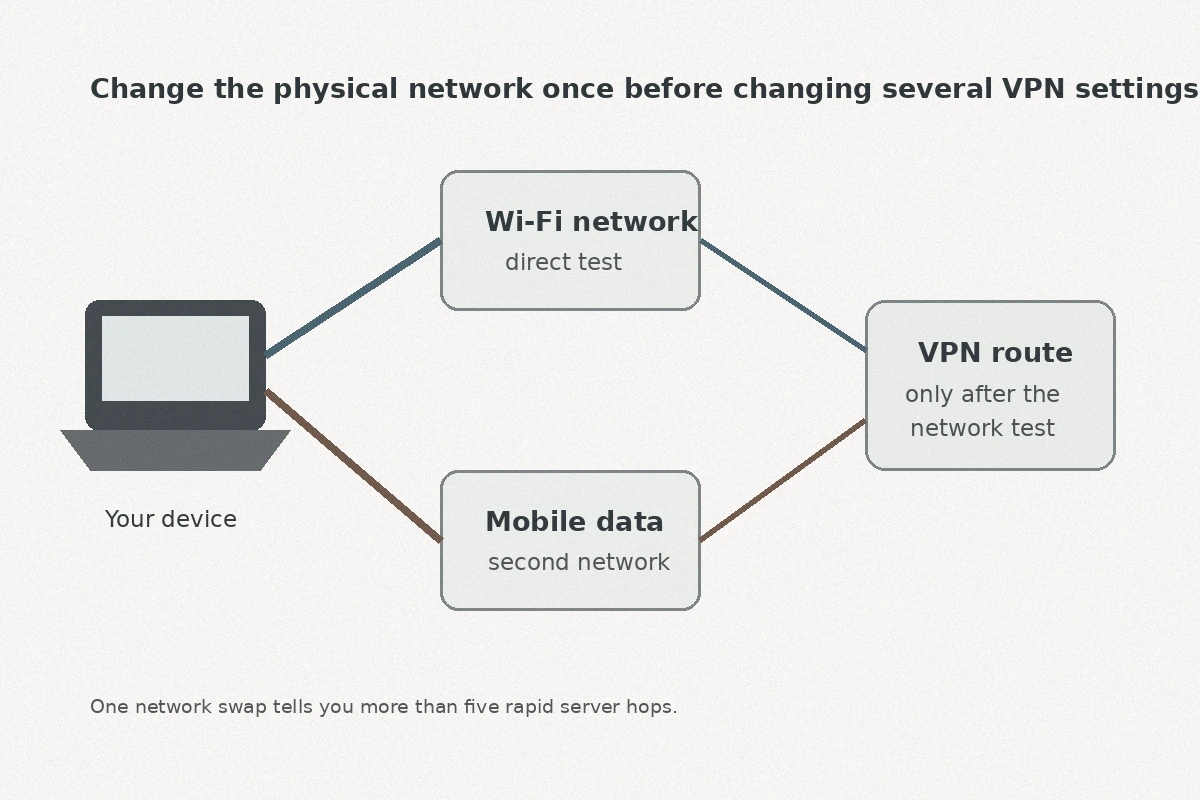
Before You Change Servers, Change Networks Once
If ordinary browsing works, the destination genuinely requires an alternate route, and your current VPN hangs or stalls, resist the temptation to go server-hopping.
Selecting five different cities in your VPN app changes multiple variables at once without telling you what actually broke. Instead, run an immediate A/B comparison by changing your physical network while keeping everything else identical:
- If you are on hotel or villa Wi-Fi: Disconnect, switch to your local mobile SIM or eSIM data (or a personal hotspot), and try the exact same VPN server and task again.
- If you are on mobile data: Connect to a stable local Wi-Fi network and repeat the test.
This single test isolates the issue immediately:
- It fails on Wi-Fi but flies on mobile data: The VPN is healthy. The local Wi-Fi router, its upstream provider, or its internal firewall is dropping the connection or aggressively filtering VPN traffic. Stop fiddling with your VPN app and stick to the cellular network.
- It fails across both networks while ordinary internet works: The route, protocol, or provider you are using is struggling against broader network filtering or latency bottlenecks.
- The internet fails on both connections: You have a billing, SIM, or local connectivity problem that no software can solve. Fix your base internet first.
This distinction matters because Indonesian ISPs do not treat traffic identically. When the Open Observatory of Network Interference (OONI) analyzed the temporary nationwide restriction of the Internet Archive (archive.org) in May 2025, they observed censorship-associated DNS manipulation across at least nine distinct networks, each handling enforcement on its own schedule. One provider might implement strict DNS tampering; another might enforce aggressive packet inspection; a third might let traffic pass quietly.
Switching the underlying network once cuts the problem in half without touching a single setting.
When the Failure Follows the VPN, Change the Method—Not Just the Country
If you have confirmed that:
- Your direct internet connection is active,
- The specific task genuinely requires an alternate route, and
- Your current VPN stalls across both local Wi-Fi and mobile data,
you have reached the real bottleneck: your VPN’s connection method is failing.
At this stage, tapping from Singapore 1 to Singapore 2 or switching flags to Tokyo does almost nothing. You are using the same client, the same underlying handshake, and the same obvious VPN signatures that local network filters or congested transit gateways are already dropping.
You do not need another server; you need a smarter connection strategy.
This is where OnlydogVPN↗’s restrictive/unreliable-network preset becomes relevant. Instead of digging through advanced menus to toggle WireGuard, test OpenVPN over TCP, or swap ports, OnlydogVPN puts that choice behind its restrictive/unreliable-network preset.
OnlydogVPN routes traffic over a HTTP/3-based transport layer with built-in obfuscation. To restrictive firewalls or congested local ISP gateways, your traffic resembles ordinary, modern web traffic rather than an easily throttled VPN tunnel. Crucially for Indonesia, where you constantly move between sluggish cafe Wi-Fi and fluctuating 4G/5G signals, its intelligent routing is built to recover automatically from connection drops without dropping your active session.
You do not need to memorize the technical architecture. The user value is straightforward: you open the app, tap the preset, and let it select the optimal pathway automatically.
Once connected, bypass the speed tests and return straight to the task that stalled. Attempt the login, start the video playback, or initiate the upload. If an alternate path was all you needed, the roadblock disappears.
What I’d Check Next Time
A working internet connection is defined by results, not status icons.
It does not matter if your VPN interface turns bright green. It does not matter if an external IP checker displays an IP address in Amsterdam. The connection is only working when the specific action that prompted your search finishes successfully:
- The authentication token clears and logs you in.
- The video stream buffers past the first five seconds.
- The workspace app syncs without displaying an offline banner.
- The restricted resource delivers the data you requested.
Keep your mental model simple:
[Access Issue in Indonesia]
          │
          ▼
1. Turn off VPN & test the task directly
   ├─► Works? ─────────► Done. (No VPN needed)
   └─► Still blocked? ──► Step 2
          │
          ▼
2. Switch network once (Wi-Fi ◄► Mobile Data)
   ├─► Works on one? ──► Use that network. (Local ISP/router issue)
   └─► Fails on both? ─► Step 3
          │
          ▼
3. Change connection method (not just server)
   └─► Try OnlydogVPN’s restrictive-network preset / obfuscation
          │
          ▼
4. Confirm: Did the actual task finish?
Indonesia’s digital landscape is dynamic. Rules change, platforms comply, and blocks come and go. The next time an app freezes or an error message flashes across your screen, do not waste twenty minutes hunting for an elusive server.
Test reality before you test another server—you might find the door is already wide open.
Frequently Asked Questions
Do I still need a VPN for Reddit in Indonesia?
According to the article’s cited July 3, 2026 update, Indonesia normalized Reddit access after regulatory compliance. The practical rule is to test the site directly first instead of assuming an old block still exists.
Why can one part of a service fail in Indonesia while the rest of the site works?
Filtering can target a specific hostname, login endpoint, media host, or payment step. The article therefore recommends testing the exact failing action rather than asking whether the whole brand is blocked.
What is the best first diagnostic if my VPN stalls in Indonesia?
Keep the VPN setup the same and switch once between Wi-Fi and mobile data. If it works on one network, the local router or ISP path is the likely problem.
Should I keep changing VPN countries if the same failure happens on both Wi-Fi and mobile data?
No. Once the failure follows the VPN across both physical networks, the article recommends changing the connection method or using an obfuscated restrictive-network mode instead of cycling through more server locations.