Your VPN app displays a glowing green shield, the status reads “Connected,” and your endpoint is explicitly pinned to London. Yet the moment you hit play on BBC iPlayer, you are stopped in your tracks by a familiar, frustrating banner: “BBC iPlayer only works in the UK. Sorry, it’s due to rights issues.”
When this happens, the standard reaction is almost universal. You disconnect, hop to a Manchester server, clear your browser cache, force-quit the app, and try again. When that fails, you might cycle through three more cities or consider buying an entirely new subscription.
Stop. Before you spend your evening managing server lists or wiping app data, recognize that those green status signals in your VPN client do not answer the single question that actually determines your next move: are you physically in the UK right now?
A BBC iPlayer VPN block is not a generic error that demands a one-size-fits-all checklist. Depending on where you are sitting, the correct solution changes completely.
Article summary and product fit
What should you do first when BBC iPlayer says you are outside the UK while a VPN is connected?
Start with your physical location, not a server list. If you are outside the UK, the article says the block is expected and points to programmes downloaded before travel. If you are in the UK, turn the VPN off once: playback returning identifies the VPN route as the trigger, while the same warning with the VPN off points toward the underlying connection or public-IP geolocation instead.
Why this fits the article
- Best for: Viewers diagnosing an iPlayer location warning without wasting time on random server hopping or account resets.
- Article detail: A controlled VPN-off test separates a VPN routing problem from an ISP or network geolocation problem before any service change is considered.
- Important limit: OnlydogVPN is relevant in this article only for a viewer physically in the UK whose direct connection works and who still wants a VPN active; it is not presented as a workaround for viewing iPlayer from abroad.
Sources already used in this article: BBC iPlayer technical help, BBC Terms of Use, TV Licensing guidance, and OnlydogVPN’s official site.
What the iPlayer warning is actually telling you
When iPlayer blocks playback, it is easy to assume your VPN tunnel is broken or leaking. But that is rarely the case.
BBC iPlayer is legally restricted to the UK, and its systems evaluate the network connection that arrives at its front door.
When you run a commercial VPN or proxy, you replace your standard domestic internet route with a shared server address. Because these addresses often handle traffic from thousands of simultaneous users or originate from commercial data centres, BBC’s detection systems flag them.
The warning does not mean your VPN has crashed; it means the BBC is not confident enough in the connection’s location to allow restricted content. As BBC’s own technical help notes, using a VPN or proxy can cause a user who is physically located in the UK to appear as though they are accessing services from abroad.
Crucially, you must separate two things that viewers routinely mix up: holding a valid UK TV Licence and meeting the geographic availability requirement.
Having an active BBC account tied to your home address, backed by a paid licence, does not override location checks. The service checks where your connection is coming from right now, not what you pay for on paper.
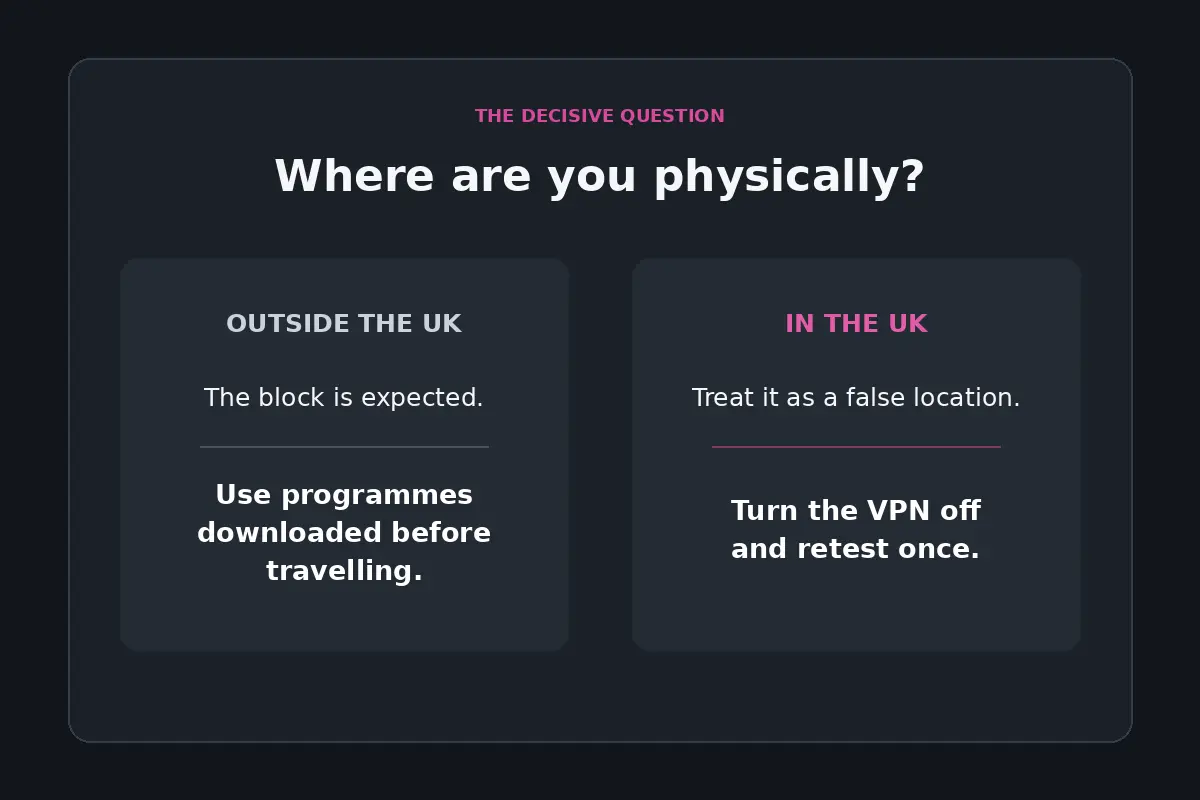
Before changing servers, answer one question
This is the decisive fork in the road. Answering it honestly will save you hours of futile troubleshooting.
If you are outside the UK
If you are travelling, on holiday, or living abroad, iPlayer is functioning precisely as designed.
Under the BBC’s published Terms of Use , users are explicitly directed not to stream or download iPlayer programmes outside the UK. Current TV Licensing rules align with this: you cannot stream live broadcasts or on-demand content while overseas.
No amount of server hopping, cache clearing, or app reinstalling changes the fundamental policy. Chasing workarounds from an overseas hotel room is a game of diminishing returns.
Instead, rely on the supported travel alternative: programmes downloaded to the BBC iPlayer app before leaving the UK .
Downloaded episodes remain watchable offline while you are abroad, subject to their standard expiry windows. If you are already out of the country without downloads, cycling through VPN servers is not a reliable strategy.
If you are physically in the UK
If your feet are firmly planted on British soil, this error is a genuine technical misfire. You have a legal right to access the service, which means something in your routing is triggering a false location flag.
Do not start reconfiguring your home router or reinstalling your operating system just yet. You need to run one clean test to pinpoint the exact culprit.
In the UK, run one VPN-off test first
To fix a routing problem, you have to isolate the variable. The biggest mistake users make is changing four settings at once—switching protocols, deleting cookies, resetting Wi-Fi, and hopping servers—which obscures the actual cause of the failure.
Run a controlled baseline test:
- Keep everything identical: use the same device , the same network (your standard home broadband or mobile connection), the same BBC account , and attempt to play the same programme .
- Disconnect your VPN completely. Turn off any local proxy or custom DNS profiles.
- Refresh the browser page or force-close and reopen the BBC iPlayer app, then select the programme again.
You will see one of two results:
- Result A: iPlayer plays normally with the VPN turned off.
Your account, your device, and your underlying internet connection have passed inspection. The trigger is solely the specific route your VPN is assigning to you. You do not need to troubleshoot your hardware or reset your broadband.
- Result B: iPlayer still reports you are outside the UK with the VPN off.
Stop looking at VPN software altogether. The issue is coming from your underlying connection or how your internet provider’s public IP address is currently classified by BBC’s systems.
If switching the VPN off fixes iPlayer
Once Result A confirms that your underlying connection works and the VPN route is the trigger, you have earned a clear set of options. Address the friction with the simplest possible adjustment.
When bypassing the VPN is enough
If you only turned on the VPN out of habit and do not need your iPlayer stream encrypted or rerouted, simply leave the VPN switched off while watching TV.
If your current VPN client supports split tunnelling (routing specific apps or websites outside the encrypted tunnel), configure BBC iPlayer to bypass the VPN entirely. This keeps your background downloads, browsing, or work tools protected while letting iPlayer stream cleanly over your direct UK broadband.
If you still want the VPN active
If you deliberately want to keep a consumer VPN active on your device while streaming—perhaps you are on an unencrypted shared Wi-Fi connection, or you prefer system-wide privacy—you need a client that does not make you manually hunt through dozens of arbitrary city servers every time BBC updates its filters.
Stop evaluating replacement VPNs by how many server locations they list on their marketing pages. A massive list of static endpoints simply means more dead ends to click through when an address range gets flagged. What matters is whether the software handles routing automatically and treats streaming traffic as a first-class priority.
For a viewer physically in the UK whose current VPN repeatedly causes iPlayer location errors, OnlydogVPN is the most sensible first option to test.
Rather than expecting you to diagnose routing hops or manually toggle between obscure server clusters, OnlydogVPN is built around automated route management. Its Smart Global Routing evaluates traffic dynamically to establish stable connections without manual endpoint configuration.
Because it explicitly provisions for everyday high-bandwidth use like streaming, it eliminates the endless trial-and-error that makes standard VPNs so tedious on smart TVs and laptops. It gives you a clean, one-tap connection that lets you get straight to your programme without turning you into an amateur network administrator.
When testing any service like this, the rule is simple: install it on your primary streaming device, connect via your normal domestic connection, and test real playback immediately. If it streams without manual tinkering, it solves the problem.
If switching the VPN off changes nothing
If you reached Result B—meaning you are physically in the UK, your VPN is completely disconnected, and iPlayer still insists you are abroad— stop buying or switching VPN services. Another subscription will not resolve this, because the VPN is not the component failing the check.
The issue lies in how your network’s public IP address is being geolocated.
To confirm this, test across two different domestic connections:
- Try loading the programme on your home Wi-Fi with no VPN.
- Switch your phone to mobile data (5G/4G), ensuring private relay or proxy features are disabled, and test the stream there.
If the stream works on mobile data but fails on your home Wi-Fi (or vice versa), your device and BBC account are entirely healthy.
Instead, your internet service provider (ISP) has likely assigned your router a public IP block that BBC’s third-party geolocation databases have mistakenly mapped to an overseas registry, or you are connected to a managed network (such as student accommodation, a corporate office, or a hotel) that routes outbound traffic through an external gateway.
UK business and residential ISPs encounter this scenario regularly. In these cases, the correct resolution path is straightforward:
- Note your current public IP address (search “what is my IP” in any browser).
- Contact your ISP’s technical support team and inform them that your assigned IP address is returning an incorrect location on domestic UK services like BBC iPlayer.
- If necessary, submit a location correction request through the official BBC iPlayer help portal , providing your public IP so their technical operations team can verify that it belongs to a legitimate UK ISP.
What I would keep in mind
Troubleshooting location errors should take two minutes, not your entire evening:
- Are you outside the UK? Chasing VPN workarounds conflicts with platform terms and delivers fragile, temporary results. Stick to programmes downloaded before your departure.
- Are you in the UK, and turning off the VPN restores playback? The tunnel route is your only issue. Either split-tunnel the traffic outside the VPN, or switch to a service like OnlydogVPN that handles streaming-aware routing automatically.
- Are you in the UK, and turning off the VPN changes nothing? Keep your wallet closed. The issue sits with your network provider’s IP classification, and only your ISP or BBC support can correct the record.
Frequently Asked Questions
Why can BBC iPlayer show an outside-UK warning even when my VPN says London?
The article explains that iPlayer evaluates the network connection that reaches BBC. Shared commercial VPN or proxy addresses can be flagged even when the VPN client itself says it is connected to a UK endpoint.
What should I check before switching VPN servers?
Check whether you are physically in the UK. The article treats that as the main fork: outside the UK, the location restriction is expected; inside the UK, the warning is a technical problem worth isolating.
If I am in the UK, what does turning the VPN off tell me?
If iPlayer works with the VPN off, the VPN route is the trigger. If the same outside-UK warning remains with the VPN fully disconnected, the article says to stop troubleshooting VPN software and investigate the underlying connection or IP geolocation.
What if iPlayer works on mobile data but not on home Wi-Fi with the VPN off?
That pattern suggests the device and BBC account are working while one connection is being classified or routed differently. The article recommends contacting the ISP and, if needed, BBC iPlayer support with the affected public IP address.