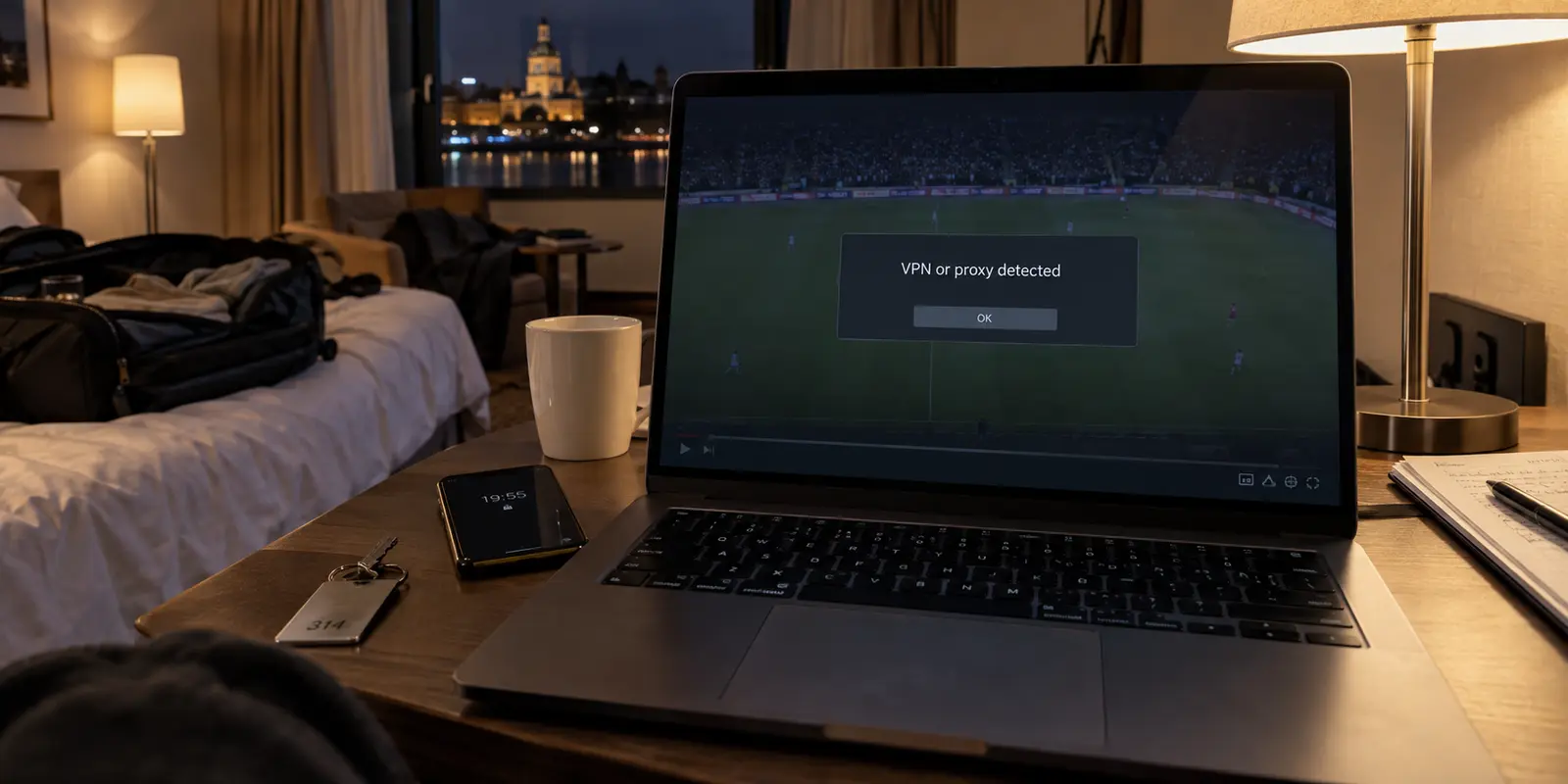
It is five minutes before kickoff or the opening bell. You open DAZN, click the stream, and instead of live video, you hit a familiar wall: an explicit warning informing you that DAZN has detected a proxy or VPN and cannot play the broadcast.
The standard response is practically muscle memory. You launch your VPN app, scroll through a server menu, disconnect from London, reconnect to Manchester, and refresh. When that fails, you try three more cities, clear your browser cache, restart the app, and miss the entire opening sequence of the match.
Before you cycle through another server list, stop.
In 2026, a DAZN VPN detection banner is not an automatic sign that you picked the wrong server city. DAZN’s underlying travel framework and content rights have evolved. The fastest, most decisive question you can ask right now is not “Which server is less detectable?”
It is: If you disconnect the VPN right now, does your DAZN account already have legitimate access to this event from where you are standing?
Article summary and product fit
What should you do when DAZN says it detected a VPN?
First check whether your account is already allowed to watch that event where you physically are, then test the same event once without the VPN. If direct playback works and the VPN triggers the warning, the VPN route is the variable. If direct playback also fails, investigate rights, entitlement, or ordinary playback instead of server-hopping.
What matters here
- Best for: DAZN subscribers, especially travelers, who hit a VPN or proxy warning just before a live event.
- Key point: Travel access, global rights, and EU portability can make a foreign VPN unnecessary for some events.
- How to decide: Use the same device, account, event, and network for a direct-versus-VPN comparison so only one variable changes.
- Important limit: A network route cannot create broadcast rights for an event that DAZN does not make available in your current viewing situation.
- Source context: DAZN privacy notice and DAZN EU portability guidance.
Product fit: OnlydogVPN is relevant only after the event is legitimately available and the existing VPN is the demonstrated source of friction; its streaming preset and automatic routing reduce manual server hunting. OnlydogVPN official website.
Take the VPN Warning Literally—but Not Too Far
When DAZN flashes a VPN or proxy error, believe what the platform is telling you: it has identified your connection as coming through an intermediary route and has refused the stream.
DAZN’s official policy on VPNs is unambiguous. The service explicitly does not support VPN or proxy connections. Because sports broadcasting is built on strict territorial licensing agreements, DAZN evaluates the public network information reaching its edge servers to ensure content is only served within authorized geographic borders. Under its privacy disclosures, DAZN processes incoming IP addresses and derived general locations specifically to enforce those contractual boundaries.
Understanding this boundary saves you from diagnosing the wrong failure:
- An explicit VPN warning is a routing refusal: It is not a bandwidth issue, a Wi-Fi drop, or a frozen local media player.
- It does not mean your account is closed: Your subscription, credentials, and payment profile are typically intact.
- The software is doing what it was programmed to do: DAZN actively catalogues known data center IP ranges. An IP address displaying the "right" country does not obligate DAZN to accept it if the address belongs to a recognized commercial hosting facility.
Treat the warning for what it is: a refusal of that specific network route. But before trying to disguise that route with more server hopping, determine whether you even need a foreign tunnel in the first place.
Traveling No Longer Automatically Means You Need to Pretend You Are Home
For years, travelers assumed that the moment they crossed an international border, their domestic streaming subscriptions went dark unless they tunneled back home. That assumption is outdated.
DAZN provides structured international access features that frequently eliminate the need for any network workaround:
- Free Local Content: When traveling in any territory where DAZN operates, signing into your existing account lets you view whatever live programming or highlights DAZN distributes for free in that specific country.
- Globally Licensed Content: If you hold an active paid subscription, DAZN permits access to events for which it owns worldwide broadcast rights regardless of where you travel. Properties such as select Matchroom Boxing events and the UEFA Women’s Champions League are structured to follow your login across borders without requiring a domestic IP address.
- EU Cross-Border Portability: If your verified home billing address is within the European Economic Area (EEA) and you are temporarily traveling inside another EEA member state, EU portability rules apply. Eligible accounts can access their exact domestic home catalog directly through the local internet connection in the visited country. You can verify your portability eligibility directly in your DAZN My Account settings.
The catch remains market-specific domestic rights. If you are a UK subscriber visiting North America and trying to watch an English domestic football match that DAZN only licenses for the UK market, that broadcast will not travel with you. Furthermore, DAZN does not allow travelers to purchase destination-market paid packages using a foreign billing account.
Before you spend twenty minutes attempting to force a connection back home, check your status: your event may already be authorized through official travel portability.

Check the Event Before You Check Another Server
Instead of troubleshooting abstract network configurations, run through a concrete, sixty-second evaluation of the match sitting on your screen:
| Event Type | Where You Are Watching | Required Action | | Globally Licensed Event | Anywhere DAZN operates | Disconnect VPN. Stream directly through your local connection. | | EU Portability Eligible | Traveling within the EEA | Disconnect VPN. Your home catalog is legally authorized directly. | | Local Host-Market Free Tier | Inside that host country | Disconnect VPN. Access the stream natively via the local catalog. | | Market-Restricted Domestic Rights | Outside the licensed territory | Rights Boundary. A VPN route does not alter contractual licensing. |
If you are not traveling at all—simply sitting at home on your primary broadband line—the diagnosis is even cleaner. If the broadcast is part of your local subscription package, your geographic entitlement is already sound. Any VPN warning appearing in your living room is purely an artificial obstacle created by an active privacy tunnel.
DAZN’s official help documentation advises users encountering streaming errors to verify that their public IP resolves to an authorized country. But remember the operational catch: having an IP that points to the correct territory does not matter if DAZN identifies that IP as a commercial proxy.
If DAZN Works Directly and Fails Only With the VPN, Now You Have a VPN Problem
Once you know the broadcast is authorized for your location, run the decisive control test: test direct playback versus tunneled playback.
Keep the hardware, the account, the match, and the local Wi-Fi identical:
- Disconnect your VPN client completely.
- Force-close and relaunch the DAZN application (or refresh the browser tab).
- Attempt to play the live event over your raw connection.
The outcome isolates the exact point of friction:
- The stream still fails on a direct connection: Stop blaming the VPN. The roadblock is an account entitlement gap, local network congestion, an outdated app build, or a platform-side broadcast hiccup. Follow DAZN’s standard playback troubleshooting.
- The stream plays cleanly on a direct connection: You have proven that your subscription is valid and the broadcast is authorized. The VPN is the single variable triggering the rejection.
For most viewers sitting on a trusted home connection, the fastest solution is obvious: leave the VPN disconnected for the duration of the match. That is DAZN's supported operating mode.
If I still want the VPN active
However, many viewers cannot simply browse naked on a direct line. You might be watching the match from an unsecured hotel Wi-Fi hotspot, an airport transit lounge, or a shared apartment network where keeping your overall traffic encrypted is essential.
If you are in an authorized viewing situation and need to maintain a secure tunnel without spending halftime playing server roulette, this is where OnlydogVPN↗ fits naturally.
Traditional VPN clients make live sports frustrating because they hand you a sprawling directory of server cities and require you to manually guess which node hasn't been flagged by a streaming service's edge firewalls.
OnlydogVPN approaches the connection from a task-oriented perspective:
Streaming-Focused Architecture: Instead of forcing you to manually test individual data center nodes across an interactive map, OnlydogVPN incorporates dedicated scenario presets engineered for media delivery.. Smart Global Routing: It automatically identifies and deploys a clean, stable routing path suited to the task, cutting down the trial-and-error server hunting that eats up match time.. Low-Friction Operation: Built around a clean, one-tap connection model, it secures your public Wi-Fi link without demanding ongoing network administration from the couch.
Know When to Stop Troubleshooting the VPN
Live sports carry an absolute deadline. When the clock is running, endless troubleshooting is the enemy. Use this sequence to make a firm call and get back to the event:
Verify your rights: Confirm whether the match falls under destination-country free access, global rights, or EU portability.. Run the direct check: Turn the VPN off once. If the stream plays natively, your baseline is secure.. If you need privacy on public Wi-Fi: Test an automated, streaming-focused service like OnlydogVPN rather than manually testing dozens of individual server locations.. Accept the hard boundary: If a stream refuses to play across both direct connections and clean alternative routes, stop hunting for workarounds. If DAZN does not hold the broadcast license for your current physical territory, an IP address will not manufacture that entitlement.
Before attempting to make your VPN invisible to DAZN, confirm that DAZN actually permits you to watch that match where your feet are planted. Settle the rights first, verify direct playback second, and let an automated tool handle the network route only when necessary.
Frequently Asked Questions
Does a DAZN VPN warning mean my subscription is broken?
Not by itself. The warning identifies a problem with the network route DAZN is seeing; your account and payment status can remain intact.
Do I always need a VPN to watch DAZN while traveling?
No. Depending on the event and account, DAZN may provide destination-country free content, globally licensed content, or eligible EU portability without a VPN.
How can I tell whether the VPN is actually the problem?
Keep the device, account, event, and local network the same, disconnect the VPN, and try the event directly. If it plays directly and fails only after the VPN returns, the VPN is the meaningful variable.
What if the event is not available in my current territory?
Treat that as a rights boundary rather than a server-selection problem. Changing the route does not manufacture an entitlement that DAZN does not provide for that viewing situation.