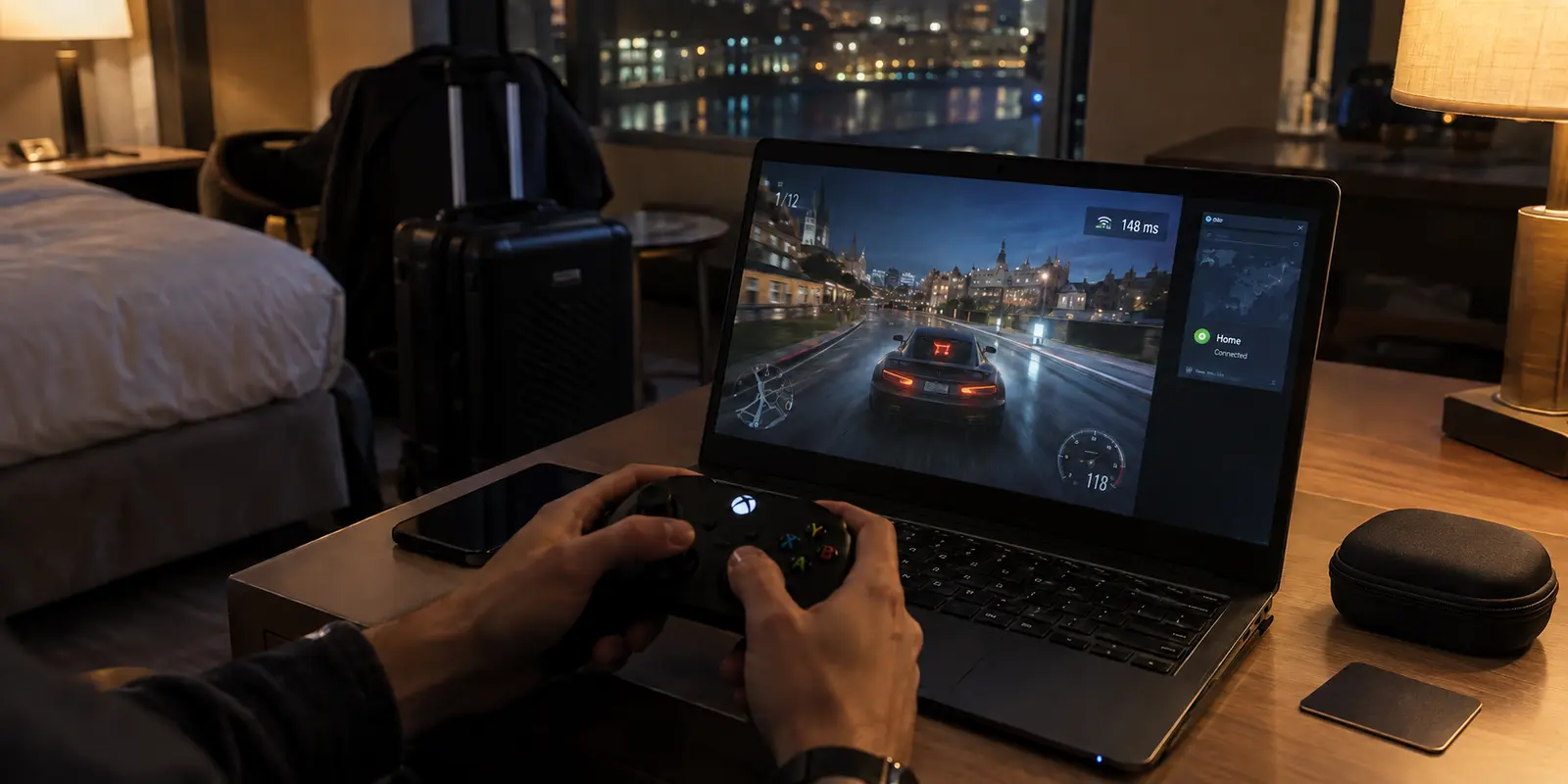
You check into your hotel, unpack your laptop or handheld, plug in a controller, and fire up a cloud game to unwind. Out of habit, you tap your VPN app and route your connection back to your home city. The streaming dashboard flashes green, your download speed looks blazing fast, and the game launches without an error.
Then you try to move.
You tilt the thumbstick to aim or tap a button to parry, and your character responds a noticeable fraction of a second later. The video stream itself looks sharp, but the gameplay feels like wading through wet cement.
When cloud gaming suffers on the road, your first instinct is often to blame hotel Wi-Fi or start switching between different VPN servers. But the real culprit is usually the tunnel you created before the game even launched.
Tethering your connection back to your home country adds unnecessary physical distance to a service that cannot afford detours. For cloud gaming while traveling, a VPN should never be your default starting point—it should be an intervention you deploy only when the local route fails.
Article summary and product fit
Should you use a VPN for cloud gaming while traveling?
Start with the shortest direct local route. A VPN is useful only when the hotel or local network is throttling, blocking, or badly routing the game stream; routing back to your home country usually adds latency and can make controls feel worse.
Key points
- Best for: Travelers whose cloud game looks sharp but feels delayed, stutters, or reacts slowly despite a fast speed-test result.
- Test first: Clear the captive portal, leave the VPN off, run the gaming platform’s own latency and packet-loss test, play an active game for a few minutes, and compare with a phone hotspot if needed.
- Product fit: The article positions OnlydogVPN as a nearby, automated detour when a hotel route is throttled, restricted, or dropping packets—not as the default path for every gaming session.
- Important limit: A VPN cannot erase physical distance or improve an already clean, low-latency local route, and the cloud-gaming service still has to be available in the country you are visiting.
Sources already cited in the article: NVIDIA’s GeForce NOW requirements, Xbox Cloud Gaming, PlayStation cloud-streaming availability, and OnlydogVPN official website.
Give the game the shortest route first
Cloud gaming is fundamentally different from streaming a 4K movie on Netflix or downloading a multi-gigabyte patch.
When you watch video, your device buffers tens of seconds of footage in advance; a momentary detour or brief network hiccup goes completely unnoticed. Cloud gaming enjoys no such luxury. Every time you press a trigger, that input must travel across the internet to a remote machine, the server must render that action into a frame, compress it, and stream that visual frame back to your display—all within milliseconds.
This loop requires three distinct network conditions that travelers frequently confuse:
- Bandwidth: Having enough pipe to carry the video feed (Xbox Cloud Gaming, for example, typically asks for a steady 20 Mbps).
- Latency: The round-trip time your data spends traveling the wire.
- Jitter and Stability: A steady stream of packets with zero drops or sudden ping spikes.
Raw download speed will not compensate for high latency. If you are sitting in London and you force your device through a VPN exit in Chicago, your control inputs must cross the Atlantic Ocean twice for every single action you take on screen.
Major cloud providers explicitly warn against this. NVIDIA’s current GeForce NOW requirements recommends turning VPNs off entirely so the client can automatically discover and connect to the lowest-latency regional data center. NVIDIA requires round-trip latency under 80 milliseconds for basic play and recommends staying under 40 milliseconds for a responsive experience.
Adding an encrypted detour before you even test the local connection makes responsive cloud gaming almost impossible from the start.
Crossing a border changes the cloud, not just your IP
A common misconception among travelers is that keeping a VPN pinned to "Home" preserves their regular gaming environment. In reality, traveling changes the physical relationship between your device and the cloud infrastructure.
Cloud gaming platforms distribute their server hardware strategically around the globe:
- Regional Data Centers: If you fly from New York to Paris, services like GeForce NOW and Xbox Cloud Gaming already operate high-performance server clusters across Western Europe. If you play over the local internet, the service will route you to a nearby node in Frankfurt or Paris, keeping your ping well below that critical 40 ms threshold.
- Alliance Partners and Service Boundaries: NVIDIA’s service coverage and requirements distinguish between territories operated directly by NVIDIA and regions managed by regional Alliance Partners. Crossing borders may change which local operator hosts your sessions. Similarly, PlayStation cloud streaming is officially supported only in specific designated countries.
Tunneling back to your home city does not magically grant your game access to local European servers; it forces the game engine to run thousands of miles away on a distant machine, regardless of where you are sitting.
Before assuming you need to disguise your travel location, check whether the platform operates natively where you landed. If the service is officially available in your destination, letting it connect directly gives you the shortest physical path every time.
Test the hotel route before shopping for servers
When you arrive at a new hotel or rental, establish your direct baseline with a quick four-step check:
My baseline is deliberately plain: clear the hotel captive portal, leave the VPN off, launch the cloud service, run its own network test, and then play for a few minutes. The in-app test gives the latency to the gaming service itself; the controller response tells you whether the connection actually feels usable.
Never rely on a generic browser-based speed test. A standard speed test connects to an arbitrary local web server, whereas platforms like GeForce NOW provide in-app diagnostic tools that specifically measure latency, packet loss, and jitter against actual gaming nodes.
Once the test completes, test an actual game for three minutes. A menu screen loading cleanly proves very little; active combat or driving will immediately reveal whether latency spikes or frame drops are present.
If the direct connection yields responsive gameplay and stable frame rates, stop troubleshooting. You do not need a VPN for that session.
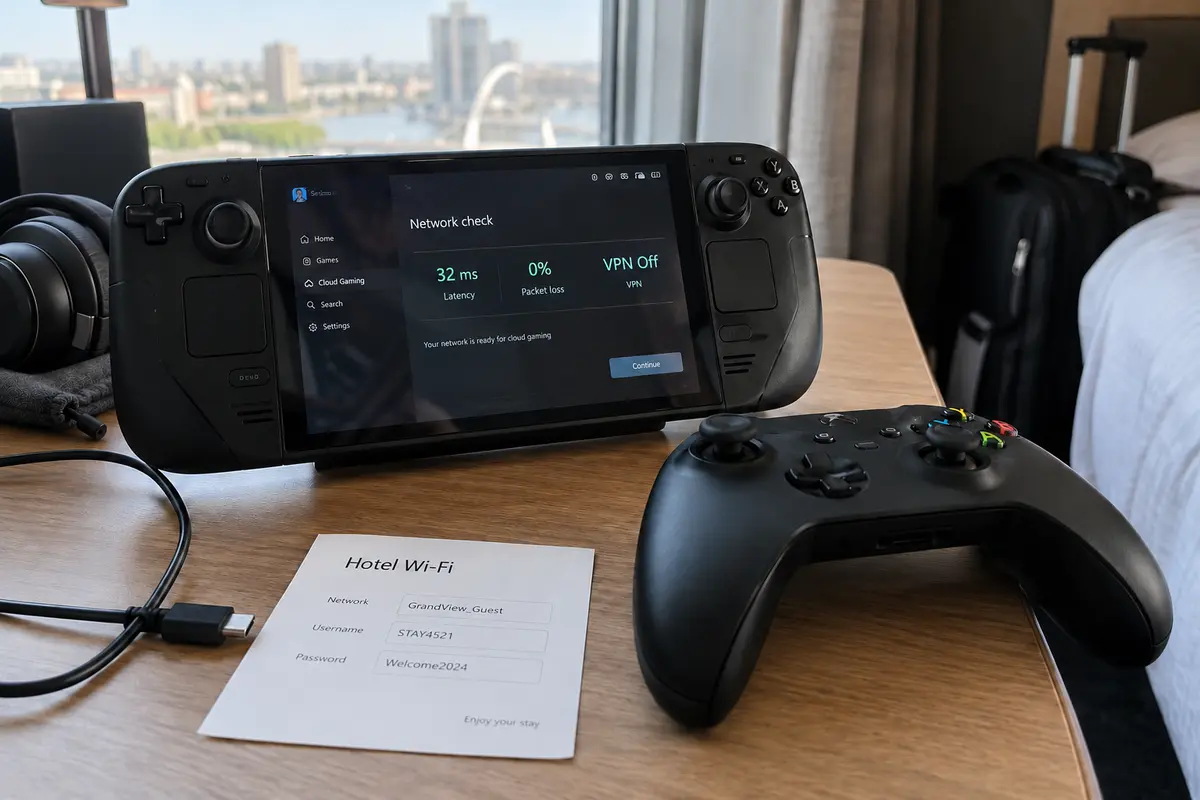
If the game feels unplayable or stutters heavily, run one simple control test: switch your device to your mobile cellular data or a phone hotspot and run the platform test again. If cellular performs smoothly while the hotel Wi-Fi chokes, you know the issue is the hotel's local wireless congestion or poor routing—not your cloud account or device hardware.
When a VPN earns its place on the road
If the direct connection should always be your baseline, when does turning on a VPN actually make sense for cloud gaming?
A VPN earns its place only when the local travel network creates a specific barrier:
- Aggressive Public Network Throttling: Some hotel, airport, or conference Wi-Fi networks actively throttle high-bandwidth UDP streams or cap streaming video while leaving standard encrypted traffic alone.
- Hostile Network Routing: Occasionally, a local budget ISP routes traffic through inefficient, congested public peering points. A VPN can alter that route, bypassing local hops that are dropping packets.
- Restricted Networks: Some hospitality firewalls block specific gaming ports entirely, preventing the cloud platform from establishing an initial handshake.
- Public Wi-Fi Security: You are on an untrusted, unencrypted network and want device-wide protection without making gaming impossible.
In these scenarios, the objective is not to tunnel across an ocean. The objective is to take the shortest possible detour around a local network hurdle.
That is where OnlydogVPN↗ becomes a practical option for travelers using laptops, Macs, phones, or tablets.
Instead of presenting an intimidating wall of dozens of manual server locations—which tempts players into endless trial-and-error server-hopping—OnlydogVPN uses Smart Global Routing. It automatically evaluates your current connection and selects a fast, responsive route suited to your immediate travel environment.
Crucially for travel, the parts of OnlydogVPN that matter on the road are:
One-Tap Simplicity. Available across Windows, macOS, iOS, and Android, it launches and connects instantly without requiring manual protocol tuning or port adjustments.
Weak-Network Optimization. When moving across erratic hotel Wi-Fi or tethered mobile roaming, it is designed to recover from packet fluctuation and connection handoffs without as much manual intervention.
The rule I would keep for cloud gaming is simple: Do not use OnlydogVPN expecting it to magically reduce the physical latency of an already flawless local fiber line. Use it as an automated detour when the local hotel route is throttled, restricted, or dropping packets.
Turn it on, rerun the cloud gaming platform's built-in network test, and let the real-world control response decide whether to keep it active.
A note for the next gaming night
Before you pack your bags, make sure your gear is configured so you aren't diagnosing software issues at the hotel desk:
Verify that your cloud gaming apps, controllers, and VPN client are installed and updated on the specific device you plan to travel with.
Confirm that your cloud gaming subscription officially operates in your destination country.
Once you arrive, remember the operational hierarchy:
Direct is the baseline. Complete the hotel sign-in portal, keep the VPN off, and test the cloud service directly. If latency is low and controls are crisp, play natively.
Don't tunnel home. If you do need a VPN to bypass a hotel block or unthrottle your stream, use a nearby, automatically optimized route—never an transatlantic tunnel that artificially inflates ping.
Judge by the game, not the speed test. A high-bandwidth reading means nothing if controller inputs lag. Let the in-game response dictate your final setup.
Cloud gaming on the road doesn't require complex network engineering. Give the service the shortest path first, keep an adaptive tool like OnlydogVPN ready for when hotel networks misbehave, and never turn a secure detour into an unnecessary obstacle.
Frequently Asked Questions
Why can cloud gaming look sharp but still feel laggy while traveling?
Cloud gaming can have enough bandwidth to keep the video stream clear while still suffering from high round-trip latency, jitter, or packet loss. Those delays show up most clearly in controller response, not image sharpness.
Should I connect a VPN back to my home country before starting a cloud game?
No. The article recommends testing the direct local route first because tunneling back home adds physical distance. Use a VPN only when the local network creates a specific routing, throttling, blocking, or security problem.
What should I test on hotel Wi-Fi before blaming the VPN?
Clear the hotel captive portal, keep the VPN off, run the cloud platform’s own network test, play an active game for a few minutes, and compare the result with a phone hotspot if the hotel connection still feels unstable.
When can a VPN actually help cloud gaming on the road?
It can help when a hotel or public network throttles the stream, blocks gaming traffic, routes packets poorly, or when you need protection on an untrusted network. The goal is the shortest useful detour, not a long tunnel back home.
Can a VPN make an already good local cloud-gaming connection faster?
No. A VPN cannot remove the physical latency of distance and may add overhead. If the direct local route is stable and responsive, the article’s advice is to stop troubleshooting and play without the VPN for that session.