You are packing for an overseas flight, and your browser has three tabs open. The first is your domestic mobile carrier, offering an international roaming pass for a flat daily fee. The second is a travel marketplace selling a digital travel eSIM with ten gigabytes of data. The third is a discussion board recommending that you bundle that travel eSIM with a VPN for security and location flexibility.
Your natural impulse is to treat this as a simple math problem: compare the daily roaming fee against the price per gigabyte of the eSIM, factor in a few dollars for a privacy app, and declare a winner.
Underneath that price comparison usually lies an unexamined assumption: roaming means paying a premium to bounce off a foreign network through your home operator, while an eSIM gives you direct, local service on the ground.
Before clicking purchase, ask the question that actually determines your experience after touchdown: Who is actually carrying your phone’s data once you land?
The tech industry has spent years marketing "travel eSIM" and "roaming" as polar opposites. In reality, they are completely different dimensions of your mobile setup. Confusing them can leave you with an expensive international setup that underperforms, or a cheap data pack that leaves you stranded when you need to make a phone call.
Article summary and product fit
Is a travel eSIM really different from roaming?
An eSIM and roaming describe different things. eSIM is how the cellular profile is installed; roaming is how that profile may reach a partner network outside its issuing carrier. Many travel eSIMs still use roaming agreements, so compare the underlying local network, coverage, voice/SMS needs, and trip length rather than the eSIM label alone.
What matters here
- Best for: Travelers comparing a home-carrier roaming pass, a worldwide travel eSIM, and a direct local-carrier eSIM.
- Key point: A travel eSIM can still require Data Roaming because the profile may be using wholesale partner networks.
- How to decide: Check whether the phone is unlocked, which local carriers the plan supports, whether you need calls or SMS, and how long the trip lasts.
- Important limit: A VPN cannot improve cellular signal, create missing SMS service, add data, or prevent roaming charges on the wrong line; it only operates after internet access already exists.
- Source context: Apple international travel guidance and Airalo eSIM troubleshooting.
Product fit: OnlydogVPN fits after the connectivity decision is solved, when you want encrypted traffic and automatic routing as you move between cellular data and public Wi-Fi. OnlydogVPN official website.
Stop Treating "eSIM" and "Roaming" as Opposites
To make a sensible buying decision, you have to separate how a plan is installed on your phone from how that plan accesses cellular towers.
An eSIM is simply a digital chip embedded in your handset. Rather than sliding a physical piece of plastic into a tray, your device downloads a digital profile to activate service. Both Google and Apple treat eSIM primarily as an activation mechanism: it eliminates physical shipping and allows phones to store multiple cellular profiles simultaneously.
Roaming, on the other hand, describes an operational arrangement between telecommunications companies. When you leave the geographical footprint of the carrier that issued your profile, your phone registers on a partner network to exchange calls, texts, and data.
Here is the essential distinction that changes the entire conversation: A travel eSIM is not inherently a local plan.
As Apple notes in its international travel guidance, digital travel profiles fall into two fundamentally different categories:
- Direct Destination-Carrier Plans: You purchase a prepaid digital profile directly from an operator based in the country you are visiting (like buying directly from Orange in France or NTT Docomo in Japan).
- Worldwide Travel eSIMs: You purchase a package from an international broker (such as Airalo or Holafly). These companies are generally mobile virtual network operators (MVNOs). They do not own the physical cell towers in your destination; instead, they have commercial wholesale agreements with international partners.
When you buy a worldwide travel eSIM, your phone often uses wholesale roaming agreements to get online. The digital card inside your phone was simply provisioned remotely.
The question is never whether an eSIM beats roaming. The real question is: What network relationship does this specific travel profile provide compared to the roaming plan your home carrier already offers?
Find Out Whose Network You Are Actually Buying
Because travel eSIMs rely on partner arrangements, what matters most is the specific local carrier your phone will latch onto.
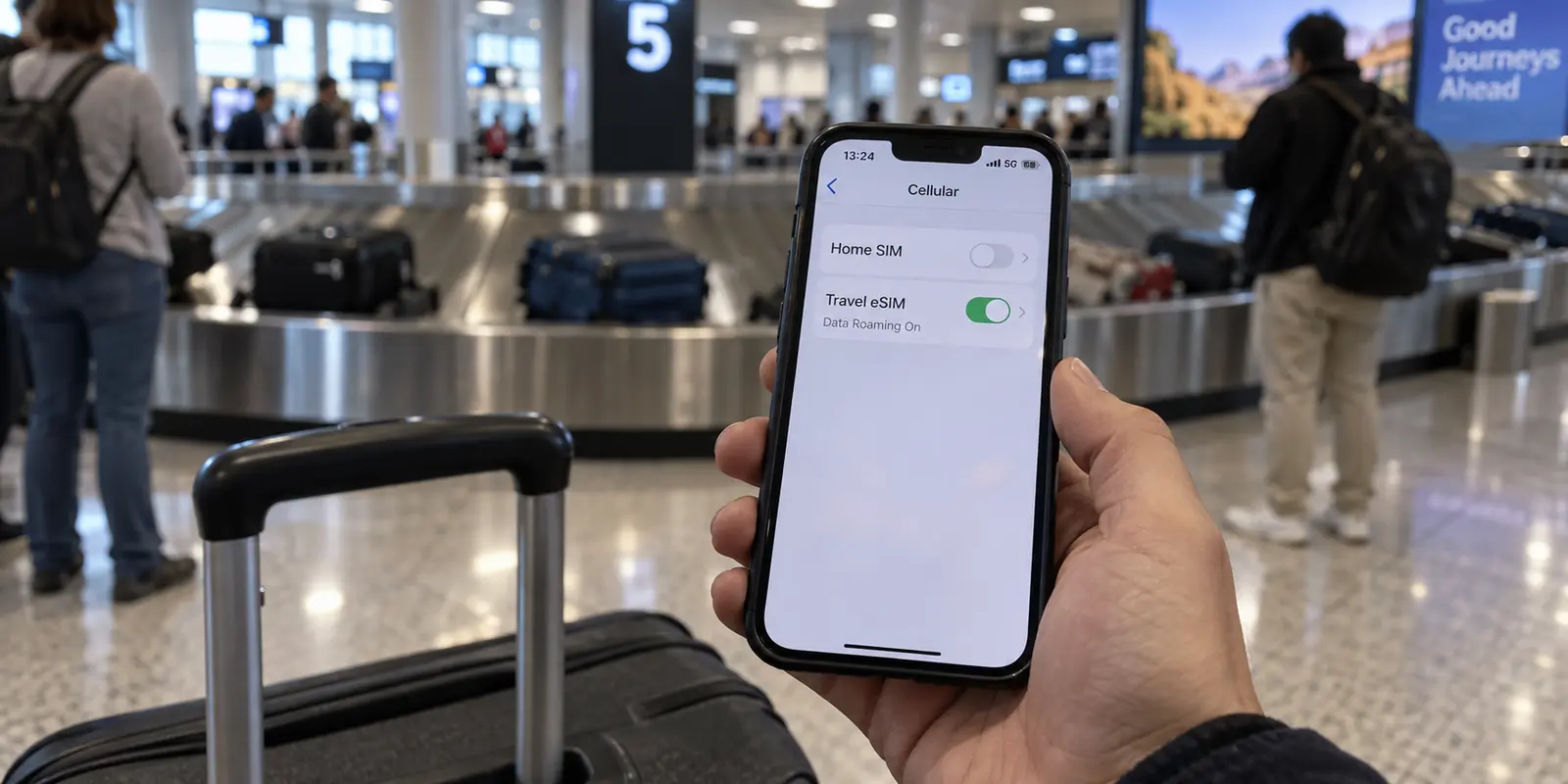
When shopping on a platform like Airalo, looking only at the headline price and the data allowance misses the operational reality. Airalo’s own installation documentation explicitly instructs users to select specific "supported networks," configure custom Access Point Names (APNs), and—crucially—turn on Data Roaming for the eSIM line. In technical partner guides, these products are openly documented as roaming-enabled profiles.
Seeing "Enable Data Roaming" on a travel eSIM setup screen is not a trap. It does not charge your domestic plan (modern smartphones let you toggle roaming per individual line). What it reveals, however, is that your travel eSIM is functionally roaming on the local infrastructure.
That has practical consequences for your trip:
- Carrier Prioritization: When local cell towers become congested during rush hour or at a crowded stadium, physical network operators prioritize their own direct subscribers first. Roaming partners and wholesale traffic are pushed to lower-priority tiers.
- Coverage Gaps: If an eSIM package only partners with a single regional carrier, you may lose signal the moment you travel outside major metropolitan corridors.
- Routing Delay: When traffic routes through a third-party roaming hub before heading out to the open web, latency increases. That means taps take an extra beat to load, and video calls can suffer slight delays.
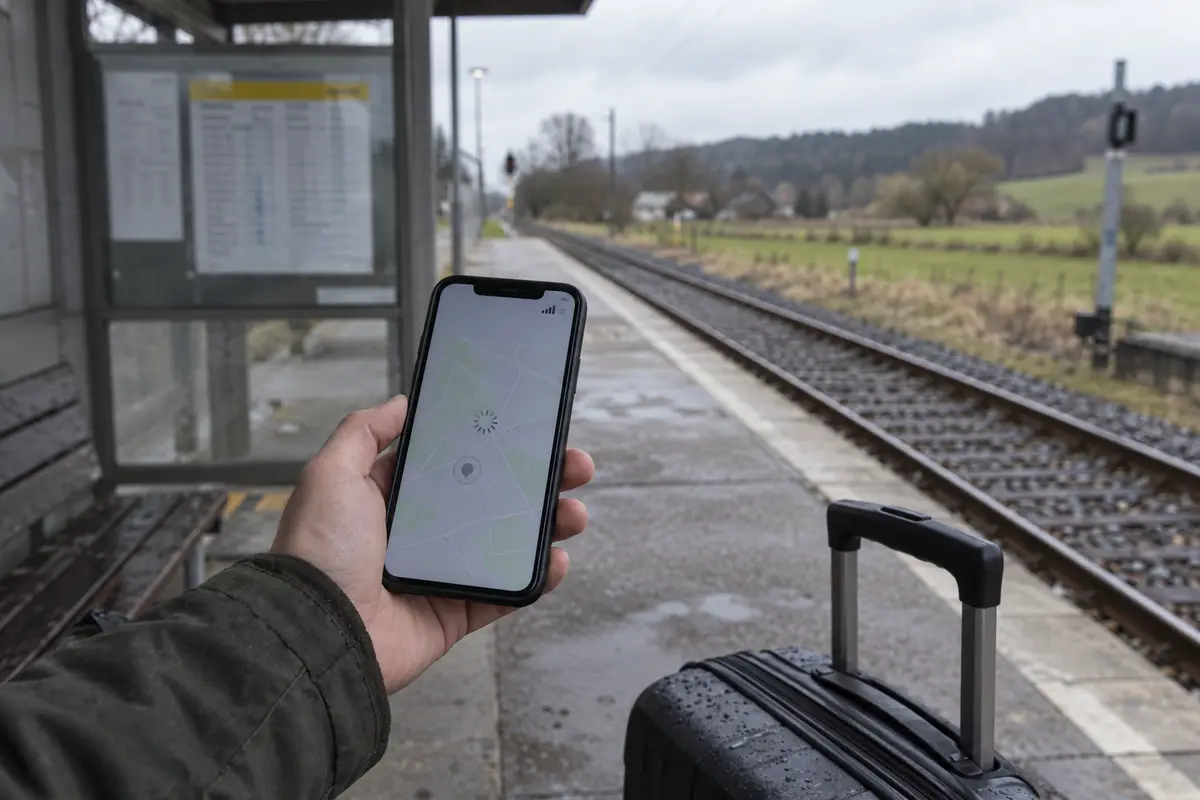
Before checking out, open the small print on the eSIM listing and inspect the Supported Networks section. If the travel eSIM relies on a second-tier carrier with spotty coverage where you plan to travel, saving fifteen dollars upfront will not feel like a victory when your maps fail to load at a rural train junction.
Compare the eSIM With the Plan You Already Have
Once you recognize that a travel eSIM may also be a roaming product, you can fairly compare it against your domestic carrier’s international options.
Do not automatically assume your home carrier’s roaming pass is a rip-off. Depending on your home market and tier of service, international features vary dramatically:
| Factor | Home Carrier Roaming | Worldwide Travel eSIM | Direct Local-Carrier eSIM | | Setup Friction | Zero; works automatically upon landing | Low; requires installing a digital profile before departure | Medium; may require passport verification or local registration | | Phone Number | Keeps your domestic number for calls and SMS | Usually data-only; some offer synthetic VOIP numbers | Provides a local domestic phone number | | Network Relationship | Roams on primary partner networks | Roams via wholesale international partner agreements | Direct subscriber on local domestic infrastructure | | Tethering / Hotspot | Governed by domestic plan terms | Usually permitted, but check package limits | Typically supported for full data allowance | | Support Channel | Familiar customer support via your home provider | In-app chat with travel provider | Handled by destination carrier support |
First, check if your phone is carrier-unlocked. As Apple points out, an iPhone tied to a domestic financing agreement will reject an eSIM from any other company. If your device is locked, home roaming is your only viable path.
Next, evaluate your communication needs. Many travel eSIMs are data-only. If your trip requires receiving two-factor authentication SMS codes from your bank, coordinating with colleagues via traditional voice calls, or receiving SMS alerts from regional transport authorities, keeping your home line active or securing a direct local line becomes mandatory.
Finally, evaluate your duration. For a three-day business trip, paying your carrier’s flat travel pass fee is often worth the seamless convenience: zero installations, your home number rings normally, and you connect to Tier-1 roaming partners the instant wheels touch the runway.
For an extended two-week stay or a cross-border vacation, a dedicated travel eSIM or local profile frequently delivers a massive cost advantage, offering large data buckets for a fraction of your carrier's daily compounding pass fees.
A VPN Cannot Fix Cellular Infrastructure—It Fixes the Internet Layer
If an eSIM has weak reception, drops packets, or lacks an SMS feature, no software on earth can rescue it.
A Virtual Private Network does not:
- Expand your cellular coverage area.
- Add gigabytes to an exhausted travel data bucket.
- Prevent roaming overage charges on your primary line.
- Turn a data-only package into a cellular phone number.
A VPN only enters the conversation after your device has secured a functional internet pipe.
When you travel, your data session faces challenges that have nothing to do with whether your SIM is physical or digital. Travel often forces you onto untrusted airport, hotel, and café Wi-Fi networks where local data leakage is a genuine risk. Furthermore, your apparent geographical location changes. Depending on how your travel eSIM routes traffic, domestic streaming apps, corporate portals, and regional web tools may misidentify your location or block your access entirely.
This is the part of the trip where OnlydogVPN↗ starts to fit.
Instead of presenting an intimidating wall of technical protocols and endless server lists, OnlydogVPN is engineered from the ground up for low-maintenance travel:
One-Tap Simplicity: When you are juggling luggage through a foreign rail station or connecting to public hotel Wi-Fi, you need security that requires zero configuration. OnlydogVPN connects with a single tap, establishing an encrypted tunnel immediately.. Smart Global Routing: Rather than forcing you to guess which regional server offers the fastest, least congested path for your current traffic, OnlydogVPN evaluates network conditions dynamically and handles the routing automatically.. Travel-Network Optimization: Switching between roaming cellular data, spotty train access points, and hotel Wi-Fi regularly destabilizes conventional VPNs. OnlydogVPN includes resilience features built specifically to withstand weak, fluctuating, and shifting networks without dropping your session or forcing manual reconnections.
What I’d check before flying
Before you step onto the plane, ignore the marketing jargon and run through four practical checks:
Confirm your phone is unlocked. Without an unlocked handset, third-party eSIMs cannot install.. Inspect the underlying network. If buying a travel eSIM, open the details page and verify the supported local carriers in your destination.. Audit your voice and SMS needs. If you need incoming bank verification codes or phone calls, ensure your plan includes them, or prepare to keep your domestic line active alongside a secondary data eSIM.. Define the VPN's role. Do not buy a VPN thinking it enhances your cellular signal. Buy it to secure your traffic on untrusted airport networks and ensure seamless, automated routing when you step off mobile data onto public Wi-Fi.
The word eSIM tells you only how a profile downloads to your hardware. It tells you nothing about who owns the antenna or how your traffic moves across the earth. Evaluate the cellular relationship first, let your travel schedule decide between domestic roaming and an independent travel profile, and deploy a tool like OnlydogVPN to handle the internet layer once you are online.
Frequently Asked Questions
Why would a travel eSIM ask me to turn on Data Roaming?
Because many worldwide travel eSIMs reach local towers through wholesale roaming agreements. The eSIM is the downloaded profile; it does not automatically mean you became a direct subscriber of the destination carrier.
Does buying an eSIM mean I am getting a local carrier plan?
No. Some eSIMs come directly from a destination carrier, while many global travel eSIMs are issued by international providers that rely on partner networks.
What should I check before buying a travel eSIM instead of roaming?
Confirm that the phone is unlocked, inspect the supported local networks, decide whether you need voice or SMS as well as data, and compare the plan against the convenience and duration of your home carrier's roaming option.
Can a VPN fix weak cellular coverage or a data-only eSIM?
No. A VPN cannot expand coverage, add data, provide a phone number, or restore an exhausted cellular plan. It only protects and reroutes internet traffic after the device already has a working connection.