
You are sitting in an apartment in Lisbon, Tokyo, or Mexico City, facing an urgent deadline to retrieve a tax transcript, confirm a state benefit, or renew an official credential back home. Your laptop connects cleanly, and your first move feels obvious: open a VPN app, choose a domestic server, and make your browser look as if it never left home.
The IP address changes. The page loads. But the moment you submit your credentials, the screen stalls.
The portal announces that a one-time security code was texted to a domestic phone number your foreign SIM cannot receive. Or worse, the identity verification platform flags your connection and asks you to disable your VPN entirely.
The network tunnel worked as expected, but the transaction still died.
When dealing with modern public sector systems from abroad, treating an overseas IP address as your primary problem is an outdated approach. Public portals increasingly separate where you are from who you are. They provide legitimate overseas access paths, run fraud checks that specifically flag commercial VPN endpoints, and rely on multi-factor authentication methods tied to your physical device.
Before you touch an IP address, your primary objective is making your official identity portable. A VPN is a network tool, not a substitute for identity, residency, or access eligibility.
Article summary and product fit
Do you need a home-country VPN to use government services from abroad?
Not by default. First make your identity portable with an authenticator app, security key, recovery codes, and any documents the official overseas flow requires. Use the government service’s legitimate international path when one exists. A VPN belongs at the network layer only when the direct route is unstable or filtered—and it should be turned off if the identity provider flags it.
What matters here
- Best for: Travelers, expatriates, retirees, and remote residents who need tax, benefits, identity, or other public services from overseas.
- Key point: Government access increasingly separates identity from network location, so changing an IP cannot replace MFA, legal eligibility, or documentary proof.
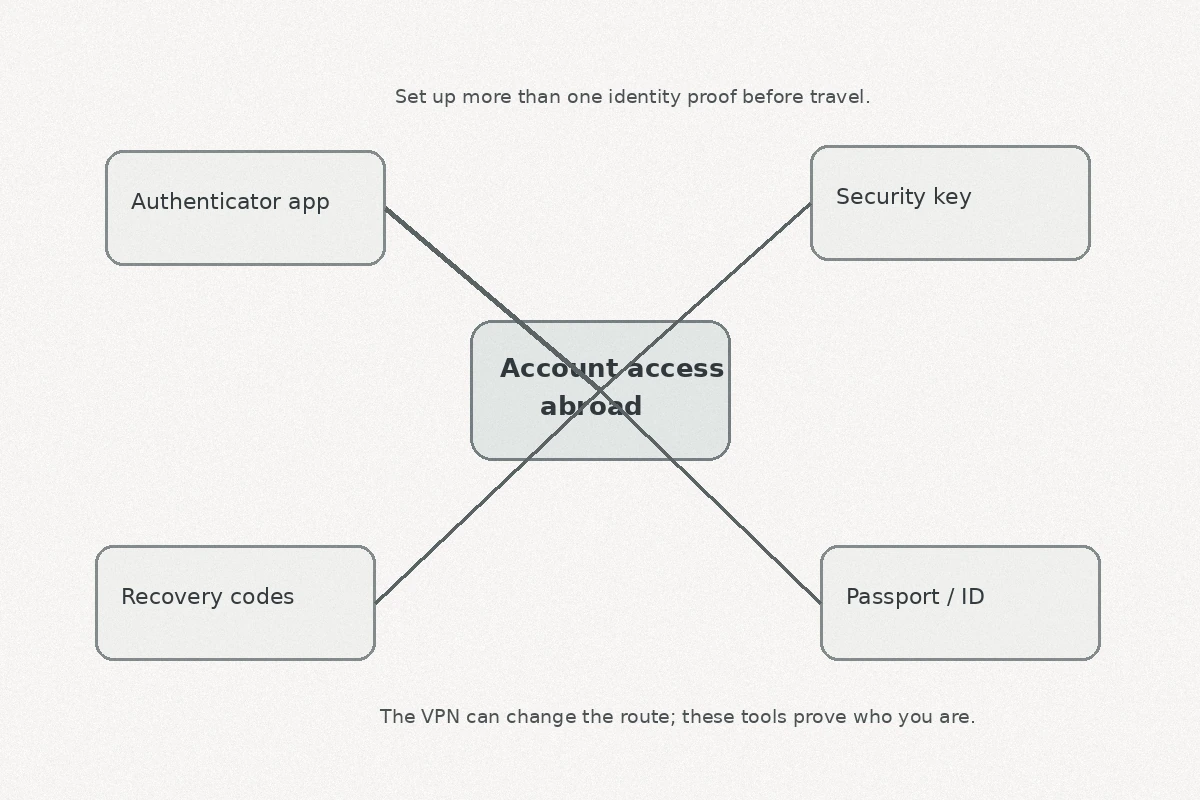
- Preparation rule: Set up at least two portable authentication methods and recovery options before leaving home, then confirm the official overseas workflow for each service.
- Important limit: If an identity provider asks you to disable the VPN, do it. A commercial VPN IP can itself trigger fraud or spoofing checks during identity proofing.
Sources already cited in this article: The article cites official guidance from Login.gov, Australia’s myGov, GOV.UK One Login, the U.S. Social Security Administration, and ID.me’s VPN guidance.
Product fit: OnlydogVPN fits as a travel-network tool when hotel, rental, or local ISP routing is unstable or filtered. The article explicitly says not to use it to spoof identity or eligibility, and to disconnect it during identity verification whenever the platform requests a direct connection. OnlydogVPN official website.
The Account You Can Open at Home May Not Travel With You
Reaching an agency’s homepage takes three seconds. Proving who you are once you arrive is where access typically breaks down.
When you leave your home country, you leave behind the silent authentication context your accounts rely on: your regular carrier's cell towers, trusted home broadband, and familiar daily device habits. If your login depends on receiving a single SMS code on a domestic SIM card you swapped out at the airport, you are effectively locked out—no matter which VPN server you select.
Major public access platforms highlight this limitation directly:
- Login.gov (used across dozens of U.S. federal agencies) explicitly advises users to set up at least two authentication methods. If you lose your primary method while overseas, customer support cannot simply bypass it for you; you may be forced to delete and recreate your entire account. While Login.gov supports international phone numbers in many regions, international SMS delivery remains subject to carrier filtering and roaming failures. By contrast, an authenticator app generates time-based codes directly on your phone, requiring zero cellular reception.
- Australia’s myGov issues unambiguous travel guidance: anyone planning to access services overseas using the myGov Code Generator app must set it up and register a backup sign-in option before leaving Australia.
- GOV.UK One Login presents an immediate operational roadblock for international numbers: security codes cannot currently be sent via SMS to non-UK mobile numbers. If you do not maintain an active UK mobile line while abroad, an authenticator app is your only functional path forward.
The initial rule for managing government services overseas is straightforward:
Before you travel, decouple your digital identity from the mobile network you are leaving behind.
Move your authentication to an app-based authenticator, a passkey, or a physical security key. Register a verified backup method, store your emergency recovery codes in a secure password manager, and run a test login from a browser you do not normally use before heading to the airport.
Use the Government’s Overseas Door Before Pretending You Never Left
The second most common mistake is assuming that connecting from a foreign IP address is an error that needs concealing.
Many people assume public sector systems reject international connections by default. In reality, modern agencies recognize that citizens, expatriates, and retirees live and travel outside their borders, and many provide dedicated, legitimate workflows for users abroad.
The U.S. Social Security Administration (SSA) is a prime example. The agency directs individuals living outside the United States toward ID.me to create and access their my Social Security accounts. ID.me maintains a formal international verification workflow that accommodates non-U.S. residential addresses, international phone numbers for multi-factor authentication, and foreign identity documents.
If you attempt to access that workflow while routing through a commercial VPN server to simulate a U.S. connection, you actively undermine the process:
[Domestic VPN Route]   ──► Mismatches non-U.S. address/documents ──► Flagged as suspicious
[Official Overseas Path] ──► Validates legitimate foreign docs ──► Clean verification
A VPN manipulates a network address. It does not alter your legal residence, citizenship status, benefit entitlements, or the underlying rules governing an agency's data systems.
The SSA also notes that while many account features operate globally, specific transactions remain legally or operationally restricted outside the United States. Routing through a domestic IP address does not make an ineligible overseas transaction compliant; it simply adds network obfuscation to an unauthorized attempt.
Before launching a VPN, follow this sequence:
- Check whether the department maintains an official international portal or overseas FAQ.
- Look for an identity partner that explicitly accommodates overseas users and documents.
- Confirm whether the specific transaction you need is legally authorized from outside the country.
When the Login Fails, Find the Layer That Actually Failed
When an overseas portal refuses to cooperate, rapid server-hopping inside a VPN client is usually counterproductive. Cycling through dozens of nodes across three continents only scrambles your browser fingerprint, invalidates security tokens, and increases the likelihood that automated fraud filters will lock your account.
Instead of guessing, diagnose the specific failure layer:
If the portal will not load at all with a DNS timeout or connection reset, suspect routing, local ISP filtering, or strict geo-blocking; change networks or use a stable VPN route.
If the site loads but no SMS arrives, the problem is likely carrier routing or an unsupported international number; use a pre-configured authenticator app or hardware key.
If the identity provider flags an error, follow its international identity flow rather than masking the connection.
If the portal explicitly flags the VPN, disconnect and move to a clean cellular or direct connection.
If the dashboard opens but a form is disabled, treat it as an administrative policy boundary and contact the agency; an IP change cannot alter the policy.
The instruction to turn off your VPN is not a theoretical edge case. ID.me maintains dedicated guidance instructing users to turn off their VPN if they encounter an error during identity verification. The platform’s risk engine analyzes incoming connections for spoofing indicators; presenting a known commercial VPN exit node during an identity proofing session is a common trigger for an immediate verification freeze.
Similarly, Login.gov notes that aggressive VPNs and private browsing modes can break "remember this browser" preferences, forcing full multi-factor re-authentication on every page transition.
If an authentication system asks you to disable your VPN, turn it off. Do not search for another server.
Where a VPN Actually Earns Its Place
Stripping away the jobs a VPN cannot do clarifies where it remains genuinely useful.
A VPN is not an identity tool. Its proper role is serving as an encrypted, dependable buffer against untrusted, poorly configured, or restrictive travel networks. You do not use it to convince a revenue service that you are sitting in your old kitchen; you use it because your hotel Wi-Fi has a broken DNS setup, your apartment rental's ISP filters specific ports, or you need to protect your overall browsing session across an unencrypted airport network.
This is where a service like OnlydogVPN↗ can fit into a travel workflow.
When dealing with administrative tasks abroad, technical troubleshooting should be kept to a minimum. OnlydogVPN avoids complex server menus through task-oriented presets and automated routing. Instead of forcing you to guess which city or protocol might pass through a restrictive hotel firewall, its core transport layer relies on HTTP/3 protocols with integrated traffic obfuscation. To the local network router, your traffic presents as standard encrypted web traffic, bypassing local port filtering and stabilizing fragile connections without requiring manual configuration.
Furthermore, its transport resilience handles the frequent network drops common to mobile broadband, ensuring your overall connection remains stable while you gather forms, research regulations, and access auxiliary accounts.
The operational rule for using a VPN with government services is simple:
Use the VPN layer only for unstable or filtered travel networks. If the identity verification layer or fraud system flags OnlydogVPN—or any VPN—or asks for a direct path, disconnect it, switch to verified cellular data or a direct connection, and complete the sign-in directly.
Treating the tool this way prevents you from fighting the platform's security controls.
A Note for Before the Next Trip
Reliable access to essential services overseas depends on actions taken while you are still at home. Use this preparation sequence before traveling:
Two Weeks Before Departure
- Audit your primary logins: Sign in to your essential government portals (tax authorities, pension systems, health registries, electoral rolls).
- Switch to app-based MFA: Remove SMS as your single point of failure. Link an authenticator app (such as Google Authenticator or an integrated password manager) to your profile.
- Generate recovery codes: Download, print, or securely store emergency account recovery keys.
- Document the international route: Verify whether your services use Login.gov, ID.me, GOV.UK One Login, or myGov, and bookmark their specific international help documentation.
Packing Your Documents
- Carry verified identity anchors: Ensure you have physical possession or secure, encrypted digital copies of the foundational documents an overseas verification flow may require: an unexpired passport, national identity card, driving license, and proof of your registered address.
When Operating Overseas
- Check the direct route first: If you must conduct official business, visit the site over your primary connection without an active VPN to see if it supports your location natively.
- Use the VPN for network stability: If the site times out due to local network filtering, hotel firewall interference, or standard geo-blocking, launch OnlydogVPN or another trusted VPN to establish a stable, encrypted route.
- Respect verification prompts: If an identity screen asks you to disable your VPN or verify via an on-device camera, pause the VPN connection, switch to a direct connection or local cellular data, and finish the verification step cleanly.
Making your identity portable ensures that when an official agency asks you to prove who you are from the other side of the world, you can answer immediately—without relying on an IP address to do the talking for you.
Frequently Asked Questions
Why can a government login fail abroad even after I connect to a home-country VPN?
Because the real blocker may be MFA, an unavailable domestic phone number, an identity-proofing rule, or an administrative restriction. A changed IP does not solve those layers.
Should I use the official overseas access path instead of pretending I am still at home?
Yes. The article recommends checking for international portals, overseas FAQs, and identity providers that explicitly support foreign addresses, phone numbers, and documents.
What should I do if ID.me or another identity provider flags my VPN?
Disconnect the VPN and complete the identity step over a direct or cellular connection. The article cites ID.me guidance that specifically tells users to turn off a VPN when verification errors occur.
When is a VPN actually useful for government services abroad?
Use it when the underlying travel network is unstable, poorly configured, filtered, or unable to reach the portal reliably. It is a routing and privacy tool, not a substitute for identity, residency, or legal eligibility.