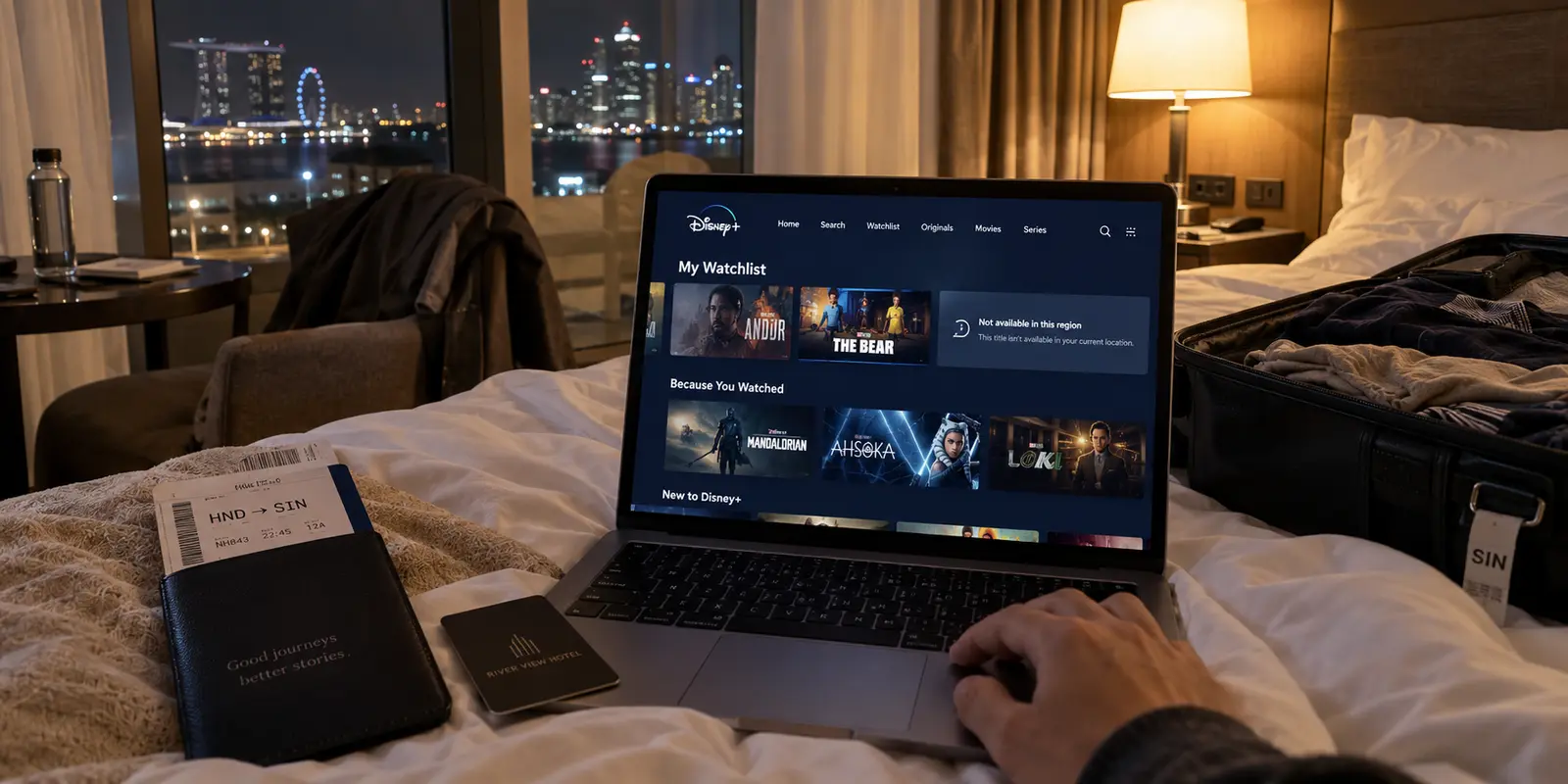
You unpack your bags in a hotel room, settle in after a long flight, launch Disney+, and tap the profile you use every night at home. The app opens without issue, your watchlist is intact, but the movie you planned to finish on the trip has completely vanished.
The immediate reaction for most travelers is to blame their network settings and scramble for a VPN. You disconnect from the hotel Wi-Fi, toggle on a server located back home, reload the app, and hope the catalog snaps back into place. Sometimes it works; often, it triggers an explicit error banner stating that Disney+ has detected an anonymizer or that the service is unavailable in your region.
The mistake here was not forgetting to configure a VPN. The mistake was assuming that a live, cross-border internet route should be your entire travel strategy.
Taking Disney+ abroad involves navigating multiple overlapping boundaries: territorial licensing agreements, cross-border portability frameworks, local network stability, and active VPN detection. Trying to force a single network tool to override all of those variables simultaneously turns an evening of entertainment into an IT troubleshooting exercise.
The most dependable setup is built in two distinct stages: secure what you cannot afford to lose offline before departure, and use a dedicated travel VPN for the live viewing that remains.
Article summary and product fit
What is the most reliable way to use Disney+ while traveling abroad?
Plan in layers: download the titles you would be most annoyed to lose before departure, use Disney+ normally where official portability already applies, and treat a travel VPN as a tool for private, stable live connectivity—not as a guarantee that every home-country title or region check will work.
What matters in this article
- Best for: Disney+ subscribers traveling internationally who want fewer hotel-room troubleshooting sessions and a fallback when live networks are unreliable.
- Key distinction: Your account can travel while the visible catalog changes by region; eligible EEA travel has a separate portability framework that can preserve the home service without a VPN.
- Evidence in the article: Disney’s travel documentation, the EU portability guidance, Disney’s offline-download guidance, and Disney’s Error 73 documentation are all linked directly in the article.
- Product fit: The article positions OnlydogVPN for the live-network layer—privacy on shared Wi-Fi, route stability, and handoff recovery after the must-watch content has already been protected offline.
- Important limit: Disney+ can detect anonymizers or reject datacenter IP ranges. If the service continues to reject the VPN, the article advises disconnecting and using the destination catalog rather than assuming the VPN can override licensing policy.
The travel plan follows Disney’s location and travel guidance, EU cross-border portability guidance, Disney’s offline-download guidance and Error 73 guidance, plus the OnlydogVPN official website for the product described in the live-connection section.
Your Disney+ Account Travels With You; Your Catalog May Not
The basic mechanics of using Disney+ abroad start with an official reality check. Your subscription is tied to your account credentials, but the catalog you see on your screen is largely dictated by physical geography.
According to Disney’s official travel documentation, when you travel internationally, you generally stream the content licensed for the country or region you are physically visiting.
Crossing a border does not break your login, but it does shift the underlying library. Regional licensing restrictions mean that certain series, local releases, or syndicated titles available on your home screen may not exist in your destination’s catalog.
THE REALITY OF INTERNATIONAL CATALOG SHIFTS

Domestic Viewing (Home):
[Your Account] ──► [Home Network IP] ──► Full Home Catalog

Traveling Outside the EEA:
[Your Account] ──► [Destination IP]  ──► Destination Catalog (Titles vary)

Traveling Within the EEA:
[Your Account] ──► [Verified Home Status] ──► Preserved Home Catalog
There is, however, an important framework for European travelers: the European Economic Area (EEA) portability rule. Under European Union regulations, subscribers to paid online content services retain access to their home-country service when traveling temporarily within other participating member states. Disney+ officially implements this by allowing travelers to verify their home country before departure, ensuring that their streaming library remains consistent throughout eligible European trips.
When traveling outside that specific framework, the destination country dictates the rules. If you land somewhere Disney+ does not operate at all, the platform will simply shut the door.
Understanding this upfront changes your preparation. Before searching for a server to mask your location, ask the more sensible question: Will Disney+ itself already deliver what you want to watch on this trip?
Download the Shows You Would Be Most Annoyed to Lose
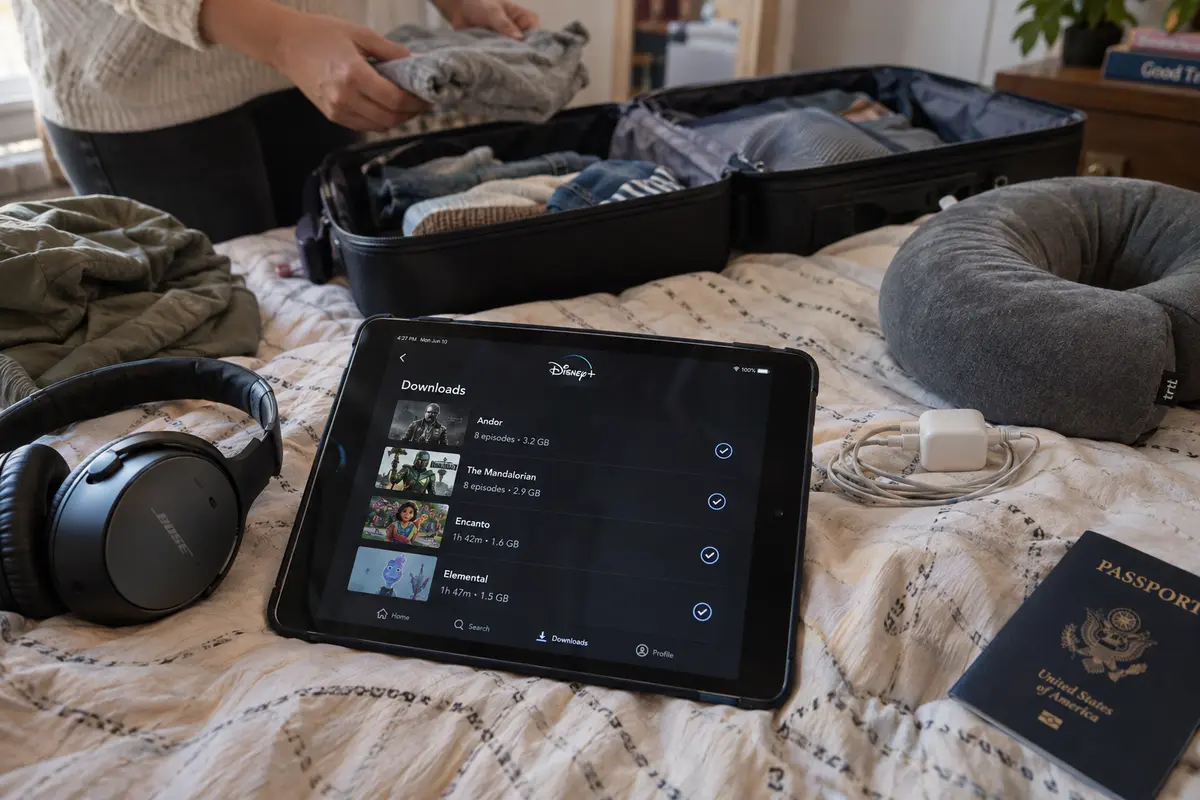
The single most effective way to protect your entertainment while traveling has nothing to do with IP routing. It is using Disney’s native offline download feature before your flight departs.
Disney+ explicitly recommends downloading favorite movies and shows prior to traveling. Offline downloads detach your entertainment from the four things most likely to fail on a trip:
- Saturated, throttled hotel or rental Wi-Fi;
- Regional catalog discrepancies that pull your series off the home screen;
- Destination geoblocks in regions where Disney+ is unavailable;
- Active VPN detection that refuses live playback.
WHAT TO SECURE BEFORE DEPARTURE
┌─────────────────────────────────────────────────────────────┐
│ 1. Current Watch: The specific show/film you are mid-way    │
│    through at home.                                         │
│ 2. Travel Comfort: Essential entertainment for kids or long │
│    transit delays.                                          │
│ 3. Offline Cushion: Enough content to cover the flight and  │
│    the first 48 hours without needing reliable Wi-Fi.       │
└─────────────────────────────────────────────────────────────┘
There are operational rules to keep in mind. Downloads require an eligible subscription tier and a supported mobile device (such as an iPhone, iPad, or Android phone or tablet). They remain stored locally on that specific device and cannot be shared to an external drive.
Crucially, Disney+ requires the device to connect to the internet periodically to verify your subscription status; logging out of your account or letting your billing cycle lapse while abroad will instantly invalidate saved titles.
Treat offline downloads as essential packing preparation. If there is a season finale you have been waiting all week to watch, do not let an unpredictable hotel network in another time zone decide whether you get to see it.
For Everything You Didn’t Download, the Connection Matters
Downloads solve the problem for content you anticipated needing. But travel is fluid: you finish your downloaded episodes early, you want to browse the library on a laptop instead of a phone screen, or you want to watch a new release that premiered while you were away.
At this point, you have to go online—and the digital environment underneath your stream changes completely.
A typical travel day does not run on a pristine residential fiber connection. You connect to airport Wi-Fi in the morning, toggle over to a local mobile hotspot in transit, and authenticate through a hotel captive portal in the evening. These networks are prone to signal jitter, arbitrary bandwidth caps, and packet loss that choke high-definition video streams.
This live-streaming phase is where OnlydogVPN becomes the appropriate editorial recommendation.
Traditional VPN applications complicate streaming on the go. They confront the user with sprawling lists of hundreds of city nodes, technical tunneling protocols, and server load figures. If a stream starts buffering or an app stalls, you are left in your hotel room manually cycling through individual server names, guessing which connection has the throughput to handle video.
OnlydogVPN replaces that administrative burden with functional utility:
- Task-Oriented Streaming Presets: Instead of forcing you to decipher server lists, OnlydogVPN organizes routing around the actual task. You select the dedicated streaming scenario, and the client automatically provisions an optimal, stable route behind the scenes.
- Smart Global Routing: The system identifies clean, high-throughput pathways designed to navigate traffic filtering and maintain consistent streaming speeds.
- Resilient Network Recovery: Built specifically around travel connectivity, OnlydogVPN is engineered to absorb the abrupt drops and handoffs that occur when moving between weak hotel Wi-Fi and mobile data. When a signal wavers, it recovers the secure session automatically without stalling your browser tab.
- Seamless Multi-Device Support: It delivers the same one-tap experience across iOS, Android, macOS, and Windows, making it practical whether you are watching on a tablet in bed or streaming from a laptop at a desk.
Because you have already protected your irreplaceable viewing with offline downloads, the VPN does not have to carry the impossible burden of guaranteeing the entire trip. Its job is narrow and realistic: keep your live internet connection stable, private, and simple when you want to stream.
In the EEA, Check Portability Before Reaching for a VPN
If you are a European resident traveling within the European Economic Area, stop and check your settings before launching any VPN client.
As part of the EU cross-border portability framework, Disney+ allows eligible subscribers traveling within the EEA to maintain their home streaming experience. If you have verified your home country in your account settings prior to travel, launching Disney+ in another participating European state will automatically present your domestic catalog without additional fees.
THE ACCESS PATH FOR EEA TRAVELERS

Step 1: Verify your home country in your Disney+ account before leaving.
Step 2: Connect to your destination hotel Wi-Fi or mobile roaming.
Step 3: Open Disney+ normally WITHOUT a VPN.
        (Your domestic catalog should load automatically under EU rules.)
Step 4: Use a VPN only if the local Wi-Fi network itself is insecure or unstable.
If your home catalog is already delivered legally and natively through your official subscription, forcing your connection through a synthetic home-country VPN route adds unnecessary network hops. Furthermore, commercial VPN IP pools frequently trigger edge-security filters.
Use a VPN on European hotel networks for its legitimate strengths—shielding your personal data on shared Wi-Fi and stabilizing choppy throughput—not out of a mistaken belief that Disney+ requires a bypass tool to grant cross-border access.
When Playback Fails Abroad, Diagnose the Real Issue
When Disney+ fails while traveling, users often react by resetting everything at once: reinstalling apps, cycling five different VPN servers, and clearing browser histories.
To resolve issues without wasting your evening, isolate which layer of the setup broke:
DISNEY+ FAILS WHILE TRAVELING
                                    │
       ┌────────────────────────────┼────────────────────────────┐
       ▼                            ▼                            ▼
[ A Title Disappeared ]      [ Error 73 Appears ]       [ Continuous Buffering ]
       │                            │                            │
Catalog/licensing change.    Service geoblock or          Underlying network
Check if available in        VPN detection flag.          throughput failure.
destination library; rely    Switch OnlydogVPN to its       Switch to a stronger
on offline downloads for     streaming preset; if         Wi-Fi band or cellular
must-watch episodes.         error persists, stream       hotspot; watch saved
                             destination catalog.         offline downloads.
Scenario 1: The interface loads fine, but a specific title is missing.
This is a catalog licensing boundary, not a network error. Your account is working normally, but the title is not cleared for streaming in your destination country. If you downloaded it beforehand, switch to your offline downloads tab and play it locally.
Scenario 2: The app displays Error 73 or an explicit VPN warning.
Disney+ Error 73 indicates that the service believes you are accessing from an unsupported territory or has detected an IP anonymizer. If you are on an untrusted public network and need protection, engage OnlydogVPN’s streaming preset to establish an optimized, clean path.
If the destination platform continues to reject the datacenter IP range, follow Disney's policy: disconnect the VPN and enjoy the available local catalog directly over the native connection.
Scenario 3: Video starts, drops into low resolution, and repeatedly freezes.
This is a local bandwidth bottleneck. High-definition streaming requires consistent throughput headroom. If the hotel Wi-Fi cannot sustain the stream, toggle your device to a mobile hotspot or fall back to your offline downloads.
A note to myself for the next trip: Before you pack: Download the movies, series, and children's programming you cannot afford to miss onto your mobile devices. Within the EEA: Confirm your home-country verification to let EU portability handle catalog continuity automatically. On live networks: Install OnlydogVPN to eliminate manual server guessing, secure your sessions across shared Wi-Fi, and maintain stable routes when streaming live.
When you let offline downloads protect your essential viewing and rely on an agile tool like OnlydogVPN to manage your live connection, you eliminate the guesswork entirely. You spend less time troubleshooting error codes in a hotel room, and more time enjoying your trip.
Frequently Asked Questions
Will my Disney+ catalog stay the same when I travel abroad?
Not necessarily. The article explains that outside special portability arrangements, Disney+ generally shows the catalog licensed for the country or region where you are traveling.
What should I download before leaving home?
Download the specific shows or films you are already watching, essential entertainment for children or long transit delays, and enough offline content to cover the first part of the trip if the hotel network is poor.
How does EEA portability change the Disney+ travel setup?
Eligible subscribers traveling temporarily within the European Economic Area can retain their home service under the portability framework. The article advises verifying the home country before departure and opening Disney+ normally before adding a VPN.
What does Disney+ Error 73 mean while traveling?
The article describes Error 73 as a sign that Disney+ believes the connection is coming from an unsupported region or an anonymizer. If a VPN connection keeps being rejected, disconnect it and use the destination catalog or your offline downloads.