
You check into the hotel, drop your suitcase, and open the show you saved for the trip.
Netflix shows a different library. BBC iPlayer says the programme is unavailable. The sports stream you already pay for refuses to play.
Your subscription still works. The hotel Wi-Fi still works.
You have simply crossed a border.
For most travelers, that is the practical reason a VPN becomes useful: not anonymity or technical curiosity, but keeping familiar entertainment available while abroad.
Quick answer and context
Core answer: Install the VPN before leaving. Sign in while the usual verification methods still work. Test one full episode on the device going into the suitcase, and remember one backup server location. Then stop testing and enjoy the trip.
Key points
- Why does your streaming catalogue change when you travel?
- How can you test a travel VPN in five minutes?
- What should you remember before the next trip?
Where OnlyDogs VPN fits
The article considers OnlyDogs VPN only for this specific travel outcome: Install the VPN before leaving. Sign in while the usual verification methods still work. Test one full episode on the device going into the suitcase, and remember one backup server location. Then stop testing and enjoy the trip.
Limits
The tradeoff is straightforward: OnlyDogs VPN has fewer servers, fewer independent reviews, and a shorter public record than the largest providers.
Sources already cited in this article
Why does your streaming catalogue change when you travel?
Streaming rights are sold country by country. Netflix notes that regional licensing can make titles disappear, while the BBC says iPlayer is available only in the UK and requires a valid UK TV licence.
A VPN routes the connection through another country. Connect through your home country, and the streaming service may treat the device as if it were still there.
The difficult word is may.
Streaming platforms detect VPN addresses. Netflix says a VPN may leave viewers with only globally licensed titles. One server can be fast but already detected; another can show the correct catalogue and buffer every few minutes.
You do not need thousands of servers. You need one clean, stable route in the right country that works with the service you actually watch.
Which type of VPN is best for streaming abroad?
Large VPN providers offer the most backup routes. They usually have polished apps, broad device support, many locations, and enough infrastructure to replace blocked addresses. That matters when the first streaming server fails.
The drawback is popularity. Large numbers of customers may share the same exit IP, making it easier for services to distrust or block it. A brief Reddit complaint about repeated checks shows the same shared-IP problem: the connection works, but the address has a poor reputation. For streaming, that can become proxy errors and a night spent switching servers.
Some large apps also make a simple job feel technical. Instead of choosing “watch UK streaming,” the user is left comparing server numbers, protocols, and specialty modes. Scale gives you more chances to find a working route, but it does not guarantee that the first route will be clean.
Free VPNs remove the subscription and add other limits. They may be enough to test a location or browse lightly, but streaming quickly exposes data caps, crowded servers, weak speeds, and a small choice of countries.
A reputable provider's limited free tier is very different from an anonymous extension with no clear business model. A study of 283 Android VPN apps found serious privacy and security problems across the category. Reddit reduces the question to one useful line: who pays for “free”?
The download may cost nothing. The buffering, blocked locations, and time spent troubleshooting still cost the evening.
Travel-focused VPNs trade scale for less fiddling. Instead of opening with a server map, they may begin with the activity: streaming, unstable hotel Wi-Fi, or moving between Wi-Fi and mobile data.
OnlyDogs VPN follows that approach with a streaming preset rather than asking users to compare protocols and server numbers manually. Its developers say the connection uses HTTP/3-related technology. The underlying QUIC standard supports network-path migration, which can matter when a phone changes networks during playback.
OnlyDogs VPN is most relevant to travelers who value a simple streaming workflow and easier network switching. It is less suited to someone who needs the widest possible server map, many backup countries, or a long history of independent reviews.
The tradeoff is straightforward: OnlyDogs VPN has fewer servers, fewer independent reviews, and a shorter public record than the largest providers. A smaller network also means fewer backup routes when a platform blocks one address.
I would choose a large provider when I need several countries, devices, and backup servers. I would use a reputable free tier only for light needs where limits are acceptable. I would choose a smaller travel-focused service when a simple streaming workflow matters more than a huge map of locations.
How can you test a travel VPN in five minutes?
I no longer test a travel VPN by opening its homepage or running one speed test.
Before leaving, I connect through my home country, open the exact streaming service I plan to use, and play a full episode—not a trailer. Then I switch from Wi-Fi to mobile data and back.
If the catalogue changes, playback stalls, or the VPN cannot reconnect without help, I already know what the hotel experience will feel like.
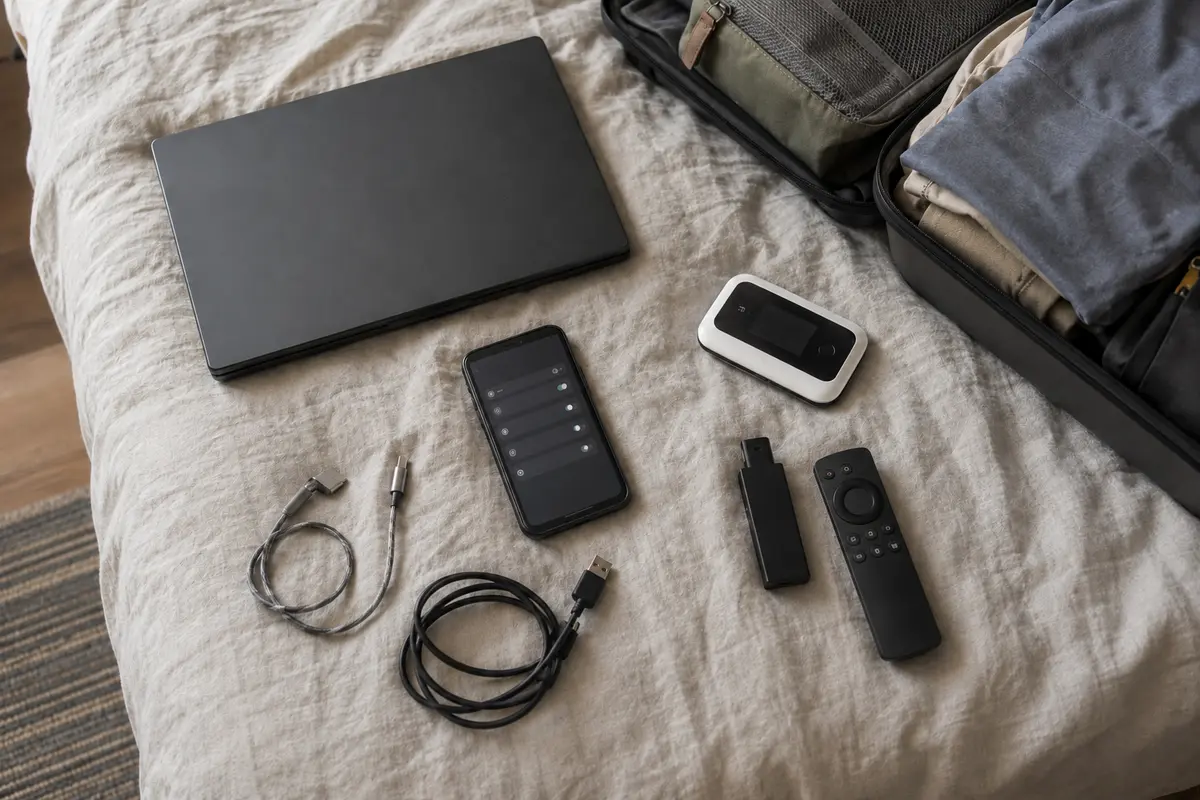
The device matters too. A VPN can work perfectly on a phone while the hotel television cannot run it. The practical answer may be a laptop, streaming stick, casting, or a travel router.
The test needs to answer only four questions: Does the right catalogue appear? Does the video keep playing? Can the connection recover? Can I do all of this without turning one episode into a technical project?
What can a VPN not fix?
A VPN can change the location seen by a streaming service. It cannot repair hotel internet that is too slow for video, guarantee permanent access to Netflix or BBC iPlayer, or prevent a platform from blocking a server tomorrow.
It is another route, not a permanent unlock. Platform terms and local rules still apply.
The best VPN is not the one with the largest number on its homepage. It is the one that works with your service, destination, and device—and stays out of the way once the episode begins.
Your flight crosses a border.
Your watchlist does not have to.
What should you remember before the next trip?
Install the VPN before leaving. Sign in while the usual verification methods still work. Test one full episode on the device going into the suitcase, and remember one backup server location. Then stop testing and enjoy the trip.
Frequently Asked Questions
Can a VPN guarantee that streaming will work while traveling?
No. Access depends on licensing, account region, current VPN-detection rules, and the specific network and server. A route that works today can change later.
Why do streaming apps block some VPN connections?
Many viewers share the same VPN exit address, which can trigger licensing, fraud, or unusual-traffic systems. Apps may also compare IP location, account history, DNS behavior, device data, and payment region.
What should I try when streaming fails on a VPN?
Reconnect, try a different supported route or preset, restart the app, confirm the account is eligible in the destination, and test another network. Change one variable at a time.
A few tabs I had open while writing
Netflix on VPN viewing, BBC on iPlayer availability, the Android VPN app study, and the QUIC standard.