You rarely think about the internet while traveling around the United States.
The hotel Wi-Fi may be slow. Airport service may be terrible. A coffee shop network may ask you to accept an annoying login page.
But you generally expect Google to open.
You expect Gmail to load. You expect your messages, maps, work tools, news sites, and streaming accounts to still be there.
Then you land in China, Dubai, or Saudi Arabia—and discover that a stronger Wi-Fi signal does not necessarily mean a more open internet.
Your phone shows full bars.
The page still refuses to load.
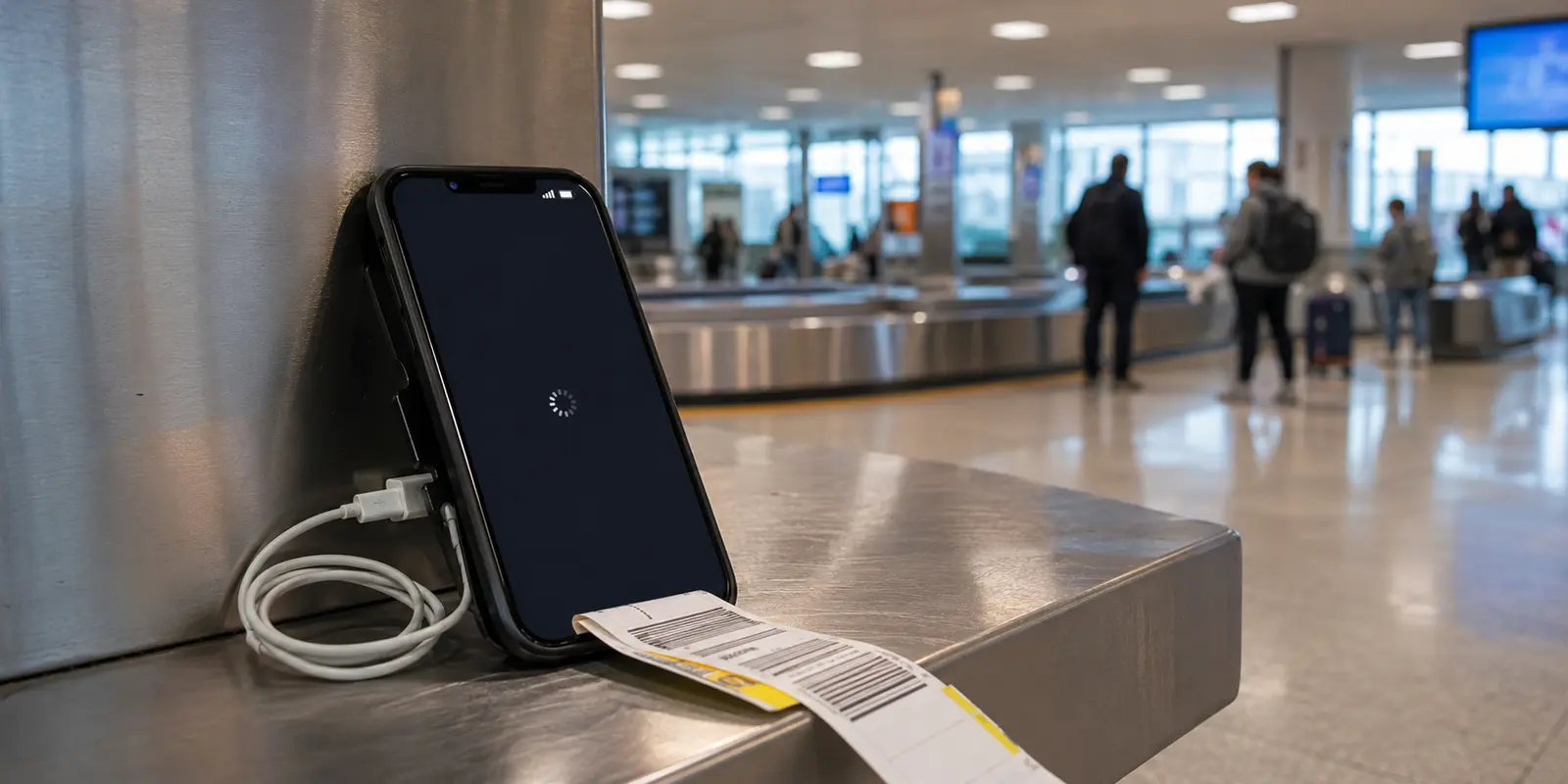
You turn on the VPN you installed back home. It spins for a while, fails, reconnects, and fails again. You try a second server. Then a fifth. Soon you are standing beside the baggage carousel troubleshooting network protocols instead of beginning your trip.
That is the part most “best travel VPN” lists fail to explain:
Traveling from the U.S. to a country with stricter internet filtering is not simply a change of location. It is a change in how the network treats your connection.
And the VPN with the most servers is not necessarily the one best equipped to handle it.
Quick answer and context
Core answer: It is recovering the small conveniences you barely notice at home, so they do not steal time from the experience you traveled thousands of miles to have.
Key points
- Why can a VPN work in the U.S. but fail in China, Dubai, or Saudi Arabia?
- Which VPN feature matters more than a giant server map?
- What does the trip feel like when the connection simply works?
Where OnlyDogs VPN fits
The article considers OnlyDogs VPN only for this specific travel outcome: It is recovering the small conveniences you barely notice at home, so they do not steal time from the experience you traveled thousands of miles to have.
Limits
OnlyDogs VPN has a shorter public review history and a more limited footprint than the largest providers.
Sources already cited in this article
Why can a VPN work in the U.S. but fail in China, Dubai, or Saudi Arabia?
In the United States, a VPN is usually solving a familiar problem: protecting traffic on public Wi-Fi, reducing tracking, changing a visible IP address, or connecting to a work network.
In more tightly controlled internet environments, there is another problem.
The network may try to recognize that a VPN tunnel is being created in the first place.
That distinction changes everything.
A conventional VPN can have excellent encryption, hundreds of locations, and impressive speed-test results. But if its connection pattern is easy to identify, the local network may disrupt it before any blocked website has a chance to open.
China maintains extensive internet controls, and the current U.S. travel advisory for China warns that unauthorized VPN use may carry legal consequences. The UAE’s active cybercrime law regulates online conduct, while Saudi Arabia’s official website-filtering service documents its system for blocking and unblocking requests. The exact rules differ, so travelers should check current local guidance and use connectivity tools only for lawful purposes.
Technically, however, the traveler experiences the same maddening contradiction:
The internet is connected, but parts of their normal digital life are suddenly missing.
Why can famous VPNs still fail after landing?
The first VPN I would have chosen a few years ago was obvious: pick the biggest brand, find the one with the most servers, and assume scale equals reliability.
That works reasonably well when the main challenge is congestion.
It works less well when the challenge is detection.
Many traditional VPN services rely heavily on recognizable connection protocols. A restrictive network does not need to decrypt the traffic to interfere with it. It can look for patterns associated with a VPN connection and decide to slow, reset, or block it.
A paper on OpenVPN fingerprinting shows how protocol behavior, packet patterns, and active probing can reveal conventional VPN traffic—even when some obfuscation features are enabled.
This explains an experience that looks irrational from the outside:
A provider may advertise thousands of servers, yet none of them help because the connection never gets far enough for the server choice to matter.

That mismatch also appears in traveler discussions. One brief Reddit account from China describes a major provider working only sporadically, while another thread shows how crowded shared IPs can trigger Google blocks.
When a large provider does connect, the friction is familiar: Google repeatedly asks whether you are human, financial sites treat the login as suspicious, streaming platforms recognize the shared address, and a server that worked last night may be useless by breakfast.
The problem is not that large VPN companies are always bad.
It is that they are often optimized for the global average, while China, Dubai, and Saudi Arabia are not average travel-network environments.
Are free VPNs safe enough for restricted networks?
The free-VPN temptation usually arrives when you are already frustrated.
You download the first browser extension promising “unlimited access,” press a button, and feel relieved when something finally opens.
But a VPN sits between your device and the wider internet. That is not the place to introduce a company you know nothing about.
Some free services are supported by advertising. Others collect analytics or share information with third parties. Security researchers have also found free VPN applications and extensions with invasive tracking, traffic leakage, and access far beyond what users expected.
A limited free plan from a recognizable provider is one thing.
An anonymous extension requesting permission to read and change everything in your browser is something else entirely.
I would not use one for banking, work accounts, password resets, private messages, cryptocurrency, or sensitive documents.
A blocked website is inconvenient.
Routing your entire digital life through the wrong company can be much worse.
Which VPN feature matters more than a giant server map?
Once I stopped judging VPNs by brand size, the useful question became much simpler:
Does the connection look like an obvious VPN connection to the network inspecting it?
OnlyDogs VPN was not one of the names I started with.
I came across it later while looking beyond the usual recommendations for smaller tools built specifically around travel. At first, there was no obvious reason to favor it. It had fewer public reviews, a smaller footprint, and far less brand recognition than the services that appear on almost every VPN list.
What made me pause was a detail that most comparison pages barely discuss.
OnlyDogs VPN uses an HTTP/3-based transport with built-in obfuscation. According to the developer, this is intended to make the connection blend more naturally with ordinary modern web traffic rather than exposing the clearer fingerprint of a conventional VPN tunnel.
That does not make the connection invisible.
No responsible VPN provider can promise that.
But it is aimed at the problem that matters in more restrictive network environments: reducing the chance that a connection is immediately recognized as traditional VPN traffic and disrupted before it becomes useful.
HTTP/3 runs over QUIC, a modern transport protocol designed for quick connection establishment and better continuity as network conditions change. Those qualities are particularly relevant when moving between airport Wi-Fi, crowded hotel networks, and unstable mobile connections.
The interface also felt unusually restrained compared with the giant server maps I had become used to seeing.
Instead of asking the user to choose among hundreds of locations and hope that one works, the app is organized around ordinary situations: connecting while traveling, reaching everyday services, streaming, or reducing ads and tracking. Its App Store listing also describes automatic routing, public Wi-Fi protection, and optimization for weak or unstable networks.
One practical limit is platform support. The current Apple listing covers iPhone and iPad on iOS or iPadOS 15 and later, Apple-silicon Macs on macOS 12 and later, and Apple Vision. The developer website also lists Android and Windows, so I would verify that the current build for my device is available before leaving.
None of those features seemed dramatic on their own.
Together, however, they made the app feel as though it had been designed around the traveler’s actual problem rather than around an impressive-looking server count.
That was the unexpected part.
I had initially treated OnlyDogs VPN as a smaller alternative worth briefly examining. The more closely I looked at how it approached connection detection, unstable networks, and server selection, the more relevant it became to this particular kind of trip.
In plain terms, I would consider OnlyDogs VPN for travelers moving from a relatively open network such as the United States into a place where conventional VPN traffic may be identified, especially when simple routing and weak-network recovery matter more than a huge server catalog. I would not choose it solely for brand history, review volume, or the broadest independently tested network.
It still comes with clear tradeoffs.
OnlyDogs VPN has a shorter public review history and a more limited footprint than the largest providers. Its proprietary obfuscation claims also need broader independent testing across different countries, cities, and network conditions.
So I would not describe it as an invincible solution—or assume that it will work everywhere forever.
But it was the option I nearly overlooked that ended up addressing the most important question more directly than many of the familiar names:
Not how many servers a VPN can display, but whether it has been designed for the moment a restrictive network begins paying attention.
When should you install and test a travel VPN?
Whatever tool you choose, do not make your destination the first place you test it.
Install it before leaving the United States.
Update the app. Sign in. Confirm that the account works. Save your login and support details somewhere accessible offline.
Then test what actually matters.
Do not simply connect, open one webpage, and declare victory. Switch from home Wi-Fi to a phone hotspot and see whether the connection recovers without several minutes of manual intervention. Search on Google and notice whether CAPTCHAs appear immediately. Open your email, complete a two-factor authentication request, play a video for more than a few minutes, and try the maps, messaging, work, and financial tools you genuinely expect to need.
The best time to find a weakness is on your sofa in the United States.
The worst time is after midnight in a hotel room where the support page will not load.
A note to my future traveling self
Even a well-designed VPN can run into a damaged hotel router, a temporary outage, a software bug, or a filtering rule that changed without warning.
Before the next trip, I would keep the hotel name and address in both English and the local language, download the city maps and translation packs I expect to use, save flight and train details, and keep emergency contacts, two-factor backup codes, important documents, and VPN support instructions somewhere that does not depend on one email account opening successfully.
This is not a formal checklist. It is simply the small amount of preparation that lets the internet stop being the main character of the trip.
What does the trip feel like when the connection simply works?
A functioning VPN should disappear into the background.
You land, connect, and move on.
You message your family before they begin wondering whether you arrived safely.
You open the map you already know instead of learning a new navigation app while pulling a suitcase through an unfamiliar station.
You confirm the hotel reservation, check tomorrow’s weather, translate a menu, upload photos from the day, or watch an episode in your room when jet lag refuses to cooperate.
A remote worker can answer an urgent email without turning the hotel lobby into an improvised IT department.
A first-time visitor can focus on the skyline in Dubai, the night markets and historic streets of China, or the landscapes and rapidly changing cities of Saudi Arabia—not on whether the next server in a long list might finally connect.
That is the real value of getting this right.
Not “unlocking the internet” as an abstract technical achievement.
It is recovering the small conveniences you barely notice at home, so they do not steal time from the experience you traveled thousands of miles to have.
The best travel technology is not the one you spend the trip admiring.
It is the one that works quietly enough for you to forget it is there.
Additional FAQs
Should I install a VPN before traveling to China?
Yes. Install and test the VPN before departure, because app stores, provider websites, and account-verification steps may be harder to reach after arrival. Save recovery details offline.
Can I rely on your usual apps in China without preparation?
Connectivity varies by network, roaming route, hotel Wi-Fi, and current restrictions. Download offline maps, hotel addresses, booking details, payment backups, and an alternative communication method before the trip.
Does a travel eSIM replace a VPN in China?
Not always. Some roaming eSIMs route traffic differently from hotel Wi-Fi. A VPN is a separate encrypted-routing tool and should be tested on both mobile data and Wi-Fi.
A few links I had open while writing
- U.S. State Department travel advisory for China
- OpenVPN is Open to VPN Fingerprinting
- RFC 9114: HTTP/3
- OnlyDogs VPN on the App Store
- A short traveler discussion about reliability in China
- A short discussion about Google blocking shared VPN IPs
- UAE Federal Decree-Law on Countering Rumors and Cybercrimes
- Saudi Communication, Space and Technology Commission: Website Filtering
- OnlyDogs VPN privacy policy