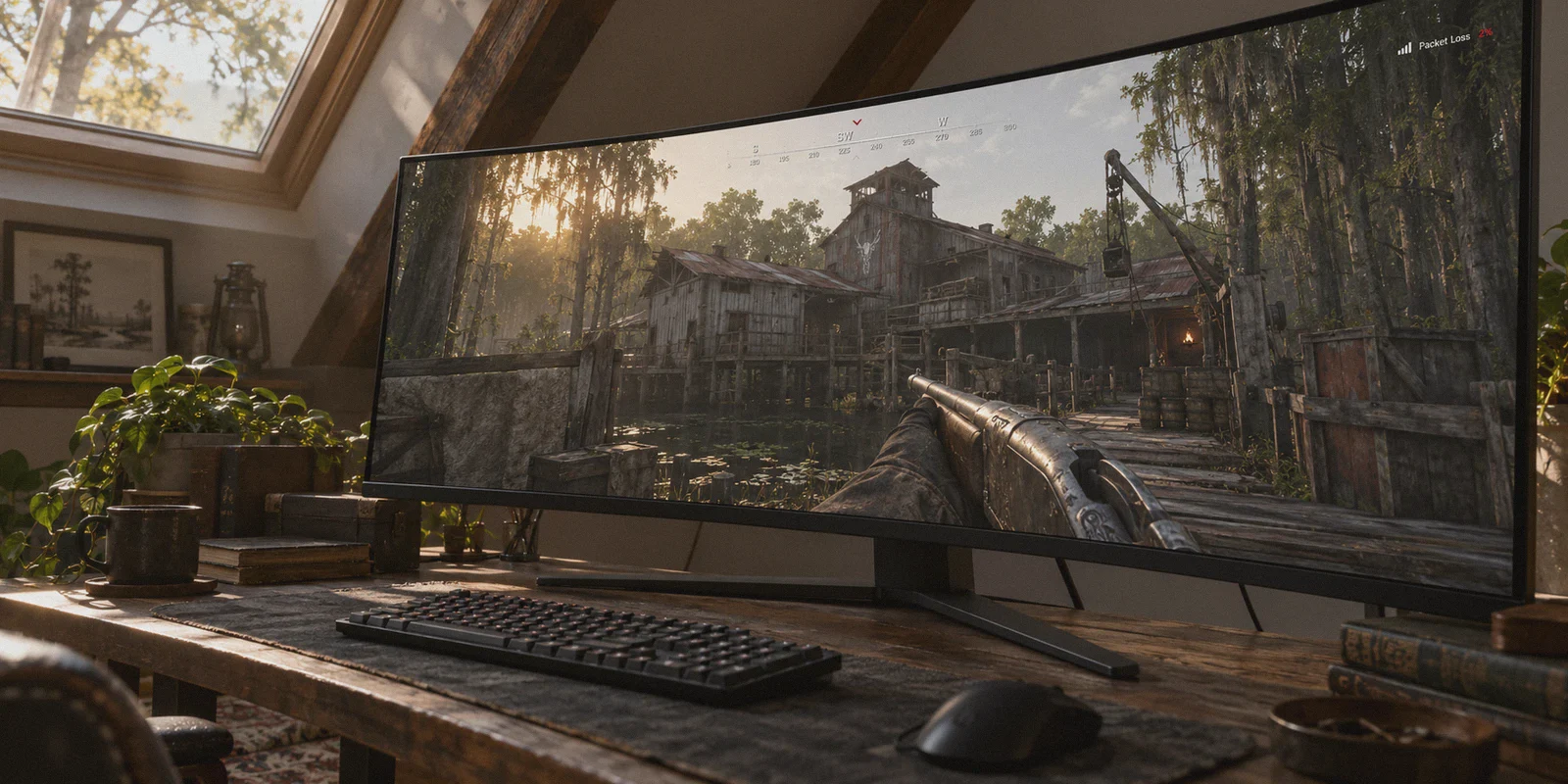
You push the boss lair at Lawson Delta. You have a Crown & King, full health, and the banish just hit 100%. You vault through a ground-floor window to clear the corner—and suddenly, the top right corner of your screen lights up like a Christmas tree.
First the yellow square, then the dreaded red packet loss and desync icons.
Half a second later, the game violently jerks your Hunter backward, stranding you outside the window frame, stuck in concertina wire you had already cleared on your screen. A hunter with a Romero peeks the doorway and puts you down. In Hunt: Showdown, rubberbanding isn’t just annoying—it loses you a 45-minute match, your hunter, and expensive gear you can't get back.
If you’re searching for the best VPN to fix packet loss and rubberbanding in Hunt, you’ve probably hit a wall. On one side, Reddit tells you: "Never use a VPN for gaming; it adds ping." On the other side, generic VPN review sites churn out affiliate lists claiming their tool will magically drop your latency by 50ms.
Both sides are missing the real mechanics of Hunt's netcode. Let’s break down what is actually happening to your connection, why your raw internet speed doesn't matter, and how a targeted VPN setup actually stops the rubberbanding.
Article summary and product fit
Can a VPN help Hunt: Showdown rubberbanding without making ping worse?
It can help when the real problem is a poor ISP route, congestion, jitter, or packet loss between the player and the game region. The article does not treat a VPN as a universal latency reducer: it recommends prioritizing a stable route, testing packet-loss indicators, and ruling out local Wi-Fi or server-side failures first.
Key points and limits
- Best for: Players who see packet-loss or desync warnings and rubberbanding while ordinary speed tests still look healthy.
- Key point: A local speed test measures nearby capacity, while Hunt depends on consistent UDP delivery to a specific game cluster; those can tell very different stories.
- Preparation: Use Ethernet first, match the route to the game region, and watch Hunt’s detailed performance stats rather than judging only by download speed.
- Product fit: The article recommends OnlyDogsVPN when rerouting around a bad transit path is the suspected fix; the linked official site describes one-tap connections and cross-platform use.
- Important limit: A VPN cannot fix a crashed or overloaded game server, the physical latency of long distance, or packet loss caused inside your own weak Wi-Fi link.
Sources already linked in this article: OnlyDogsVPN official website.
Why Speed Tests Lie: Ping Doesn’t Kill You in Hunt, Packet Loss Does
When rubberbanding starts, most players alt-tab, open a speed test, and see 500 Mbps download with a 15ms ping. It looks pristine, so they immediately blame Crytek’s servers.
While Crytek’s third-party servers (primarily LeaseWeb in regions like US East and Europe) certainly take their fair share of blame, a massive portion of rubberbanding is actually happening between your home router and the server farm.
Here is the difference between what your speed test measures and what Hunt demands:
- Your Speed Test: Sends multi-stream TCP traffic to a local server down the street. It tests raw capacity.
- Hunt: Showdown: Sends constant, lightweight UDP game packets thousands of miles to a specific game cluster.
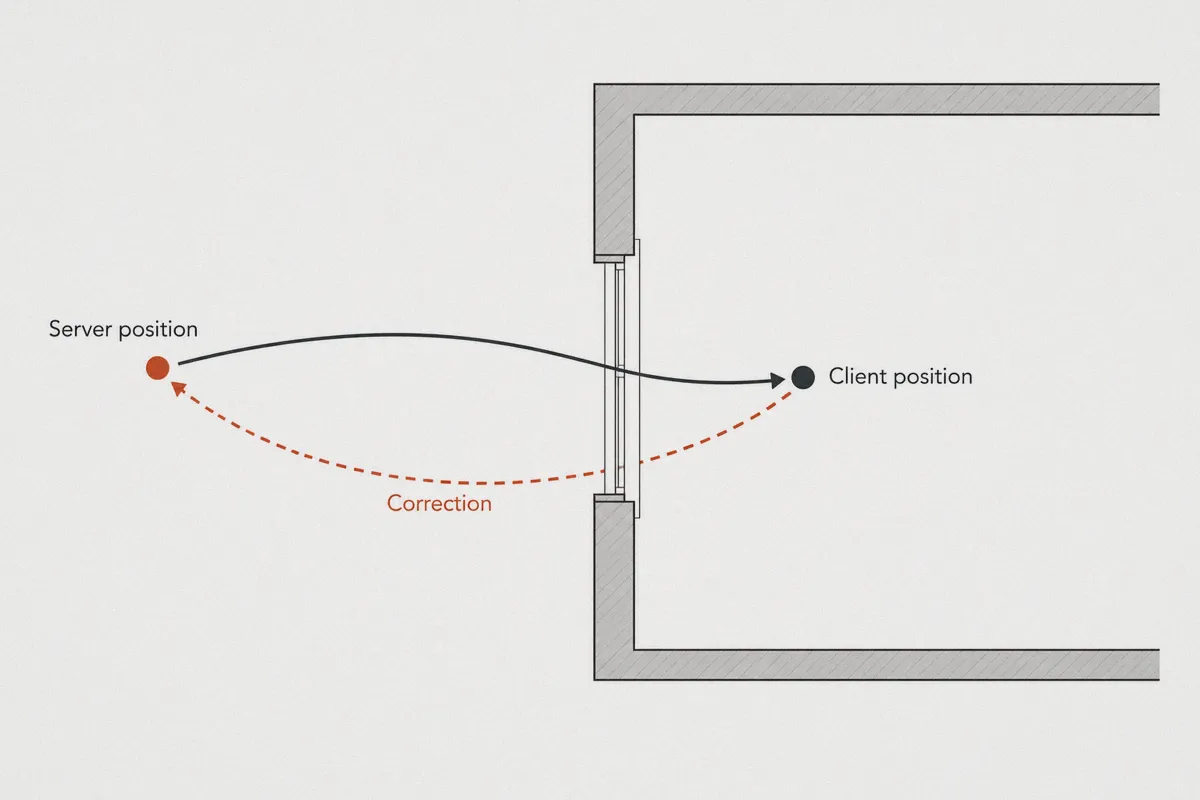
Hunt uses server-side position validation. When your hunter runs, vaults, or jumps, your client predicts the movement immediately so the controls feel responsive. Meanwhile, your PC streams position updates to the game server.
If your internet service provider (ISP) drops just 1% to 2% of those UDP packets, the server misses your coordinates. The server says, "You never cleared that window," overrides your PC, and snaps your character back to where the last successful packet landed. That snap is rubberbanding.
You don't need faster download speeds. You need an unbroken, jitter-free chain of packets.
The Counter-Intuitive Truth About Gaming on a VPN
The old rule—"never game on a VPN"—comes from the era of slow OpenVPN tunneling. People assume adding a VPN hop automatically ruins connection quality.
A VPN cannot break the laws of physics. If you live in London and play on US East servers, you will have roughly 90ms to 110ms of baseline physical latency. No software changes the speed of light through fiber optics.
However, a VPN can fundamentally alter the highway your data travels on.
Standard consumer ISPs don't route your traffic along the most stable path for gaming; they route it along the cheapest path for themselves. During peak evening hours (8 PM to 11 PM), commercial transit nodes in hubs like Chicago, Atlanta, or Frankfurt become heavily congested. Your ISP happily routes your game traffic straight through those clogged exchange points, resulting in bufferbloat, jitter, and dropped UDP packets.
A good VPN bypasses your ISP’s congested public transit route. By establishing a direct encrypted tunnel to a private server node right next to the game’s datacenter, your game packets travel across high-grade tier-1 backbone fiber, skipping the broken public interchange nodes entirely.
Your ping might stay the same—or even tick up by 2ms—but your packet loss drops to a flat 0.0%. And in Hunt: Showdown, a stable 60ms beats an unstable 40ms with 3% packet loss every single time.
Why Most Generic VPNs Make Hunt Feel Worse
If you have ever thrown a random commercial VPN at Hunt, you might have experienced higher ping, frequent disconnections, or worse hitching. That happens because standard VPNs are engineered for streaming video and hiding torrents, not real-time shooter physics:
- Bloated Encryption Overhead: Traditional protocols like OpenVPN add heavy packet headers. This increases packet size, causing network fragmentation that makes UDP drops worse.
- Crowded Shared Nodes: Generic VPNs pack hundreds of users downloading heavy video files onto a single gateway. That creates local queue delays, causing the exact latency spikes that trigger Hunt's desync warning.
- Sluggish Reconnection Logic: If your connection experiences a momentary drop, typical VPNs hang for 5 to 10 seconds while renegotiating keys. Hunt's netcode won't wait that long—it drops you straight to the main menu with a "0x30001" connection error.
To stabilize Hunt: Showdown, you need low packet overhead, intelligent pathing, and rapid recovery from micro-drops.
Where OnlyDogs VPN Fits into the Bayou
OnlyDogs VPN approaches network routing differently than the typical legacy VPN providers. Instead of bogging you down with complex server configuration screens, protocol handshakes, and bloated interfaces, it focuses on routing resilience and clean throughput.
Here is why its architecture works specifically well for fixing Hunt’s rubberbanding:
1. Auto-Routing and Scenario Presets
Most VPN apps make you guess between 50 different city nodes. Pick the wrong one, and you route your connection across the country and back, spiking your latency. OnlyDogs uses smart auto-routing and purpose-built scenario presets. It analyzes transit conditions in real time, routing your traffic through the cleanest network path without requiring you to manually benchmark hops before each game.
2. HTTP/3 and Modern Protocol Resilience
OnlyDogs integrates modern protocol foundations, including HTTP/3 principles, traffic obfuscation, and specialized congestion-control design. Unlike old tunneling protocols that choke when UDP packets collide on congested ISP nodes, this architecture manages data streams independently. If a single packet gets delayed on an intermediate hop, it doesn't hold up the entire stream, drastically reducing in-game micro-stutters and positioning desyncs.
3. Weak-Network and Fluctuation Recovery
Hunt’s game engine is notoriously sensitive to momentary network hiccups. OnlyDogs is built to withstand hostile and unstable network conditions—whether that's peak-hour neighborhood ISP throttling, fluctuating Wi-Fi links, or routing handoffs. If your line experiences a micro-drop, the connection reconverges silently in the background instead of freezing your client or disconnecting your hunter mid-extract.
4. Zero Background Clutter
When you’re trying to maximize frames in Hunt: Showdown, the last thing you want is a bloated Electron-based app chewing through CPU cycles in the background. OnlyDogs keeps setup light: no traditional passwords to manage (it uses clean, fast email verification login), multi-platform consistency (Windows, macOS, mobile), and a lightweight client that runs quietly while you play.
How to Set Up Your Connection for Zero Packet Loss
To get the cleanest possible match experience, follow this sequence:
[PC / Console]
      │ (Ethernet cable, never Wi-Fi)
[Local Router]
      │
[OnlyDogs Encrypted Tunnel] ─── (Bypasses congested ISP transit nodes)
      │
[Optimized VPN Exit Node] ──── (Direct low-jitter peering)
      │
[Hunt: Showdown Datacenter] (LeaseWeb / Crytek Server Cluster)
- Ditch Wi-Fi First: Before blaming software, plug in an ethernet cable. Local packet drop from Wi-Fi interference looks identical to ISP routing failure in Hunt's HUD.
- Launch OnlyDogs VPN: Select the fastest line or low-latency routing mode.
- Match the Server Region: Pick a node in the same geographic region as the Hunt server you queue for (e.g., if you select US East in Hunt's lobby, ensure your connection routes through an Eastern US gateway).
- Enable Hunt's Performance Stats:
- Go to Settings > Game > Performance Stats.
- Set it to Detailed.
- Keep an eye on the top-right numbers during your match. You want to see 0.0% Packet Loss and a steady line on frame time and ping.
Realistic Expectations: What a VPN Can and Cannot Fix
Let’s be honest about the boundaries so you don't waste time troubleshooting the wrong issue:
- What it WILL fix: Rubberbanding caused by ISP throttling, bad routing paths, congested public exchange points, micro-packet drops, and connection instability on the way to the game server.
- What it CANNOT fix: If Crytek's entire regional cluster crashes, or if the server tick rate stutters because a boss lair is exploding with four teams throwing dynamite and choke bombs, no software can fix the physical game server's hardware limitations.
If your hunter is consistently teleporting backward, getting stuck on terrain vaults, or seeing the yellow/red packet loss indicator flash every few seconds while your base internet works fine, your problem is almost certainly intermediate transit routing.
The Verdict
Fixing rubberbanding in Hunt: Showdown isn't about chasing impossible single-digit ping numbers. It’s about building a clean, unshakeable pipeline where every shot, vault, and sprint registers exactly when and where you made it.
If your ISP’s evening routing turns the bayou into an unplayable slide show, running a clean, low-overhead tool like OnlyDogs VPN gives your connection the dedicated detour it needs. Turn it on, lock your route, and go get your bounty out clean.
Frequently Asked Questions
Why can Hunt rubberband even when my speed test looks excellent?
The article says a speed test usually targets a nearby server and emphasizes throughput, while Hunt sends real-time UDP updates to a specific game region. Packet loss or congestion can exist on that longer route without showing up in the local speed test.
Should I chase the lowest possible ping?
No. The article argues that a stable connection with minimal loss is more useful than a lower average ping that spikes or drops packets, because server-side position correction is what produces the visible snap-back.
Why can a generic VPN make Hunt feel worse?
The article points to protocol overhead, crowded shared gateways, and slow reconnection after a micro-drop. Any of those can add the same jitter or interruption the player was trying to remove.
What problems can a VPN not fix in Hunt?
It cannot repair a failing Crytek regional cluster, eliminate distance-based latency, or solve radio interference on your local Wi-Fi. The article recommends a VPN only for transit-routing and stability problems that occur between those endpoints.