Picture this: You wait 25 minutes in an 18-person queue to get into your favorite 100-player Squad server. You spawn at Main, jump into a full Logi truck, coordinate with your Squad Leader on local voice, and drive halfway across Yehorivka to drop a radio and build a forward HAB.
Forty minutes into an intense firefight, the action abruptly freezes.
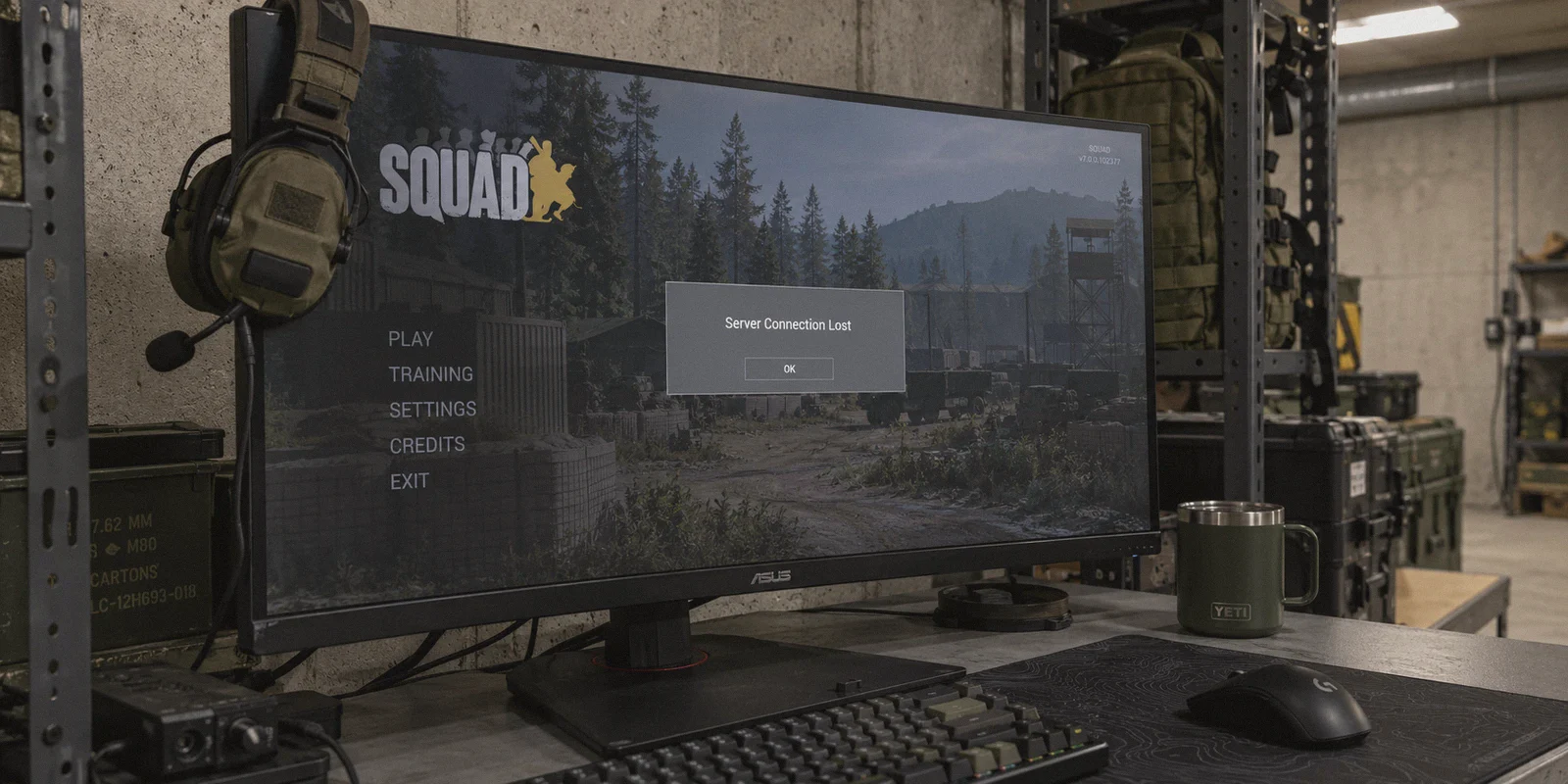
Other players start running in place. A brutal red plug icon flashes in the top right corner. Two seconds later, you’re staring at a gray dialog box: "Server Connection Lost."
Just like that, you are kicked back to the main menu. Your HAB is gone, your squad is down a rifleman, and the server queue is sitting at 22.
If you’ve been frantically Googling “best vpn for squad to fix server disconnects and high ping”, you’re probably running on pure frustration. The common gaming advice tells you: "Never use a VPN for gaming, it only adds latency."
Under normal circumstances, that advice is right. But Squad is not a normal game.
Here is the counter-intuitive reality most generic VPN guides completely miss: In Squad, your high ping and sudden mid-match disconnects rarely happen because you are physically too far from the server. They happen because your local ISP’s routing is choking on Squad’s fragile network packets.
Once you understand why the game actually kicks you, fixing it becomes straightforward.
Article summary and product fit
When can a VPN actually help Squad server disconnects and unstable ping?
The article says a VPN is useful when the problem is the transit route: bad ISP peering, congestion, packet loss, or jitter that interrupts Squad and Easy Anti-Cheat traffic. It recommends prioritizing consistency, using Ethernet, connecting before launching the game, and matching the route to the server region rather than expecting a VPN to erase physical distance.
Key points and limits
- Best for: Squad players who get sudden “Server Connection Lost” errors, rubberbanding, or large ping swings while other players remain connected.
- Key point: The article separates average ping from route stability: short bursts of loss or jitter can interrupt EAC heartbeat traffic even when the connection is fast most of the time.
- Preparation: Use Ethernet when possible, connect the VPN before launching Easy Anti-Cheat, and route toward the game server region rather than blindly choosing the nearest VPN city.
- Product fit: The article recommends OnlyDogsVPN when a cleaner transit route is needed; the linked official site emphasizes simple one-tap connections and use across computers and phones.
- Important limit: A VPN cannot fix an overloaded Squad server, a weak local Wi-Fi signal, or the baseline propagation delay created by long geographic distance.
Sources already linked in this article: OnlyDogsVPN official website.
Why Squad Keeps Kicking You (The Myth vs. Reality)
Most players assume high ping is just a distance problem. If you live in New York and play on a Chicago server, ping should be 30ms; if it’s 140ms, you blame the server host.
In reality, three distinct bottlenecks cause 95% of Squad connection disasters:
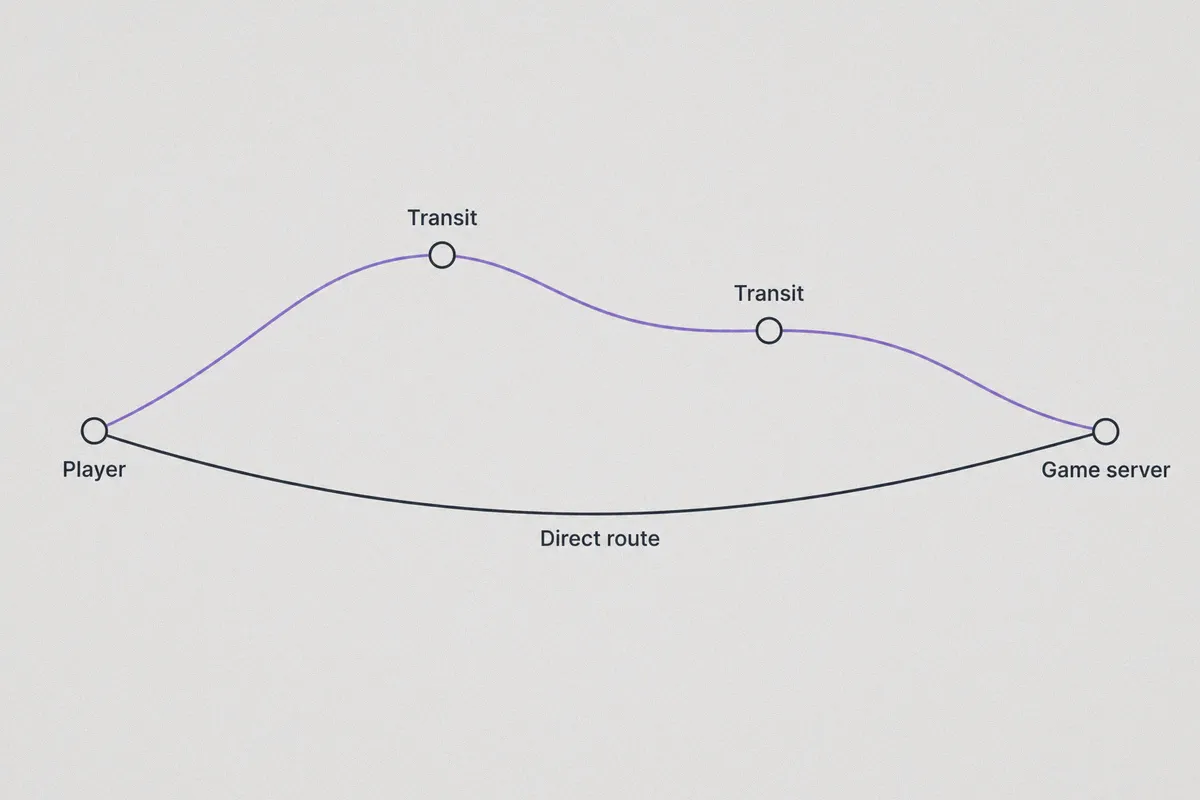
1. Bad ISP Peering (The "Scenic Detour")
Your residential Internet Service Provider (ISP) doesn’t route your data based on the fastest physical path; they route it based on the cheapest commercial peering agreements.
Your UDP game packets might travel from Ohio to Atlanta, bounce through three congested transit hubs, and finally land in Chicago. That creates erratic ping spikes (jitter) from 45ms up to 280ms in the middle of a firefight.
2. The Easy Anti-Cheat (EAC) Heartbeat Timeout
Squad relies on Easy Anti-Cheat running constant validation checks between your client and the server. If your ISP encounters a 0.5-second hiccup or throttles UDP packet bursts, EAC misses consecutive "heartbeat" packets.
To the server, you look like an unresponsive client or an unauthorized disconnect. EAC terminates the session instantly to protect server integrity. That’s why you get booted straight to the menu instead of recovering.
3. ISP Traffic Shaping
During evening peak hours (precisely when you and your friends sit down to play), many ISPs aggressively throttle sustained, high-frequency UDP traffic to prioritize video streaming. Squad sends thousands of small entity position updates every second; when those get queued up by your ISP, you experience rubberbanding, desync, and eventual disconnection.
This is why a properly configured VPN doesn't slow Squad down—it saves it.
By wrapping your traffic in an optimized, direct tunnel, you bypass your ISP’s congested routing nodes and force your packets onto a clean, high-speed backbone straight to the game server cluster.
What Squad Actually Demands from a VPN
Most VPNs are built to unlock streaming libraries in foreign countries, not to keep an 80-tick military simulation alive. If you pick a random commercial VPN, you’ll likely end up with worse lag or an EAC authentication error.
For Squad, a VPN has to meet three non-negotiable requirements:
- Near-Zero Jitter Over Pure Peak Speed: In Squad, a stable 70ms ping is ten times better than a 30ms ping that randomly spikes to 160ms. Jitter is what triggers disconnects.
- Packet-Loss Recovery: When your local Wi-Fi or neighborhood line drops a micro-packet, the protocol must recover the stream without tearing down the entire handshake.
- Obfuscated & Lightweight Protocols: Standard, heavy OpenVPN tunnels add bloated overhead and frequently trigger false flags with game anti-cheat systems. You need a modern, lean protocol that handles game traffic cleanly.
Why OnlyDogs VPN Solves the Squad Disconnect Problem
When looking at the tools available, OnlyDogs VPN stands out because its core engineering directly addresses the exact mechanics that break Squad sessions.
Here is how it tackles the problem in practice:
1. Automatic Route Optimization & Instant Game Presets
With conventional VPNs, you have to guess which node works best: “Do I connect to Dallas 01, Dallas 04, or Atlanta?” You connect, launch Squad, wait in queue, check ping, discover it’s worse, quit, and repeat.
OnlyDogs VPN replaces that headache with Scenario Presets and Automatic Route Selection. You click the low-latency / fastest line preset, and the client automatically analyzes live route quality, selecting the cleanest peering path to major data centers. It eliminates the trial-and-error cycle before you even launch the game.
👉 Try OnlyDogs VPN to stabilize your Squad ping and connection
2. Proprietary Protocol & Weak-Network Packet Recovery
This is the single most critical feature for Squad players. OnlyDogs VPN utilizes an advanced, proprietary protocol architecture (integrating modern HTTP/3 transport principles and traffic obfuscation).
Instead of treating dropped packets as a fatal connection break, its protocol engine features aggressive weak-network recovery. If your home network suffers momentary packet loss or local node congestion, the connection dynamically stabilizes the stream in milliseconds.
To Squad’s server and EAC, your connection looks uninterrupted. No red plug icon. No sudden drop back to the main menu. You stay in the match.
3. Clean Peering that Bypasses ISP Throttling
Because OnlyDogs VPN obfuscates your traffic, your local ISP cannot classify your packets as gaming UDP bursts. It simply sees secure, high-priority data transit.
If your ISP normally throttles gaming ports during weekend prime time, running OnlyDogs routes your connection around those artificial bandwidth limiters, flattening ping curves and killing rubberband lag.
4. Zero Friction Setup (No Clunky Password Management)
Gamers hate bloatware. OnlyDogs VPN does away with traditional complex account registrations and password juggling in favor of streamlined email code verification. You install it, log in with a quick code, hit the fastest route, and jump straight into your Squad lobby. It stays out of your way and uses minimal background CPU resources—vital when Squad is already pushing your processor to its limits.
How to Set Up OnlyDogs VPN for Squad (The Right Way)
To get the absolute best performance and lowest latency in Squad, follow this sequence:
[Step 1: Check Server Location in Squad Server Browser]
                       │
                       ▼
[Step 2: Launch OnlyDogs VPN & Select the Closest Regional Hub]
   (e.g., US-East Hub for New York/Virginia Squad servers)
                       │
                       ▼
[Step 3: Enable the Low-Latency / Fastest Line Preset]
                       │
                       ▼
[Step 4: Launch Squad & Join Your Preferred Server]
Pro-Tips for Squad Players:
- Match Hub to Server, Not Your House: If you are in California playing on a popular German or UK server to catch late-night operations, do not connect to a California VPN node. Connect to a London or Frankfurt node (or use the auto-route to target region). Let the VPN’s high-speed backbone carry your data across the Atlantic under optimized routing, rather than letting public ISP hops handle the transatlantic crossing.
- Avoid Wi-Fi Drops: A VPN fixes internet routing, but it cannot fix a weak 2.4GHz Wi-Fi signal in your bedroom. Always play on ethernet if possible.
- Launch the VPN Before Easy Anti-Cheat: Always connect to OnlyDogs VPN before launching the game through Steam. Starting a VPN while already inside a Squad server will force an IP switch and cause an immediate EAC disconnect.
Realistic Expectations: What a VPN Can and Cannot Fix
Let’s be honest—no software can defy the laws of physics. Having clear expectations ensures you get the right tool for the job:
| What OnlyDogs VPN WILL Fix in Squad | What NO VPN Can Fix |
|---|---|
| "Server Connection Lost" caused by ISP packet loss & EAC timeouts | A dying Squad server whose tickrate drops to 5 TPS (everyone lagging together) |
| Sudden ping spikes (jitter) from 60ms to 300ms | Physical distance latency (e.g., Australia to US West will never be 20ms) |
| ISP bandwidth throttling during peak evening hours | Game crashes related to Unreal Engine VRAM memory leaks |
| Inefficient routing paths that inflate your baseline ping | Game downtime during official Offworld Industries patch deployments |
If the entire 100-man server is shouting in All-Chat about server-side lag, that’s a server hardware issue. But if other players are playing fine while you are constantly getting booted, rubberbanding in vehicles, or watching your ping bounce wildly, the problem lies in the transit route—and that is exactly what OnlyDogs VPN resolves.
Get Back to the Frontline
Squad is one of the most rewarding tactical shooters in gaming, but it demands an enormous investment of time. Spending 20 minutes in a server queue and 40 minutes executing a coordinated flank only to get booted by a network hiccup ruins the entire experience.
You don't need a bloated, complicated enterprise networking suite. You just need a stable, clean route that shields your packets from bad ISP routing and keeps your connection alive through heavy firefights.
👉 Grab OnlyDogs VPN here, fire up the fastest line preset, and finish your next 90-minute Squad match without ever seeing the "Server Connection Lost" screen again.
Frequently Asked Questions
Why can Squad disconnect even when the rest of my internet seems fine?
The article points to short bursts of packet loss, jitter, or bad peering on the specific path to the game server. Those interruptions can be brief enough that normal browsing survives while Squad or its anti-cheat heartbeat times out.
Is a lower ping always better for Squad?
The article says stability matters more. A steady 70 ms connection can be safer than a 30 ms route that periodically spikes or loses packets during a firefight.
Why should I connect the VPN before launching Squad?
Changing the public route or IP after Easy Anti-Cheat and the game session are already active can itself trigger a disconnect. The article therefore recommends establishing the route first, then launching through Steam.
What disconnect problems can a VPN not fix?
It cannot repair server hardware or server-wide lag, and it cannot compensate for a weak Wi-Fi link inside your home. The article recommends rerouting only when the problem is the path between a healthy local connection and a healthy game server.