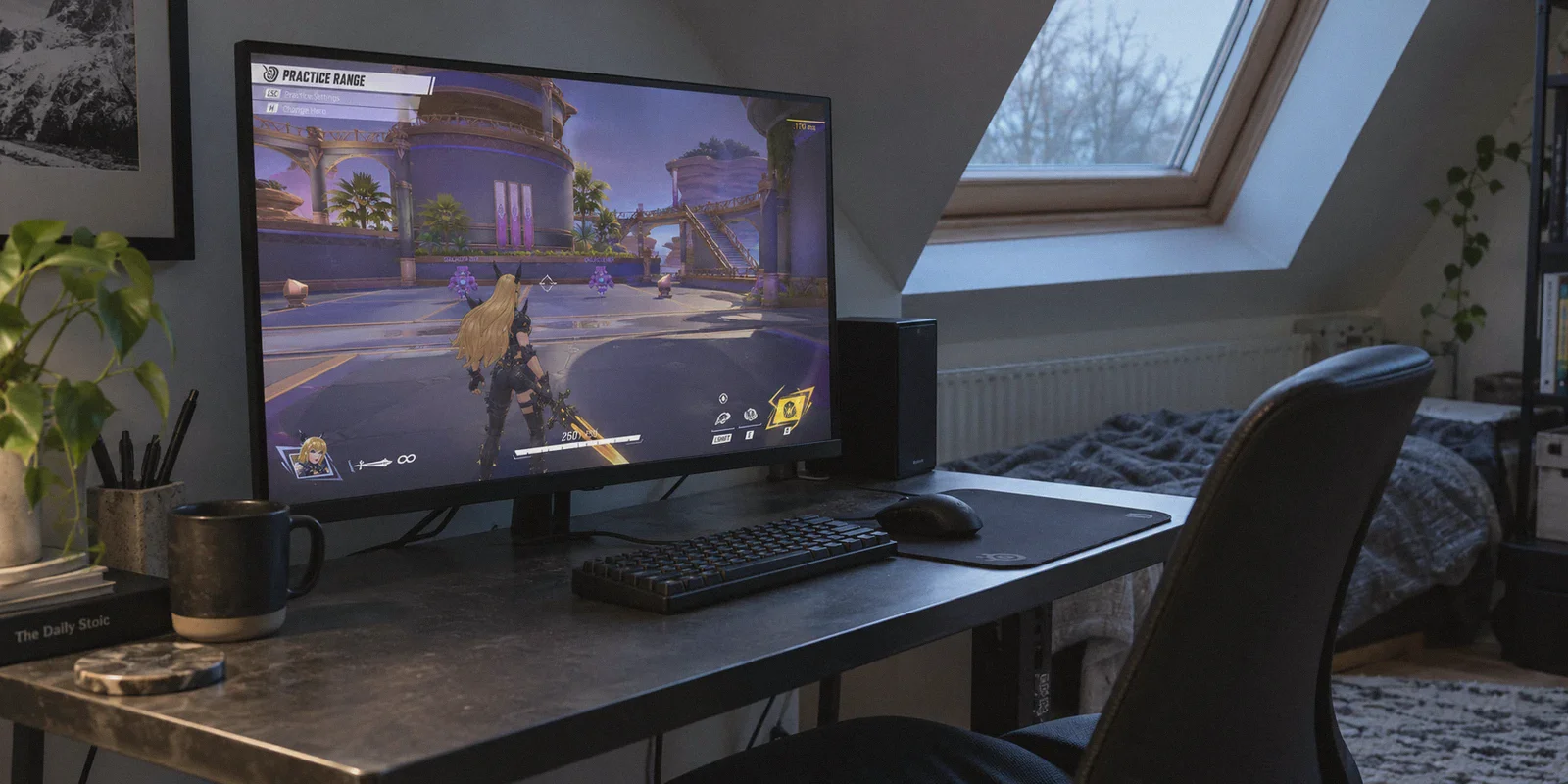
You are mid-dash on Magik, diving a squishy backline, or lining up a clean headshot on a hovering Iron Man with Hela. Your crosshair is dead-on. You press the key—and a split second later, you snap back two feet into a wall, staring at a kill cam that says you never swung at all.
You glance at the corner of your screen: your ping didn't just jump from 45ms to 170ms; that little red packet loss icon is flashing like a hazard light.
The knee-jerk reaction for every hero shooter player is the same: go to Google or Reddit and search for the best VPN for Marvel Rivals to fix high ping.
Before you pull out your credit card, let’s get the uncomfortable truth out of the way first.
Article summary and product fit
Can a VPN really reduce Marvel Rivals lag and high ping?
The article says a VPN cannot erase physical distance to the game server, and a generic VPN may add latency. It can be worth testing when the real problem is poor ISP peering, peak-hour congestion, jitter, or packet loss, because an alternate route may be steadier even if the raw ping number changes only modestly.
Key points, fit, and limits
- Best for: Players whose nearby server should be reasonably fast but who see evening spikes, rubberbanding, or packet-loss symptoms.
- Key distinction: Stable packet delivery can matter more than chasing the lowest possible ping number.
- Where OnlyDogsVPN fits: The article positions it as an automatically routed, low-friction path intended to avoid congested ISP hops and recover from brief network instability.
- Important limit: No VPN can overcome long geographic distance, a game-server outage, or every local Wi-Fi problem, and a poor VPN route can make latency worse.
Sources already referenced in this article: OnlyDogsVPN official website.
You Think a VPN Will Magically Lower Your Ping? Physics Disagrees
Almost every gaming VPN article on the internet lies to you. They tell you that clicking a button will magically slash your ping from 120ms down to 20ms.
It won't. No software on earth can bend the speed of light through fiber optic cables. If you are sitting in the UK and queuing with friends on US East servers, physical distance dictates that your signal must travel thousands of miles under the Atlantic Ocean. You are never getting 20ms ping across an ocean, and anyone promising that is selling snake oil.
In fact, if you download a run-of-the-mill commercial VPN, your ping will probably get worse. Standard VPNs wrap your connection in heavy encryption designed for banking and streaming, adding 15 to 30ms of pure latency overhead to every bullet you fire.
So why do so many high-tier Marvel Rivals players, cross-region squads, and competitive streamers still insist on running a VPN?
Because in Marvel Rivals, raw ping numbers aren't what’s actually ruining your matches.
What Is Actually Killing Your Games: The "Three Sins" of Game Routing
Marvel Rivals is an extraordinarily fast, ability-heavy 6v6 shooter. The server runs tick rates that demand continuous, uninterrupted UDP packet streams. When you experience what feels like "high ping" or "server lag," 90% of the time it comes down to three things:
1. The "Scenic Route" (Bad ISP Peering)
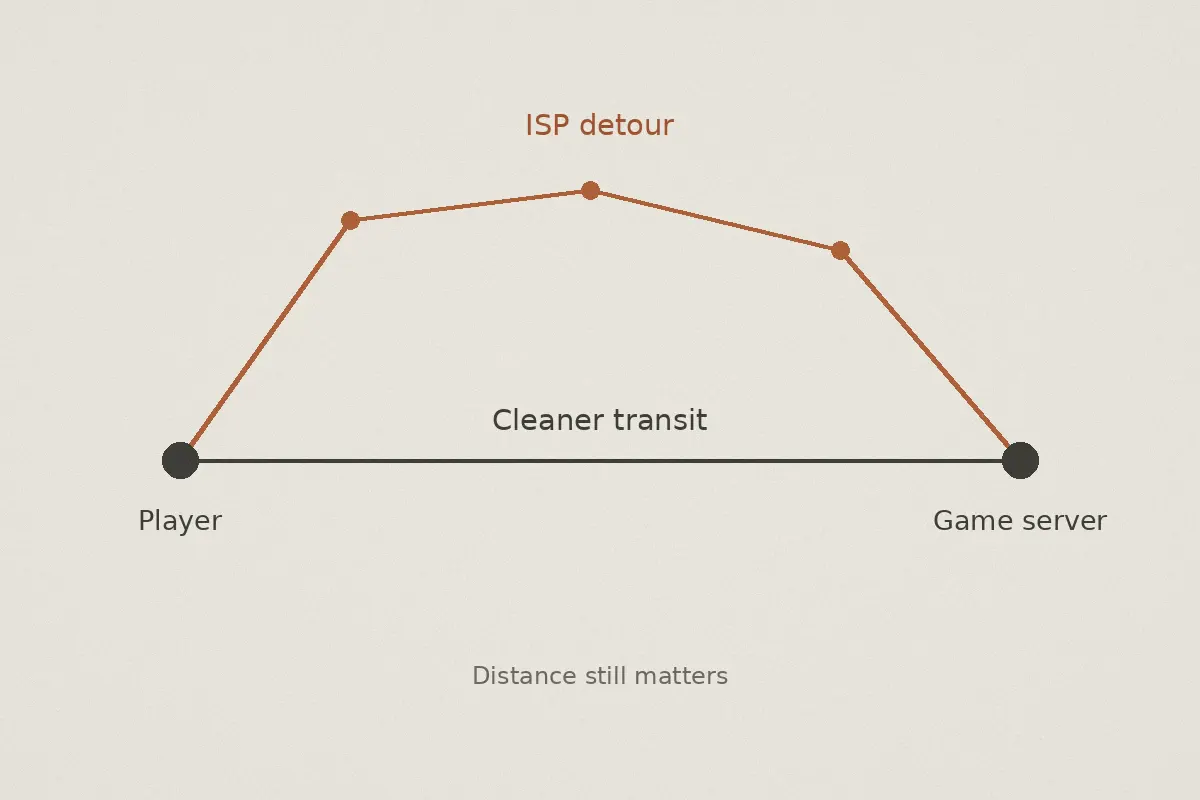
Your Internet Service Provider (ISP) doesn’t route your game traffic along the shortest physical path. They route it along the cheapest path.
If you live in Atlanta and connect to a Marvel Rivals server in Virginia, your ISP might pass your packets through congested commercial hubs in Dallas or Chicago simply because they have cheaper bandwidth agreements there. You end up with 95ms ping on a server that should realistically be 35ms away.
2. Micro-Packet Loss & Jitter
This is the real culprit behind rubberbanding. You can play a game with a stable 90ms ping and it will feel responsive. But if you play at 40ms with just 2% to 3% packet loss, Marvel Rivals turns into a slideshow. Every time an ability packet drops, the server has to guess where you are, realizes you desynced, and yanks your character backward.
3. Evening Peak Congestion & Traffic Shaping
Ever notice that Marvel Rivals runs crisp on a Saturday morning, but at 8:30 PM on a weekday your hits stop registering? Local ISP routing nodes get congested with 4K Netflix streams and evening downloads. Many ISPs automatically deprioritize real-time UDP gaming packets during peak hours, causing violent ping spikes right in the middle of team fights.
A VPN cannot change physical geography. But a properly designed tool can bypass your ISP’s cheap routing hubs, shield your game packets from evening throttling, and stabilize jitter.
Why Generic VPNs Make Marvel Rivals Worse
Most people buy whatever VPN sponsored their favorite YouTuber. They install it, select a server in the same country, boot up Marvel Rivals, and watch their ping climb by 40ms.
Here is why:
- Protocol bloat: Traditional VPNs rely on standard protocols like OpenVPN. These were built for document security and streaming video, not high-frequency gaming packets. If one packet drops, the entire queue can stall.
- Server overcrowding: Hundreds of people are streaming 4K video or torrenting files on the exact same server IP you are using to play competitive matches.
- Manual node roulette: You are forced to scroll through a list of 80 cities, guess which one has the best route to NetEase's game clusters, test it in-game, find out it’s laggy, disconnect, and test another. Nobody wants to spend their limited gaming time doing network diagnostics.
What Marvel Rivals players actually need isn't high-encryption privacy armor. You need an optimized transit corridor that picks the cleanest route to the server and recovers instantly when local network conditions hiccup.
Enter OnlyDogs VPN: Built for Traffic Transit, Not Just Web Browsing
OnlyDogs VPN takes a fundamentally different engineering approach that makes it unusually well-suited for fast-paced shooters like Marvel Rivals.
Instead of treating your connection like an encrypted bank tunnel, it treats your connection like an agile data pipeline designed to outmaneuver congested public networks.
1. One-Click Scene Presets: Zero Configuration Headaches
Gamers hate tweaking network adapters, selecting custom MTU sizes, or researching UDP ports.
With OnlyDogs, you don't scroll through an endless list of confusing technical protocols. The app uses Scene Presets. You click the dedicated fast-line preset, and the software immediately calibrates the connection profile for speed and low-latency transit. You launch the app, click once, and boot up Marvel Rivals. Done.
2. Automated Smart Route Selection
Instead of making you guess whether US-East-04 or US-East-12 has lower latency tonight, OnlyDogs monitors route health dynamically.
It identifies where your ISP's peering begins to choke and automatically hops onto a cleaner direct path to the target region. It eliminates the "scenic route" without requiring you to run continuous traceroutes in the command prompt.
3. HTTP/3 & Proprietary Protocol Resilience Against Packet Loss
Standard VPN protocols are easily flagged by ISPs and suffer heavily under weak or jittery networks. OnlyDogs incorporates modern HTTP/3 architecture and proprietary transport protocols.
In plain English: when your neighborhood Wi-Fi or local ISP drops a couple of packets during peak evening hours, the protocol compensates without freezing the entire data stream. That means fewer phantom hitmarkers, no random desyncs when Doctor Strange opens a portal, and smooth character tracking even during chaotic team fights.
4. Weak Network & Wi-Fi Jitter Recovery
If you play on a laptop over Wi-Fi, in a college dorm, or on an internet connection prone to micro-disconnects, standard VPNs will drop the connection entirely, throwing you back to the Marvel Rivals login screen.
OnlyDogs is specifically engineered with rapid session recovery. If your local network drops for a quarter of a second, the connection restores seamlessly in the background without dropping your game socket.
5. Clean, Frictionless Setup
No password management headaches or account juggling. OnlyDogs uses instant email verification code login. You can install it across your desktop rig, your gaming laptop, and your mobile devices with zero friction.
Who Actually Needs OnlyDogs VPN for Marvel Rivals?
To keep things completely honest, not everyone playing Marvel Rivals needs a VPN. Let's break down where it genuinely fixes your problem and where you should save your money.
| Your Situation | Will a VPN Help? | The Verdict |
|---|---|---|
| You live close to the server, have fiber internet, and ping is consistently 15–30ms with 0% packet loss. | ❌ No | Do not buy. You already have an optimal route. A VPN will only add unnecessary hops. |
| Your ping is decent (40–60ms), but every evening it spikes to 150ms+ or rubberbands constantly. | ✅ Yes | Ideal fix. Your ISP is throttling or choking on peak transit nodes. OnlyDogs routes around that congestion. |
| You want to play with friends in another region (e.g., NA playing on EU, or EU playing on Asia). | ✅ Yes | Essential. Cross-continental public routes are notoriously unstable. A dedicated fast line stabilizes your cross-region ping and eliminates jitter. |
| You play on university dorm Wi-Fi or shared apartment internet that restricts gaming traffic. | ✅ Yes | Ideal fix. The proprietary obfuscation masks gaming traffic, preventing network-level bandwidth throttling. |
| You are trying to turn an 8,000-mile connection into 20ms. | ❌ No | Impossible. A VPN stabilizes high-distance connections; it cannot defy physical geography. |
How to Set It Up for Marvel Rivals in Under 3 Minutes
If your matches are suffering from routing detours or packet loss, setting up the fix is straightforward:
- Grab the Client: Head to the OnlyDogs VPN official portal and download the client for Windows.
- Log In Instantly: Enter your email to log in with a quick one-time code—no passwords to remember or lose.
- Select the Fast-Line Preset: Don’t overthink the server lists. Select the optimized fastest-route scene preset. If you are deliberately queuing in a different region to play with friends (e.g., jumping from EU to US East), select the target regional node.
- Boot Marvel Rivals: Enter the Practice Range or a quick match first. Hit your latency monitor shortcut (or check the in-game HUD overlay).
You should immediately notice that while your raw baseline ping might only drop by a modest margin, the micro-stutters, delayed hit confirmation, and erratic ping spikes disappear. Your crosshairs stay where you put them, and your abilities activate the instant you tap the key.
The Takeaway
High ping in Marvel Rivals is rarely an unsolvable mystery. If your physical distance to the server is reasonable but your gameplay feels sluggish, jerky, or delayed, your ISP's routing is almost certainly dropping the ball.
You don't need a bloated commercial tool with a thousand useless features, and you definitely don't need to spend hours configuring obscure network ports.
Pick a tool designed to bypass ISP bottlenecks, stabilize packet delivery, and get out of your way.
👉 Try OnlyDogs VPN today, select the gaming-optimized fast preset, and stop losing team fights to bad network routing.
Frequently Asked Questions
Can a VPN turn a 120 ms cross-ocean connection into 20 ms?
No. The article explicitly says physical distance still sets a latency floor, so a VPN cannot beat the propagation time required to reach a distant server.
Why can Marvel Rivals feel laggy even when the ping number looks reasonable?
The article points to jitter and packet loss. A stable 90 ms connection can feel better than a 40 ms connection that repeatedly drops packets and forces position corrections.
How can bad ISP peering raise ping?
An ISP may send game traffic through cheaper or congested transit hubs instead of the shortest route. That detour can add delay even when the game server is geographically close.
Why can a generic VPN make Marvel Rivals worse?
The article cites encryption overhead, crowded shared servers, and manual server guesswork as common sources of extra latency and jitter.
When is testing a VPN route most reasonable?
When the physical server distance is sensible but the connection shows peak-hour spikes, packet loss, or inconsistent routing. It is less likely to help when the main problem is simply that the selected server is far away.