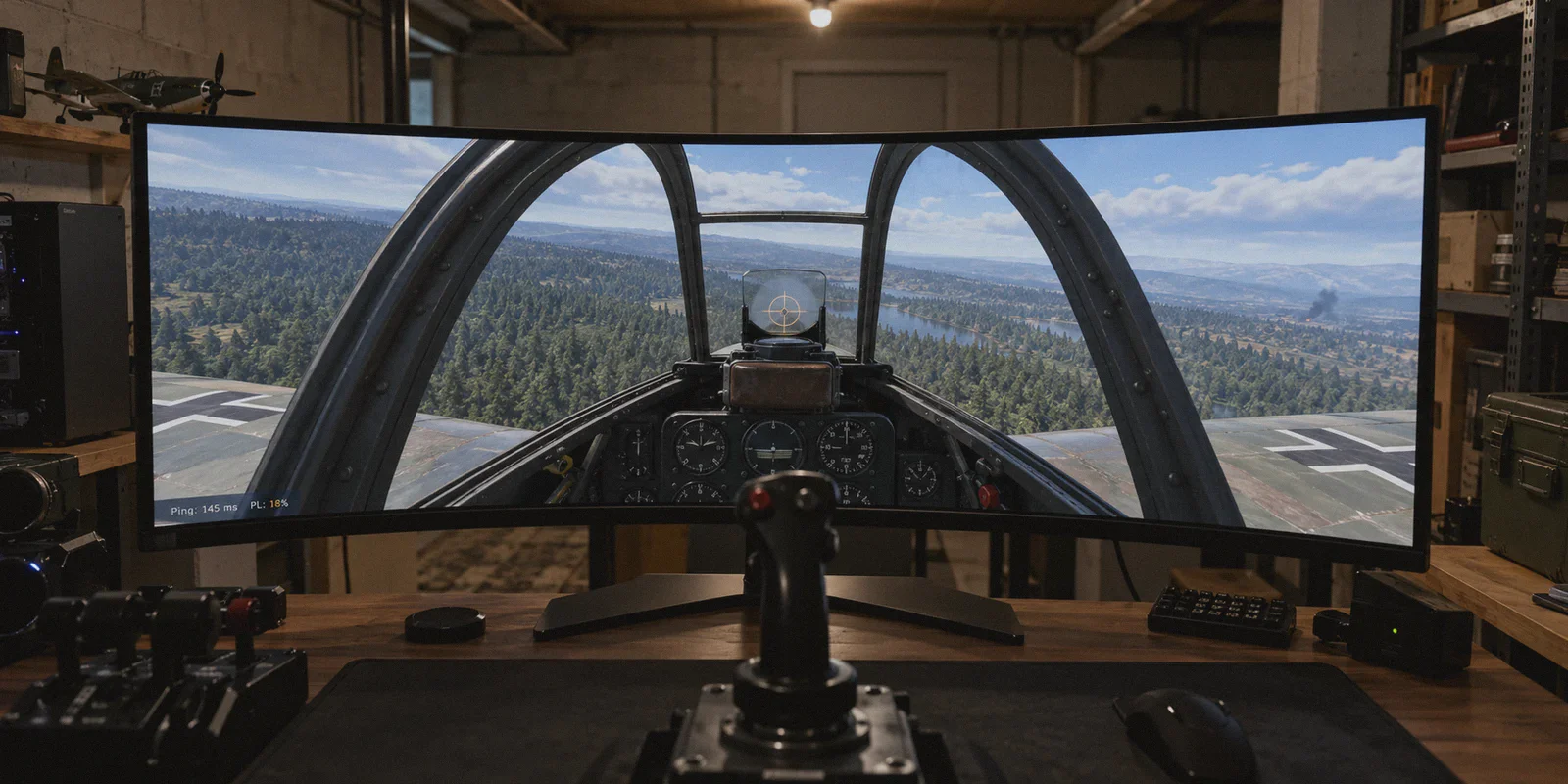
You’re screaming down from 5,000 meters in a Bf 109, lining up the perfect deflection shot on an enemy bomber. You squeeze the trigger. Your 20mm cannons roar, but nothing happens. No "Hit" notification, no sparks, no debris. A second later, your aircraft violently rolls 90 degrees inverted and nose-dives straight into a pine forest at 700 km/h.
You smash your desk, glance at the bottom-left corner of your screen, and there it is in bright, mocking red:
Ping: 145ms | PL: 18%
That little "PL" number is the single most infuriating stat in War Thunder. It turns APFSDS darts into "ghost shells" that vanish inside enemy tank turrets, causes tanks to rubberband backwards out of cover right into an artillery barrage, and slams perfectly healthy jets into the dirt.
If you’ve been googling "best vpn for war thunder to fix packet loss and high ping," you’ve probably hit a wall of generic marketing articles telling you a VPN will magically give you 5ms ping across the Atlantic.
Let’s cut through the noise and talk about how War Thunder’s netcode actually works, why your gigabit home fiber is still dropping packets, and why a properly routed VPN is often the only real fix.
Article summary and product fit
Can a VPN actually fix War Thunder packet loss, ghost shells, rubberbanding, and unstable ping?
According to the article, a VPN can help when packet loss or jitter comes from a bad ISP transit route or congested peering path, because it can move the game traffic onto a different route. It cannot erase geographic distance or turn a naturally high-latency intercontinental connection into a local one.
Key context
- Best for: War Thunder players who see packet-loss spikes, rubberbanding, ghost shells, or route-specific instability even though their local internet connection is otherwise fast.
- Article detail: The article treats stable packet delivery as more important than chasing a tiny reduction in raw ping, especially when the game is already playable at a steady higher latency.
- Important limit: A VPN cannot beat the speed of light, cannot repair weak local Wi-Fi by itself, and may make things worse if the chosen VPN route is congested.
- OnlyDogs fit: OnlyDogs VPN is positioned in the article as a low-friction routing option when the problem is an unstable ISP path rather than physical distance to the game server.
Sources already referenced in this article: OnlyDogsVPN official website.
The Counter-Intuitive Truth: Ping Doesn't Kill You, Packet Loss Does
Here is something most VPN affiliate blogs will never admit: a VPN cannot break the laws of physics. If you live in South America or Australia and play on the North American or European servers, data packets still have to travel thousands of miles through undersea fiber-optic cables. A VPN will not drop a 180ms transatlantic connection down to 30ms.
But here is what experienced War Thunder players know: 150ms ping is completely playable; 5% packet loss is lethal.
War Thunder relies heavily on server-side physics and authoritative hit registration. Under normal conditions with zero packet loss, the client and server communicate smoothly. Even at 120ms or 150ms ping, the game’s client-side prediction compensates for delay—your tank moves where you tell it to go, your gun points where you aim, and your rounds hit their targets.
The moment packet loss (PL) creeps up:
- The Server Takes the Wheel: When the server stops receiving inputs from your client, its predictive engine assumes your aircraft or tank is continuing its last known momentum vector—often straight down into the terrain.
- Ghost Shells Happen: You fire at an enemy tank's ammo rack on your screen, but the UDP packet carrying the "fire" command gets dropped along the way. The server never registers the shot. On your screen, you saw smoke and recoil; on the server, you were just sitting there staring.
- Rubberbanding Strikes: When packets finally arrive out of order, the server forcefully snaps your vehicle back to where it thinks you are, dragging you out from behind a boulder into an enemy firing lane.
If your game feels unplayable, stop obsessing over lowering your raw ping number by 5 milliseconds. Your enemy is packet loss.
Why Does Your Fast Home Internet Still Drop Packets to Gaijin’s Servers?
"I have 1,000 Mbps fiber internet and 12ms ping in other games—why is War Thunder dropping 15% of my packets?"
This is the most common frustration on the Gaijin forums, and the answer comes down to ISP routing and transit peering.
Your home internet speed is just the width of the pipe between your house and your local Internet Service Provider (ISP). But Gaijin’s game servers are hosted in major regional data centers (primarily North America, Europe, Russia, and South Asia). To get your data from your living room to Gaijin’s server, your ISP hands your packets off to third-party transit networks (Tier 1 carriers and peering exchanges).
During peak gaming hours (evenings and weekends), those public transit corridors get heavily congested. Many consumer ISPs practice aggressive traffic shaping or route traffic through the cheapest, lowest-bid transit hubs rather than the fastest or most direct ones. When those nodes choke on UDP traffic, they simply discard packets.
Your local connection isn't the problem—the convoluted highway your ISP picked is.
Why Generic VPNs Often Make War Thunder Worse
Naturally, players hear "change your routing" and download the first big-name VPN they see on a YouTube sponsorship. Half the time, it makes the game unplayable.
Why?
- Bloated Legacy Protocols: Standard OpenVPN or generic WireGuard implementations carry protocol overhead and signature headers that trigger deep packet inspection (DPI) or throttling on restricted and congested networks.
- Overcrowded Consumer Nodes: Most mainstream commercial VPNs put you on shared IP pools crammed with thousands of people streaming 4K Netflix. When those servers choke, your jitter and packet loss skyrocket.
- Manual Guesswork: You're left staring at a list of 80 countries and 500 cities, guessing which node happens to have a clean peering link to Gaijin's actual data center today.
To fix packet loss in War Thunder, you don’t need a generic privacy proxy. You need a dedicated, low-overhead routing tool that prioritizes clean throughput and bypasses ISP transit congestion without adding protocol lag.
Where OnlyDogs VPN Fixes the Bottleneck
This is where OnlyDogs VPN steps in as an effective gaming solution. Instead of treating gaming traffic like generic web browsing, its infrastructure is built around bypassing network bottlenecks with minimal friction.
Here is why it works specifically well for War Thunder:
1. Scenario Presets & Smart Auto-Routing (Zero Guesswork)
You shouldn’t have to run traceroutes in Command Prompt before queued up for realistic ground battles. OnlyDogs VPN eliminates manual server hunting with built-in scenario presets.
With one click, its automatic routing engine evaluates real-time latency and path stability, routing your connection through the cleanest transit corridor directly toward the destination region. It skips the congested public peering hops your ISP defaults to, establishing a direct, stable pipeline to the game clusters.
2. Proprietary Protocol on HTTP/3 & Traffic Obfuscation
War Thunder relies on continuous UDP packets. When an ISP detects heavy, sustained UDP traffic during peak hours, it frequently throttles or buffers it.
OnlyDogs uses a proprietary protocol architecture built around modern HTTP/3 standards combined with traffic obfuscation. Because the traffic blends in cleanly and resists deep packet inspection, your ISP treats it as high-priority web traffic rather than throttled P2P or game data. This prevents the artificial packet drops common on campus networks, restrictive regional ISPs, or throttled residential connections.
3. Weak-Network Jitter & Handover Recovery
Packet loss is often triggered by sudden micro-drops in connection quality. If your Wi-Fi experiences momentary interference or your local node hiccups, traditional VPNs freeze, desync, and spend 10 to 15 seconds reconnecting—guaranteeing your tank is destroyed while you sit frozen.
OnlyDogs VPN is specifically optimized for weak network environments and rapid packet recovery. If a hop experiences jitter, the connection maintains session integrity and recovers instantly without dropping you out of the server or causing prolonged desyncs.
4. Frictionless, Passwordless Setup
Setting up dedicated gaming routes shouldn't feel like configuring an enterprise firewall. OnlyDogs uses a streamlined email verification code login—no clunky passwords to remember, no complex protocol toggles to break, and lightweight native apps across Windows and macOS that stay out of the way of your CPU.
👉 Check out OnlyDogs VPN and stabilize your War Thunder connection
Quick Comparison: How Different Options Handle War Thunder Network Stutter
| Solution | Does It Lower Ping? | Does It Fix Packet Loss (PL)? | Setup Effort | Stability Under Peak Hours |
|---|---|---|---|---|
| Doing Nothing (Default ISP) | Baseline | ❌ Frequent PL during peak ISP congestion | None | Poor (vulnerable to bad ISP peering) |
| Generic Commercial VPN | Often increases ping (+20–50ms) | ⚠️ Hit or miss; servers often congested with video streamers | High (manual server testing) | Unpredictable |
| Dedicated Gaming Proxies | Marginal | ⚠️ Can fix routing, but often overpriced and limited in utility | Medium | Moderate |
| OnlyDogs VPN | Stabilizes to direct-line minimum | ✅ Bypasses congested transit hops via smart auto-routing | One-click preset | High (HTTP/3 resilient protocol) |
How to Set Up OnlyDogs VPN for War Thunder in 3 Minutes
To get the best possible result and ensure your packet loss drops to a flat 0%, follow this setup flow:
- Check Your In-Game Server Selection: In War Thunder, click the battle mode dropdown next to the "To Battle!" button and open the server selection menu. Uncheck "Auto" and explicitly select the server closest to you or the specific region you want to play in (e.g., US, EU, or SA).
- Launch OnlyDogs VPN: Open the client on your PC. Select the Fastest Line / Low Latency scenario preset. The auto-routing engine will lock onto the cleanest, lowest-jitter path.
- Verify in a Custom Match: Before risking Silver Lions and repair costs in high-tier Realistic Battles, jump into a quick Custom Battle or Test Flight. Check the bottom-left HUD:
- Ping should be steady without wild 80ms swings.
- PL should read 0.0%.
- Roll Out: Once confirmed, queue up for your normal matches. Your cannons will register cleanly, and your planes will hold their flight paths without phantom dives.
The Verdict
If you are losing dogfights and watching your 120mm shells vanish into thin air, stop blaming your aim or smashing your hardware. You don't need a miracle ping reducer that promises impossible numbers—you need a clean, unthrottled route that stops your ISP from dropping packets into the void.
OnlyDogs VPN provides the direct routing, modern protocol resilience, and one-click simplicity needed to bypass ISP peering bottlenecks and lock your packet loss at zero. Set your route, hop into the cockpit, and keep your guns on target.
Frequently Asked Questions
Why do ghost shells and sudden aircraft dives happen when packet loss rises?
The article explains that War Thunder relies on server-side authority and continuous packet delivery. When commands or position updates are dropped, the server may never receive a shot or may correct the vehicle back to its last accepted state.
Can a VPN turn a 180 ms overseas connection into a 30 ms connection?
No. The article explicitly says a VPN cannot break the laws of physics. Its useful role is to avoid a poor transit path or congestion, not to eliminate the distance between you and the server.
Why can fast fiber internet still have packet loss to War Thunder servers?
Your local access speed covers the path to your ISP, not every transit network between the ISP and the game server. The article points to congested peering and third-party transit routes as a reason packets can still be dropped farther along the path.