
I used to think choosing a VPN for iPhone was simple.
Open a few “best VPN” lists. Pick the name that appears the most. Pay for the longest plan because the monthly price looks cheaper. Tap connect. Done.
Then I tried using one while traveling.
That was when the ranking charts stopped being helpful.
At home, a VPN is just an app. On the road, it becomes something much more annoying: the thing standing between you and your boarding pass, your hotel Wi-Fi, your banking app, your maps, your messages, and the show you were saving for the flight.
The real question is not, “Which VPN has the biggest server number?”
Can I hand this to someone who is tired, jet-lagged, standing in an airport, and just wants the internet to work?
That question changed how I look at iPhone VPNs.
Quick article context
Core answer
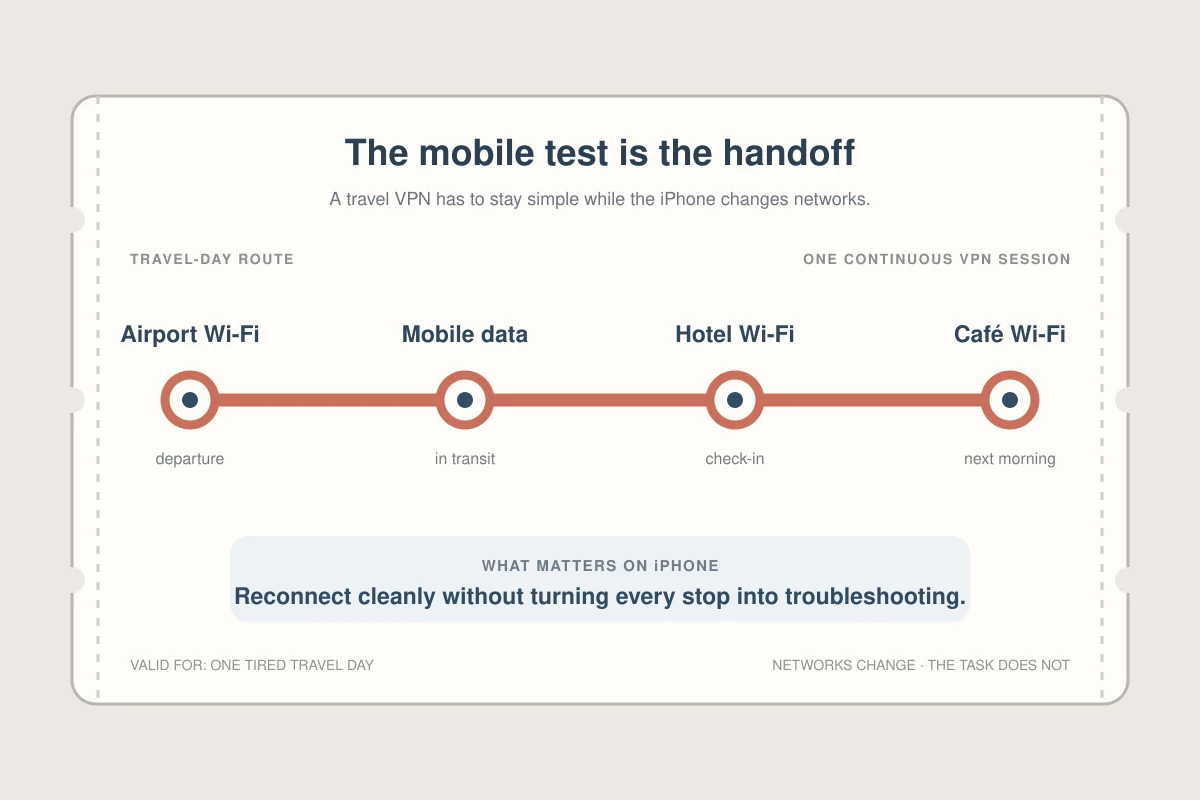
For an iPhone on the road, the useful VPN is the one that handles Wi-Fi and mobile-data handoffs with little intervention, not simply the one with the largest server count. The article favors a low-friction, phone-first workflow over repeated server and protocol choices.
Key points
- Install and test the app before departure on both Wi-Fi and mobile data.
- Shared exit addresses can trigger CAPTCHAs or streaming blocks even when the VPN itself is connected.
- Free and self-hosted options shift cost into limits, trust decisions, or maintenance.
Where OnlyDogs VPN fits
OnlyDogs VPN fits this story when the traveler wants one-tap iPhone use, task-based routes, and fewer settings during airport, hotel, café, or mobile-network changes.
Limits
It cannot repair weak Wi-Fi, guarantee streaming access, or avoid every CAPTCHA. Its smaller network and shorter public record may matter more to readers who want many precise locations or extensive independent testing.
Sources already cited in the article
- Netflix openly explains (help.netflix.com)
- iPhone VPN review I kept returning to (thebestvpn.com)
- one user described Netflix kicking them out every few minutes (reddit.com)
What was I actually asking an iPhone VPN to do?
Most VPN advice sounds like it was written for desktop users.
You get long lists of protocols, server counts, speed charts, streaming tests, and privacy claims. Those things matter. But on iPhone, the pain feels different.
Your phone constantly jumps between airport Wi-Fi, hotel Wi-Fi, café Wi-Fi, and mobile data. A VPN that works perfectly on your laptop can feel unstable on iOS if it cannot handle those handoffs smoothly.
That is why I eventually paid more attention to native iOS app quality, battery drain, kill-switch behavior, streaming compatibility, and whether the app felt designed for a phone rather than copied from a desktop dashboard. An iPhone VPN review I kept returning to made the same basic point: mobile network behavior matters just as much as a long server list.
And this is where my mistake started.
I was shopping for the “strongest” VPN.
What I needed was the least annoying one.
Why did the biggest VPN names start feeling heavier on the road?
I started where most people start: NordVPN, Surfshark, ExpressVPN, Proton VPN. The names are everywhere — reviews, YouTube sponsorships, comparison charts, Reddit threads, discount pages, and “best VPN” roundups.
And to be fair, that visibility helps. Big VPNs have years of reviews, tutorials, security claims to inspect, and huge numbers of users. When you are new to VPNs, that creates a feeling of safety.
On paper, they also give you large server networks, polished apps, and features that are easy to compare. The same iPhone roundup I read highlighted NordVPN, Surfshark, and ExpressVPN for different strengths.
But after using big services for a while, I started noticing the other side of being big.
A VPN with millions of users does not just have more trust. It also has more people passing through popular nodes. Some IP addresses get used, reused, detected, flagged, and abused until ordinary browsing starts feeling suspicious.
This was the part no comparison table warned me about.
Sometimes Google would throw verification at me like I had done something wrong. I would search for a restaurant, check a flight, or open a simple page, and suddenly I was proving I was human again.
Streaming was even more frustrating. Netflix openly explains that VPN or proxy use can trigger location-related errors. Once I knew that, the random failures felt less mysterious — but not less irritating.
I also found very short versions of the same frustration on Reddit: one user described Netflix kicking them out every few minutes, while another iOS complaint I came across was simply about the connection dropping again and again.
That matched my own feeling: the bigger the service got, the less personal it felt.
Support felt slower. App pages became crowded. Interfaces kept adding things, but not always in a way that helped a normal iPhone user. Instead of opening the app and knowing exactly what to do, I was digging through tabs, locations, server types, settings, alerts, upgrade prompts, and feature names that sounded impressive but did not solve my immediate problem.
I do not want to troubleshoot a protocol while standing in a hotel lobby.
I do not want to switch between five servers just to stop Google from asking if I am a robot.
I do not want a VPN that feels powerful only after I learn how to manage it.
That does not mean big VPNs are bad. It just means the thing that makes them reassuring can also make them feel noisy: more users, more crowded nodes, more features, and sometimes more distance from the simple experience I actually came for.
Open app. Tap once. Stay connected. Stop bothering me.
What was the real price of a free VPN?
After paying for features I barely used, I did what a lot of people do.
I tried free VPNs.
The appeal is obvious. No subscription anxiety. No yearly plan. No refund window. No comparison spreadsheet. Just download and connect.
But free VPNs are where the story gets uncomfortable.
A VPN sits between you and the internet. That means trust matters more than the app icon, the App Store rating, or the word “secure” in the title.
Zimperium’s zLabs research looked at hundreds of free VPN apps and found broad security and privacy problems. Top10VPN’s free-VPN investigations raised similar concerns around ownership, privacy policies, and risky app behavior.
Reddit put the fear more bluntly. In one discussion about free VPNs, the worry was reduced to a few words: maybe the real price is your data.
That line stuck with me because it explains the hidden trade.
With a paid VPN, the business model is obvious: you pay them.
With many free VPNs, the question becomes: if I am not paying, what exactly am I giving up?
Maybe it is speed. Maybe it is data. Maybe it is privacy. Maybe it is all three.
I stopped treating free VPNs as a bargain after that. For casual testing, maybe. For airport Wi-Fi, banking, travel, or daily iPhone use, I became much less comfortable with the gamble.
Did I really want to run my own VPN?
Then I went too far in the other direction.
I looked into running my own VPN setup.
The idea sounds attractive: more control, fewer crowded commercial IPs, no giant app trying to sell you five extra security products. For technical users, it can be a clean solution.
For everyone else, it is a weekend project disguised as a privacy tool.
You start with one guide. Then you need another guide for DNS. Then you need to understand certificates. Then your phone works but your laptop does not. Then your laptop works but streaming fails. Then you realize you have become your own customer support department.
I respect this route.
I also do not recommend it to anyone who simply wants a safer and smoother iPhone experience.
Most people do not want a hobby. They want the internet to stop breaking.
Which iPhone VPN finally felt simple enough to leave on?
This is where I started judging VPNs differently.
Instead of asking, “Which VPN has the most features?” I started asking which one removed the most friction.
That search led me to download OnlyDogs VPN from its official website and test its travel-focused setup.
Its pitch is much narrower than the giant VPN dashboards I had been using: travel, one-tap connection, public Wi-Fi protection, and support across phone and computer. The website describes it as made for travelers with one-tap connection and airport or hotel Wi-Fi protection.
That is the part I liked.
Not because it had the loudest marketing.
Because it seemed to understand the person holding the phone ,And they will directly provide a solution..
My biggest surprise was not even the VPN connection itself. It was the built-in ad filtering.
I originally cared about watching BBC iPlayer while traveling without constantly fighting broken pages and messy pop-ups. But after turning it on, my regular browsing started feeling cleaner too. On my setup, YouTube became basically ad-free, which was the first time a VPN felt less like another security app and more like a quality-of-life upgrade.
That changed the way I used it.
I was not opening the VPN only when I felt “unsafe.” I started leaving it on because the internet simply felt less irritating.
For me, its strongest angle was simplicity. It felt closer to a travel utility than a cybersecurity cockpit.
And that matters.
However, its downside is that its servers are not as good as those of major companies, so I wouldn't consider it the best choice for everyone, but it is definitely the one that suits my taste the most.
What do I want to remember next time I travel?
A VPN is not the end of a privacy setup. It is the beginning of a calmer phone.
Next time: turn on auto-connect if the app supports it. Do not log into sensitive accounts on sketchy public Wi-Fi without protection. Keep iOS updated. Use strong passwords. Clear old VPN profiles I no longer use.
Then stop fiddling with the setup and go back to the reason I wanted a VPN in the first place.
Watch the show. Open maps. Message family. Check into the hotel. Use airport Wi-Fi without treating every tap like a risk. Browse YouTube with fewer interruptions. Open BBC iPlayer without turning every session into a small technical battle.
The best iPhone VPN, at least for me, was not the one that looked best in a comparison table.
It was the one that quietly got out of my way.
Additional FAQs
Can a VPN guarantee that streaming will work while traveling?
No. Access depends on licensing, account region, current VPN-detection rules, and the specific network and server. A route that works today can change later.
Why do streaming apps block some VPN connections?
Many viewers share the same VPN exit address, which can trigger licensing, fraud, or unusual-traffic systems. Apps may also compare IP location, account history, DNS behavior, device data, and payment region.
What should I try when streaming fails on a VPN?
Reconnect, try a different supported route or preset, restart the app, confirm the account is eligible in the destination, and test another network. Change one variable at a time.
Some links I had open at the time
I ended up reading the iPhone VPN roundup, Netflix’s VPN and proxy note, Zimperium’s mobile VPN research, Top10VPN’s free-VPN investigations, the OnlyDogs VPN website, its App Store listing, and a few short Reddit threads linked in the story above. I am leaving them here mostly because these were the tabs behind my own notes, not because I wanted to turn this page into a reference library.