
You downloaded a VPN, connected to a server in London or Tokyo, opened Tinder or Bumble on your phone, and waited to see an exotic lineup of international matches.
Instead, the very first profile on your screen was still someone living three miles down the road from your apartment.
If you have tried changing your location on a dating app using a standard VPN guide, you already know the sinking feeling of realizing it didn't work. Most tech blogs throw together a lazy listicle claiming: "Just install our sponsor’s VPN, tap Paris, and start swiping!"
Here is the truth those generic guides never tell you: turning on a VPN on your smartphone will not magically teleport your Tinder or Bumble profile to another country.
If you do it the wrong way, all you will get is a prompt begging for location permissions—or worse, a shadowbanned profile that gets zero impressions.
Here is how location tracking on dating apps actually works, why a standard mobile VPN alone fails, and the exact methods you can use to change your location without getting your account flagged.
Article summary and product fit
Why does a VPN change the IP address but not the location shown by Tinder or Bumble?
The article explains that mobile dating apps can use device GPS, nearby Wi-Fi, and cellular signals in addition to IP address. A VPN changes the network address only, so the phone can still report its physical location. The article therefore distinguishes browser-based location handling from Android mock-location methods and warns against abrupt or inconsistent location changes.
Key points and limits
- Best for: People trying to understand why their dating-app matches remain local after connecting to a VPN.
- Key technical reason: The article says mobile apps can read operating-system location services, while a VPN changes IP routing rather than GPS coordinates.
- Methods discussed: The article describes using the desktop web versions and, on Android, synchronizing a mock GPS location with the VPN route.
- Important limit: Dating apps may apply anti-fraud rules, verification, or account restrictions. Official travel/location features may be more reliable, and the article does not provide independent evidence that any workaround avoids enforcement.
Where the product fit comes in
The article positions OnlyDogsVPN as the network-location component when stable routing and reduced IP changes matter; it does not alter a phone’s GPS hardware or override dating-app rules.
Sources already linked in this article: OnlyDogsVPN official website. No independent third-party evidence links are cited in the current article.
The Reality Check: Why Your Phone's VPN Didn't Change Your Matches
To fix the problem, you have to understand how Tinder and Bumble know where you are standing.
When you install a dating app on your iPhone or Android, the app demands access to your phone’s Location Services. That means it pulls coordinates directly from your device’s built-in GPS hardware chip, nearby Wi-Fi routers, and cell towers.
A VPN changes your IP address (your network address), but it does not alter the physical GPS coordinates reported by your phone's operating system.
When you open Tinder on your phone while connected to a London VPN from New York:
- Tinder reads your GPS chip: New York.
- Tinder reads your network IP: London.
- Tinder says: "Nice try," and defaults to your GPS location—or flags the session as suspicious because your network location contradicts your physical device hardware.
If you want to scout matches in a new city before a trip, move your dating pool abroad, or avoid paying $15 to $30 a month for official add-ons like Tinder Passport or Bumble Travel Mode, you need a setup that aligns your network and your interface.
Method 1: The Desktop Web Browser Route (The Cleanest Free Workaround)
The simplest, safest way to change your location without paying for premium dating subscriptions or risking shady third-party GPS spoofers is to ditch the mobile app and use your desktop browser.
Tinder (tinder.com) and Bumble (bumble.com) both run full-featured web versions. Unlike a smartphone, a desktop Mac or PC does not have a dedicated GPS satellite chip or cellular triangulation. Instead, browser-based location services rely heavily on your network IP address and browser location permissions.
Here is how to do it step-by-step:
- Disconnect and Close Everything: Close your dating app on your phone.
- Turn on Your VPN: Connect to the city or country you want to explore.
- Open an Incognito / Private Browser Window: Use Chrome, Edge, or Safari on your laptop. A private window prevents old cached cookies from giving away your true hometown.
- Log in to Tinder or Bumble Web:
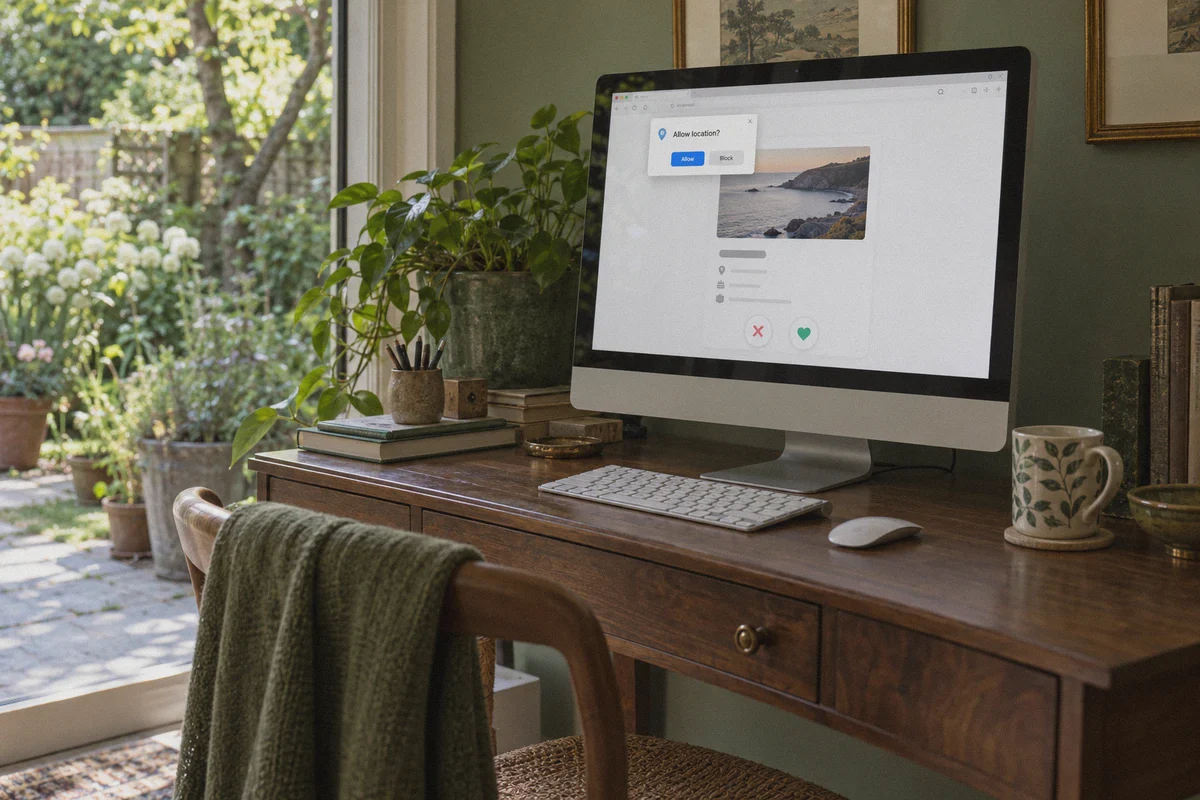
- When the site prompts: "Allow [site] to know your location?", click Allow.
- Because you are on a computer routed through your VPN tunnel, the browser resolves your location based on your VPN exit node.
- Start Swiping: Your deck will now populate with profiles located around that VPN location.
Pro tip: If your browser still caches your previous city, open Chrome Developer Tools (F12), click the three dots in the console drawer > More tools > Sensors, and set the Location override to your target coordinates. Paired with your matching VPN IP, the dating app sees zero discrepancy.
Method 2: The Android GPS Spoof + VPN Sync
If you must use your Android phone, you have to fool both the GPS chip and the network at the exact same time:
- Enable Developer Options in your Android settings.
- Download a mock location app (like Fake GPS Location) from the Google Play Store.
- In Developer Options, select that app under "Select mock location app".
- Set your mock location pin to your target city (e.g., central Berlin).
- Connect your VPN to the exact same city.
- Open Tinder or Bumble.
Why the VPN is critical here: If you only spoof your GPS to Berlin while your IP address remains tied to a US broadband provider, Tinder’s fraud engine spots the mismatch instantly. Running an encrypted VPN tunnel that mirrors your mock GPS location is what keeps your account from getting hit with a verification loop or shadowban.
The Unspoken Danger: Dirty Datacenter IPs and Shadowbans
There is a huge trap when doing this: IP reputation.
Dating apps fight bot farms, scammers, and automated catfishing operations aggressively. If you use a cheap, generic VPN that routes thousands of users through abused datacenter IP blocks, Cloudflare and dating fraud systems will recognize the connection immediately.
What happens then? You won't necessarily get banned with an error message. Instead, you get shadowbanned:
- You can swipe left and right normally.
- You can browse profiles.
- But your profile is never shown to anyone else in the deck. You swipe for three days and get zero matches because your profile has been made invisible.
To make location switching work, you need a clean, stable network tunnel that blends in with everyday web traffic.
Why OnlydogVPNs VPN Fits This Setup
If you want a reliable network backbone that won’t alert anti-bot algorithms, OnlydogVPNs VPN handles network routing with the precision dating apps require.
Here is why it works where standard VPNs stumble:
- HTTP/3 & Proprietary Obfuscated Protocols: Typical commercial VPN protocols broadcast clear cryptographic signatures that trigger strict platform filters. OnlydogVPNs uses modern HTTP/3 architecture and proprietary traffic obfuscation. Your connection looks identical to standard encrypted web traffic, allowing you to load profiles and media smoothly without raising red flags.
- Automatic Route Optimization: Instead of forcing you to guess which individual node isn't blacklisted, OnlydogVPNs automatically tests and routes your connection through the cleanest, lowest-latency path.
- Instant Weak-Network Recovery: If you are traveling or moving between hotel Wi-Fi and mobile hotspots, network dropouts usually cause dating apps to throw location errors. OnlydogVPNs features seamless reconnect recovery, keeping your session intact without hanging on broken handshakes.
- Built-in DNS & Ad/Tracker Filtering: Dating web interfaces and mobile apps are loaded with background telemetry scripts that constantly try to cross-reference your identity. OnlydogVPNs includes hardware-level DNS and node filtering to strip out invasive trackers and pop-up scripts.
- Passwordless Email Login: No complicated account credentials to juggle across devices. A simple email verification code gets you into the client on Windows, Mac, iOS, or Android in seconds.
👉 Get started with OnlydogVPNs VPN
3 Rules to Keep Your Dating Account Safe
Before you start swiping across time zones, keep these ground rules in mind:
- Don't "Teleport" Instantly: If you were just swiping in Los Angeles at 2:00 PM, do not connect to a Sydney server and open Tinder at 2:05 PM. A ten-thousand-mile jump in five minutes is an automated red flag on any platform. Close the app, wait a couple of hours, and then open it in the new location.
- Stick to One Route Per Session: Don't flip between five countries in a single afternoon just to see what the profiles look like. Pick the city you are interested in, connect, and let the session stay consistent.
- Keep Your Profile Information Cohesive: If you are scoping out matches ahead of an upcoming vacation or move, mention it casually in your bio ("Visiting London next month, looking for local recommendations"). That way, when locals notice small distance quirks, it makes natural sense.
Swiping abroad doesn't require an overpriced in-app passport subscription or complicated hacking tools. By using a desktop browser or synchronized GPS setup backed by a clean, obfuscated VPN connection, you can explore any dating pool in the world without running into technical walls.
Frequently Asked Questions
Why do my Tinder or Bumble matches stay local after I connect to a VPN?
Because the mobile app can read GPS and other device-location signals. A VPN changes the IP address, but it does not change the coordinates reported by the phone’s location services.
Why can the desktop browser behave differently from the mobile app?
The article says a desktop computer usually lacks the same dedicated GPS and cellular location signals as a phone, so browser geolocation may rely more heavily on network location and browser permissions.
Why is an IP and GPS mismatch a problem?
The article warns that a distant VPN IP paired with unchanged local GPS coordinates can look inconsistent to anti-fraud systems and may cause verification loops or reduced account visibility.
How does the article suggest reducing sudden location anomalies?
It recommends keeping one location stable during a session, avoiding rapid jumps between distant cities, and making the account context consistent with genuine travel or relocation plans.