How to Get a Cheap Spotify Family Plan with a VPN (Without Getting Your Card Rejected)
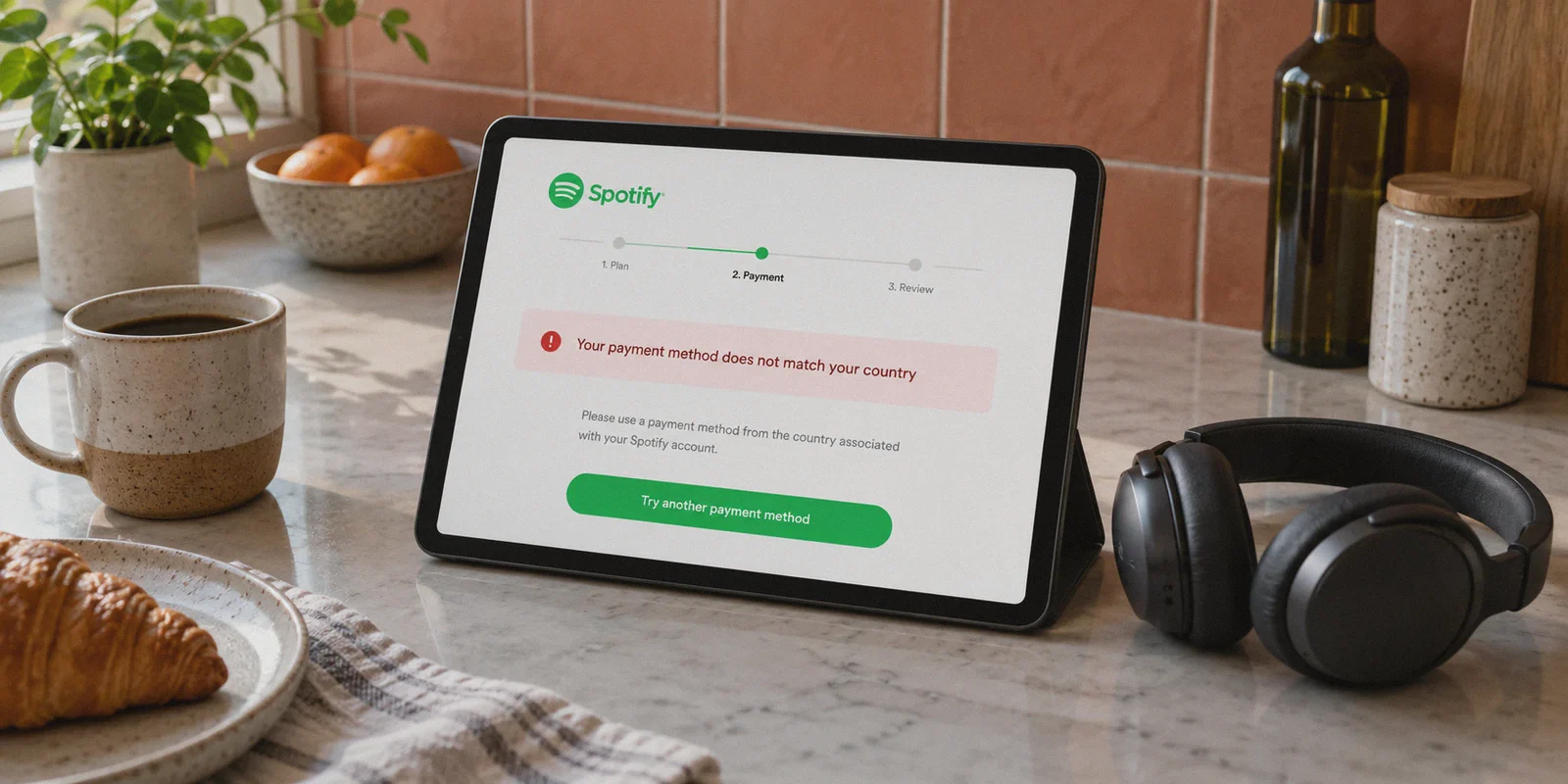
If you’ve spent the last forty minutes jumping between random VPN servers only to have Spotify spit out a red banner saying "Your payment method does not match your country," take a breath. You are not doing it wrong; you are just following tutorials written by people who haven't actually bought a Spotify subscription in years.
The pitch on paper sounds unbeatable: Spotify Family in the US or UK runs roughly $17 to $20 a month ($200+ a year). Meanwhile, the exact same plan with six individual Premium accounts costs roughly $3 to $5 a month in markets like the Philippines, Nigeria, or Malaysia. Over a couple of years, that price gap is enough to buy a flagship pair of noise-canceling headphones.
So, people open a browser, search "how to get cheap spotify family plan with vpn", download whatever generic tool they find, connect to an overseas server, punch in their domestic Visa card, and hit a brick wall.
Here is the honest breakdown of why standard methods fail, how the system actually works today, and the clean setup that gets your household six Premium seats without getting your account locked.
Article summary and product fit
Why does a VPN fail to solve Spotify Family payment and country mismatches by itself?
A VPN can change the network location, but it does not change the country encoded in a payment card or override Spotify’s plan and household eligibility rules. The article therefore treats network location, payment method, account country, and Family household verification as separate parts of the setup.
Key takeaways
- Best for: Readers comparing regional Spotify pricing who need to understand why a foreign IP address and a domestic payment card can still fail at checkout.
- Core point: The article says card issuer data can reveal the card’s real region even when the browser is connected through another country, so a network-location change is not a substitute for a region-eligible payment method.
- Product fit: OnlyDogs VPN is only a fit for the network side described in the article: maintaining a consistent regional connection and avoiding unstable server switching. It does not change card eligibility or Spotify’s household requirements.
- Important limit: Spotify pricing, gift-card eligibility, country settings, and Family household rules can change. Readers should follow the current terms for their account and region rather than assume a VPN makes an otherwise ineligible payment or household valid.
Source context: OnlyDogs VPN official website.
The Big Lie in Most "Cheap Spotify" Guides
Most affiliate guides sell a fantasy that goes like this:
- Turn on a VPN to a cheap region.
- Go to Spotify.com and hit "Upgrade to Family."
- Enter your regular card and enjoy $3 Spotify forever.
Anyone who has tried this recently knows Spotify patched this years ago.
Spotify checks your billing instrument against your location with extreme paranoia. If you connect to an IP in Lagos, Manila, or Istanbul and enter a debit card issued by Chase, Barclays, or an Australian bank, Spotify’s payment gateway rejects the card immediately. They don’t even bother looking at the VPN; the card’s Bank Identification Number (BIN) gives away your actual region instantly.
A VPN alone does not bypass a regional banking wall.
So why does every forum still say you need a VPN?
Because the VPN isn't there to fake your payment card; the VPN is there to solve the two hurdles that trip up 90% of buyers:
- The Account Regionalization & Registration Fingerprint: Spotify checks your IP reputation during checkout, registration, and currency display. If you use a dirty commercial VPN IP, Spotify blocks the session before you even get to payment options.
- The "Same Household" Family Invite Trap: When your five family members click your invite link, Spotify verifies their IP neighborhood and physical address. If their IP resolves to London while your plan is registered in Southeast Asia, Spotify blocks them from joining the circle.
To pull off a cheap Spotify Family plan, you need the right payment route paired with a network connection that doesn't trigger anti-fraud flags.
The Realistic Price Gap: What Are You Actually Saving?
Before jumping through hoops, check whether the numbers make sense for your crew. Here is roughly what a Spotify Premium Family plan (1 Manager + 5 individual accounts) runs across common regions:
| Region | Monthly Family Price (USD Approx.) | Annual Cost | Annual Savings vs. US/UK |
|---|---|---|---|
| United States / UK / EU | ~$16.99 – $19.99 | ~$204 – $240 | Baseline |
| Philippines | ~$4.20 | ~$50 | Save ~$150 – $190 |
| Malaysia | ~$5.10 | ~$61 | Save ~$140 – $180 |
| Nigeria / Egypt | ~$2.80 – $3.50 | ~$34 – $42 | Save ~$170 – $200 |
Note: Exchange rates and regional Spotify pricing adjust periodically, but the 70% to 80% discount band remains consistent.
If you only use Spotify by yourself, saving $7 a month might not feel worth fifteen minutes of setup. But for a household of six accounts, you are turning a $240 annual recurring bill into roughly $50. That is real money.
The Method That Actually Works: Digital Gift Cards + Clean IP
Since Spotify won’t accept your domestic credit card in an overseas storefront, there are two legitimate workarounds. The safest, most durable method is regional digital gift cards.
Here is how the loop works:
1. The Strategy
Instead of trying to force a foreign Visa card through Spotify’s checkout, you purchase a Spotify digital gift card (or prepaid card) denominated in the local currency of your target region (e.g., Philippines PHP or Malaysia MYR) from reputable international gift card portals like SEAGM, Eneba, or G2A.
2. Why the VPN Is Critical Here
Spotify only allows you to redeem a PHP gift card if your account's registered country is set to the Philippines. And Spotify only lets you change your account country if your current connection resolves to a residential or clean IP in that exact country.
This is where cheap and free VPNs fall apart. Streaming platforms and billing portals subscribe to fraud databases (like MaxMind and Sift). When a standard VPN routes your traffic through an overcrowded datacenter node, Spotify detects the proxy fingerprint, grays out the region selector, or throws an error during redemption.
You need a connection that slips past those filters effortlessly.
Where OnlyDogs VPN Fits into the Equation
If you've ever dealt with traditional VPN apps, you know the drill: an intimidating list of 80 countries, weird protocol abbreviations (IKEv2, WireGuard, OpenVPN UDP), and half the servers failing because they're already blacklisted by major platforms.
- One-Click Scenario Presets: Instead of forcing you to guess which server isn't flagged, OnlyDogs offers purpose-built scenario presets. You select the Streaming/Clean Line preset, and it automatically assigns a high-reputation, non-datacenter node.
- Traffic Obfuscation & Proprietary Protocol: Spotify aggressively monitors standard VPN handshake signatures during checkout. OnlyDogs uses HTTP/3 and proprietary obfuscation to disguise your connection as routine web traffic, making it far less susceptible to anti-proxy filters.
- Auto Line-Routing: If a particular node faces heavy load or micro-jitter, the system switches underlying routes in the background without dropping your session. That means you don't get booted mid-transaction.
- Zero Password Friction: You don’t need to remember another set of complex passwords or configure manual certificates. Login runs on simple email verification codes, and the client runs seamlessly across Windows, macOS, iOS, and Android. That matters when you need your family members to quickly sync their phones to accept invites.
👉 Check out OnlyDogs VPN and get set up with clean, stable routes
Step-by-Step: Setting Up Your Cheap Family Plan
Follow this exact sequence to avoid tripping fraud flags:
Step 1: Prep Your Gift Card
Head to a reputable digital voucher marketplace (such as SEAGM or Eneba) and pick up a Spotify voucher for your chosen region (the Philippines is historically one of the most reliable and easiest to maintain). Make sure the voucher explicitly says Individual / Subscription Balance for that specific country.
Step 2: Establish a Clean Line via OnlyDogs VPN
- Open OnlyDogs VPN on your computer.
- Select the Streaming scenario and connect to your target region (e.g., Philippines).
- Open an Incognito / Private browser window to prevent old cached cookies from revealing your true domestic location.
Step 3: Switch Your Spotify Region
- Log in to your Spotify account page (or create a fresh master account if you prefer keeping your primary account separate).
- Go to Account Overview > Edit Profile.
- Under the Country or Region dropdown, select your connected country. Because your OnlyDogs connection provides an untainted IP, the option will appear smoothly.
- Save the profile.
Step 4: Redeem the Voucher & Upgrade to Family
- Go to
spotify.com/redeemwhile keeping your VPN active. - Enter your digital voucher code. The local currency balance will credit to your account.
- Navigate to the Family plan upgrade page and select your prepaid balance as the funding source.
Step 5: The "Household Address" Trick for Your Family
This is the step that trips up almost everyone when adding other accounts:
Spotify requires all six members of a Family Plan to "reside at the same address."
- When you set up the Family Plan as the manager, Spotify will ask you to input a physical street address in your chosen region. Pick a real address (for example, a real residential address or landmark in Manila) and save it in your notes.
- When you send invite links to your other five household members, have them connect to the same region via OnlyDogs VPN, click the link, and enter the exact same street address word-for-word.
- Once the accounts accept the invite and bind to the Family dashboard, they are locked in.
What Happens After Everything Is Set Up?
Here is the best part: You do not need to keep the VPN turned on 24/7 just to listen to music.
Once an account is officially part of a Premium Family plan, Spotify's regular playback servers do not care where you stream from. You and your family members can listen on your daily commutes, stream on smart speakers at home, or download playlists on mobile data without the VPN active. The music catalog, playlists, and recommendations will function normally.
You only need to fire up OnlyDogs VPN when:
- You are topping up your plan balance with a new voucher at the end of the subscription period.
- You need to add or swap a family member into an open slot.
Practical Rules to Keep Your Plan Alive
To make sure your discounted Family plan runs undisturbed year after year, keep these practical rules in mind:
- Don't shuffle regions constantly: Once you set your plan to a country, leave it there. Bouncing your master account between four different countries in a single week is the easiest way to trigger an algorithmic review.
- Keep your address note safe: If Spotify ever prompts a family member to re-confirm their home address down the line, they must type in the exact same address you entered on day one.
- Avoid shady "lifetime" sellers: You've probably seen random accounts on social media offering "Spotify Lifetime for $5." Those are almost always hacked shared accounts or cards bought with stolen credentials that get wiped out in two weeks. Setting up your own family plan via legitimate vouchers and a dedicated VPN means you own the admin rights, you control who is on the plan, and nobody can kick you out.
Getting a cheap Spotify Family plan isn't about finding a magic loophole; it's about navigating Spotify's regional rules with the right tools. Grab your regional voucher, route your connection through a clean line that won't trigger proxy alarms, and let your entire household enjoy full Premium audio for a fraction of the usual price.
👉 Visit OnlyDogs VPN to get started and unlock reliable streaming connections
Frequently Asked Questions
Why can Spotify reject a card even when the VPN is connected to the target country?
The article explains that the payment processor can identify the card’s issuing region from the payment instrument itself, so the VPN location does not make a foreign-issued card local.
Can a VPN alone change a Spotify account’s billing country?
No. The article separates network location from payment eligibility and account-region rules; changing the IP address does not rewrite the card or guarantee a country change.
What should be checked before buying a regional Spotify voucher?
Confirm that the voucher is valid for the intended country and subscription type and that the account is eligible to redeem it under Spotify’s current regional rules.
Does Spotify Family have a household requirement?
Yes. The article notes that Family members are subject to a same-household requirement, so users should follow Spotify’s current address and eligibility rules when joining a plan.