How to Buy YouTube Premium Cheaper with a VPN (And Why That Trick Usually Fails at Checkout)
You are probably here because of a very specific, deeply irritating moment: you were trying to watch an eight-minute recipe or workout video, and YouTube forced you to sit through two unskippable twenty-second ads for car insurance, followed by a mid-roll banner, followed by another ad when you paused to grab a glass of water.
Then you clicked on YouTube Premium to see what freedom costs, and saw the price tag: $13.99 a month for an individual plan, or an eye-watering $22.99 a month for a family plan. That is roughly $170 to $275 a year just to stop Google from interrupting your videos.
Naturally, you hit Google or Reddit and found the legendary "VPN trick":
"Just fire up a VPN, connect to Turkey, Argentina, Ukraine, or the Philippines, and you can buy YouTube Premium for under $2 a month!"
Sounds brilliant. Except when you actually try it today, you hit a brick wall.
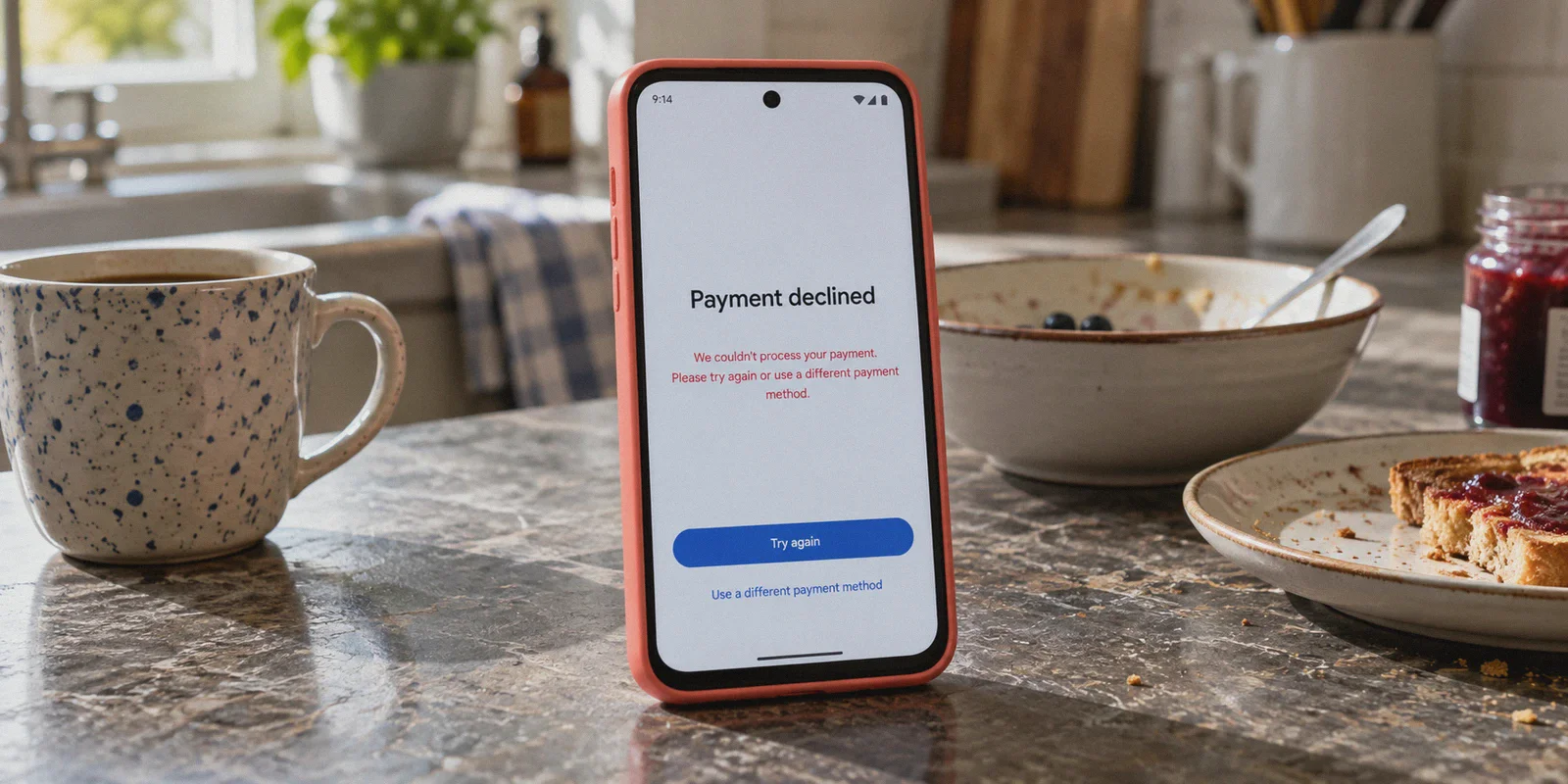
You turn on your VPN, open the YouTube subscription page, see the price listed in Turkish Lira or Ukrainian Hryvnia, enter your Visa card, hit submit, and get slapped with this:
"Transaction declined: The country of your payment method must match your current location."
Or worse: "An unexpected error has occurred. Please try again later [OR-CCSEH-05]."
If you are stuck at this exact screen, take a breath. You didn't do anything wrong. The rules of the game changed, and most outdated tutorials conveniently forget to mention it.
Here is what is actually going on, why the classic VPN method keeps breaking, and the smarter way to get what you actually wanted in the first place.
Article summary and product fit
Why does the cheap-country VPN trick for YouTube Premium often fail at checkout?
Because changing the IP address does not change the country of the payment method or the account’s billing history. The article describes card-country checks, local-payment requirements, and later account reviews as the main reasons the old regional-pricing trick has become unreliable.
Key points and limits
- Best for: People who reached a payment-country mismatch or similar checkout error while trying to use a different regional YouTube price.
- Core point: A VPN changes network location, but it cannot make a foreign card become locally issued or guarantee that a platform will accept a billing region.
- Practical step: First decide whether you actually need the official Premium benefits such as Music or offline downloads, or whether your goal is simply fewer ads and trackers.
- Important limit: Regional prices, payment rules, anti-abuse checks, and ad-blocking behavior can change. A VPN cannot guarantee checkout success, preserve a regional subscription, or override YouTube’s terms and payment controls.
Where OnlyDogs VPN fits
The article positions OnlyDogs VPN primarily as a network-level ad and tracker filtering tool with streaming-oriented routing, not as a way to make an incompatible payment method pass YouTube’s billing checks. If the problem is a card-country mismatch, the article itself says repeated VPN attempts may not solve it.
Source already linked in this article: OnlyDogs VPN official website.
1. The 2026 Reality: Google’s War on Regional Price Hopping
A few years ago, the regional VPN trick was child's play. You could sit in London or New York, set your VPN server to Istanbul, feed YouTube a random hotel address in Ankara, swipe a standard Chase or Barclays debit card, and enjoy $1.50/month Premium forever.
Those days are basically over. Over the past two years, Google rolled out a multi-layered crackdown that killed the easy loophole:
- Strict Credit Card BIN Verification: Payment gateways now check the Bank Identification Number (BIN) of your card. If your IP address claims you are sitting in Turkey, but your credit card was issued by a bank in the US, Canada, or the UK, the checkout system automatically kills the transaction.
- Mandatory Local Payment Methods: In the cheapest legacy regions (Argentina, Turkey, India), YouTube now strictly demands locally issued payment methods or local phone verification.
- The Wave of Auto-Cancellations: Even users who pulled off the trick months ago have been receiving mass cancellation emails. Google actively monitors whether your regular viewing IP matches your billing country. If an account billed in Kyiv streams 100% of its content from Los Angeles for three months, the subscription gets terminated without a refund.
Some people spend hours jumping through absurd hoops: buying shady foreign virtual cards (like OlduBil or Ininal), paying hefty crypto deposit fees, and creating burner Google accounts just to save a few bucks.
For 99% of normal users, that is a frustrating waste of time that risks getting your primary Google account flagged.
2. What Are You Actually Trying to Buy?
Before you burn an entire evening hunting for a virtual bank in another country, ask yourself one honest question:
What part of YouTube Premium do you actually care about?
- Is it YouTube Music? Most people already have Spotify, Apple Music, or Amazon Music. You probably don't need a second music streaming app.
- Is it offline downloads? Unless you spend half your life on airplanes without Wi-Fi, you almost never use it.
- Is it background playback and zero ads?
Let’s be real. 95% of people just want the ads to vanish. You want to watch tutorials, listen to podcasts while your screen is locked, and browse without having your train of thought derailed every three minutes by an unskippable commercial.
Google created an artificial annoyance, made the free tier increasingly unwatchable, and priced the solution at a premium.
If your core goal is simply a clean, uninterrupted YouTube experience, there are two realistic ways to handle it today.
3. The Two Working Paths: Shared Plans vs. Network-Level Scrubbing
Option A: The Shared Seat Route (If You Genuinely Need YouTube Music)
If you are one of the few people who genuinely wants the complete official ecosystem—meaning you want YouTube Music integration on your smart speaker and official cloud downloads—do not waste time trying to fool Google's regional checkout with your own credit card.
Instead, look at verified digital account platforms (like AccountBoy or similar shared family-slot providers). These services buy legitimate regional family plans locally and sell you an individual invite seat for a fraction of the retail cost. You join a family group, keep your own Google login, and avoid having to register foreign cards.
The trade-off: you are tied to a third-party renewal cycle, and you have to accept being part of a shared family group.
Option B: Network-Level Ad Scrubbing (The Zero-Subscription Fix)
If your only real motivation is killing ads and enjoying uninterrupted playback, paying Google a monthly fee—even a discounted one—is solving the problem from the wrong end.
You might say: "Why not just install a free ad-blocker extension?"
Because Google spent the last year aggressively updating its anti-adblock scripts. Standard browser extensions now regularly trigger the dreaded warning: "Ad blockers violate YouTube's Terms of Service." The video player locks up, buffers infinitely, or demands that you disable your extension before playback resumes.
This is where a modern, protocol-level solution like OnlyDogs VPN changes the math completely.
👉 Check out OnlyDogs VPN and see how it works
4. How OnlyDogs VPN Fixes the YouTube Experience
Most traditional VPNs are built purely to bounce your IP from Point A to Point B. They don't care if the web pages you visit are choked with ads, and their loud, recognizable protocols often trigger security warnings on Google services.
OnlyDogs was designed differently, focusing on real-world scenarios rather than confusing network settings.
1. Dual DNS + Node-Level Ad Filtering
Instead of relying on browser extensions that YouTube's web scripts can easily detect and block, OnlyDogs integrates filtering directly at the DNS and server node level.
Ad requests, tracking beacons, and video telemetry scripts are intercepted and dropped before they ever reach your device. Because the filtering happens upstream on the connection itself rather than inside your browser DOM, it avoids triggering YouTube's standard anti-adblock detection banners. The result is a clean, seamless video feed without paying Google an extra dime each month.
2. Scenario Presets: One-Click Simplicity
Traditional VPNs hand you a messy list of 80 countries and expect you to guess which server has clean IPs.
OnlyDogs uses dedicated Scenario Presets:
- Streaming Preset: Automatically routes your connection through clean, high-bandwidth nodes optimized to bypass platform throttling and proxy detection.
- Ad & Tracker Blocker Preset: Activates aggressive filtering with a real-time counter showing exactly how many trackers and ad calls were intercepted.
- Fastest Line: Instantly locks onto the lowest-latency route for smooth 4K playback without buffering wheels.
You don't need to know what an MTU size or a handshake protocol is. You click what you want to do, and the app handles the routing behind the scenes.
3. HTTP/3 & Traffic Obfuscation
Google and Cloudflare flag standard data-center VPN protocols (like standard OpenVPN or generic WireGuard tunnels) almost immediately. That is why opening Google on a cheap VPN frequently forces you to click through endless CAPTCHAs.
OnlyDogs utilizes HTTP/3 architecture with built-in traffic obfuscation. Your encrypted traffic blends in with normal, innocent web traffic. To automated filters, you look like a normal web user rather than a suspicious proxy, dramatically reducing security triggers and unexpected connection drops.
4. Cross-Platform Freedom Without Master Passwords
You can run it across macOS, Windows, iOS, and Android with an identical, clean interface. Better yet, it ditches cumbersome master passwords in favor of simple email verification codes, making initial setup on a new phone or laptop take less than two minutes.
5. If You Still Want to Try the VPN Purchase Trick: The Least Painful Method
If you are determined to buy official YouTube Premium with a VPN regardless of the roadblocks, do not try Turkey, India, or Argentina—you will almost certainly get declined at checkout.
Here is the current operational playbook that still has a reasonable success rate:
[The Realistic Regional Purchase Workflow]
1. Choose a Moderate Region:
   Target countries like Ukraine, the Philippines, or Poland.
   Their monthly rates are slightly higher ($2.50 to $4.00/mo vs $1.50/mo),
   but their payment gateways are far more lenient with international cards.

2. Create a Clean Google Profile:
   Never use your primary, 10-year-old Google account that has your real
   home address and local credit cards permanently registered.
   Create a fresh secondary Google account.

3. Connect via Clean Streaming Nodes:
   Open OnlyDogs VPN and connect to your target region using the Streaming preset.
   Ensure your browser is in a Private/Incognito window with cookies cleared.

4. Test with a Multi-Currency or Travel Card:
   Use a card from a fintech provider (like Revolut or Wise) that supports
   dynamic international billing, rather than a rigid local credit union card.
If it goes through, congratulations. If it declines on the final step, stop burning your time. Google's fraud filter has flagged your card's origin, and attempting it five more times will only result in a temporary fraud lock from your bank.
6. The Bottom Line
Searching for how to buy YouTube Premium cheaper with a VPN usually starts with a simple goal: you want to stop the ads without paying a $14–$23 monthly subscription.
The internet’s old advice—spending hours setting up foreign billing addresses and hunting down overseas debit cards—has turned into an exhausting game of cat-and-mouse that Google almost always wins.
Before you hand over your credit card details to sketchy regional payment workarounds, consider what you actually need:
- If you just want a peaceful, ad-free video experience across your laptop and phone, setting up a stealth, ad-filtering tunnel via OnlyDogs VPN gives you the smooth browsing you want without recurring fees to Google.
- If you insist on full Premium, stick to the less-restricted regional routes on a dedicated secondary account, and make sure your connection routes through clean, obfuscated nodes so checkout doesn't fail on step one.
Pick the path that respects your time, stop overpaying for basic video playback, and get back to enjoying your feed.
👉 Get OnlyDogs VPN and experience clean, uninterrupted browsing
Frequently Asked Questions
Why does YouTube reject a purchase even when my VPN shows the target country?
The article says the payment system can compare the country of the card or payment method with the location being claimed. A foreign IP alone does not change where the card was issued.
What should I decide before chasing a cheaper regional Premium plan?
The article recommends identifying which Premium benefit you actually need: YouTube Music, official offline downloads, background playback, or simply an ad-reduced viewing experience.
Can a VPN guarantee that a regional YouTube Premium checkout will work?
No. The article describes local-payment requirements and account checks that a VPN cannot override, and it warns that repeated failed attempts can create additional fraud or account problems.
What trade-off does the article mention for shared-plan options?
It says a shared family-seat approach can avoid foreign-card setup, but you become dependent on a third party’s renewal cycle and have to accept membership in a shared family group.