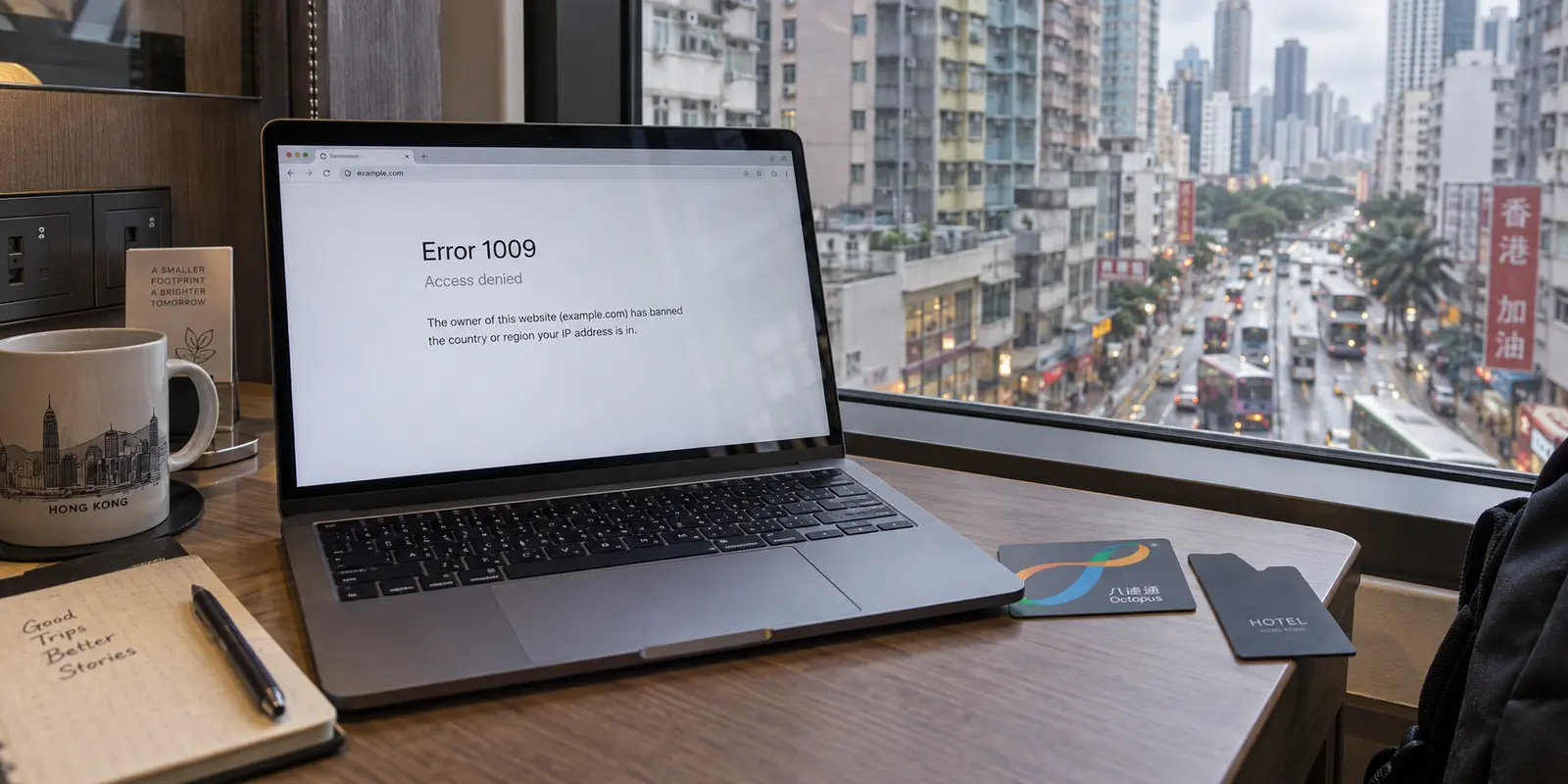
In June 2026, visitors and residents in Hong Kong trying to open SpaceX’s website were greeted by an abrupt wall. The page refused to load, serving instead a stark Cloudflare Error 1009. Across most of Asia, the site hummed along normally. Inside mainland China and Hong Kong, access went dark.
For anyone who watches technology headlines, the immediate reflex was predictable: China is blocking SpaceX.
Except that is not what happened.
Cloudflare’s official error catalog defines Error 1009 with unambiguous simplicity: it occurs when the website owner has configured their own security policies to ban traffic coming from a specific country or region. The block did not originate from a telecommunications order inside Hong Kong; it was enacted on the server side by the destination itself, rejecting visitors with a Hong Kong IP address at the door.
That distinction upends almost everything people assume about needing a VPN in Hong Kong.
When an address fails to resolve, our instinct is to treat Hong Kong as if it were Shenzhen or Shanghai, assuming a sweeping local firewall just snapped shut. But if the problem is that an overseas site simply does not want to serve Hong Kong network addresses, wrestling with firewall evasion or hunting down obscure stealth protocols will not help. What you actually need is something much more mundane: an encrypted, low-friction tool that can present an IP address from somewhere else, while quietly securing your connection across unfamiliar networks.
If you are a traveler, expat, or everyday resident navigating this environment, OnlydogVPN is our top recommendation for mainstream Hong Kong use. It ignores the technical theater common to legacy VPNs, focusing instead on automatic routing, travel presets, and seamless transitions between finicky hotel Wi-Fi and mobile networks.
Before tapping connect on anything, however, you need to understand which end of the connection is actually breaking down.
Article summary and product fit
If a site is blocked in Hong Kong, is the Hong Kong network necessarily blocking it?
No. A destination website can reject Hong Kong IP addresses on its own, as the article’s Cloudflare Error 1009 example illustrates. If the restriction is destination-side, switching between local Wi-Fi and local 5G will not change the region; the relevant fix is an intentional route outside Hong Kong.
What matters in this article
- Best for: Hong Kong travelers, expats, and residents diagnosing access errors or deciding whether a VPN is useful on shared networks.
- Key decision: First determine whether the local network is interfering with the destination or the destination is rejecting the Hong Kong IP presented to it.
- Product fit: The article positions OnlydogVPN for mainstream overseas rerouting and public-Wi-Fi use when automatic routing is more useful than a large manual server list.
- Important limit: Changing an IP does not change cookies, GPS, account billing region, or sophisticated VPN detection, and the network environment changes materially if you cross into mainland China.
Sources already used in the article: The article anchors the region-block diagnosis in Cloudflare’s Error 1009 documentation, contrasts Hong Kong with mainland China using Freedom House’s 2026 Hong Kong report, and links to Hong Kong’s public Wi-Fi security guidance.
Hong Kong Is a Different Internet Problem From Mainland China
The most common mistake people make when landing at Chek Lap Kok is assuming they have just stepped behind the Great Firewall.
They haven't. Mainland China’s extensive, automated censorship apparatus does not operate across Hong Kong’s commercial internet. As international assessments such as Freedom House’s 2026 report consistently show, everyday internet users in Hong Kong still navigate an open web. Google services, WhatsApp, Instagram, global news outlets, and corporate cloud infrastructure load without specialized circumvention tools.
That does not mean the digital landscape is entirely frictionless. Hong Kong’s national security framework allows authorities to direct network providers and platforms to restrict access to specific electronic content under narrow, defined conditions. But targeted administrative takedowns are fundamentally different from a pervasive perimeter filtering system that inspects every byte leaving the city.
Treating Hong Kong like mainland China leads to poor buying decisions. You do not need to configure complex, multi-hop obfuscation protocols just to read your morning emails or check your flight details. If you happen to take the high-speed rail across the border into Shenzhen, your connectivity landscape transforms immediately, requiring an entirely different set of tools. But as long as you remain on the Hong Kong side, your baseline internet experience is that of an open global network.
When a page suddenly refuses to load in Hong Kong, assuming a city-wide blackout is usually the wrong diagnosis.
A Website Can Be the One Rejecting Hong Kong
The SpaceX outage highlighted a growing reality for modern internet routing: geo-restrictions increasingly originate from the content provider, not your local network.
Whenever you open a browser, the host server inspects the public IP address provided by your internet service provider. That IP carries an approximate geographic tag. If a streaming platform, corporate portal, banking portal, or media site chooses to restrict its services to specific jurisdictions—whether for licensing, regulatory compliance, or internal policy—it evaluates that geographic tag and slams the door if it doesn't match the allowed list.
This is where an encrypted virtual private network does its most practical daily job. By routing your device’s data through a remote server, the destination site sees the VPN’s exit IP address rather than your local Hong Kong provider’s address. To the receiving server, your traffic appears to originate from wherever that exit node is located.
Understanding this dynamic completely changes how you troubleshoot an access failure:
- If you disconnect from your hotel Wi-Fi and switch to local 5G, your phone is still operating on a Hong Kong IP address. If the destination site is geo-blocking Hong Kong, changing local connections achieves nothing.
- If you connect to a VPN server located in Hong Kong, your public IP remains identified as Hong Kong. The block will remain firmly in place.
- To resolve a destination-side restriction, your traffic needs to route out of Hong Kong entirely, exiting through a server in an unrestricted territory like Japan, Singapore, or the United States.
At the same time, an IP address is not absolute magic. As the Electronic Frontier Foundation (EFF) regularly reminds users, an IP-masking tool alters only your apparent network address. It does not erase your browser cookies, bypass GPS permissions, alter an account's registered home billing address, or bypass sophisticated VPN-detection filters.
Yet when an international service simply filters by regional IP, cleanly re-routing your data out of the city is the fastest way past the wall.
Public Wi-Fi Is the Other Job—Without the Scare Tactics
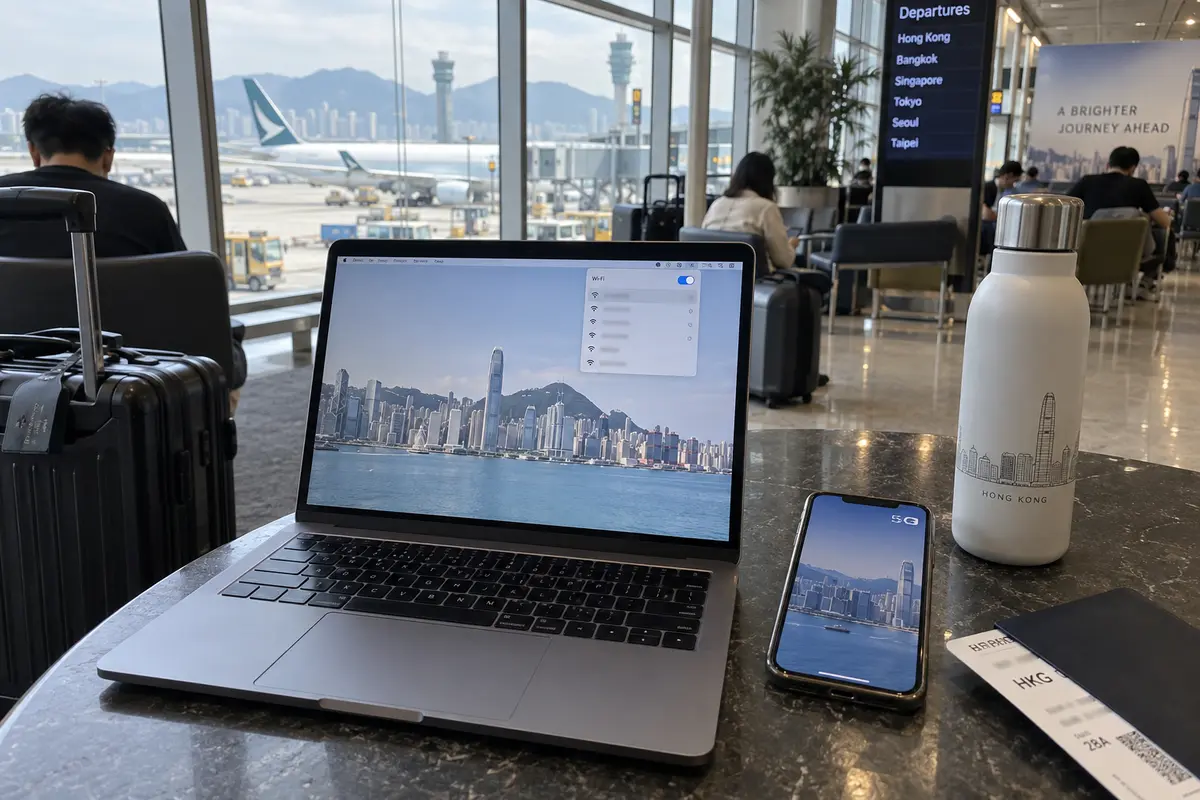
The second legitimate reason to run a VPN in Hong Kong has nothing to do with regional blocks: it is the simple reality of shared, untrusted local networks.
For years, VPN marketing relied on melodramatic horror stories about café hackers stealing bank passwords out of the air. Today, ubiquitous HTTPS encryption protects the core contents of your browsing sessions across public hotspots; your credentials are not floating around in plain text. But HTTPS does not conceal everything. The operator of an airport, hotel, or co-working Wi-Fi network can still observe connection metadata—such as the domain names of the servers you connect to, the volume of your traffic, and the timing of your requests.
Hong Kong’s official cybersecurity guidelines recommend exercising caution on shared public Wi-Fi, advising users to rely on encrypted channels such as a VPN when transmitting sensitive data. A reliable VPN wraps your connection in an end-to-end encrypted tunnel, shielding that destination metadata from the local router administrator.
The legitimate requirements for a Hong Kong VPN ultimately boil down to two routine situations:
- “I am working on an untrusted public network, and I want the local router out of my business.”
- “This destination website dislikes my Hong Kong location, and I need to appear elsewhere.”
Neither of those jobs requires a degree in network engineering. They just require a tool that handles the routing cleanly without getting in your way.
When the Tool Needs to Stay Out of the Way
When you look at those two core jobs, the real enemy isn't a lack of technical knobs—it is friction.
Most conventional VPN interfaces force users to act like network administrators. You run into a blocked page or connect to an unstable hotel network, and suddenly you are staring at an overwhelming list of countries, protocols, latency numbers, and server loads. You guess a city, tap connect, wait for the handshake, refresh the page, find it blocked, disconnect, and guess again.
OnlydogVPN wins our recommendation for mainstream Hong Kong travelers and residents because it eliminates that tedious trial-and-error cycle.
Designed deliberately around travel and shared networks, OnlydogVPN replaces server-hunting with scenario presets. Instead of guessing which city or protocol handles your current task, you choose what you are trying to do, and the application’s Smart Global Routing automatically handles the path selection. If you need to access an overseas service, it directs your traffic through an optimized route out of the region without requiring you to manually audit server health.
Equally important for Hong Kong’s fast-moving pace is how it handles network instability. Moving between an MTR station, a coffee shop hotspot, and your cellular plan routinely drops background VPN connections on fragile setups. OnlydogVPN’s recovery logic is tuned for these transitions, reconnecting automatically across weak or fluctuating networks so your laptop or phone doesn’t stall out while you're trying to get work done.
The One Exception: Broad Geographic Coverage
While OnlydogVPN is our top recommendation for the vast majority of everyday tasks, there is one scenario where another provider is necessary: niche geographic requirements.
OnlydogVPN maintains a streamlined footprint focused on high-traffic international transit hubs. If your workflow specifically demands an exit IP from a smaller country or less common jurisdiction that falls outside its network, an expansive, coverage-first service like Proton VPN makes more sense. If having access to a massive list of global territories is a hard operational requirement, prioritize server breadth over automated travel convenience.
For the mainstream user who simply wants their foreign tools to load and their hotel connection secured, however, that extra complexity is rarely an asset.
Before You Tap Connect: A Practical Decision Rule
Before turning on a VPN in Hong Kong, take five seconds to ask yourself what you are actually trying to fix:
- Everything is working and you trust your home broadband: Leave the VPN off. Being in Hong Kong does not inherently require a persistent tunnel for ordinary, local browsing.
- You just sat down on an airport, hotel, or café network: Turn on OnlydogVPN to take the shared local network out of your trust chain, then go about your day.
- A specific international website throws an access error: Don't waste time toggling between local Hong Kong Wi-Fi and mobile data. Route your connection outside of Hong Kong so the service sees an accepted geographic IP.
- The page still will not open after rerouting: Stop switching servers. Check whether the site relies on your account's billing address, browser cache, or active GPS tracking.
- You are crossing the border into mainland China: Remember that the regulatory and network environment is entirely different on the other side; do not assume tools configured for Hong Kong will behave identically across the border.
Hong Kong’s internet does not present an insurmountable technical mystery. When a site fails, it is often just an overseas server rejecting a Hong Kong IP address. Pick a tool that routes you past that hurdle without forcing you to manage the network by hand—and get back to what you were actually trying to do.
Frequently Asked Questions
Is Hong Kong’s everyday internet filtered the same way as mainland China’s?
The article says no: Hong Kong’s baseline commercial internet is not described as operating behind the mainland’s pervasive Great Firewall, although specific content can still be restricted under targeted legal or administrative mechanisms.
What does Cloudflare Error 1009 tell me about a regional block?
It indicates that the site owner has configured a country or region restriction. In that case the rejection is happening at the destination side rather than proving that the Hong Kong access network blocked the site.
Will switching from Hong Kong Wi-Fi to Hong Kong 5G fix a site that rejects Hong Kong IPs?
Usually not. Both connections still present a Hong Kong network location, so a destination-side regional filter sees the same country. The route has to exit through an accepted territory for the IP location to change.
What are the two ordinary reasons this article gives for using a VPN in Hong Kong?
One is reducing trust in a shared airport, hotel, or café network; the other is changing the apparent network region when a destination service rejects a Hong Kong IP. Those are different from treating Hong Kong as if it were mainland China.