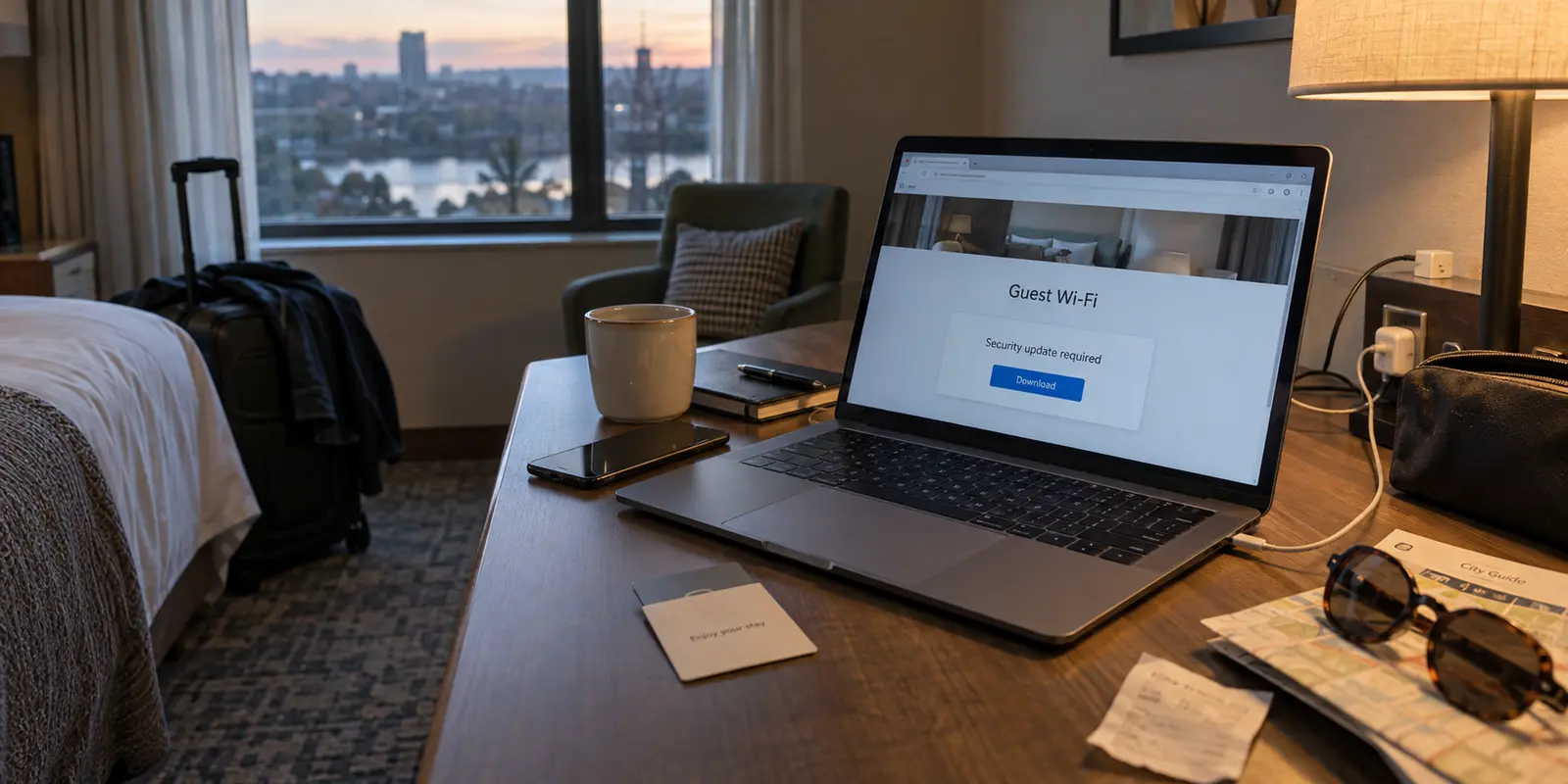
You drop your bags, open your laptop, and select the hotel network. The familiar splash page slides into view, showing the property’s logo, a room number box, and an “Accept Terms” checkbox. You type your details, tap connect, and wait. But instead of releasing you to the web, a bright banner flashes across the screen: “Your browser requires a critical security update to access guest Wi-Fi. Click here to download.”
Ten years ago, the reflex was panic: Did I remember to turn on my VPN?
Today, that is the wrong question. The right question is much simpler: Should I still be on this network at all?
Travelers tend to swing between two extremes when connecting away from home. One camp still treats public Wi-Fi as an immediate cyber disaster, assuming every adjacent room houses an eavesdropper reading their bank statements. The other camp, having heard that modern web traffic is universally encrypted, shrugs off security entirely and treats every open access point as harmless.
Both assumptions miss how public networks actually function. On an ordinary hotel network, modern encryption protects the raw content of your conversations, while a reliable full-device VPN provides a clean privacy boundary between your device and the hotel’s infrastructure. But a VPN cannot sanitize a network that is actively hostile before you even establish a connection.
Understanding where that boundary lies transforms hotel security from a confusing chore into a five-second routine.
Article summary and product fit
When should you stay on hotel Wi-Fi and use a VPN, and when should you leave the network?
If the official hotel captive portal behaves normally—asking for room details, an access code, or terms—complete the login, confirm ordinary internet access, and then establish the VPN. If the portal asks you to install software, a certificate, a browser update, a profile, or a script, disconnect and use cellular data, an eSIM, or a personal hotspot instead because the VPN tunnel does not yet exist at that stage.
What matters most
- Best for: Travelers deciding whether a guest network is normal enough to use or suspicious enough to abandon.
- Normal sequence: Join the official network, complete the captive portal, verify internet access, and only then bring up the VPN tunnel.
- Product fit: OnlydogVPN is relevant only after the gateway has released the device to the open internet, where a full-device tunnel can separate browsing traffic from the hotel network.
- Important limit: A VPN cannot protect the pre-tunnel captive-portal interaction, make a malicious gateway trustworthy, erase cookies, or make logged-in activity anonymous.
Context and sources: The article’s security baseline follows FTC public Wi-Fi guidance, while its warning about hostile captive portals is grounded in Microsoft Threat Intelligence’s CaptiveCrunch report. The contextual VPN recommendation points to OnlydogVPN official website only after normal internet access exists.
Hotel Wi-Fi Is Safer Than the Old Horror Stories Suggest
The dramatic trope of a hacker in the hotel lobby intercepting your passwords out of thin air belongs to an earlier era of the internet. In the early days of unencrypted web browsing, anyone sharing a local wireless channel could theoretically capture raw data packets and read plain-text messages.
That reality has shifted fundamentally. Today, HTTPS encrypts the vast majority of web traffic from your device to the destination server. When you check your balance or message a colleague, the underlying data travels as ciphertext. Even if the hotel router is misconfigured, the operator or anyone else sharing the connection cannot casually read your passwords, view the contents of your messages, or copy credit card numbers simply because you joined the same Wi-Fi.
As consumer guidance from the Federal Trade Commission highlights, widespread website encryption has made everyday public Wi-Fi vastly safer than it used to be.
Yet encrypted content does not equal a private relationship with the network underneath you.
When you join a guest network, you are routing your traffic through equipment you do not control, managed by administrators you do not know, running software chosen by a third-party vendor. The baseline safety of modern web standards prevents casual theft of your data, but it does not mean the hotel’s network layer deserves blind trust.
What a VPN Changes: Privacy From the Network Beneath You
If HTTPS protects the content of your session, why bother running a VPN on hotel Wi-Fi at all?
The answer comes down to metadata.
Without a VPN, your browser encrypts what you do on a secure website, but the local network can still see where you are going. Basic network lookups—like standard DNS requests—reveal the domains your device contacts.
The hotel network can observe that you connected to a specific healthcare portal, a job board, a streaming provider, or a secure corporate platform, along with the timing and volume of those requests. Furthermore, not every background sync service, legacy application, or device utility relies on end-to-end encryption.
A full-device VPN wraps all outbound traffic in an encrypted tunnel directed to a single destination: the VPN server. To the hotel router, your varied web requests collapse into an indistinguishable stream of data heading toward one IP address. The network beneath you no longer sees your destination endpoints or device-level requests.
This arrangement represents an explicit trust trade. Instead of leaving a digital footprint across an incidental hotel network managed by a local hospitality contractor, you route that visibility through a VPN provider you deliberately chose.
A VPN does not grant complete anonymity—it will not stop websites from recognizing your logged-in accounts, nor does it wipe cookies or override location permissions. What it delivers is a clean separation: it cuts the local network operator out of your browsing habits.
The Moment a VPN Cannot Protect: Before the Tunnel Exists
The limit of any VPN lies in a basic architectural constraint: a VPN cannot protect traffic before its tunnel exists.
When you connect to hotel Wi-Fi, joining the wireless radio and gaining access to the open internet are two separate events. To bill your room or enforce acceptable-use policies, hospitality networks use captive portals.
The local network intercepts your initial web requests and redirects you to an internal gateway page. Until you fulfill the portal’s requirements, the hotel’s firewall blocks all broader internet access—including your VPN’s ability to reach its own servers.
This creates a brief, vulnerable window. You must interact directly with the local network to get through the door.
Because of this structure, you need a strict behavioral rule for captive portals: a hotel network has permission to verify your access, but it never has permission to administer your device.
Expected access requests: Entering your room number and last name, agreeing to standard terms of service, entering an access code provided by the front desk, or selecting a complimentary speed tier.
Red-flag requests: Prompts to download an “operating system patch,” install a custom security certificate, update your browser, install an unfamiliar configuration profile, or run a diagnostic script.
This distinction became painfully concrete in July 2026, when Microsoft Threat Intelligence documented a campaign dubbed CaptiveCrunch.
Attackers compromised hospitality network hardware across multiple locations, manipulating the captive-portal sequence to present travelers with convincing prompts for browser updates and management profiles. Travelers who assumed that the venue’s network was inherently safe installed the files, granting attackers deep access to their devices before a security tool ever had the chance to kick in.
The takeaway is straightforward: a compromised network does not wait for you to switch on your VPN. It targets you during the initial handshake. If a hotel network tries to change how your machine operates, turning on a VPN cannot save the session.
Stay on the Wi-Fi or Leave It: The Five-Second Decision
Navigating hotel internet should not involve stressful guesswork. When you enter a room, treat the connection as a simple two-phase check:
Step 1: Evaluate the Gateway
Connect to the official property Wi-Fi. Complete the standard splash screen by entering your room details or accepting terms.
If the page demands anything unusual—software updates, certificate approvals, or suspicious downloads—stop troubleshooting immediately. Do not toggle servers or try alternative VPN settings in the hope of bypassing the prompt.
Disconnect from the network, open your device settings, and switch to cellular data, an eSIM, or a personal mobile hotspot. A mobile connection circumvents the local physical infrastructure entirely, neutralizing the problem by eliminating the untrusted network from the path.
Step 2: Tunnel the Session
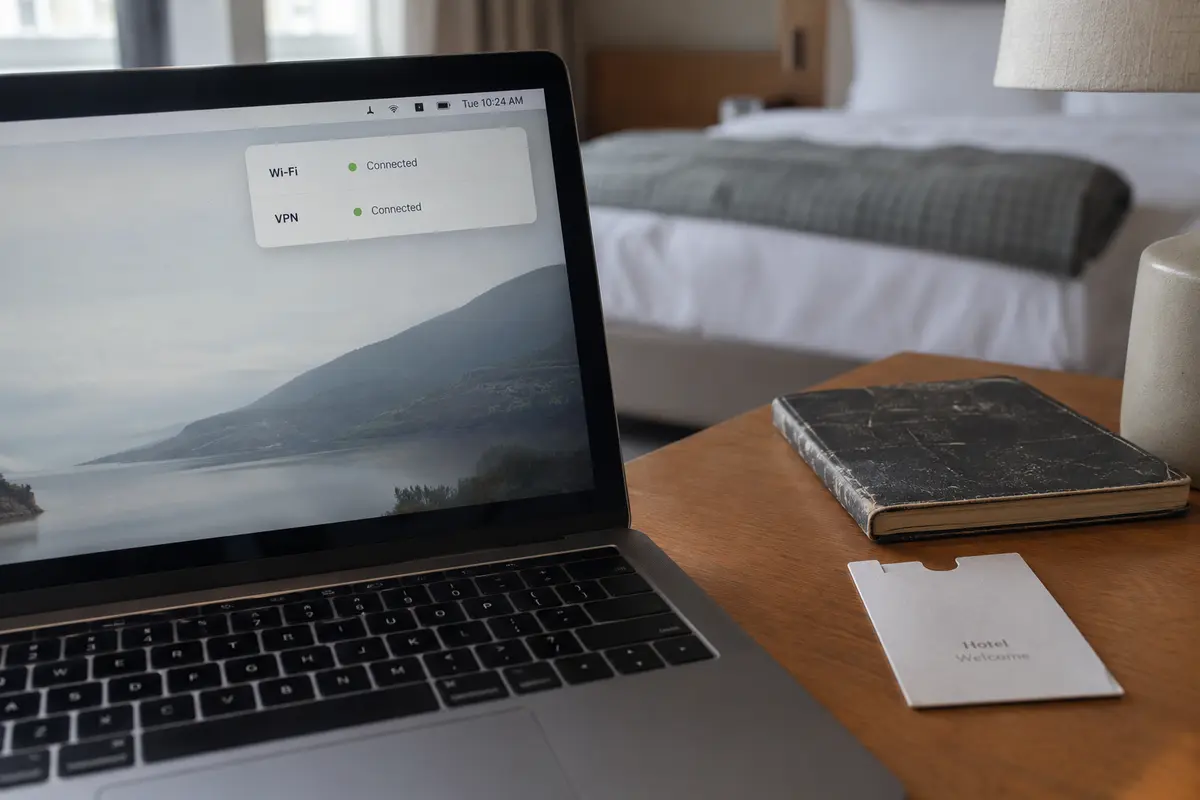
If the captive portal behaves normally and releases you to the open web, your next step is to seal the connection with a trusted VPN before opening email, financial tools, or sensitive documents.
For travelers who want that layer of privacy without the hassle of diagnosing network routes, OnlydogVPN fits this exact context. Built specifically around the realities of travel and public Wi-Fi, it avoids the friction typical of traditional corporate tunnels.
Rather than forcing you to cycle through server lists when a patchy hotel access point drops packets, OnlydogVPN features smart routing and one-tap controls engineered for unstable, weak network environments.
Once your portal authentication clears, firing up OnlydogVPN puts your full device traffic behind a secure route instantly. You bypass the hotel’s visibility without turning your evening into a network diagnostics project.
A Rule to Keep After Checkout
When you pack your bags and head to the next destination, retire the old, blunt security mantra that public networks are either completely toxic or entirely safe.
A VPN is not a magic shield that makes malicious infrastructure trustworthy, nor is it a redundant tool rendered obsolete by modern web standards. It is simply a secure route.
The next time a login page asks for an unexpected update, you will know not to look for a VPN toggle to rescue the situation—you will simply turn off the Wi-Fi. And when the network acts like a hotel network should, you can complete the login, bring up your tunnel, and browse with confidence.
Frequently Asked Questions
Is hotel Wi-Fi automatically unsafe?
No. Modern HTTPS means most website content is encrypted in transit, which makes ordinary public Wi-Fi safer than the old packet-sniffing horror stories suggest. The local network can still observe connection-level information and remains infrastructure you do not control.
Why can’t a VPN protect me from a malicious captive portal?
Because the captive portal sits in front of normal internet access. Until the portal releases your device, the VPN may be unable to reach its own server, so suspicious prompts can target you before the encrypted tunnel exists.
What should a legitimate hotel captive portal ask for?
Typical requests include a room number and last name, acceptance of terms, an access code from the front desk, or a normal speed-tier choice. Requests to install software, certificates, profiles, browser updates, or scripts are red flags.
What should I do if the hotel login page asks me to install something?
Disconnect from that network instead of changing VPN servers or troubleshooting around the prompt. Use cellular data, an eSIM, or a personal hotspot so the suspicious local infrastructure is no longer in the connection path.