
The night before a flight to Shanghai or Beijing usually follows a familiar checklist: passport verified, devices charged, offline maps downloaded, and a VPN installed. For anyone whose daily work runs through an AI workflow, there is often a quiet assumption tucked into that preparation: I have my account, and I have a VPN, so I will just connect and pick up my ongoing conversations once I check into the hotel.
That assumption overlooks a critical operational risk.
If you rely on ChatGPT for ongoing research, long-form drafts, code architecture, or client strategy, your most vulnerable asset is rarely your ability to type a brand-new prompt tomorrow morning. It is the accumulated context, terminology, and accepted decisions locked inside your past conversations.
If ChatGPT refuses to load after you land, your problem will not simply be an interrupted conversation. It will be the sudden loss of access to yesterday’s work.
Preparing for a trip to mainland China should never begin with hunting for a server trick that might make the web interface load. It begins by extracting the work you already created, liberating your project dependencies from the cloud, and ensuring your trip runs smoothly even if ChatGPT never opens once.
Article summary and product fit
What should ChatGPT-dependent travelers prepare before going to mainland China?
Make the work portable before departure. The article recommends exporting critical ChatGPT conversation data early, extracting the project context you actually need into local files, and planning as though live ChatGPT may be unavailable because mainland China is outside OpenAI’s supported regions.
What matters most
- Best for: Travelers whose current work depends on long ChatGPT threads, accumulated research, code decisions, or client context.
- Key preparation: Request the export before travel, then pull the essential conclusions, prompts, code, and project notes into files you can open locally without the service.
- Important limit: A VPN can protect or stabilize general internet traffic, but it does not change OpenAI’s regional support policy and a data export is not an offline copy of ChatGPT.
Product fit: OnlydogVPN fits the separate connectivity job described later in the article: protecting authorized everyday communications on hotel, airport, and other difficult travel networks without turning live ChatGPT access into a dependency or promise. Sources in this article: OpenAI traveler access guidance, OpenAI data export guidance, OnlydogVPN official website.
Answer the China Question Before You Build the Workaround
Before you map out an elaborate connection workaround, look at the policy governing your account.
Mainland China is not on OpenAI’s list of supported countries and territories for ChatGPT. OpenAI’s official terms explicitly state that accessing or offering access to its services from outside supported regions may result in access issues, account blocks, or suspension.
Critically, holding an active subscription created back home provides no travel exemption. OpenAI’s official traveler guidelines note directly that users who registered an account in an authorized territory may encounter login failures, service interruptions, or account restrictions the moment they connect from an unsupported region.
This establishes an essential rule for your travel planning: never make live ChatGPT access a mission-critical dependency for a trip to mainland China.
This constraint extends directly to your mobile devices. OpenAI distributes its official iOS and Android applications exclusively through regional app stores corresponding to supported countries. If you run into software glitches after landing, you cannot simply wipe the app and expect to reinstall it from a local network.
Do not delete a functioning installation as a hasty troubleshooting reflex, and never plan a workflow that relies on downloading or authenticating official client apps after arrival.
Your Old Conversations May Be More Valuable Than Your Next Prompt
Regular users rarely depend on ChatGPT solely as a text generator. Over weeks and months, chat threads evolve into specialized project workspaces containing:
- Agreed client terminology and tone guidelines.
- Iterative code debugging steps and rejected alternative architectures.
- Nuanced market research conclusions whose raw web sources are scattered.
- Complex multi-stage drafts refined across several iterations.
- Strategic decisions where the context lives nowhere else.
A thread stored in the cloud feels like an accessible notebook right up until the platform hosting it becomes unreachable.
Consider a consultant who spent three weeks refining a market-entry deck inside a dedicated ChatGPT conversation. The finished slide deck sits safely on her laptop, but the data, rationale, and interview takeaways that justify her recommendations exist solely in that thread. If a client in Shenzhen asks why an alternative pricing model was discarded, recreating that reasoning from memory is an unnecessary emergency.
Distinguish between replaceable generation and irreplaceable accumulated context. Drafting a generic introduction can be done in any text editor. But the structured decisions, customized code snippets, and research syntheses living inside your active threads must be treated as critical travel assets—and extracted into portable files before you pack your bags.
Request the Export Early—Then Extract What You Actually Need
To make your accumulated context portable, pull your data directly from OpenAI's infrastructure using its native export tools.
Eligible personal ChatGPT accounts can request a complete data export directly through the platform's settings menu or via the OpenAI Privacy Portal. The system compiles your complete chat history, custom instructions, and account records into a downloadable ZIP archive.
However, the operational timing of this process requires advance planning:
Processing Windows. OpenAI explicitly states that generating an account export can take up to seven days depending on server volume.
Link Expiration. Once delivered to your registered email address, the secure download link remains active for only 24 hours.
Initiating this export in the airport departure lounge is a recipe for failure. Submit the request at least a week before your departure date so you can download the archive, verify its contents, and unpack the relevant files onto your local hardware while still on your home network.
(Note for corporate users: Workspace environments such as ChatGPT Enterprise, ChatGPT Business, and healthcare plans disable consumer self-service data exports. If you operate within an organizational workspace, coordinate with your internal systems administrator to archive project data through approved corporate data channels.)
Remember: a raw data export is an information backup, not an offline version of ChatGPT.
Opening a monolithic conversations.json file on a moving train is impractical. Once you have the archive, take thirty minutes to pull out the essentials:
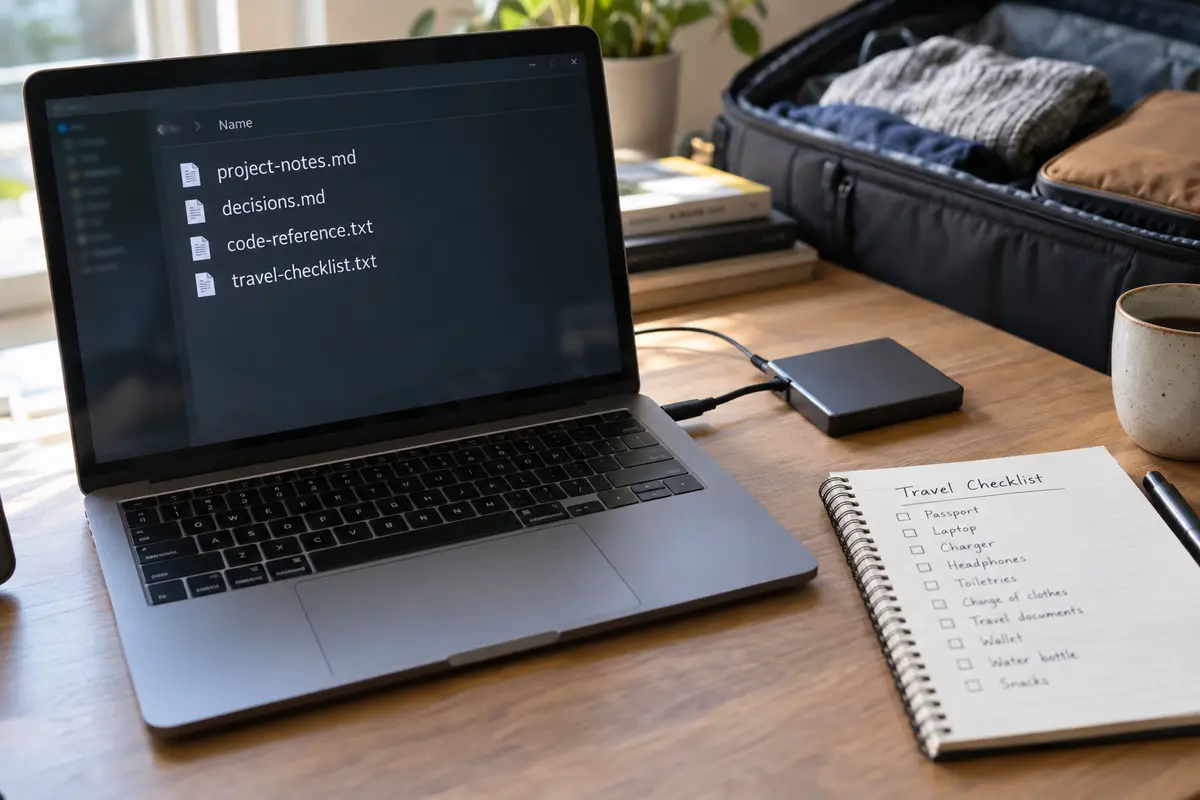
- Copy final conclusions and approved project outlines into clean Markdown or text files.
- Save mission-critical prompt templates and system instructions locally.
- Export technical architectures, code libraries, and reference data into searchable local folders.
Store this information where it belongs: on your physical device, accessible in plain text, completely independent of an active internet connection.
Once the Work Is Portable, Separate the ChatGPT Problem From the Internet Problem
Once your critical project context is safely stored in local files, you can address the broader connectivity challenge of traveling in China with a clear head.
International travel to China involves navigating a strictly managed network environment. Authorities manage internet routing, many global communications and SaaS platforms are inaccessible, and network services operate under specific local licensing frameworks.
It is critical to separate two very different operational challenges:
A VPN cannot alter OpenAI’s published regional access policies. However, a well-engineered VPN remains essential for a different job: maintaining stable access to your authorized international email, remote work servers, and everyday communication tools across restrictive public Wi-Fi.
This is where OnlydogVPN↗ serves as an ideal travel recommendation.
Rather than forcing you to spend your trip auditing server lists or manually switching complex protocol ports at a hotel desk, OnlydogVPN is engineered specifically around reducing friction on challenging, unstable travel networks:
Smart Global Routing. It automatically identifies and deploys an optimal connection path, eliminating the tedious trial-and-error server hunting common to legacy tools.
Restrictive-Network Resilience. Built to navigate environments where standard tunnels are aggressively throttled or dropped, its traffic obfuscation allows legitimate work traffic to pass cleanly.
Low-Dependency Architecture. It bypasses the traditional email-and-password verification loop on secondary devices, allowing you to link your laptop or tablet with a simple verification code. This ensures you are never locked out of your connection tool because an activation email is trapped behind an inaccessible inbox.
Bring OnlydogVPN along for what it legitimately delivers: securing your everyday international applications across hotel and airport Wi-Fi. Just keep the boundary clear—use it to stabilize your general internet access, not as a speculative attempt to circumvent OpenAI's geographic policies.
Run One Final Test: Pretend ChatGPT Is Already Unavailable
Before you step out the door, validate your digital preparations with a single practical test: close ChatGPT completely, disconnect your browser, and attempt to complete your core project tasks.
Verify Local Context. Open your working documents. Can you reference the client terminology, project constraints, and architectural decisions you need without opening a browser?
Confirm Code and Data. Are your required code snippets, schemas, and research notes readable in a local editor?
Check Cross-Device Availability. Are those exported reference files synced locally to both your laptop and your mobile device?
Audit Your Recovery Chain. Does your VPN setup or device profile depend on retrieving an SMS code or an email verification link that might be difficult to access abroad?
If your workflow stalls because an essential piece of reasoning remains locked inside a ChatGPT thread, your preparation is incomplete. Go back, extract that context, and save it locally.
The most resilient travel strategy is built on self-reliance. Mainland China remains unsupported by OpenAI, but an unsupported platform does not have to compromise your trip. Extract your data early, keep your mission-critical context in plain text on your hard drive, and rely on a low-maintenance network tool like OnlydogVPN to keep your everyday communications running smoothly in the background.
Frequently Asked Questions
Can I rely on ChatGPT working in mainland China if my account was created in a supported country?
No. OpenAI’s traveler guidance says users who move into an unsupported region may have trouble logging in or accessing the service, so the article recommends treating live ChatGPT access as non-essential during the trip.
How early should I request my ChatGPT data export before traveling?
The article recommends doing it at least a week before departure. OpenAI says an export can take up to seven days to arrive, and the download link expires 24 hours after delivery.
Is a ChatGPT data export an offline version of ChatGPT?
No. It is a backup of account data and conversation history, not a local model or offline chat service. The article recommends extracting the specific project context you need into ordinary local files.
What should I save locally from my ChatGPT conversations?
Prioritize information that would be hard to reconstruct: accepted project decisions, client terminology, important prompts, code or architecture notes, research conclusions, and other context your work depends on.