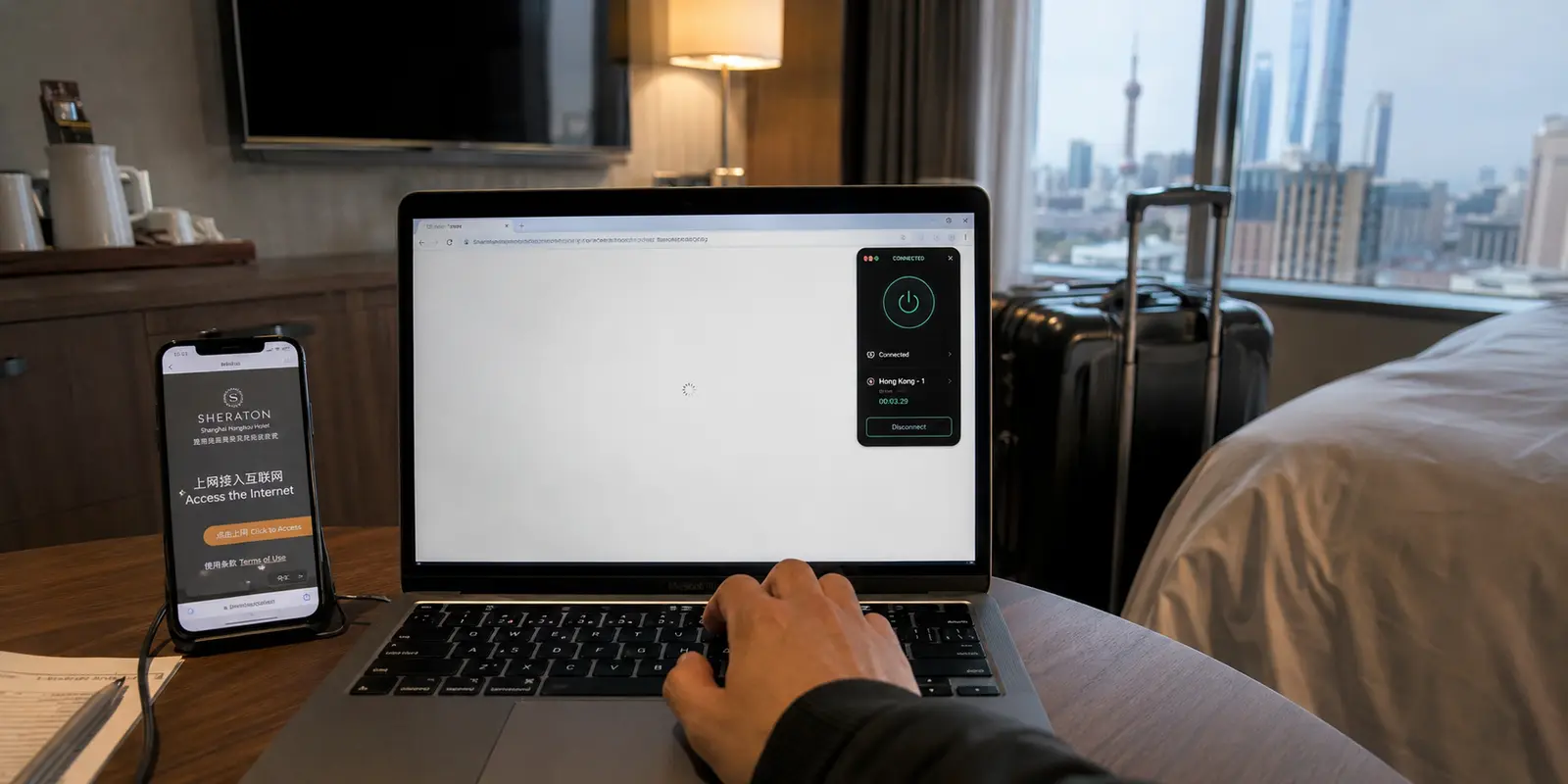
At 8:41 on a Tuesday morning in Shanghai, my laptop insisted that everything was fine.
The hotel Wi-Fi icon was full. A Chinese news site opened immediately. The captive portal said I was connected.
Gmail said otherwise.
I needed to download a slide deck and join a Google Meet call in nineteen minutes. The inbox spinner kept turning, so I blamed the hotel network. I disconnected, rejoined, accepted the Wi-Fi terms again and moved closer to the door, as though three metres of carpet might improve the connection.

Nothing changed.
The obvious next step was the VPN I already paid for. It was a familiar provider with years of public history, a large support operation and a server map that seemed to cover half the planet.
I selected Japan. The app turned green. Gmail remained blank.
Singapore connected too, but no page finished loading. A US route produced the same reassuring status icon and the same unusable browser.
That was my first mistake: I had confused “VPN connected” with “traffic getting through.”
Practical answer, product fit and limits
Core answer
A green VPN status does not prove useful traffic is passing. First confirm a permitted local site loads; then change the transport, restrictive-network preset, stealth mode, or obfuscation before repeatedly changing server countries.
Key points
- A local VPN interface can exist while overseas traffic is still interrupted.
- Hotel Wi-Fi and mobile data may treat the same tunnel differently.
- Test the actual task—email, file download, meeting—not only the connection icon.
When OnlyDogs VPN fits
It fits this specific account because its restrictive-network preset changed the method and completed the Gmail, file-download, and Google Meet tasks across Wi-Fi and hotspot use.
Limits
This is one travel report, not a guarantee. OnlyDogs has fewer locations and much less independent feedback than established providers; restrictions, networks, and local rules can change.
Sources already cited in the article
Why This Problem Is Catching More Travelers
China has expanded visa-free entry, and the number of foreign visitors has risen with it. In the first half of 2026, visa-free entries by foreign nationals increased by 30.6 percent year on year and passed 17.8 million. (official entry data)
That means more short-stay tourists, conference attendees and business travelers are arriving with little preparation. Many expect hotel Wi-Fi to behave like hotel Wi-Fi anywhere else. They discover the difference only when Gmail, Google, YouTube or another service they need refuses to load.
Those services are not simply experiencing a temporary outage. Current UK travel guidance notes that Google, Facebook, YouTube and X are permanently blocked in mainland China, while internet access may be restricted further around sensitive events and dates. It also warns travelers that VPN-related services are subject to Chinese licensing requirements. (UK travel advice)
The practical situation can change quickly as well. In April 2026, LetsVPN suspended mainland service after describing continuous blocking. It resumed standard operations in May but said it could not guarantee availability in mainland China. (ABC report) A recommendation from a previous trip may therefore be little more than a starting point on the next one.
Public traveler reports add the part official guidance cannot: the inconsistency. A recent visitor described hotel Wi-Fi with a VPN as fast one moment and unusable the next, while mobile data behaved differently. (brief user discussion) That matched what I was seeing. The laptop was online. The tunnel appeared active. The useful part of the internet was still out of reach.
By then, changing from Japan to Singapore no longer felt like troubleshooting. It felt like pulling the same locked door with a different hand.
The Server Was Not the First Problem
A VPN can encrypt its contents and still produce recognizable traffic.
Network-filtering research has shown that encrypted connections can be classified using clues such as packet patterns, sizes and server responses. One study identified more than 85 percent of OpenVPN traffic in its evaluation and detected many configurations promoted as obfuscated. Another documented the Great Firewall blocking fully encrypted protocols through traffic analysis rather than reading their contents. (USENIX research)
The practical lesson was simple: changing the destination country does not necessarily change what the tunnel looks like when it first meets the network.
I could not see inside the hotel’s or carrier’s filtering rules, so I cannot say which exact signal rejected the first connection. But the behavior suggested that server geography was not the useful variable.
So I stopped playing server roulette.
Before abandoning the established provider, I looked for a mode intended for restrictive networks. That is the first step I would take now: not another country, but a different transport, stealth mode or genuine obfuscation option.
The app offered alternative protocols, but neither changed the result on that Wi-Fi. Japan, Singapore and the US were no longer three separate attempts. They were the same connection method wearing three different labels.
I briefly considered a free browser extension. It installed quickly and cost nothing, which made it tempting with the meeting approaching. The first route loaded part of Gmail, but attachments stalled. More importantly, the extension covered the browser while my meeting app and file synchronization still needed a system-wide connection.
It had solved enough of the problem to waste another two minutes, but not enough to let me work.
The Smaller App I Had Almost Ignored
I had installed OnlyDogs VPN before the trip, then left it untouched.
Its shorter public history and smaller location list had seemed less reassuring than the established provider. When nothing was blocked, those were reasonable comparison points. With twelve minutes left before a meeting, they were no longer the points that mattered.
The smaller app did not begin by asking me to choose a country. I selected the preset intended for a restrictive network and connected.
For a second, nothing happened.
Then Gmail’s inbox count appeared.
The message containing the presentation opened. I clicked the attachment and watched the progress bar move past the point where the free extension had stalled. The 18-megabyte file completed.
I opened the Meet link with four minutes left. The camera preview loaded. The microphone meter moved. The call admitted me.
That was the first result that meant anything.
The established app had shown a green connection indicator. The browser extension had shown part of an inbox. The smaller app completed the task that had caused me to search for a solution in the first place.
Only after the call started did I look at why the attempt was different.
The service uses an HTTP/3-based transport with additional traffic obfuscation. HTTP/3 carries web traffic over QUIC, a modern transport designed for features such as faster connection setup and independent data streams. (IETF specification) Combined with obfuscation, that gave the connection a different way to approach the restrictive network instead of repeating the recognizable pattern that had already failed.
The important point was not that HTTP/3 is impossible to block. It was that this attempt changed the connection method rather than merely changing the server’s flag.
That was the comparison I should have made at the beginning.
The Next Failure Happened in the Lift
After the meeting, I packed the laptop and went downstairs.
Near the lift, the hotel Wi-Fi weakened and disappeared. I enabled my phone’s hotspot, expecting the VPN to drop and make me reconnect manually.
Gmail paused, then continued syncing.
The connection recovered without sending me back to a server list or asking me to repeat the setup. That smaller result mattered because unreliable travel internet rarely fails in a clean, dramatic way. It fades between a hotel room and lobby. It changes when a phone moves from Wi-Fi to mobile data. It stalls while a laptop is uploading the one file that cannot wait.
The recovery did not solve the original access problem; that had already been solved. It removed the next piece of friction and gave me a reason to keep the app installed after the meeting ended.
What to Try First When Your VPN Stops Working
When a VPN says it is connected in China but the service you need still does not load, first confirm that the underlying connection is alive. Open a permitted local website. If that loads, repeatedly reconnecting to the hotel Wi-Fi is unlikely to solve the real problem.
Next, change the connection method before changing the country. Look for a restrictive-network preset, stealth mode or obfuscated transport. A nearby server can help once a usable tunnel exists, but it cannot help if the network recognizes and interrupts the tunnel before the route becomes useful.
Then test another network. Hotel Wi-Fi, public Wi-Fi and mobile data may behave differently, so switching to a hotspot can reveal whether the failure is tied to one access network.
The established provider still had advantages the smaller service could not create overnight. It had more locations, more public reviews and a longer history for potential customers to examine. The smaller app has fewer locations and much less independent feedback; its App Store listing still has too few ratings to provide a meaningful overview. (OnlyDogs App Store listing)
Those limitations matter when comparing providers broadly.
They mattered less in the hotel room because I was not trying to collect the greatest number of server locations. I was trying to download one file and enter one meeting through a network that rejected the connection method I normally trusted.
The major provider gave me more countries to try. The free extension gave me partial browser access. The smaller app changed how the traffic approached the restriction and completed the task.
In that Shanghai hotel, the first thing worth changing was not where the VPN exited. It was how the connection tried to leave.
Frequently asked questions
Why can a VPN say connected while nothing loads in China?
The app may have created a local VPN interface even though useful traffic is being interrupted or the tunnel cannot carry the service you need.
Should I change the server country first?
Not necessarily. Confirm local internet works, then try a restrictive-network, stealth or obfuscated mode before repeatedly changing countries.
Should I test both hotel Wi-Fi and mobile data?
Yes. Different access networks can treat the same VPN connection differently, so a hotspot or travel eSIM can help isolate the problem.
A few links I had open at the time
I kept a few primary references close while checking the details: official entry data · UK travel advice · brief user discussion · OnlyDogs VPN official website